
How to Use AT42QT1012: Examples, Pinouts, and Specs
 Design with AT42QT1012 in Cirkit Designer
Introduction
The AT42QT1012, manufactured by Microchip Technology, is a capacitive touch sensor controller designed for single-touch applications. It is a highly versatile component that enables touch-based user interfaces in electronic devices. With features such as low power consumption, adjustable sensitivity, and simple interfacing with microcontrollers, the AT42QT1012 is ideal for applications requiring reliable and responsive touch detection.
Explore Projects Built with AT42QT1012
 Open Project in Cirkit Designer
 Open Project in Cirkit Designer
 Open Project in Cirkit Designer
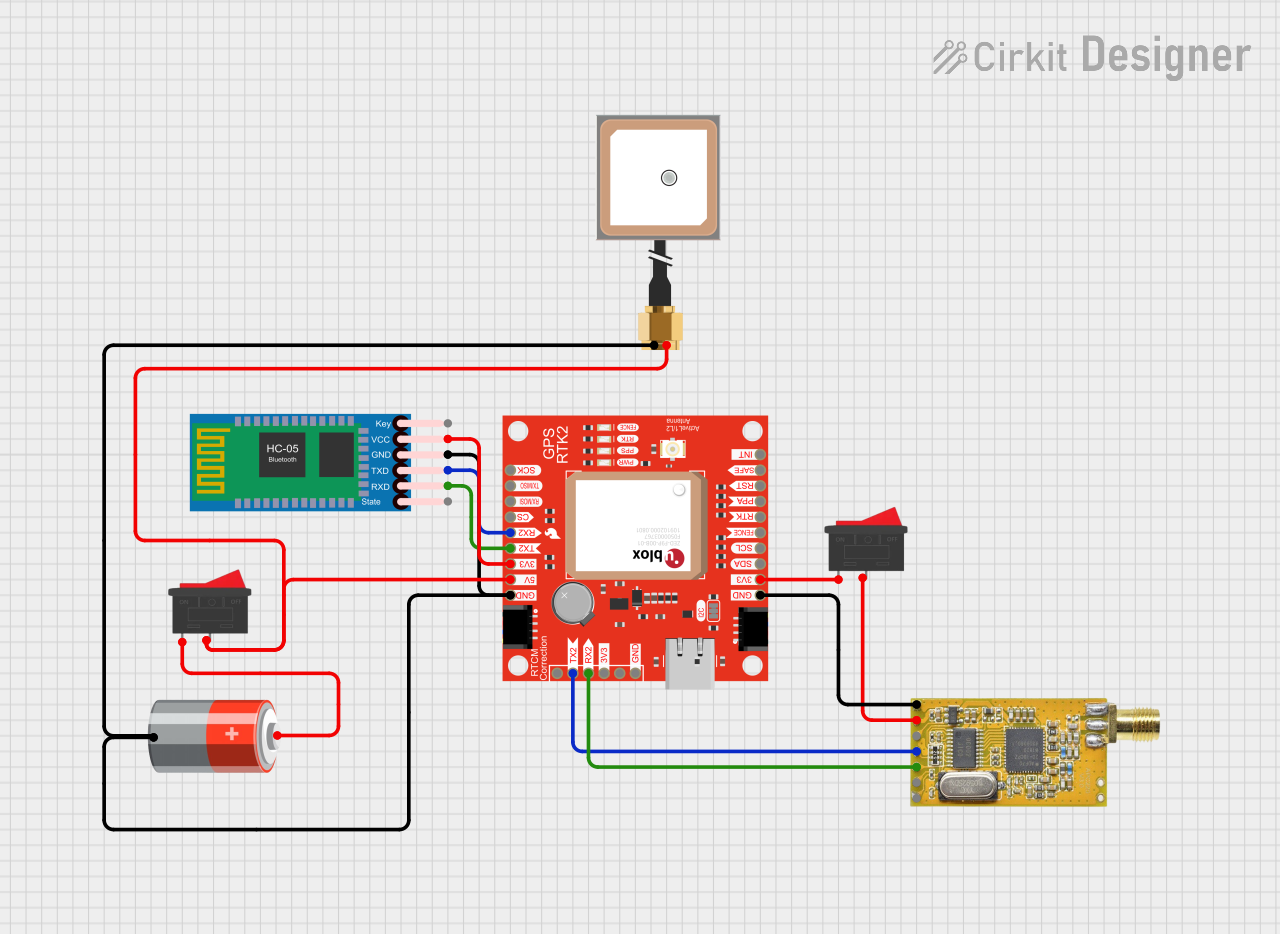 Open Project in Cirkit Designer
Explore Projects Built with AT42QT1012
Open Project in Cirkit DesignerOpen Project in Cirkit DesignerOpen Project in Cirkit DesignerOpen Project in Cirkit DesignerCommon Applications and Use Cases
- Touch-sensitive buttons for consumer electronics (e.g., home appliances, remote controls)
- Touch-based lighting controls
- Wearable devices
- Automotive touch interfaces
- Industrial control panels
Technical Specifications
The AT42QT1012 is designed to provide robust touch sensing with minimal external components. Below are its key technical details:
Key Technical Details
| Parameter | Value |
|---|---|
| Operating Voltage | 1.8V to 5.5V |
| Current Consumption | 17 µA (typical, at 1.8V in low-power mode) |
| Response Time | ~50 ms |
| Sensitivity Adjustment | Adjustable via external capacitor (Cs) |
| Output Type | Active low (open-drain output) |
| Operating Temperature Range | -40°C to +85°C |
| Interface | Digital output (1 pin) |
Pin Configuration and Descriptions
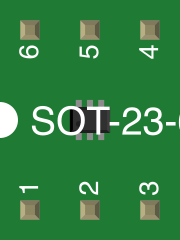
The AT42QT1012 is available in an SOT23-6 package. Below is the pinout and description:
| Pin Number | Pin Name | Description |
|---|---|---|
| 1 | VDD | Power supply input (1.8V to 5.5V) |
| 2 | OUT | Active low touch detection output |
| 3 | SNSK | Sense pin for touch electrode |
| 4 | SNS | Sense pin for touch electrode |
| 5 | VSS | Ground |
| 6 | TIME | External capacitor for response time control |
Usage Instructions
The AT42QT1012 is straightforward to use in a circuit. Below are the steps and considerations for integrating it into your design:
How to Use the AT42QT1012 in a Circuit
- Power Supply: Connect the VDD pin to a stable power source (1.8V to 5.5V) and the VSS pin to ground.
- Touch Electrode: Connect the SNS and SNSK pins to a touch electrode. The electrode can be a conductive material such as copper or ITO (Indium Tin Oxide).
- Sensitivity Adjustment: Place a capacitor (Cs) between the SNS and SNSK pins to adjust the sensitivity. A larger Cs increases sensitivity.
- Response Time Adjustment: Connect a capacitor to the TIME pin to control the response time. A larger capacitor increases the response time.
- Output Connection: The OUT pin provides an active low signal when a touch is detected. Connect this pin to a microcontroller or other logic circuitry.
Important Considerations and Best Practices
- Electrode Design: Ensure the touch electrode is properly designed for your application. Larger electrodes may require higher sensitivity settings.
- PCB Layout: Minimize noise by keeping the SNS and SNSK traces short and away from high-frequency signals.
- Pull-up Resistor: Use a pull-up resistor (e.g., 10kΩ) on the OUT pin if connecting to a microcontroller.
- Debouncing: Implement software debouncing in your microcontroller to filter out false triggers.
Example: Connecting to an Arduino UNO
The AT42QT1012 can be easily interfaced with an Arduino UNO. Below is an example circuit and code:
Circuit
- Connect the VDD pin to the Arduino's 5V pin.
- Connect the VSS pin to the Arduino's GND pin.
- Connect the OUT pin to Arduino digital pin 2.
- Connect the SNS and SNSK pins to a touch electrode with a capacitor (Cs) between them.
- Add a pull-up resistor (10kΩ) between the OUT pin and VDD.
Arduino Code
// AT42QT1012 Touch Sensor Example
// This code reads the touch sensor output and toggles an LED on pin 13.

#define TOUCH_SENSOR_PIN 2  // Pin connected to AT42QT1012 OUT pin
#define LED_PIN 13          // Pin connected to an LED

void setup() {
  pinMode(TOUCH_SENSOR_PIN, INPUT);  // Set touch sensor pin as input
  pinMode(LED_PIN, OUTPUT);          // Set LED pin as output
}

void loop() {
  int touchState = digitalRead(TOUCH_SENSOR_PIN);  // Read touch sensor state

  if (touchState == LOW) {  // Active low output indicates a touch
    digitalWrite(LED_PIN, HIGH);  // Turn on LED
  } else {
    digitalWrite(LED_PIN, LOW);   // Turn off LED
  }
}
Troubleshooting and FAQs
Common Issues and Solutions
No Response from the Sensor
- Cause: Incorrect power supply or loose connections.
- Solution: Verify that VDD is within the operating range (1.8V to 5.5V) and all connections are secure.
False Touch Detection
- Cause: Excessive noise or improper electrode design.
- Solution: Minimize noise by improving PCB layout and shielding. Adjust the Cs capacitor to fine-tune sensitivity.
Slow Response Time
- Cause: Large capacitor on the TIME pin.
- Solution: Reduce the capacitance value on the TIME pin to decrease response time.
Output Pin Always Low
- Cause: Short circuit or overly sensitive settings.
- Solution: Check for shorts on the SNS and SNSK pins. Reduce the Cs capacitor value.
FAQs
Q: Can the AT42QT1012 detect multiple touches simultaneously?
A: No, the AT42QT1012 is designed for single-touch applications only.
Q: What is the maximum electrode size supported?
A: The maximum electrode size depends on the sensitivity settings and the Cs capacitor value. Larger electrodes may require higher sensitivity.
Q: Can I use the AT42QT1012 with a 3.3V system?
A: Yes, the AT42QT1012 operates within a voltage range of 1.8V to 5.5V, making it compatible with 3.3V systems.
Q: How do I prevent accidental touches?
A: Use a smaller Cs capacitor to reduce sensitivity and ensure proper grounding and shielding in your design.