The TMC2208 is a high-performance stepper motor driver manufactured by Analog Devices Inc. (Part ID: Stepper Driver). It is designed to provide smooth and quiet operation for stepper motors, making it ideal for applications requiring precision and low noise. The TMC2208 supports advanced features such as microstepping and UART communication for configuration and control. These features make it a popular choice for 3D printers, CNC machines, and other motion control systems.
Explore Projects Built with TMC2208 Stepper driver
Use Cirkit Designer to design, explore, and prototype these projects online. Some projects support real-time simulation. Click "Open Project" to start designing instantly!
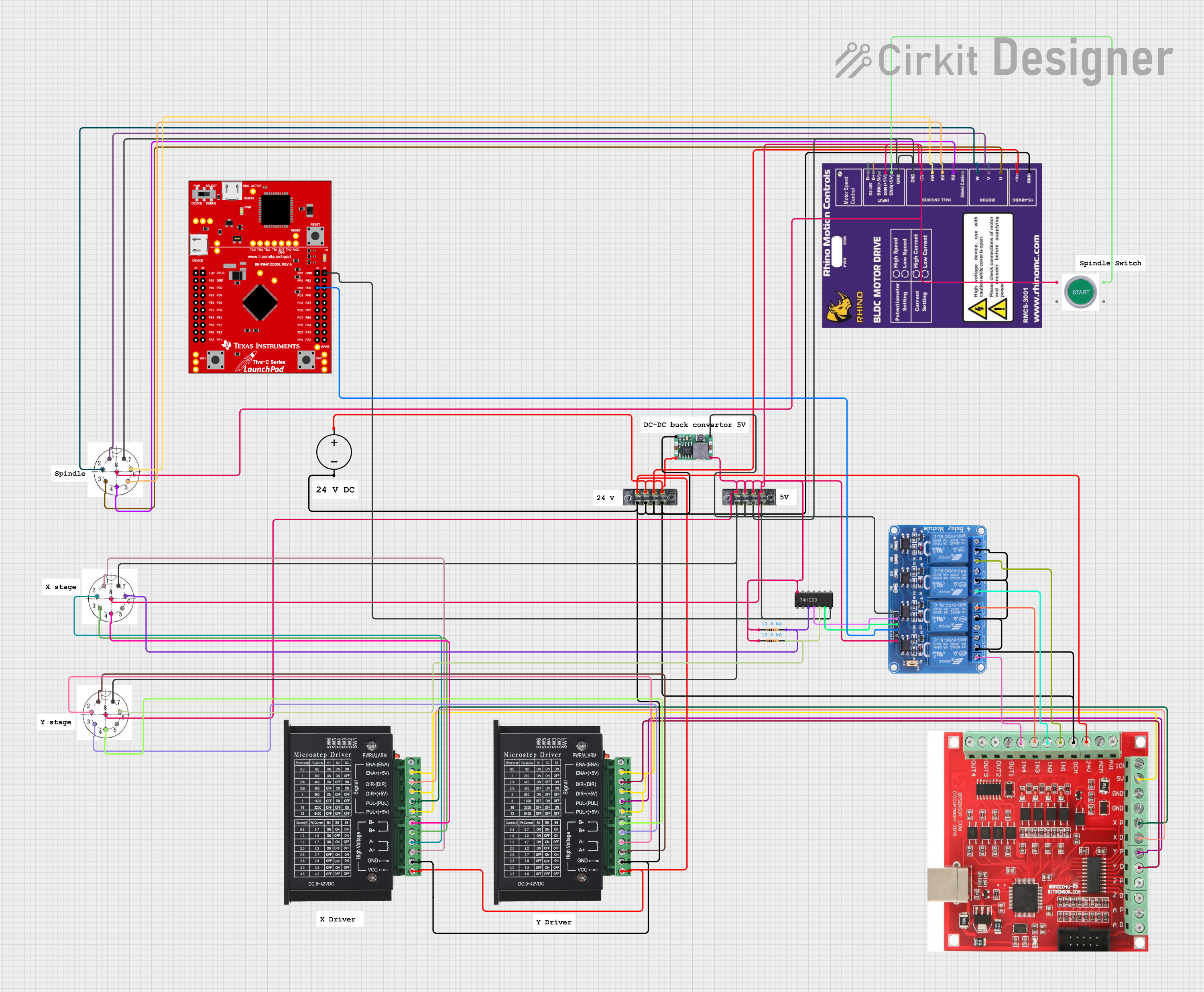
This circuit appears to be a control system for a CNC machine or similar automated equipment. It includes two tb6600 Micro Stepping Motor Drivers for controlling stepper motors, a DC power source with a step-down buck converter to provide the necessary voltage levels, and a 4-channel relay module for switching higher power loads. The MAch3 CNC USB interface suggests the system is designed to interface with computer numerical control software, and the RMCS_3001 BLDC Driver indicates the presence of a brushless DC motor control. The Tiva C launchpad microcontroller and various connectors imply that the system is modular and may be programmable for specific automation tasks.
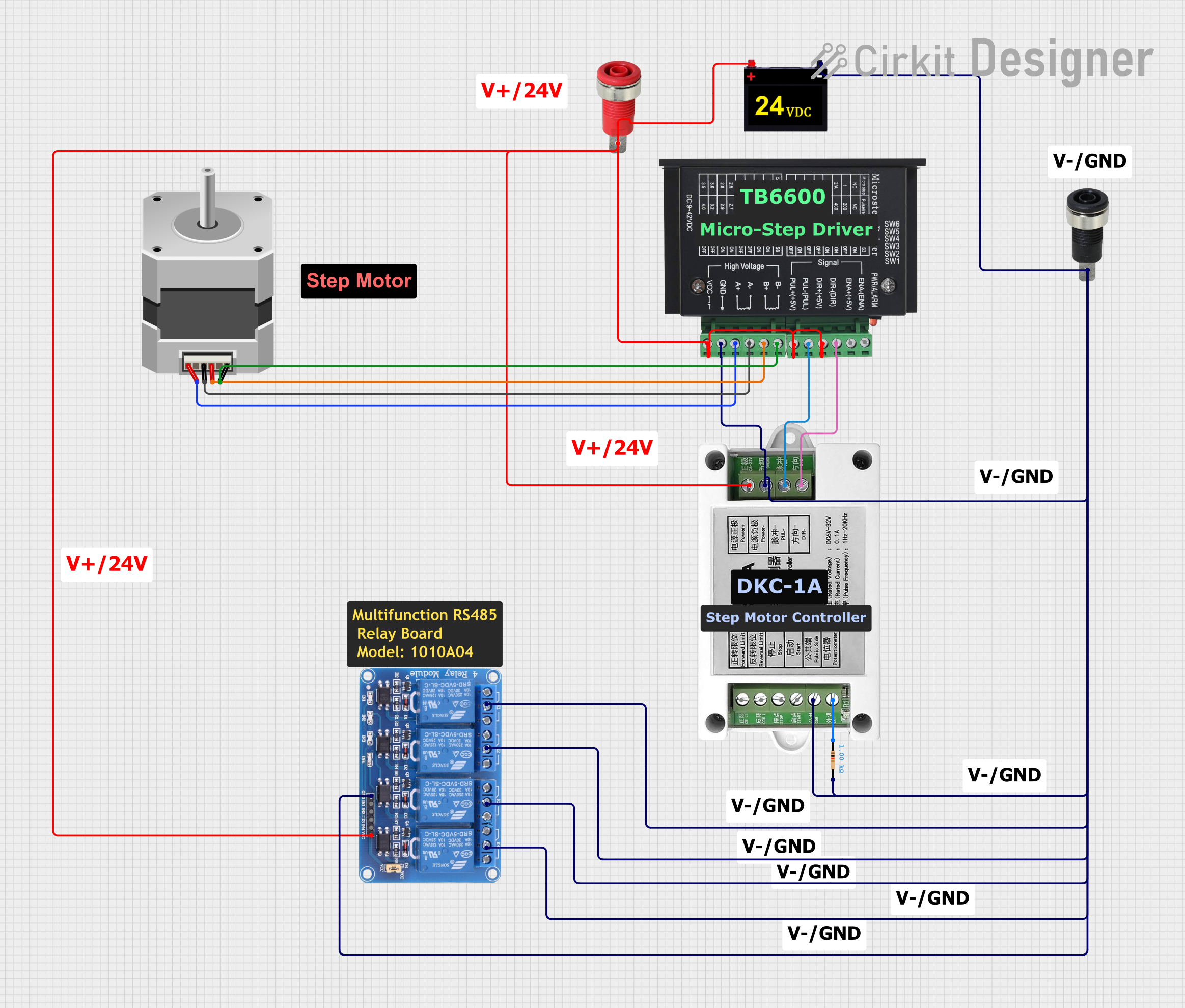
This circuit controls a bipolar stepper motor using a tb6600 micro stepping motor driver and a DKC-1A stepper motor controller. The system is powered by a 24VDC power supply and includes a relay module for additional control functionalities.
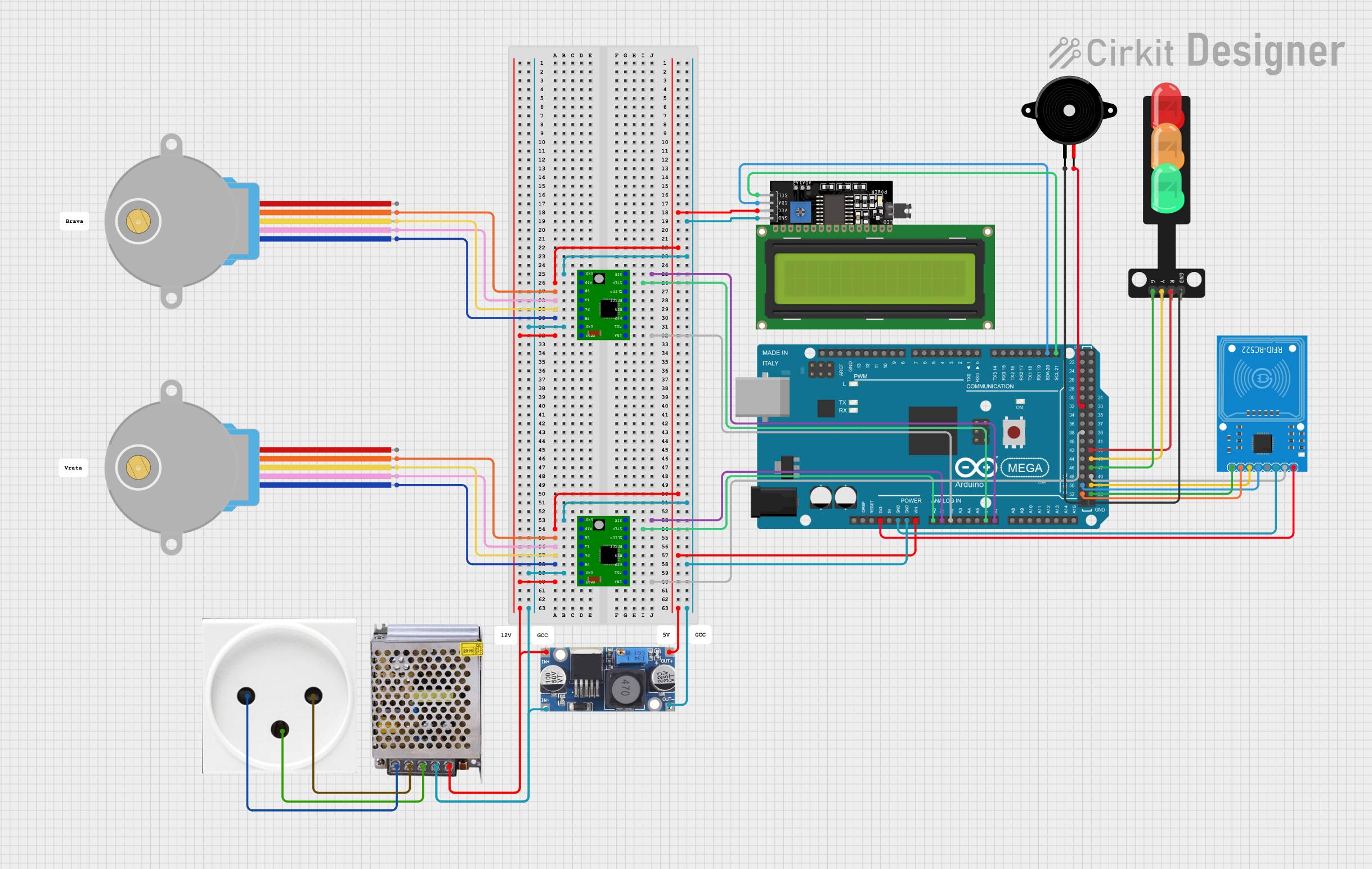
This circuit controls two 28BYJ-48 stepper motors using A4988 stepper motor driver carriers, interfaced with an Arduino Mega 2560 microcontroller. It features an RFID-RC522 module for RFID reading, a 16x4 LCD display with I2C interface for user interaction, and a piezo speaker for audio feedback. Additionally, there is a traffic light module controlled by the Arduino, and a 48V to 5V converter to step down voltage for the logic levels. The power supply provides 12V to the motor drivers and is connected to a standard power outlet.
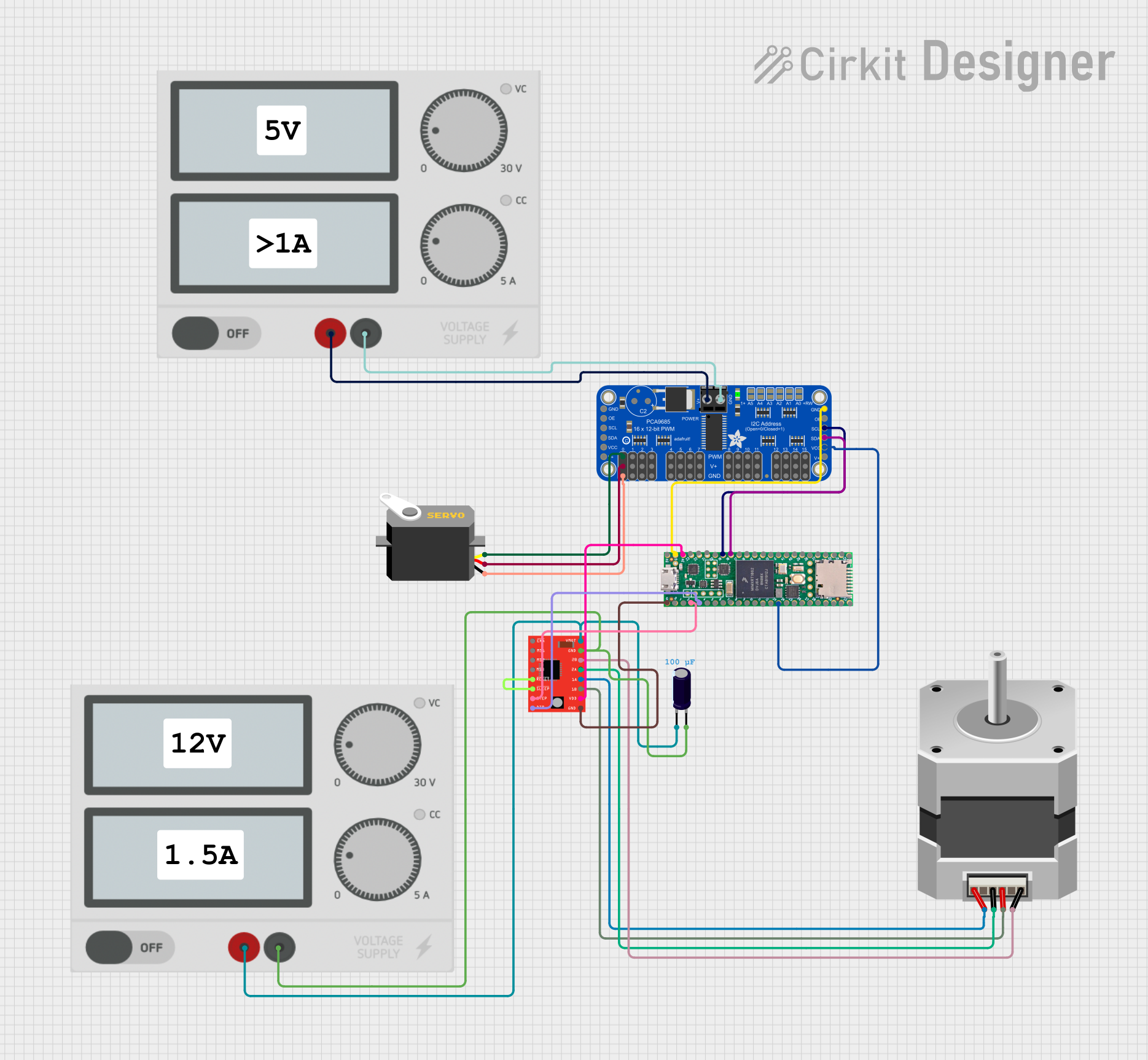
This circuit controls a bipolar stepper motor using an A4988 Stepper Motor Driver, which is interfaced with a Teensy 4.1 microcontroller. The Teensy sends step and direction signals to the driver, while the driver's RESET and SLEEP pins are tied together, likely for simplified control. Additionally, the circuit includes an Adafruit PCA9685 PWM Servo Breakout board, which is connected to a servo motor and communicates with the Teensy via I2C, and both the driver and the breakout board are powered by separate power supplies with decoupling provided by an electrolytic capacitor.
CNC machines for smooth motion and reduced vibration
Robotics and automation systems
Camera sliders and other motion control devices
Technical Specifications
The TMC2208 offers a range of technical features that enhance its performance and usability. Below are the key specifications:
Parameter
Value
Supply Voltage (V_M)
4.75V to 36V
Logic Voltage (V_IO)
3.3V or 5V
Maximum Motor Current
1.2A RMS (2.0A peak)
Microstepping Resolution
Up to 256 microsteps per full step
Communication Interface
UART
Standby Current
<50mA
Operating Temperature
-40°C to +125°C
Pin Configuration and Descriptions
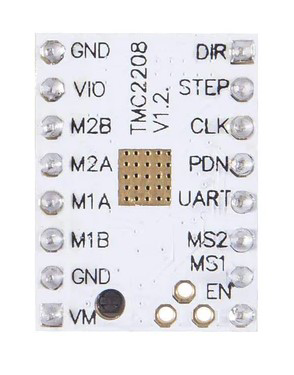
The TMC2208 comes in a 16-pin package. Below is the pin configuration and description:
Pin
Name
Description
1
GND
Ground connection for the driver
2
V_M
Motor power supply input (4.75V to 36V)
3
V_IO
Logic voltage input (3.3V or 5V)
4
EN
Enable pin (active low)
5
DIR
Direction control input
6
STEP
Step pulse input for motor control
7
UART_TX
UART transmit pin for communication
8
UART_RX
UART receive pin for communication
9
MS1
Microstepping resolution selection pin 1
10
MS2
Microstepping resolution selection pin 2
11
DIAG
Diagnostic output (e.g., stall detection)
12
INDEX
Index output for step position indication
13
NC
Not connected
14
NC
Not connected
15
NC
Not connected
16
NC
Not connected
Usage Instructions
How to Use the TMC2208 in a Circuit
Power Supply: Connect the motor power supply (V_M) to a voltage source between 4.75V and 36V. Ensure the logic voltage (V_IO) matches your microcontroller's logic level (3.3V or 5V).
Motor Connection: Connect the stepper motor's coils to the appropriate output pins of the TMC2208.
Control Pins: Use the STEP and DIR pins to control the motor's movement and direction. Optionally, configure microstepping using the MS1 and MS2 pins.
UART Communication: Connect the UART_TX and UART_RX pins to your microcontroller for advanced configuration and control.
Enable Pin: Pull the EN pin low to enable the driver.
Important Considerations
Cooling: The TMC2208 can generate heat during operation. Use a heatsink or active cooling if necessary.
Microstepping: For smoother motion, configure the microstepping resolution using the MS1 and MS2 pins or via UART.
Current Limiting: Set the motor current limit appropriately to prevent overheating or damage to the motor and driver.
Decoupling Capacitors: Place decoupling capacitors close to the V_M and V_IO pins to reduce noise and ensure stable operation.
Example Code for Arduino UNO
Below is an example of how to control the TMC2208 using an Arduino UNO:
// Example code to control a stepper motor using the TMC2208 driver
// Connect STEP to pin 3, DIR to pin 4, and EN to pin 5 on the Arduino UNO

#define STEP_PIN 3  // Pin connected to STEP
#define DIR_PIN 4   // Pin connected to DIR
#define EN_PIN 5    // Pin connected to EN

void setup() {
  pinMode(STEP_PIN, OUTPUT); // Set STEP pin as output
  pinMode(DIR_PIN, OUTPUT);  // Set DIR pin as output
  pinMode(EN_PIN, OUTPUT);   // Set EN pin as output

  digitalWrite(EN_PIN, LOW); // Enable the driver (active low)
  digitalWrite(DIR_PIN, HIGH); // Set direction (HIGH or LOW)
}

void loop() {
  // Generate step pulses to move the motor
  digitalWrite(STEP_PIN, HIGH); // Set STEP pin HIGH
  delayMicroseconds(500);       // Wait for 500 microseconds
  digitalWrite(STEP_PIN, LOW);  // Set STEP pin LOW
  delayMicroseconds(500);       // Wait for 500 microseconds
}
Troubleshooting and FAQs
Common Issues and Solutions
Motor Not Moving
Cause: Incorrect wiring or insufficient power supply.
Solution: Double-check all connections and ensure the power supply meets the voltage and current requirements.
Overheating
Cause: Excessive motor current or inadequate cooling.
Solution: Reduce the current limit and add a heatsink or fan for cooling.
Noisy Operation
Cause: Incorrect microstepping configuration or insufficient decoupling.
Solution: Configure microstepping properly and add decoupling capacitors near the power pins.
UART Communication Not Working
Cause: Incorrect baud rate or wiring.
Solution: Verify the UART settings (default baud rate is 9600) and check the connections.
FAQs
Q: Can the TMC2208 operate without UART communication?
A: Yes, the TMC2208 can operate in standalone mode using the STEP, DIR, and MS pins for basic control.
Q: What is the maximum microstepping resolution?
A: The TMC2208 supports up to 256 microsteps per full step for ultra-smooth motion.
Q: How do I set the motor current limit?
A: The motor current limit can be configured via UART or by adjusting the reference voltage (V_REF) on the driver.
Q: Is the TMC2208 compatible with 12V and 24V systems?
A: Yes, the TMC2208 supports a wide voltage range (4.75V to 36V), making it compatible with both 12V and 24V systems.

 Open Project in Cirkit Designer