
How to Use BLUETOOTH-RN41: Examples, Pinouts, and Specs
 Design with BLUETOOTH-RN41 in Cirkit Designer
Introduction
The Bluetooth-RN41 is a compact, low-power Bluetooth module designed for wireless communication. It supports Bluetooth 2.1+EDR (Enhanced Data Rate), enabling reliable and efficient short-range data transmission. With its small form factor and robust performance, the RN41 is ideal for applications such as remote controls, wireless sensors, IoT devices, medical equipment, and industrial automation. Its ease of integration and versatile features make it a popular choice for developers looking to add Bluetooth functionality to their projects.
Explore Projects Built with BLUETOOTH-RN41
 Open Project in Cirkit Designer
 Open Project in Cirkit Designer
 Open Project in Cirkit Designer
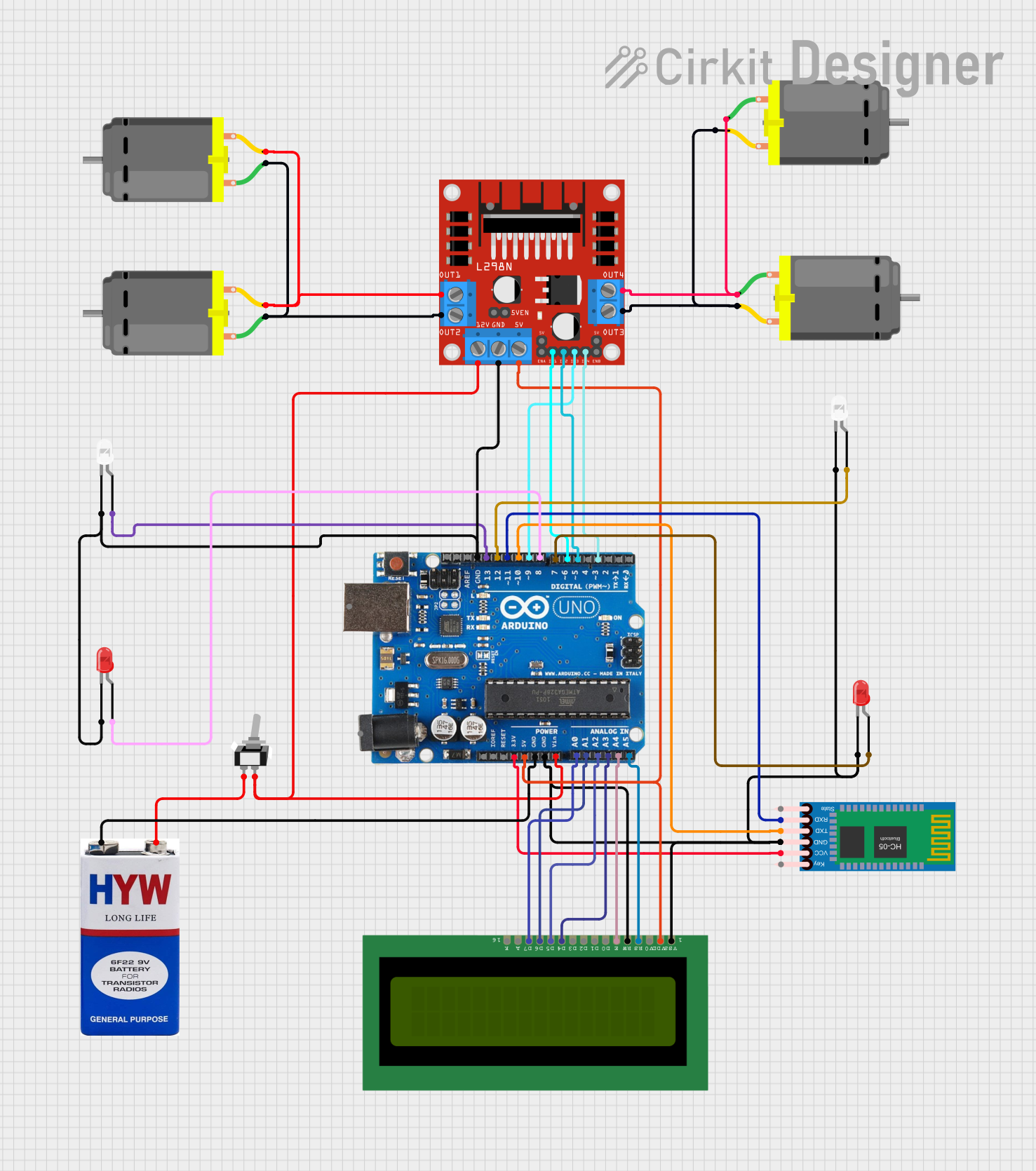 Open Project in Cirkit Designer
Explore Projects Built with BLUETOOTH-RN41
Open Project in Cirkit DesignerOpen Project in Cirkit DesignerOpen Project in Cirkit DesignerOpen Project in Cirkit DesignerTechnical Specifications
Key Technical Details
- Bluetooth Version: 2.1+EDR
- Frequency Range: 2.4 GHz ISM band
- Data Rate: Up to 3 Mbps
- Operating Voltage: 3.0V to 3.6V
- Current Consumption:
- Idle: 26 mA
- Connected: 30 mA (typical)
- Sleep Mode: 250 µA
- Transmit Power: +4 dBm (Class 2)
- Range: Up to 20 meters (line of sight)
- Antenna: Integrated ceramic chip antenna
- Interface: UART (default baud rate: 115200 bps)
- Operating Temperature: -40°C to +85°C
- Dimensions: 13.4 mm x 25.8 mm x 2 mm
Pin Configuration and Descriptions
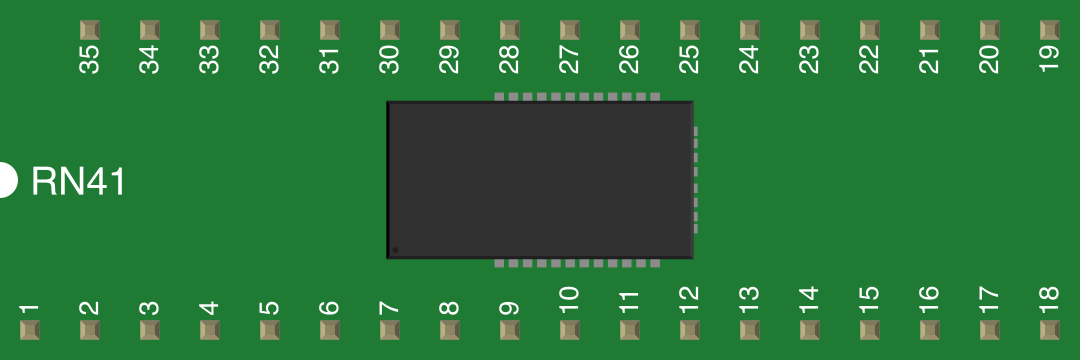
The RN41 module has 12 pins. Below is the pinout and description:
| Pin Number | Pin Name | Description |
|---|---|---|
| 1 | GND | Ground connection |
| 2 | VCC | Power supply input (3.0V to 3.6V) |
| 3 | TX | UART Transmit (data output from RN41) |
| 4 | RX | UART Receive (data input to RN41) |
| 5 | RTS | Request to Send (hardware flow control, optional) |
| 6 | CTS | Clear to Send (hardware flow control, optional) |
| 7 | RESET | Active-low reset pin |
| 8 | STATUS | Indicates connection status (high = connected, low = not connected) |
| 9 | PIO4 | Programmable I/O pin (can be configured for specific functions) |
| 10 | PIO5 | Programmable I/O pin (can be configured for specific functions) |
| 11 | PIO6 | Programmable I/O pin (can be configured for specific functions) |
| 12 | PIO7 | Programmable I/O pin (can be configured for specific functions) |
Usage Instructions
How to Use the RN41 in a Circuit
- Power Supply: Connect the VCC pin to a regulated 3.3V power source and the GND pin to ground.
- UART Communication:
- Connect the TX pin of the RN41 to the RX pin of your microcontroller.
- Connect the RX pin of the RN41 to the TX pin of your microcontroller.
- If hardware flow control is required, connect the RTS and CTS pins to the corresponding pins on your microcontroller.
- Reset: Optionally, connect the RESET pin to a GPIO pin on your microcontroller for manual or software-controlled resets.
- Status Monitoring: Use the STATUS pin to monitor the connection state of the module.
- Antenna: Ensure the module's integrated antenna is not obstructed by metal or other materials that could interfere with signal strength.
Important Considerations and Best Practices
- Voltage Levels: Ensure that the UART pins (TX, RX) are compatible with 3.3V logic levels. Use a level shifter if interfacing with a 5V microcontroller.
- Antenna Placement: Avoid placing the module near high-frequency components or metal enclosures to maintain optimal signal strength.
- Baud Rate Configuration: The default UART baud rate is 115200 bps. You can change it using AT commands if needed.
- Sleep Mode: To reduce power consumption, configure the module to enter sleep mode when not in use.
Example: Connecting RN41 to Arduino UNO
Below is an example of how to connect the RN41 to an Arduino UNO and send data via Bluetooth.
Wiring Diagram
- RN41 TX → Arduino RX (Pin 0)
- RN41 RX → Arduino TX (Pin 1)
- RN41 VCC → Arduino 3.3V
- RN41 GND → Arduino GND
Arduino Code
// Example code to send data from Arduino to RN41 via Bluetooth
void setup() {
  Serial.begin(115200); // Initialize UART communication at 115200 bps
  delay(1000);          // Wait for the RN41 module to initialize
  Serial.println("RN41 Bluetooth Module Test");
  // Send a test message to the RN41 module
}

void loop() {
  Serial.println("Hello, Bluetooth!");
  // Send data periodically
  delay(1000);          // Wait 1 second before sending the next message
}
Troubleshooting and FAQs
Common Issues and Solutions
Module Not Responding:
- Cause: Incorrect wiring or insufficient power supply.
- Solution: Double-check all connections and ensure the VCC pin is receiving 3.3V.
No Bluetooth Connection:
- Cause: The module is not in discoverable mode.
- Solution: Ensure the module is powered on and not already connected to another device. Use a Bluetooth scanner to locate the module.
Data Transmission Errors:
- Cause: Mismatched baud rates between the RN41 and the microcontroller.
- Solution: Verify and configure the baud rate using AT commands.
Weak Signal or Limited Range:
- Cause: Obstructions or interference near the antenna.
- Solution: Relocate the module to a position with fewer obstructions and avoid placing it near metal objects.
FAQs
Q: Can the RN41 module be used with a 5V microcontroller?
- A: Yes, but you must use a level shifter for the UART pins to avoid damaging the module.
Q: How do I change the module's name or baud rate?
- A: Use AT commands via the UART interface. Refer to the RN41 datasheet for a complete list of AT commands.
Q: What is the maximum range of the RN41 module?
- A: The module has a maximum range of up to 20 meters in line-of-sight conditions.