Cirkit Designer Logo
Cirkit Designer
Your all-in-one circuit design IDE
Home / 
Component Documentation

How to Use Servomotor S05NF: Examples, Pinouts, and Specs
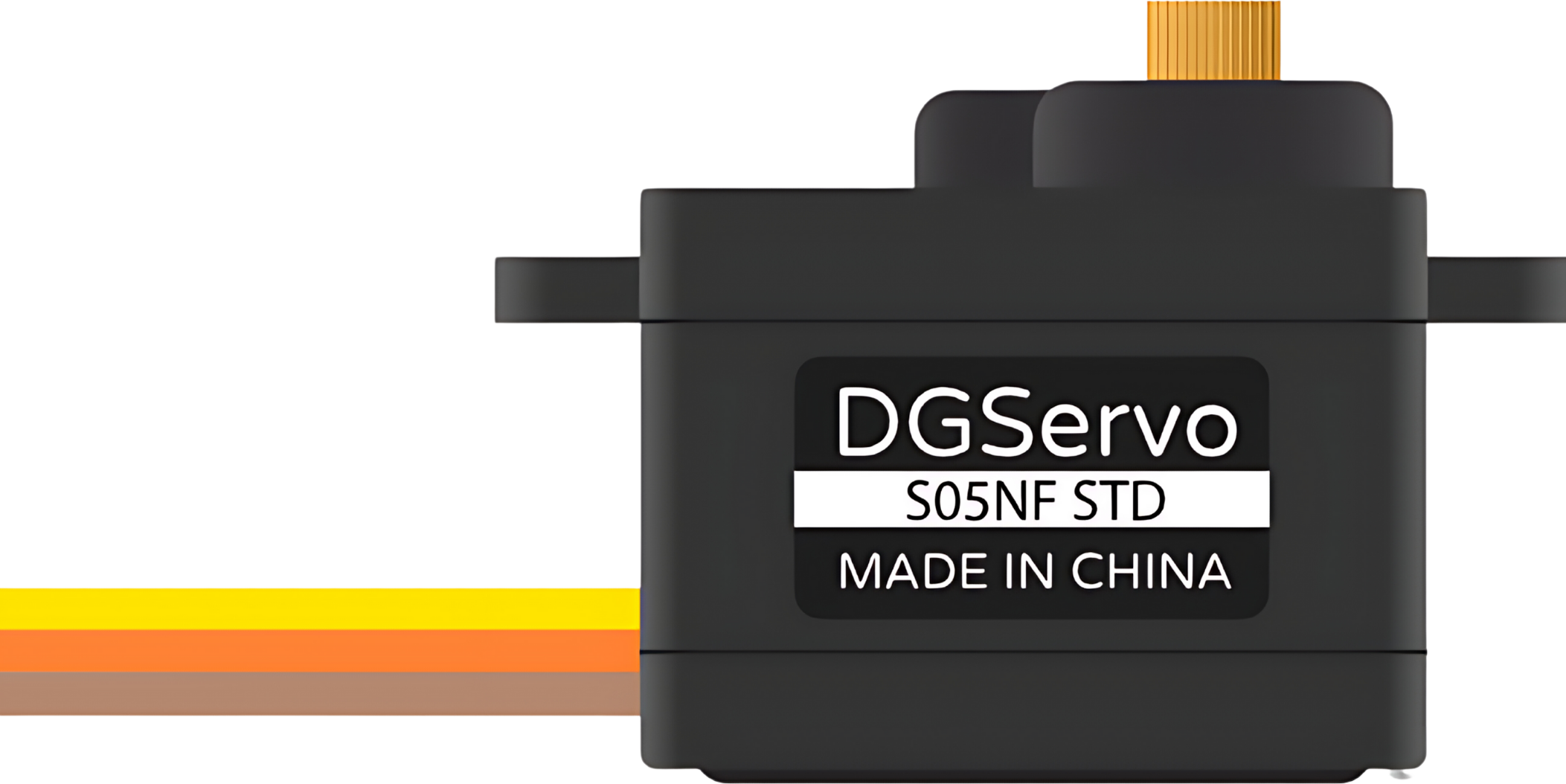

Image of Servomotor S05NF
Cirkit Designer LogoDesign with Servomotor S05NF in Cirkit Designer

Introduction

The Servomotor S05NF is a high-performance rotary actuator designed for precise control of angular position, velocity, and acceleration. It is widely used in automation systems, robotics, and remote-controlled vehicles due to its reliability and precision. The S05NF is particularly favored for applications requiring a compact form factor and efficient power consumption.

Explore Projects Built with Servomotor S05NF
Use Cirkit Designer to design, explore, and prototype these projects online. Some projects support real-time simulation. Click "Open Project" to start designing instantly!
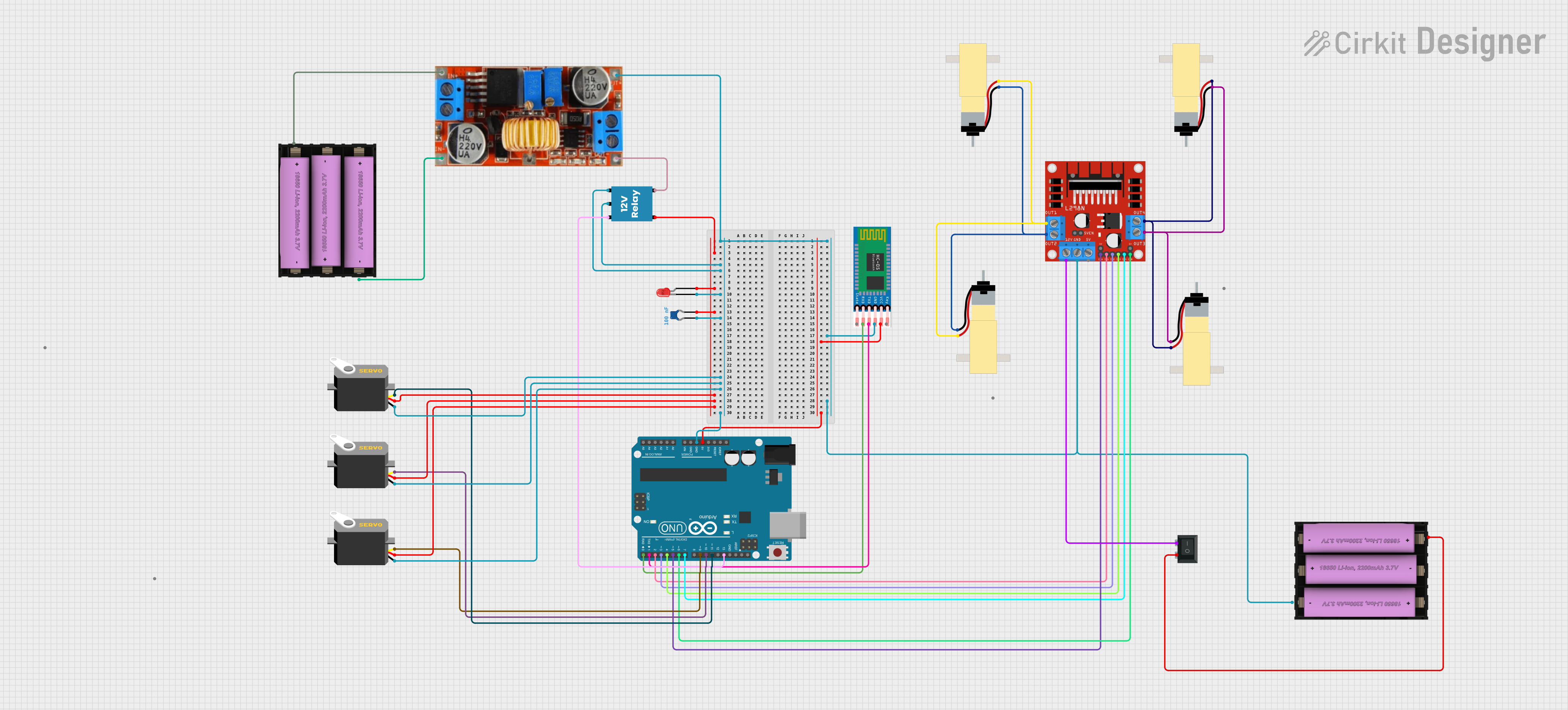
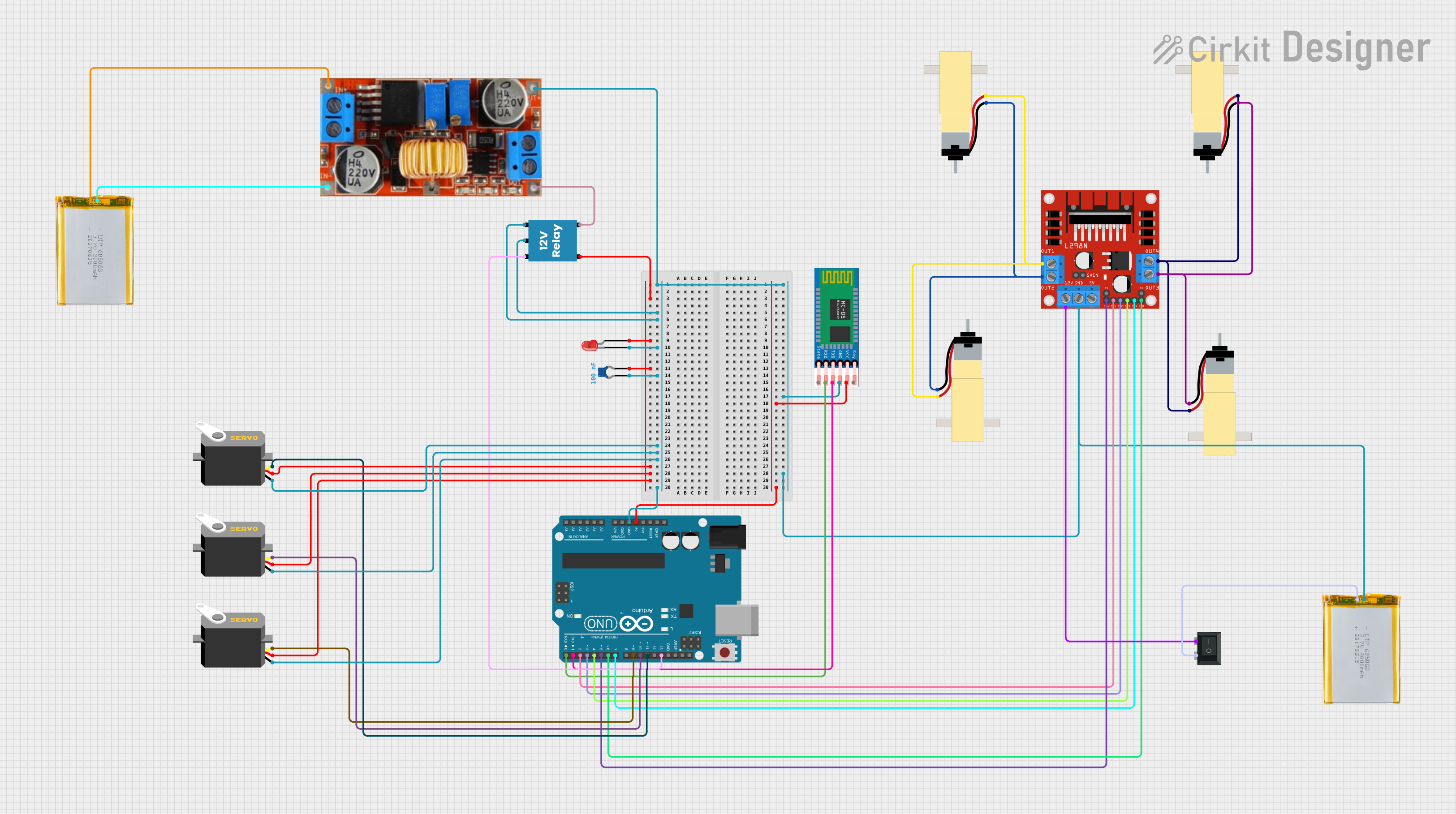
Bluetooth-Controlled Robotic Vehicle with Arduino and Servo-Gearmotor Actuation
Image of CARM: A project utilizing Servomotor S05NF in a practical application
This circuit appears to be a remote-controlled robotic system with multiple servos and gearmotors, likely for movement and manipulation. An Arduino UNO microcontroller is used to control the servos and gearmotors via a L298N motor driver, and it interfaces with an HC-05 Bluetooth module for wireless communication. The system is powered by batteries, with a step-down converter to regulate voltage, and includes a relay and LED for power control and indication.
Cirkit Designer LogoOpen Project in Cirkit Designer
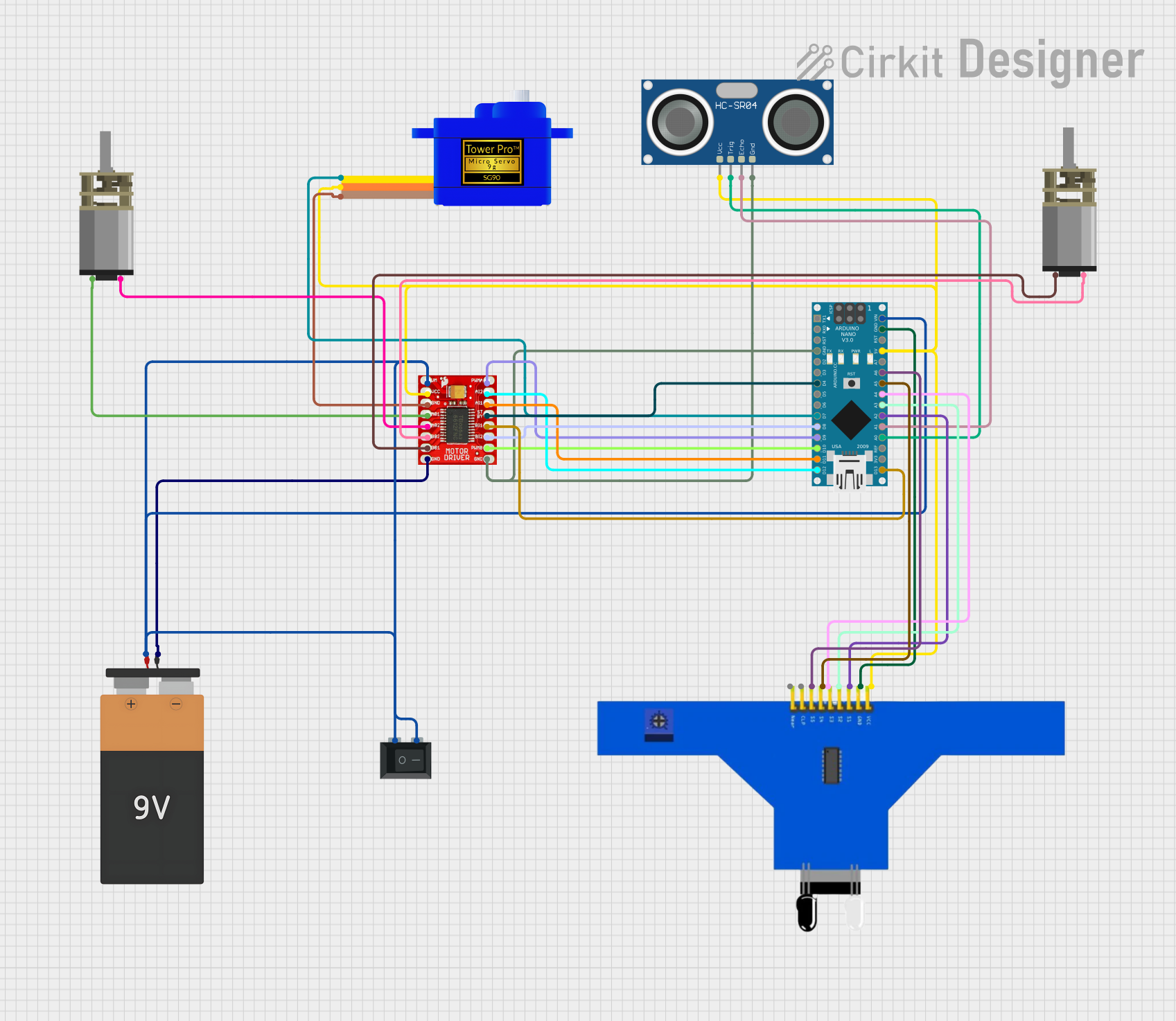
Arduino Nano-Controlled Robotic Vehicle with Ultrasonic and IR Sensors
Image of sentinels 1 LFOA robot: A project utilizing Servomotor S05NF in a practical application
This circuit features an Arduino Nano microcontroller interfaced with a variety of sensors and actuators. It includes a 5-channel IR sensor and an HC-SR04 ultrasonic sensor for input, a servomotor, and two DC mini metal gear motors for output, all controlled via a TB6612FNG motor driver. The system is powered by a 9V battery through a rocker switch and is likely designed for a mobile robot with object detection and line following capabilities.
Cirkit Designer LogoOpen Project in Cirkit Designer
Arduino-Controlled Robotic System with Bluetooth Interface and Motorized Actuators
Image of CARM: A project utilizing Servomotor S05NF in a practical application
This circuit appears to be a remote-controlled robotic system with multiple servos and DC gearmotors, likely for movement and manipulation. An Arduino UNO microcontroller is used to control the servos and motors via a L298N motor driver, and it interfaces with an HC-05 Bluetooth module for wireless communication. Power management is handled by a Li-ion battery connected through a rocker switch and a step-down converter, with a relay and LED indicating the system's power status.
Cirkit Designer LogoOpen Project in Cirkit Designer
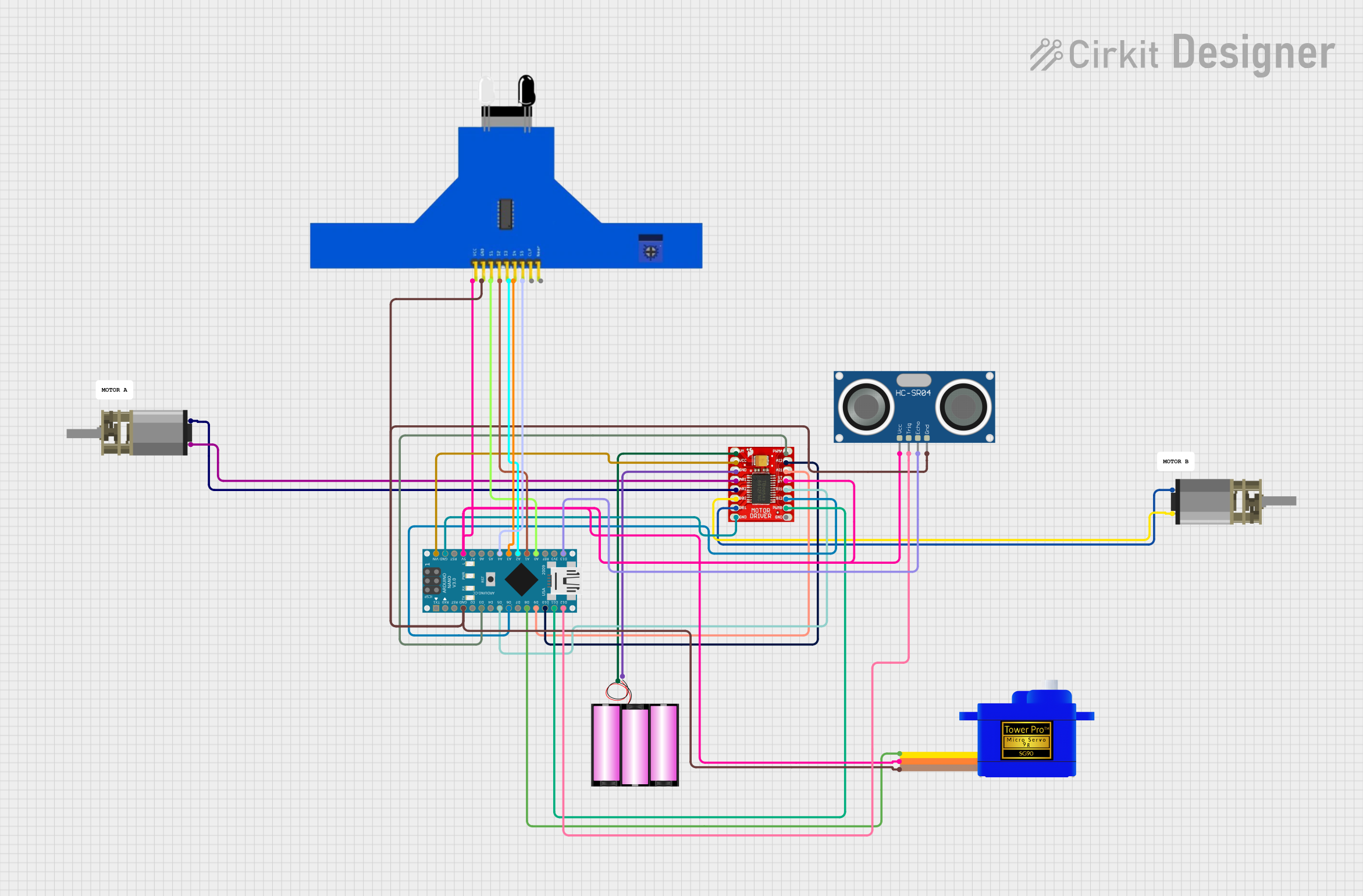
Arduino Nano Controlled Robot with Ultrasonic Sensor and Dual Motor Drivers
Image of SENTINELS CIRCUIT : A project utilizing Servomotor S05NF in a practical application
This circuit features an Arduino Nano microcontroller interfaced with a TB6612FNG motor driver to control two DC Mini Metal Gear Motors. It also includes an HC-SR04 Ultrasonic Sensor for distance measurement, a 5 channel IR sensor for line tracking, and a Servomotor SG90 for positioning tasks. The system is powered by a 12V battery, with the Arduino Nano managing sensor inputs and motor outputs to perform tasks such as navigation or automation.
Cirkit Designer LogoOpen Project in Cirkit Designer

Explore Projects Built with Servomotor S05NF

Use Cirkit Designer to design, explore, and prototype these projects online. Some projects support real-time simulation. Click "Open Project" to start designing instantly!
Image of CARM: A project utilizing Servomotor S05NF in a practical application
Bluetooth-Controlled Robotic Vehicle with Arduino and Servo-Gearmotor Actuation
This circuit appears to be a remote-controlled robotic system with multiple servos and gearmotors, likely for movement and manipulation. An Arduino UNO microcontroller is used to control the servos and gearmotors via a L298N motor driver, and it interfaces with an HC-05 Bluetooth module for wireless communication. The system is powered by batteries, with a step-down converter to regulate voltage, and includes a relay and LED for power control and indication.
Cirkit Designer LogoOpen Project in Cirkit Designer
Image of sentinels 1 LFOA robot: A project utilizing Servomotor S05NF in a practical application
Arduino Nano-Controlled Robotic Vehicle with Ultrasonic and IR Sensors
This circuit features an Arduino Nano microcontroller interfaced with a variety of sensors and actuators. It includes a 5-channel IR sensor and an HC-SR04 ultrasonic sensor for input, a servomotor, and two DC mini metal gear motors for output, all controlled via a TB6612FNG motor driver. The system is powered by a 9V battery through a rocker switch and is likely designed for a mobile robot with object detection and line following capabilities.
Cirkit Designer LogoOpen Project in Cirkit Designer
Image of CARM: A project utilizing Servomotor S05NF in a practical application
Arduino-Controlled Robotic System with Bluetooth Interface and Motorized Actuators
This circuit appears to be a remote-controlled robotic system with multiple servos and DC gearmotors, likely for movement and manipulation. An Arduino UNO microcontroller is used to control the servos and motors via a L298N motor driver, and it interfaces with an HC-05 Bluetooth module for wireless communication. Power management is handled by a Li-ion battery connected through a rocker switch and a step-down converter, with a relay and LED indicating the system's power status.
Cirkit Designer LogoOpen Project in Cirkit Designer
Image of SENTINELS CIRCUIT : A project utilizing Servomotor S05NF in a practical application
Arduino Nano Controlled Robot with Ultrasonic Sensor and Dual Motor Drivers
This circuit features an Arduino Nano microcontroller interfaced with a TB6612FNG motor driver to control two DC Mini Metal Gear Motors. It also includes an HC-SR04 Ultrasonic Sensor for distance measurement, a 5 channel IR sensor for line tracking, and a Servomotor SG90 for positioning tasks. The system is powered by a 12V battery, with the Arduino Nano managing sensor inputs and motor outputs to perform tasks such as navigation or automation.
Cirkit Designer LogoOpen Project in Cirkit Designer

Common Applications and Use Cases

  • Robotic arms and manipulators
  • Radio-controlled vehicles
  • Automated guided vehicles (AGVs)
  • Antenna positioning
  • Camera gimbal control

Technical Specifications

The following table outlines the key technical specifications of the Servomotor S05NF:

Specification Value
Operating Voltage 4.8V - 6.0V DC
Stall Torque 4.8V: 3.0 kg-cm; 6.0V: 3.7 kg-cm
Operating Speed 4.8V: 0.16 sec/60°; 6.0V: 0.14 sec/60°
Dead Band Width 5 µs
Temperature Range -20°C to +60°C
Control Signal PWM (Pulse Width Modulation)
Pulse Width Range 900 to 2100 µs
Maximum Angle Approximately 180°
Connector Type JR/Futaba universal
Gear Type Metal
Bearing Type Dual ball bearings
Dimensions 40.7 x 19.7 x 42.9 mm
Weight 55g

Pin Configuration and Descriptions

Pin Number Color Description
1 Brown Ground (GND)
2 Red Power Supply (VCC)
3 Orange Control Signal (PWM)

Usage Instructions

How to Use the Servomotor S05NF in a Circuit

  1. Power Supply: Connect the red wire to a power supply that is within the operating voltage range (4.8V to 6.0V DC). Ensure that the power supply can deliver sufficient current for the servomotor's operation.

  2. Ground Connection: Attach the brown wire to the ground of your power supply and the ground of your control signal source to ensure a common reference point.

  3. Control Signal: Connect the orange wire to the PWM output of your control source, such as a microcontroller or servo controller.

Important Considerations and Best Practices

  • Avoid exceeding the recommended voltage range to prevent damage to the servomotor.
  • Ensure that the control signal pulse width is within the specified range (900 to 2100 µs) for proper operation.
  • Do not stall the servomotor for extended periods, as this can lead to overheating and potential failure.
  • When mounting the servomotor, ensure that the load is well-balanced to avoid excessive strain on the gears.

Example Code for Arduino UNO

#include <Servo.h>

Servo myservo;  // create servo object to control the S05NF

void setup() {
  myservo.attach(9);  // attaches the servo on pin 9 to the servo object
}

void loop() {
  myservo.write(90);  // sets the servo position to 90°
  delay(1000);        // waits for the servo to reach the position
  myservo.write(0);   // sets the servo to 0°
  delay(1000);        // waits for the servo to reach the position
}

Troubleshooting and FAQs

Common Issues

  • Servomotor does not respond: Check the power supply and connections. Ensure the control signal is within the correct pulse width range.
  • Erratic movement or jitter: This may be caused by an unstable power supply or interference on the control signal. Ensure that the power supply is stable and use shielded cables if necessary.
  • Limited range of motion: Verify that the control signal pulse width is correct. Adjust the pulse width to achieve the desired range of motion.

Solutions and Tips for Troubleshooting

  • Always double-check wiring connections before powering up the system.
  • Use a multimeter to verify the power supply voltage and the control signal pulse width.
  • If the servomotor is overheating, reduce the load or duty cycle to prevent damage.

FAQs

Q: Can I control the S05NF servomotor with a standard RC transmitter and receiver?

A: Yes, the S05NF can be controlled using a standard RC setup, as it accepts the typical PWM signal used in RC applications.

Q: What is the maximum weight the S05NF can lift?

A: The maximum weight the servomotor can lift depends on the leverage; refer to the stall torque specification for the maximum torque at a given voltage.

Q: How can I reverse the direction of rotation?

A: To reverse the direction, you can either modify the control signal in software or swap the position values in the code (e.g., use myservo.write(180) instead of myservo.write(0)).

Q: Is it possible to control multiple S05NF servomotors with one Arduino UNO?

A: Yes, the Arduino UNO can control multiple servomotors. Each servomotor must be attached to a separate PWM-capable pin, and you need to create a separate Servo object for each motor in your code.