
How to Use Adafruit Bluefruit EZ-KEY: Examples, Pinouts, and Specs
 Design with Adafruit Bluefruit EZ-KEY in Cirkit Designer
Introduction
The Adafruit Bluefruit EZ-KEY (Manufacturer Part ID: 1535) is a Bluetooth Low Energy (BLE) keyboard emulator designed for creating custom wireless keyboard inputs. This versatile module allows users to send keyboard commands wirelessly to devices such as computers, tablets, and smartphones. It is ideal for DIY projects, remote control setups, and assistive technology applications.
Explore Projects Built with Adafruit Bluefruit EZ-KEY
 Open Project in Cirkit Designer
 Open Project in Cirkit Designer
 Open Project in Cirkit Designer
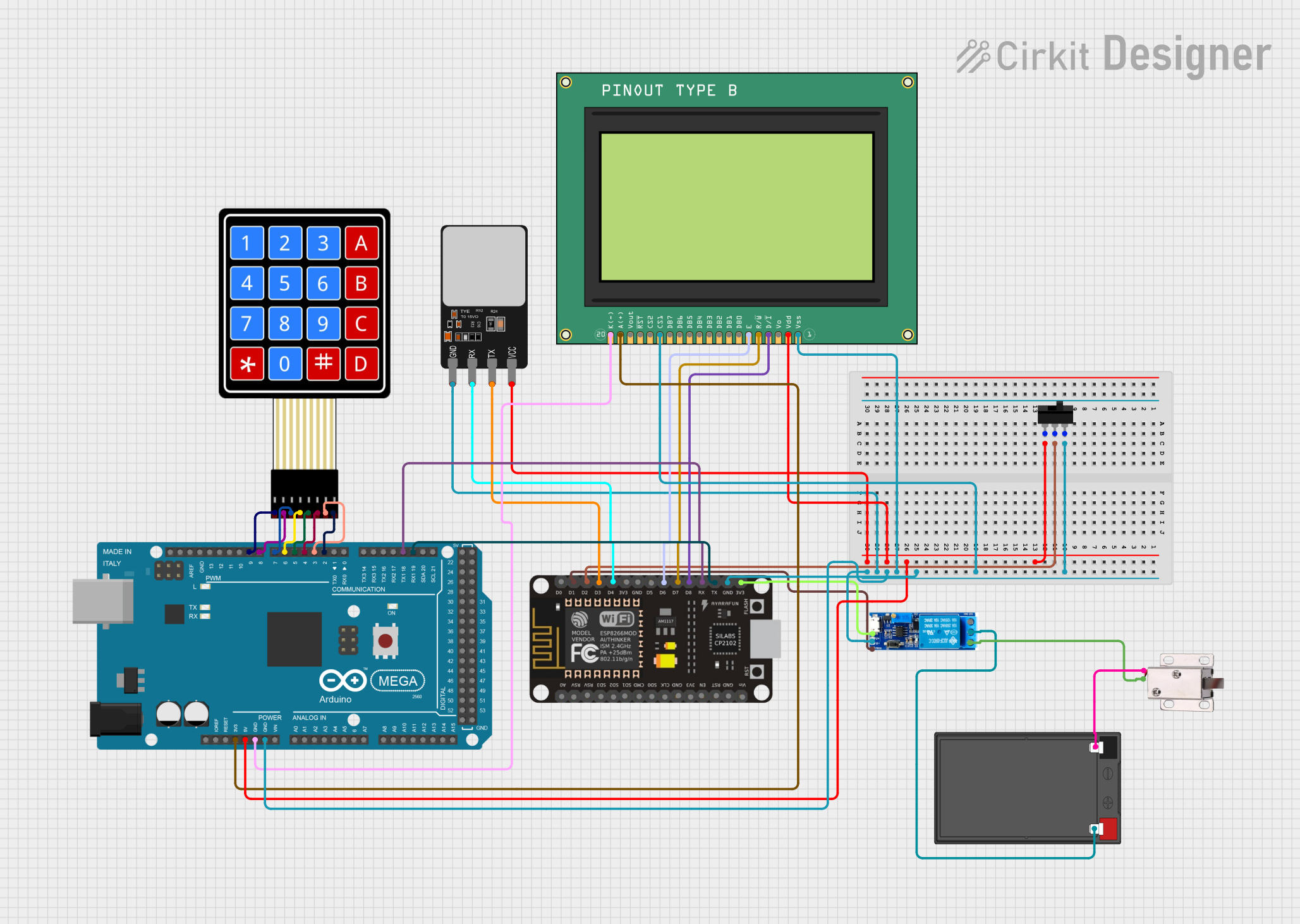 Open Project in Cirkit Designer
Explore Projects Built with Adafruit Bluefruit EZ-KEY
Open Project in Cirkit DesignerOpen Project in Cirkit DesignerOpen Project in Cirkit DesignerOpen Project in Cirkit DesignerCommon Applications
- Custom wireless keyboards
- Remote control systems
- Assistive technology devices
- DIY gaming controllers
- Home automation control panels
Technical Specifications
The Adafruit Bluefruit EZ-KEY is a compact and user-friendly BLE module with the following key specifications:
| Specification | Details |
|---|---|
| Bluetooth Version | Bluetooth Low Energy (BLE) 4.0 |
| Operating Voltage | 3.3V to 16V DC |
| Current Consumption | ~25mA during active operation |
| Communication Range | Up to 10 meters (line of sight) |
| Number of Inputs | 12 configurable GPIO pins for keyboard inputs |
| Dimensions | 1.75" x 0.75" (44.5mm x 19mm) |
| Weight | 4 grams |
Pin Configuration and Descriptions
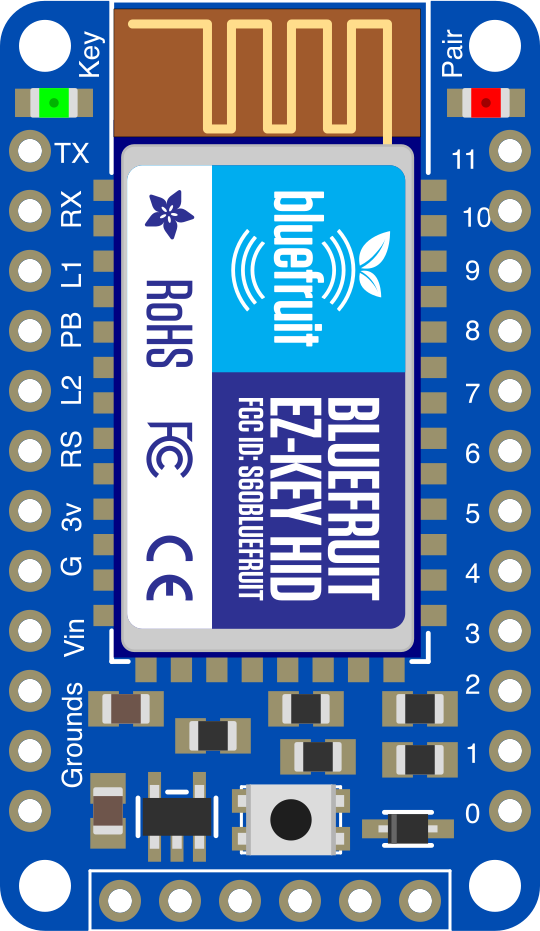
The Adafruit Bluefruit EZ-KEY has 12 GPIO pins for input, along with power and control pins. Below is the pinout description:
| Pin Name | Type | Description |
|---|---|---|
| VIN | Power Input | Connect to a power source (3.3V to 16V DC). |
| GND | Ground | Connect to the ground of the power supply. |
| GPIO 0-11 | Digital Input | Configurable pins for keyboard inputs. Each pin corresponds to a keypress. |
| RESET | Control Input | Active-low reset pin. Pull low to reset the module. |
| STATUS | Output | LED status indicator. Blinks during pairing and stays solid when connected. |
Usage Instructions
How to Use the Adafruit Bluefruit EZ-KEY in a Circuit
- Power the Module: Connect the VIN pin to a power source (3.3V to 16V DC) and the GND pin to ground.
- Connect Inputs: Attach momentary push buttons or switches to the GPIO pins (0-11). Each pin corresponds to a specific keyboard key.
- Pair the Module:
- Power on the module. The STATUS LED will blink, indicating it is in pairing mode.
- On your Bluetooth-enabled device, search for "Adafruit EZ-KEY" and pair with it.
- Test Keypresses: Press the connected buttons to send keyboard inputs wirelessly to the paired device.
Important Considerations and Best Practices
- Debouncing: Use hardware or software debouncing for buttons to ensure reliable keypress detection.
- Power Supply: Ensure the power supply voltage is within the specified range (3.3V to 16V DC).
- GPIO Configuration: Each GPIO pin is pre-programmed to correspond to a specific key. Refer to the Adafruit documentation for the default key mappings.
- Range: Keep the module within 10 meters of the paired device for optimal performance.
Example: Using with Arduino UNO
Although the Adafruit Bluefruit EZ-KEY is a standalone module, it can be integrated with an Arduino UNO for advanced functionality. Below is an example of using the Arduino to control the GPIO pins programmatically:
// Example: Controlling Adafruit Bluefruit EZ-KEY GPIO pins with Arduino UNO

// Define the GPIO pin connected to the EZ-KEY module
const int ezKeyPin = 7; // Connect this pin to one of the EZ-KEY GPIO pins

void setup() {
  pinMode(ezKeyPin, OUTPUT); // Set the pin as an output
}

void loop() {
  digitalWrite(ezKeyPin, HIGH); // Simulate a keypress
  delay(100); // Hold the keypress for 100ms
  digitalWrite(ezKeyPin, LOW);  // Release the key
  delay(1000); // Wait for 1 second before the next keypress
}
Note: Ensure the Arduino's GPIO pin voltage matches the EZ-KEY's input voltage requirements.
Troubleshooting and FAQs
Common Issues and Solutions
Module Not Pairing
- Cause: The module is not in pairing mode.
- Solution: Ensure the module is powered on and the STATUS LED is blinking. If not, reset the module by pulling the RESET pin low.
Keypresses Not Detected
- Cause: Incorrect wiring or faulty buttons.
- Solution: Verify the connections to the GPIO pins and test the buttons with a multimeter.
Short Bluetooth Range
- Cause: Interference or obstacles between the module and the paired device.
- Solution: Ensure a clear line of sight and minimize interference from other wireless devices.
High Power Consumption
- Cause: The module is constantly active.
- Solution: Use a power-saving mode or disconnect the module when not in use.
FAQs
Can I reprogram the key mappings? Yes, the key mappings can be reprogrammed using Adafruit's configuration tools and software.
What devices are compatible with the EZ-KEY? The module is compatible with any device that supports Bluetooth keyboards, including Windows, macOS, iOS, and Android devices.
Can I use more than 12 keys? No, the module supports up to 12 GPIO pins for key inputs. For additional keys, consider using multiple modules or a different solution.
Is the module compatible with Bluetooth 5.0? Yes, the module is backward-compatible with Bluetooth 5.0 devices.
This concludes the documentation for the Adafruit Bluefruit EZ-KEY. For further assistance, refer to Adafruit's official resources or community forums.