
How to Use dcdc 24V-5V: Examples, Pinouts, and Specs
 Design with dcdc 24V-5V in Cirkit Designer
Introduction
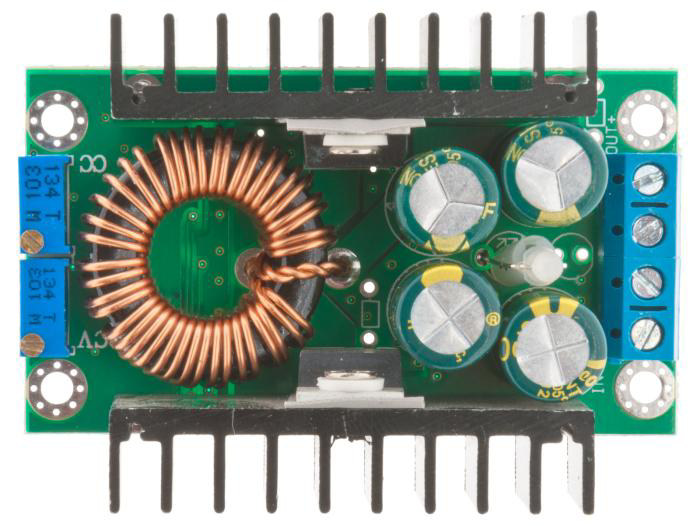
The DC-DC 24V-5V Converter (Manufacturer: Elektrokit, Part ID: 41017426) is a step-down voltage regulator designed to convert a 24V DC input to a stable 5V DC output. This component is ideal for powering devices that require a 5V supply, such as microcontrollers, sensors, and other low-voltage electronics, from a higher voltage source.
Explore Projects Built with dcdc 24V-5V
 Open Project in Cirkit Designer
 Open Project in Cirkit Designer
 Open Project in Cirkit Designer
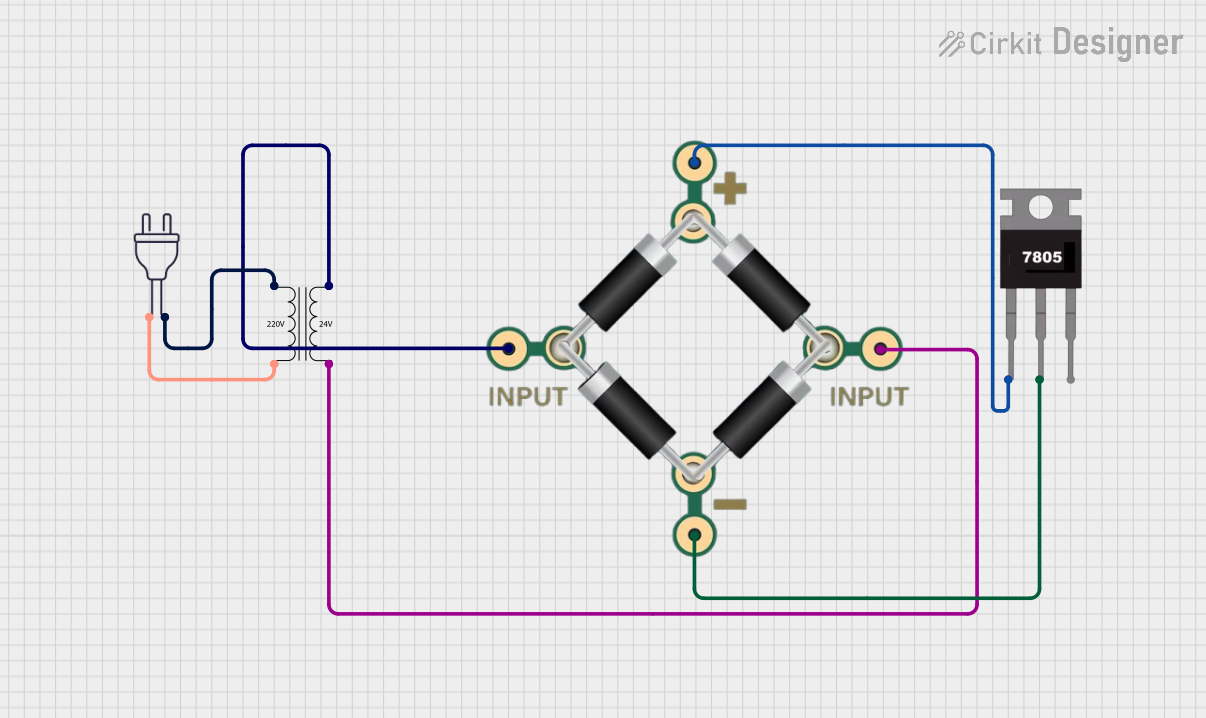 Open Project in Cirkit Designer
Explore Projects Built with dcdc 24V-5V
Open Project in Cirkit DesignerOpen Project in Cirkit DesignerOpen Project in Cirkit DesignerOpen Project in Cirkit DesignerCommon Applications and Use Cases
- Powering 5V microcontrollers (e.g., Arduino, Raspberry Pi) from a 24V power source.
- Supplying stable 5V power to sensors, relays, and communication modules.
- Industrial automation systems where 24V is a standard supply voltage.
- Automotive applications for stepping down 24V vehicle power to 5V for USB devices or other electronics.
Technical Specifications
Below are the key technical details of the DC-DC 24V-5V Converter:
| Parameter | Value |
|---|---|
| Input Voltage Range | 18V to 36V DC |
| Output Voltage | 5V DC |
| Output Current | Up to 3A |
| Efficiency | Up to 92% |
| Ripple and Noise | < 50mV (typical) |
| Operating Temperature | -40°C to +85°C |
| Dimensions | 25mm x 20mm x 10mm |
| Weight | 10g |
Pin Configuration and Descriptions
The DC-DC converter typically has four pins or terminals for connection. The table below describes each pin:
| Pin | Name | Description |
|---|---|---|
| 1 | VIN (+) | Positive input voltage terminal (connect to 24V DC source). |
| 2 | GND (Input) | Ground terminal for the input voltage. |
| 3 | VOUT (+) | Positive output voltage terminal (provides 5V DC output). |
| 4 | GND (Output) | Ground terminal for the output voltage. |
Usage Instructions
How to Use the Component in a Circuit
Connect the Input Voltage:
- Connect the VIN (+) pin to the positive terminal of your 24V DC power source.
- Connect the GND (Input) pin to the ground terminal of your power source.
Connect the Output Voltage:
- Connect the VOUT (+) pin to the positive terminal of the device or circuit requiring 5V.
- Connect the GND (Output) pin to the ground terminal of the device or circuit.
Verify Connections:
- Double-check all connections to ensure proper polarity and avoid short circuits.
Power On:
- Turn on the 24V power source. The converter will step down the voltage to 5V and supply it to the connected load.
Important Considerations and Best Practices
- Input Voltage Range: Ensure the input voltage is within the specified range (18V to 36V). Exceeding this range may damage the converter.
- Heat Dissipation: For high current loads, ensure proper ventilation or heat sinking to prevent overheating.
- Load Requirements: Do not exceed the maximum output current of 3A to avoid overloading the converter.
- Polarity Protection: Double-check the polarity of the input and output connections to prevent damage to the converter or connected devices.
Example: Using with an Arduino UNO
The DC-DC 24V-5V Converter can be used to power an Arduino UNO from a 24V power source. Below is an example wiring diagram and Arduino code:
Wiring Diagram
- Connect the VIN (+) pin of the converter to the 24V power source.
- Connect the GND (Input) pin of the converter to the ground of the power source.
- Connect the VOUT (+) pin of the converter to the 5V pin of the Arduino UNO.
- Connect the GND (Output) pin of the converter to the GND pin of the Arduino UNO.
Arduino Code Example
// Example code to blink an LED connected to pin 13 of the Arduino UNO
// This demonstrates the Arduino being powered by the DC-DC 24V-5V Converter

void setup() {
  pinMode(13, OUTPUT); // Set pin 13 as an output
}

void loop() {
  digitalWrite(13, HIGH); // Turn the LED on
  delay(1000);            // Wait for 1 second
  digitalWrite(13, LOW);  // Turn the LED off
  delay(1000);            // Wait for 1 second
}
Troubleshooting and FAQs
Common Issues and Solutions
| Issue | Possible Cause | Solution |
|---|---|---|
| No output voltage | Incorrect wiring or polarity | Verify all connections and ensure correct polarity for input and output pins. |
| Output voltage is unstable or noisy | Excessive load or insufficient input power | Ensure the load does not exceed 3A and the input voltage is stable. |
| Converter overheats | High current draw or poor ventilation | Reduce the load or improve heat dissipation with a heatsink or better airflow. |
| Device connected to output is not working | Output voltage is too low or too high | Measure the output voltage and ensure it is 5V. Check for proper connections. |
FAQs
Can this converter be used with a 12V input?
- No, the input voltage must be within the range of 18V to 36V for proper operation.
What happens if the load exceeds 3A?
- Exceeding the maximum current rating may cause the converter to overheat, shut down, or become damaged.
Is the converter protected against reverse polarity?
- No, the converter does not have built-in reverse polarity protection. Always double-check connections before powering on.
Can I use this converter in outdoor environments?
- The converter is not waterproof. If used outdoors, ensure it is enclosed in a weatherproof housing.
By following this documentation, you can effectively integrate the DC-DC 24V-5V Converter into your projects and troubleshoot common issues.