Cirkit Designer Logo
Cirkit Designer
Your all-in-one circuit design IDE
Home / 
Component Documentation

How to Use Helical Antenna (Spring Coil Antenna): Examples, Pinouts, and Specs
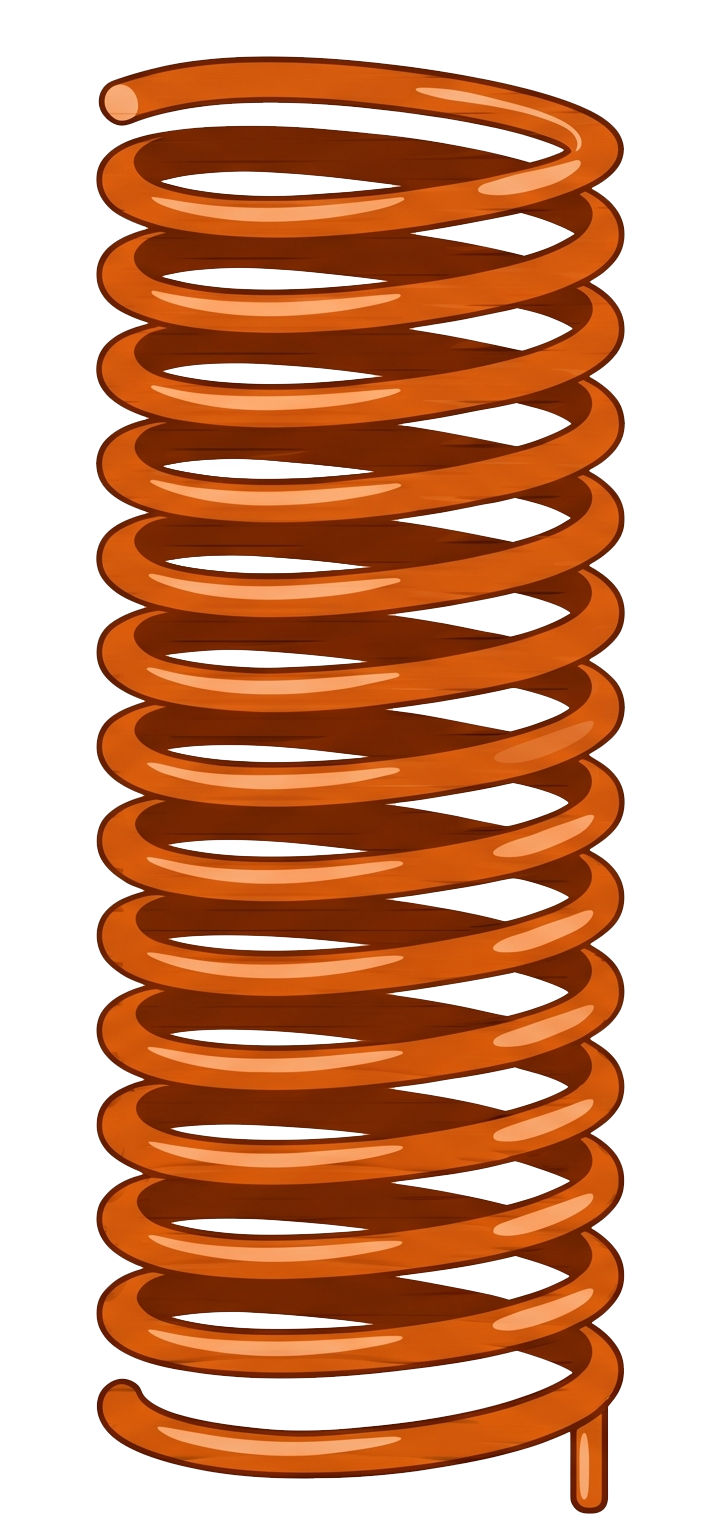

Image of Helical Antenna (Spring Coil Antenna)
Cirkit Designer LogoDesign with Helical Antenna (Spring Coil Antenna) in Cirkit Designer

Introduction

A helical antenna, also known as a spring coil antenna, is a type of antenna made from a wire wound into a helical (spiral) shape. It is widely used for transmitting and receiving radio waves, particularly in applications requiring circular polarization. The helical design allows for compact size and efficient performance, making it ideal for use in communication systems such as GPS, Wi-Fi, RFID, and IoT devices.

Explore Projects Built with Helical Antenna (Spring Coil Antenna)
Use Cirkit Designer to design, explore, and prototype these projects online. Some projects support real-time simulation. Click "Open Project" to start designing instantly!
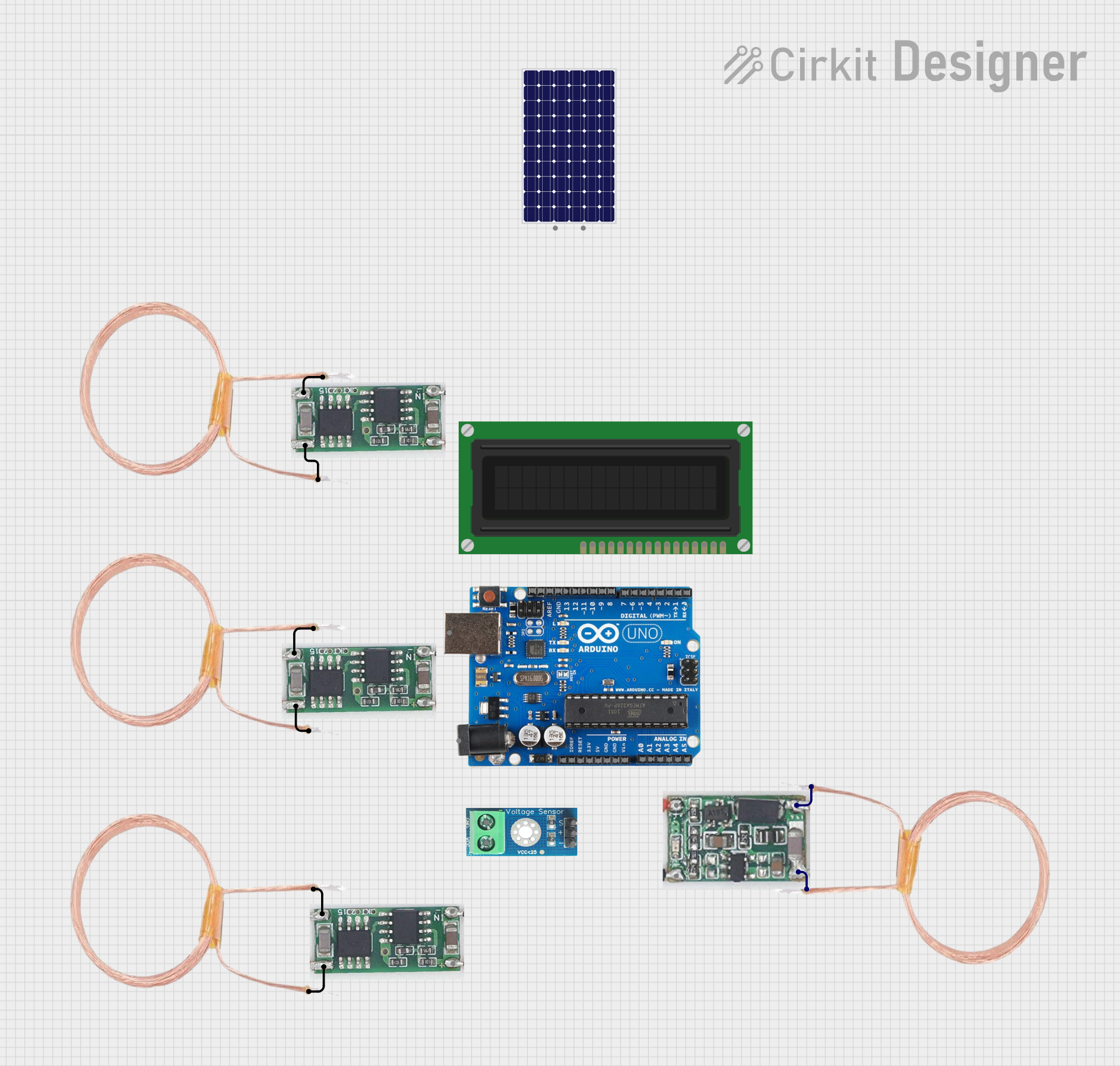
Arduino-Based Wireless Power Transmission System with Copper Coils
Image of nagesh: A project utilizing Helical Antenna (Spring Coil Antenna) in a practical application
This circuit consists of multiple copper coils connected to transmitters and a receiver, likely forming a wireless power transfer or communication system. The transmitters are connected to individual coils, and the receiver is connected to another coil, facilitating the transmission and reception of signals or power wirelessly.
Cirkit Designer LogoOpen Project in Cirkit Designer
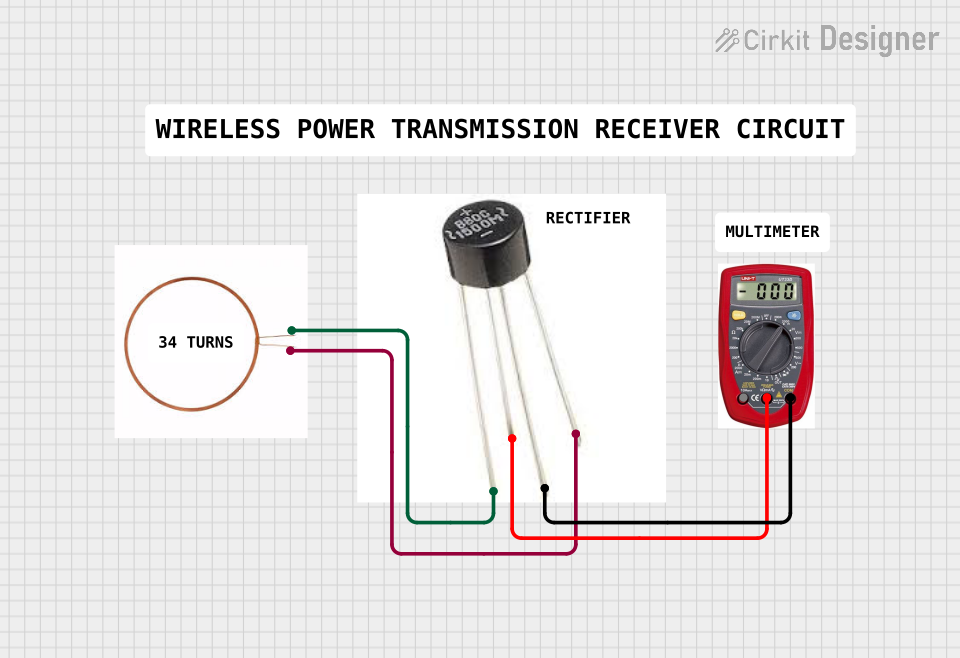
Copper Coil Multimeter Measurement Circuit
Image of rx_copper_coil: A project utilizing Helical Antenna (Spring Coil Antenna) in a practical application
This circuit consists of two copper coils connected in series, with one of the coils having additional taps for positive and negative connections. A multimeter is connected across one of the coils to measure voltage across it. The purpose of this circuit could be to demonstrate electromagnetic induction or to measure the induced voltage in one of the coils when a current flows through the other.
Cirkit Designer LogoOpen Project in Cirkit Designer
Satellite-Based Timing and Navigation System with SDR and Atomic Clock Synchronization
Image of GPS 시스템 측정 구성도_Confirm: A project utilizing Helical Antenna (Spring Coil Antenna) in a practical application
This circuit appears to be a complex system involving power supply management, GPS and timing synchronization, and data communication. It includes a SI-TEX G1 Satellite Compass for GPS data, an XHTF1021 Atomic Rubidium Clock for precise timing, and Ettus USRP B200 units for software-defined radio communication. Power is supplied through various SMPS units and distributed via terminal blocks and DC jacks. Data communication is facilitated by Beelink MINI S12 N95 computers, RS232 splitters, and a 1000BASE-T Media Converter for network connectivity. RF Directional Couplers are used to interface antennas with the USRP units, and the entire system is likely contained within cases for protection and organization.
Cirkit Designer LogoOpen Project in Cirkit Designer
Satellite Compass and Network-Integrated GPS Data Processing System
Image of GPS 시스템 측정 구성도_241016: A project utilizing Helical Antenna (Spring Coil Antenna) in a practical application
This circuit comprises a satellite compass, a mini PC, two GPS antennas, power supplies, a network switch, media converters, and an atomic rubidium clock. The satellite compass is powered by a triple output DC power supply and interfaces with an RS232 splitter for 1PPS signals. The mini PCs are connected to the USRP B200 devices via USB for data and power, and to media converters via Ethernet, which in turn connect to a network switch using fiber optic links. The antennas are connected to the USRP B200s through RF directional couplers, and the atomic clock provides a 1PPS input to the RS232 splitter.
Cirkit Designer LogoOpen Project in Cirkit Designer

Explore Projects Built with Helical Antenna (Spring Coil Antenna)

Use Cirkit Designer to design, explore, and prototype these projects online. Some projects support real-time simulation. Click "Open Project" to start designing instantly!
Image of nagesh: A project utilizing Helical Antenna (Spring Coil Antenna) in a practical application
Arduino-Based Wireless Power Transmission System with Copper Coils
This circuit consists of multiple copper coils connected to transmitters and a receiver, likely forming a wireless power transfer or communication system. The transmitters are connected to individual coils, and the receiver is connected to another coil, facilitating the transmission and reception of signals or power wirelessly.
Cirkit Designer LogoOpen Project in Cirkit Designer
Image of rx_copper_coil: A project utilizing Helical Antenna (Spring Coil Antenna) in a practical application
Copper Coil Multimeter Measurement Circuit
This circuit consists of two copper coils connected in series, with one of the coils having additional taps for positive and negative connections. A multimeter is connected across one of the coils to measure voltage across it. The purpose of this circuit could be to demonstrate electromagnetic induction or to measure the induced voltage in one of the coils when a current flows through the other.
Cirkit Designer LogoOpen Project in Cirkit Designer
Image of GPS 시스템 측정 구성도_Confirm: A project utilizing Helical Antenna (Spring Coil Antenna) in a practical application
Satellite-Based Timing and Navigation System with SDR and Atomic Clock Synchronization
This circuit appears to be a complex system involving power supply management, GPS and timing synchronization, and data communication. It includes a SI-TEX G1 Satellite Compass for GPS data, an XHTF1021 Atomic Rubidium Clock for precise timing, and Ettus USRP B200 units for software-defined radio communication. Power is supplied through various SMPS units and distributed via terminal blocks and DC jacks. Data communication is facilitated by Beelink MINI S12 N95 computers, RS232 splitters, and a 1000BASE-T Media Converter for network connectivity. RF Directional Couplers are used to interface antennas with the USRP units, and the entire system is likely contained within cases for protection and organization.
Cirkit Designer LogoOpen Project in Cirkit Designer
Image of GPS 시스템 측정 구성도_241016: A project utilizing Helical Antenna (Spring Coil Antenna) in a practical application
Satellite Compass and Network-Integrated GPS Data Processing System
This circuit comprises a satellite compass, a mini PC, two GPS antennas, power supplies, a network switch, media converters, and an atomic rubidium clock. The satellite compass is powered by a triple output DC power supply and interfaces with an RS232 splitter for 1PPS signals. The mini PCs are connected to the USRP B200 devices via USB for data and power, and to media converters via Ethernet, which in turn connect to a network switch using fiber optic links. The antennas are connected to the USRP B200s through RF directional couplers, and the atomic clock provides a 1PPS input to the RS232 splitter.
Cirkit Designer LogoOpen Project in Cirkit Designer

Common Applications and Use Cases

  • Wireless Communication Systems: Used in devices like Wi-Fi routers and Bluetooth modules.
  • GPS Systems: Provides circular polarization for accurate signal reception.
  • IoT Devices: Compact size makes it suitable for embedded systems.
  • RFID Systems: Used in tags and readers for efficient signal transmission.
  • Satellite Communication: Supports circularly polarized signals for space communication.

Technical Specifications

Below are the key technical details for a typical helical antenna:

Parameter Value
Frequency Range 300 MHz to 5 GHz (varies by design)
Polarization Circular or Linear
Impedance 50 Ω
Gain 3 dBi to 15 dBi (depends on size and turns)
VSWR (Voltage Standing Wave Ratio) ≤ 2:1
Material Copper or other conductive metals
Dimensions Varies (e.g., 10 mm to 50 mm height)
Operating Temperature -40°C to +85°C

Pin Configuration and Descriptions

Helical antennas typically have two connection points: the feed point and the ground. These are described below:

Pin Description
Feed Point Connects to the RF signal source or transmitter.
Ground Connects to the ground plane or circuit ground.

Usage Instructions

How to Use the Component in a Circuit

  1. Determine the Operating Frequency: Ensure the antenna is designed for the frequency range of your application (e.g., 2.4 GHz for Wi-Fi).
  2. Connect the Feed Point: Solder the feed point of the antenna to the RF output of your circuit or module.
  3. Connect the Ground: Attach the ground pin to the circuit's ground plane for proper operation.
  4. Position the Antenna: Orient the antenna vertically or in the desired direction for optimal signal reception or transmission.
  5. Use a Ground Plane: For best performance, use a ground plane beneath the antenna to enhance signal strength and stability.

Important Considerations and Best Practices

  • Antenna Placement: Avoid placing the antenna near metal objects or enclosures, as this can degrade performance.
  • Tuning: If necessary, adjust the number of turns or the spacing of the helix to fine-tune the antenna for your desired frequency.
  • Impedance Matching: Use a matching network if the antenna impedance does not match the circuit impedance (typically 50 Ω).
  • Testing: Use an SWR meter or network analyzer to verify the antenna's performance.

Example: Using a Helical Antenna with Arduino UNO

Below is an example of connecting a helical antenna to an RF module (e.g., NRF24L01) and controlling it with an Arduino UNO:

/*
  Example: Using a Helical Antenna with NRF24L01 and Arduino UNO
  This code demonstrates basic communication using an RF module with a helical antenna.
  Ensure the antenna is properly connected to the RF module's antenna port.
*/

#include <SPI.h>
#include <nRF24L01.h>
#include <RF24.h>

// Define the CE and CSN pins for the NRF24L01 module
#define CE_PIN 9
#define CSN_PIN 10

// Create an RF24 object
RF24 radio(CE_PIN, CSN_PIN);

// Define the address for communication
const byte address[6] = "00001";

void setup() {
  Serial.begin(9600); // Initialize serial communication
  radio.begin();      // Initialize the RF module
  radio.openWritingPipe(address); // Set the address for transmission
  radio.setPALevel(RF24_PA_HIGH); // Set power level to high
  radio.stopListening();          // Set module to transmit mode
}

void loop() {
  const char text[] = "Hello, World!"; // Message to send
  bool success = radio.write(&text, sizeof(text)); // Send the message

  if (success) {
    Serial.println("Message sent successfully!");
  } else {
    Serial.println("Message failed to send.");
  }

  delay(1000); // Wait 1 second before sending the next message
}

Troubleshooting and FAQs

Common Issues Users Might Face

  1. Poor Signal Strength:

    • Cause: Antenna placement near metal objects or inside enclosures.
    • Solution: Relocate the antenna to an open area and ensure proper orientation.
  2. High VSWR:

    • Cause: Impedance mismatch or incorrect antenna tuning.
    • Solution: Use a matching network or adjust the antenna's dimensions.
  3. Interference:

    • Cause: Nearby devices operating on the same frequency.
    • Solution: Change the operating frequency or reduce interference sources.
  4. No Signal Reception:

    • Cause: Incorrect connections or damaged antenna.
    • Solution: Verify connections and inspect the antenna for physical damage.

Solutions and Tips for Troubleshooting

  • Use a network analyzer to measure the antenna's performance and ensure it operates within the desired frequency range.
  • Ensure the ground plane is properly connected and large enough to support the antenna's operation.
  • Test the antenna in different environments to identify and mitigate interference sources.

By following this documentation, users can effectively integrate and troubleshoot a helical antenna in their projects.