
How to Use NFC Module v3: Examples, Pinouts, and Specs
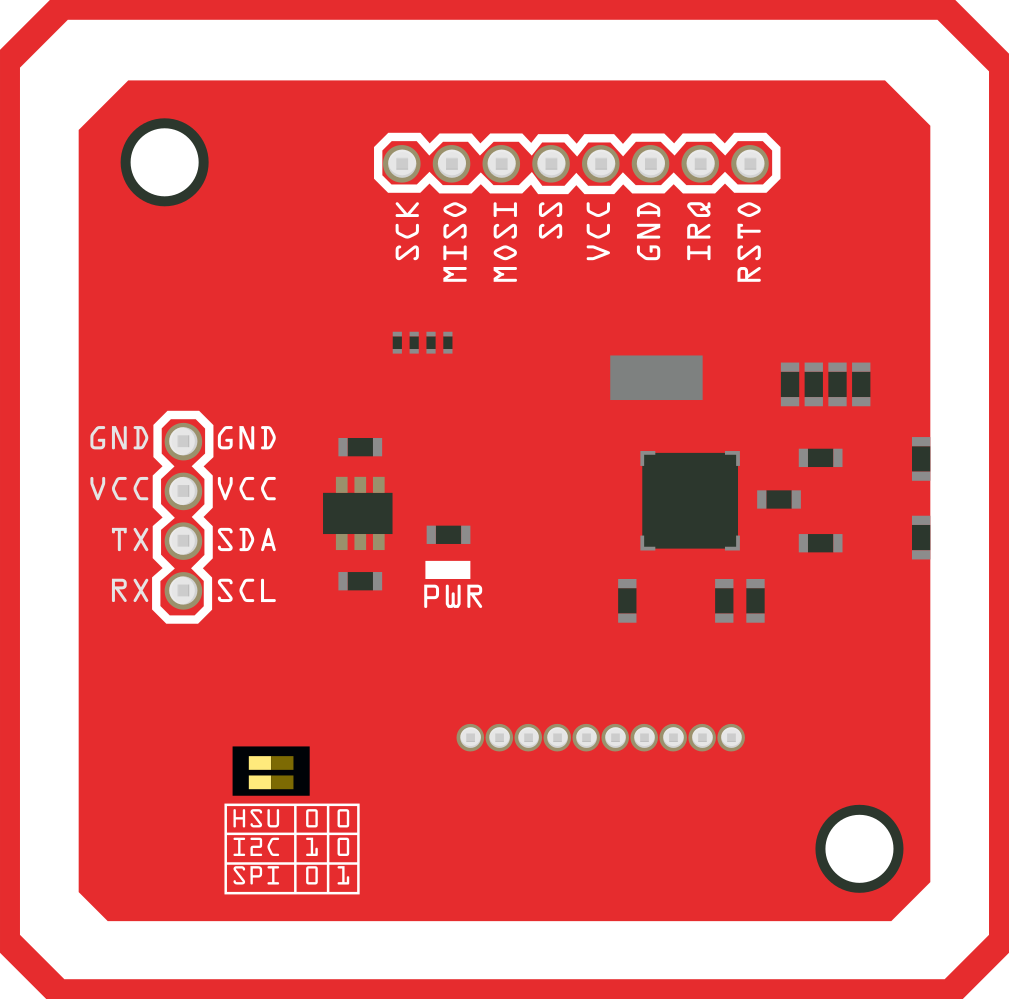
 Design with NFC Module v3 in Cirkit Designer
Introduction
The NFC Module v3 is a compact and versatile Near Field Communication (NFC) module designed to enable wireless communication between devices over short distances (typically up to 4 cm). It operates on the 13.56 MHz frequency and is widely used for applications such as data exchange, contactless payments, device pairing, and access control systems. This module is compatible with various microcontrollers, including Arduino, Raspberry Pi, and other development platforms, making it an excellent choice for hobbyists and professionals alike.
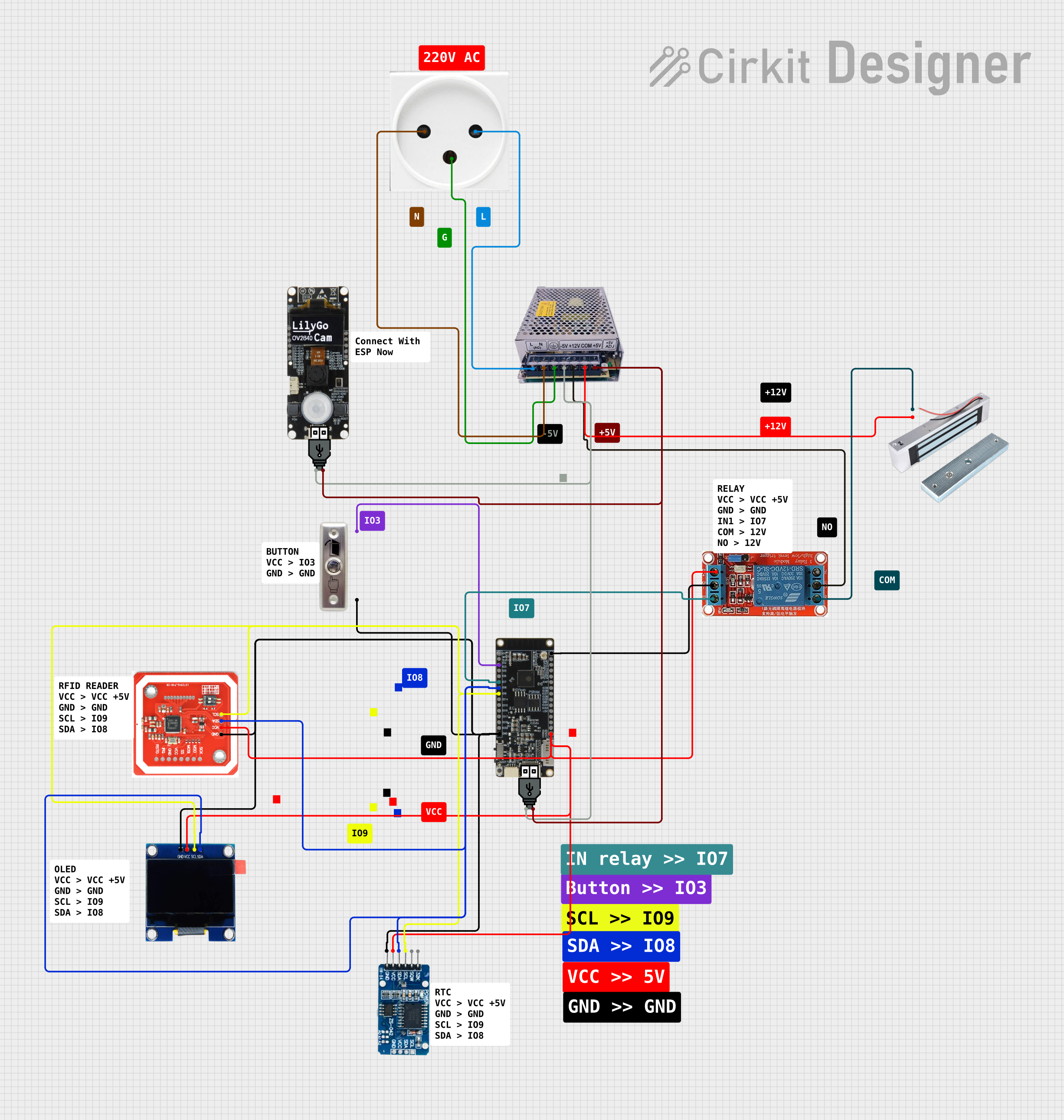
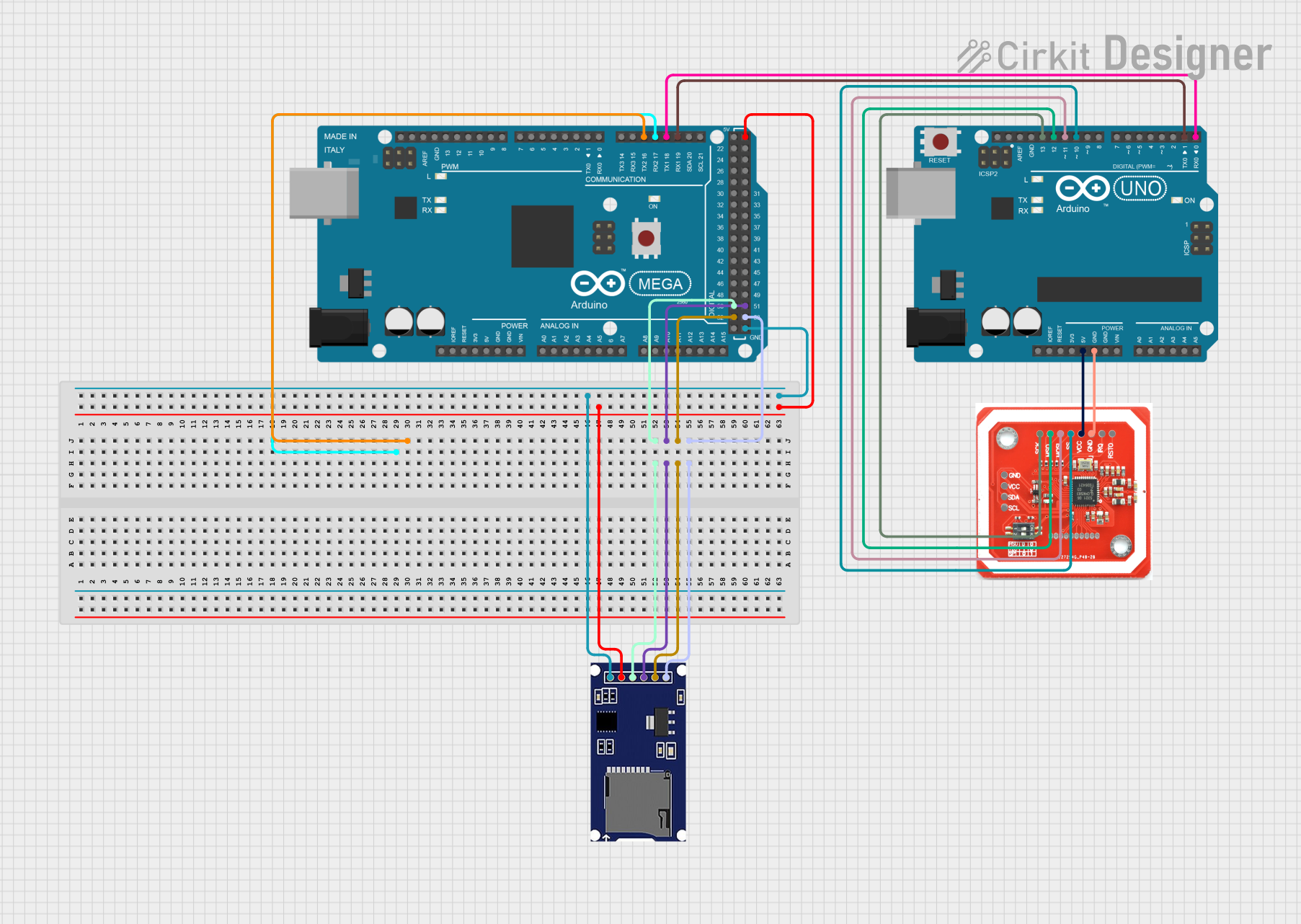
Explore Projects Built with NFC Module v3
 Open Project in Cirkit Designer
 Open Project in Cirkit Designer
 Open Project in Cirkit Designer
 Open Project in Cirkit Designer
Explore Projects Built with NFC Module v3
Open Project in Cirkit DesignerOpen Project in Cirkit DesignerOpen Project in Cirkit DesignerOpen Project in Cirkit DesignerCommon Applications and Use Cases
- Contactless payment systems
- Smart card reading and writing
- Access control and authentication
- Wireless data exchange between devices
- IoT applications requiring short-range communication
- Device pairing for Bluetooth or Wi-Fi
Technical Specifications
The NFC Module v3 is based on the PN532 chip, which is a highly integrated NFC controller. Below are the key technical details and pin configurations:
Key Technical Details
| Parameter | Specification |
|---|---|
| Operating Voltage | 3.3V to 5V |
| Operating Current | 50 mA (typical) |
| Communication Protocols | I2C, SPI, UART |
| Frequency | 13.56 MHz |
| Supported NFC Modes | Reader/Writer, Peer-to-Peer, Card Emulation |
| Operating Range | Up to 4 cm |
| Dimensions | 43 mm x 40 mm |
Pin Configuration and Descriptions
| Pin Name | Pin Number | Description |
|---|---|---|
| VCC | 1 | Power supply input (3.3V to 5V) |
| GND | 2 | Ground connection |
| SDA | 3 | I2C data line |
| SCL | 4 | I2C clock line |
| MOSI | 5 | SPI Master Out Slave In |
| MISO | 6 | SPI Master In Slave Out |
| SCK | 7 | SPI clock line |
| IRQ | 8 | Interrupt request output |
| RST | 9 | Reset pin |
| TX | 10 | UART transmit line |
| RX | 11 | UART receive line |
Usage Instructions
The NFC Module v3 can be used in various configurations depending on the communication protocol (I2C, SPI, or UART). Below are the steps to use the module with an Arduino UNO via I2C:
Connecting the NFC Module v3 to Arduino UNO
- Connect the
VCCpin of the NFC module to the5Vpin on the Arduino UNO. - Connect the
GNDpin of the NFC module to theGNDpin on the Arduino UNO. - Connect the
SDApin of the NFC module to theA4pin on the Arduino UNO. - Connect the
SCLpin of the NFC module to theA5pin on the Arduino UNO. - Optionally, connect the
RSTpin to a digital pin (e.g.,D9) for resetting the module.
Sample Arduino Code
Below is an example of how to use the NFC Module v3 with an Arduino UNO to read NFC tags:
#include <Wire.h>
#include <Adafruit_PN532.h>

// Define the pins for the NFC module
#define SDA_PIN A4  // I2C data line
#define SCL_PIN A5  // I2C clock line
#define RST_PIN 9   // Reset pin

// Create an instance of the Adafruit_PN532 library
Adafruit_PN532 nfc(SDA_PIN, SCL_PIN);

void setup() {
  Serial.begin(9600); // Initialize serial communication
  Serial.println("Initializing NFC Module...");

  nfc.begin(); // Initialize the NFC module

  // Configure the NFC module to use the I2C interface
  uint32_t versiondata = nfc.getFirmwareVersion();
  if (!versiondata) {
    Serial.println("Didn't find PN53x board");
    while (1); // Halt the program if the module is not detected
  }

  // Print firmware version
  Serial.print("Found PN532 with firmware version: ");
  Serial.println((versiondata >> 16) & 0xFF, HEX);

  // Configure the module to read passive targets (NFC tags)
  nfc.SAMConfig();
  Serial.println("NFC Module ready to scan tags!");
}

void loop() {
  Serial.println("Waiting for an NFC tag...");

  // Check for an NFC tag
  uint8_t success;
  uint8_t uid[] = { 0 };
  uint8_t uidLength;

  success = nfc.readPassiveTargetID(PN532_MIFARE_ISO14443A, uid, &uidLength);

  if (success) {
    Serial.println("NFC tag detected!");
    Serial.print("UID Length: "); Serial.print(uidLength, DEC); Serial.println(" bytes");
    Serial.print("UID Value: ");
    for (uint8_t i = 0; i < uidLength; i++) {
      Serial.print(" 0x"); Serial.print(uid[i], HEX);
    }
    Serial.println();
    delay(1000); // Wait before scanning again
  } else {
    Serial.println("No NFC tag detected.");
  }

  delay(500); // Short delay before the next scan
}
Important Considerations and Best Practices
- Ensure the NFC module is powered within the specified voltage range (3.3V to 5V).
- Keep the NFC module away from metal objects to avoid interference with the NFC signal.
- Use appropriate pull-up resistors for the I2C lines if they are not already included on the module.
- When using SPI or UART, ensure the correct pins are connected and configured in the code.
- Avoid placing multiple NFC tags within the module's range simultaneously, as this may cause communication errors.
Troubleshooting and FAQs
Common Issues and Solutions
The NFC module is not detected by the Arduino.
- Ensure all connections are secure and match the pin configuration.
- Verify that the module is powered correctly (check the voltage and current).
- Check the wiring for the I2C, SPI, or UART interface and ensure the correct pins are used.
The NFC module cannot read NFC tags.
- Ensure the NFC tag is within the operating range (up to 4 cm).
- Verify that the tag is compatible with the PN532 chip (e.g., ISO14443A).
- Check for interference from nearby metal objects or other electronic devices.
The module resets unexpectedly.
- Ensure the power supply is stable and capable of providing sufficient current.
- Avoid using long or thin wires for power connections, as they may cause voltage drops.
FAQs
Q: Can the NFC Module v3 write data to NFC tags?
A: Yes, the module supports both reading and writing operations for compatible NFC tags.
Q: What is the maximum range of the NFC Module v3?
A: The module operates effectively within a range of up to 4 cm.
Q: Can I use the NFC Module v3 with a Raspberry Pi?
A: Yes, the module is compatible with Raspberry Pi and other development platforms. You can use libraries such as libnfc to interface with the module.
Q: Does the module support multiple communication protocols?
A: Yes, the NFC Module v3 supports I2C, SPI, and UART communication protocols. You can choose the protocol that best suits your application.