
How to Use SparkFun Musical Instrument Shield v1.3: Examples, Pinouts, and Specs
 Design with SparkFun Musical Instrument Shield v1.3 in Cirkit Designer
Introduction
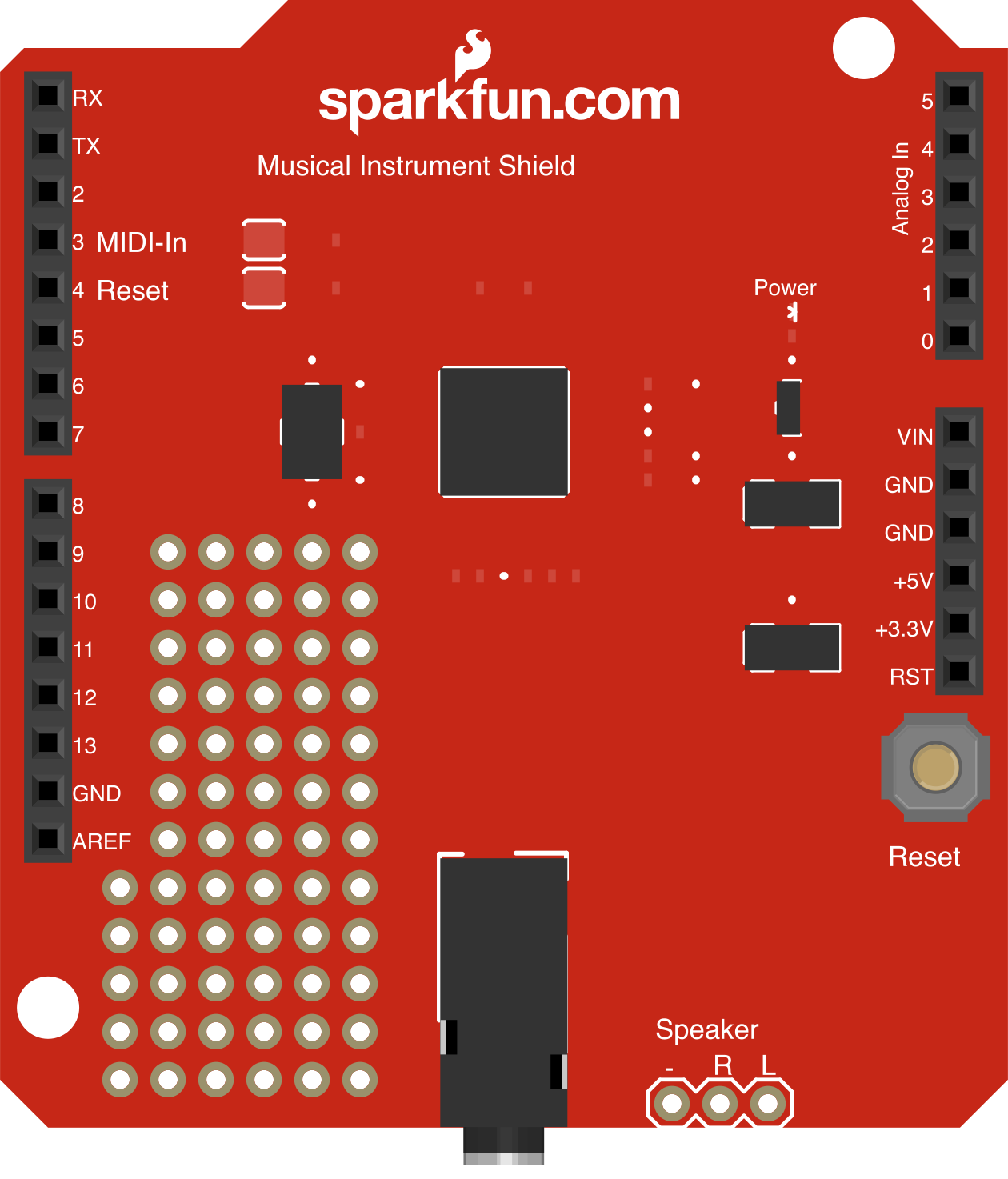
The SparkFun Musical Instrument Shield v1.3 (Manufacturer Part ID: DEV-10587) is a versatile shield designed for Arduino boards, enabling users to create musical instruments and sound effects. It is powered by the VS1053B audio codec chip, which supports MIDI synthesis and a variety of audio formats. This shield is ideal for hobbyists, musicians, and developers looking to integrate sound synthesis into their projects.
Explore Projects Built with SparkFun Musical Instrument Shield v1.3
 Open Project in Cirkit Designer
 Open Project in Cirkit Designer
 Open Project in Cirkit Designer
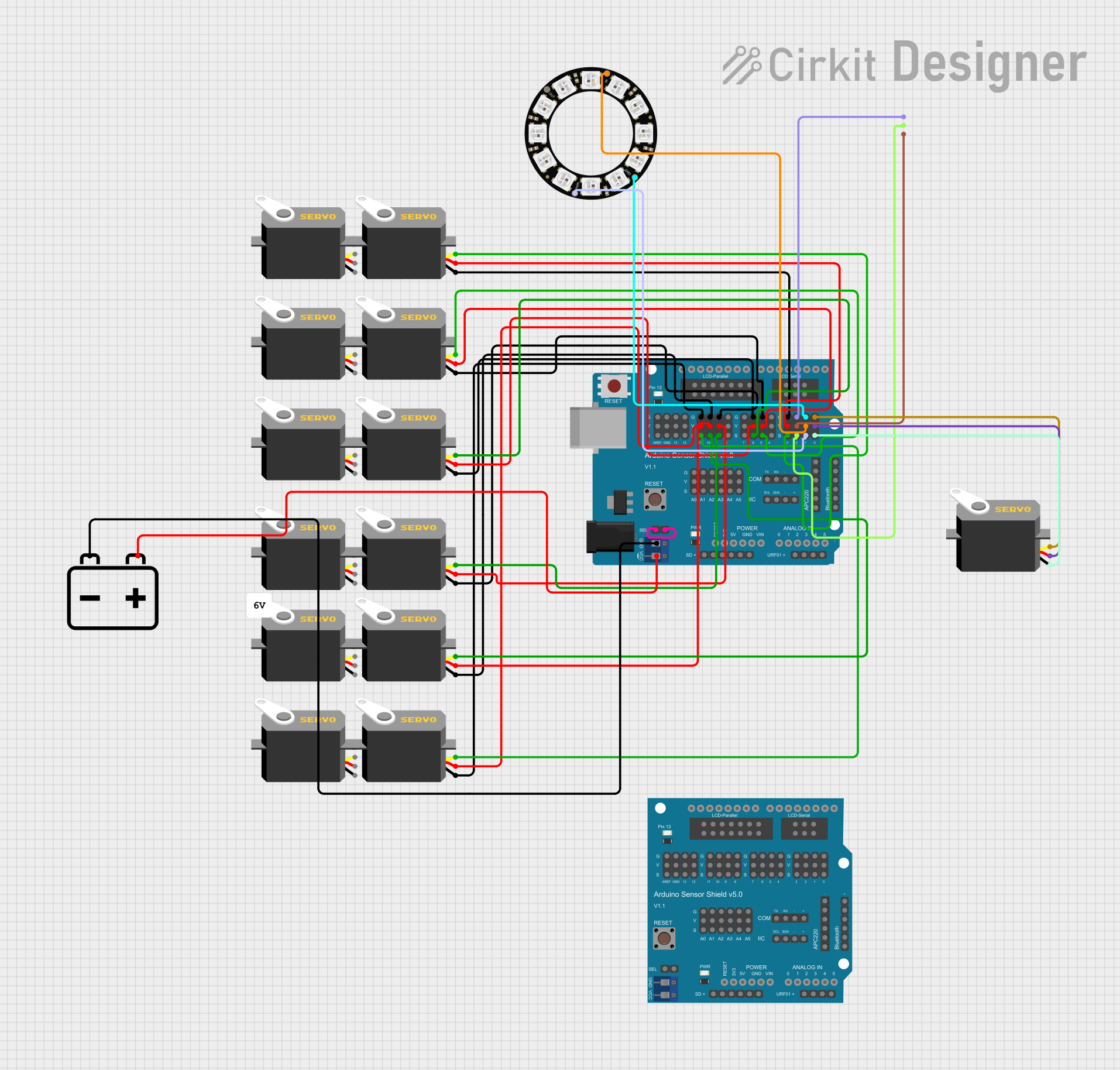 Open Project in Cirkit Designer
Explore Projects Built with SparkFun Musical Instrument Shield v1.3
Open Project in Cirkit DesignerOpen Project in Cirkit DesignerOpen Project in Cirkit DesignerOpen Project in Cirkit DesignerCommon Applications and Use Cases
- Creating custom musical instruments
- Generating sound effects for games or interactive installations
- MIDI-based music projects
- Audio playback and synthesis for embedded systems
- Educational projects for learning about sound and music synthesis
Technical Specifications
The following are the key technical details of the SparkFun Musical Instrument Shield v1.3:
| Specification | Details |
|---|---|
| Chipset | VS1053B audio codec |
| Power Supply Voltage | 3.3V (regulated from Arduino) |
| Audio Output | Stereo headphone jack (3.5mm) |
| MIDI Input | Standard 5-pin MIDI input (requires external MIDI connector) |
| Supported Audio Formats | MP3, AAC, Ogg Vorbis, WMA, MIDI, WAV, and more |
| Communication Interface | SPI (Serial Peripheral Interface) |
| Dimensions | 2.7" x 2.1" (68.6mm x 53.3mm) |
| Operating Temperature | -40°C to +85°C |
Pin Configuration and Descriptions
The SparkFun Musical Instrument Shield connects to an Arduino board via its standard shield headers. Below is the pin configuration:
| Pin | Function |
|---|---|
| D2 | MIDI input (requires external MIDI connector) |
| D3 | Chip Select (CS) for the VS1053B |
| D4 | Data/Command Select (DCS) for the VS1053B |
| D5 | Reset (RST) for the VS1053B |
| D6 | Data Request (DREQ) from the VS1053B |
| SPI Pins | Used for SPI communication (MOSI, MISO, SCK) |
| 3.5mm Jack | Stereo audio output |
| Power Pins | 3.3V and GND are supplied from the Arduino board |
Usage Instructions
How to Use the Shield in a Circuit
- Attach the Shield: Plug the SparkFun Musical Instrument Shield onto an Arduino board, ensuring proper alignment of the headers.
- Connect Audio Output: Plug headphones or speakers into the 3.5mm stereo jack.
- Power the Arduino: Supply power to the Arduino via USB or an external power source.
- Upload Code: Use the Arduino IDE to upload a sketch that communicates with the VS1053B chip.
Important Considerations and Best Practices
- Power Supply: Ensure the Arduino board is powered adequately to avoid audio distortion.
- MIDI Input: If using MIDI, connect an external MIDI connector to the shield's MIDI input pin (D2).
- Library: Use the SparkFun VS1053B Library for easy communication with the shield. Install it via the Arduino Library Manager.
- Audio Output: Use headphones or amplified speakers for optimal sound quality.
- SPI Conflicts: If using other SPI devices, ensure they do not conflict with the shield's SPI pins.
Example Code for Arduino UNO
Below is an example sketch to play a MIDI note using the SparkFun Musical Instrument Shield:
#include <SPI.h>
#include <SdFat.h>
#include <SFEMP3Shield.h>

// Create an instance of the MP3 player library
SFEMP3Shield MP3player;

void setup() {
  Serial.begin(9600); // Initialize serial communication for debugging

  // Initialize the MP3 player shield
  if (MP3player.begin() != 0) {
    Serial.println("Error initializing MP3 player shield!");
    while (1); // Halt if initialization fails
  }

  Serial.println("MP3 player shield initialized successfully!");

  // Set the volume (range: 0 to 255, where 0 is max volume)
  MP3player.setVolume(20, 20);

  // Play a MIDI note (example: note 60, velocity 127, channel 0)
  MP3player.sendMIDI(0x90, 60, 127); // Note On
  delay(500);                        // Hold the note for 500ms
  MP3player.sendMIDI(0x80, 60, 0);   // Note Off
}

void loop() {
  // No continuous actions in this example
}
Notes on the Code
- The
SFEMP3Shieldlibrary simplifies communication with the VS1053B chip. - The
sendMIDIfunction is used to send MIDI commands to the shield. - Adjust the volume and MIDI note parameters as needed for your project.
Troubleshooting and FAQs
Common Issues and Solutions
No Sound Output
- Ensure headphones or speakers are properly connected to the 3.5mm jack.
- Verify that the Arduino is powered and the shield is seated correctly.
- Check the volume settings in your code.
MIDI Input Not Working
- Confirm that an external MIDI connector is properly wired to the shield's MIDI input pin (D2).
- Ensure the MIDI device is transmitting data on the correct channel.
Audio Distortion
- Check the power supply to the Arduino. Insufficient power can cause distortion.
- Reduce the volume settings in your code.
Library Errors
- Ensure the SparkFun VS1053B Library is installed and up to date.
- Verify that the correct SPI pins are being used and are not conflicting with other devices.
FAQs
Q: Can I use this shield with boards other than Arduino UNO?
A: Yes, the shield is compatible with most Arduino boards that use the standard shield pinout, such as the Arduino Mega and Leonardo.
Q: Does the shield support SD card audio playback?
A: No, this version of the shield does not include an SD card slot. It focuses on MIDI and audio synthesis.
Q: Can I use the shield for real-time audio processing?
A: The shield is primarily designed for MIDI synthesis and audio playback. Real-time audio processing may be limited by the VS1053B chip's capabilities.
Q: What is the maximum number of simultaneous MIDI notes?
A: The VS1053B chip supports up to 64 simultaneous MIDI notes, depending on the complexity of the sound synthesis.
This concludes the documentation for the SparkFun Musical Instrument Shield v1.3. For further assistance, refer to the official SparkFun documentation or community forums.