
How to Use ADAPTO 5 VOLT: Examples, Pinouts, and Specs
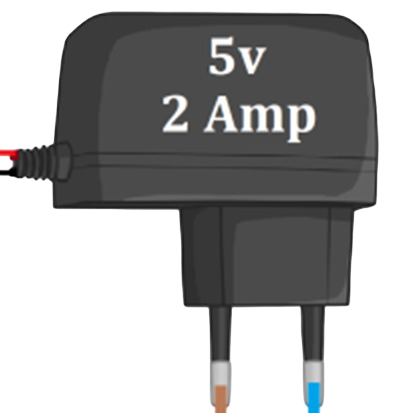
 Design with ADAPTO 5 VOLT in Cirkit Designer
Introduction
The ADAPTO 5 VOLT is a compact and reliable power adapter designed to convert standard AC voltage (100-240V) into a stable 5V DC output. This component is widely used to power low-voltage electronic devices, such as microcontrollers, sensors, and small appliances. Its consistent output and robust design make it an essential tool for hobbyists, engineers, and professionals working with 5V-powered systems.
Explore Projects Built with ADAPTO 5 VOLT
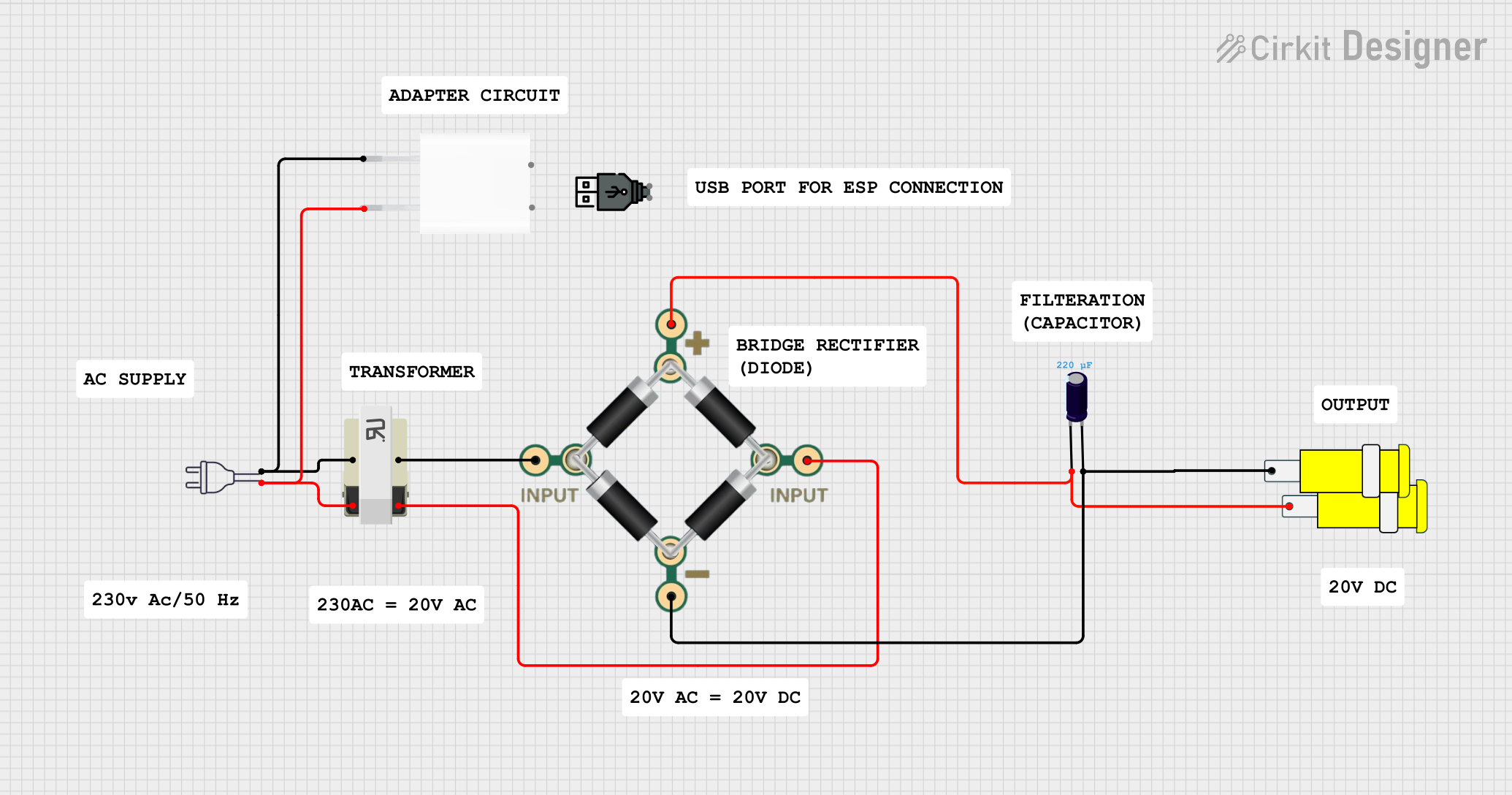 Open Project in Cirkit Designer
 Open Project in Cirkit Designer
 Open Project in Cirkit Designer
 Open Project in Cirkit Designer
Explore Projects Built with ADAPTO 5 VOLT
Open Project in Cirkit DesignerOpen Project in Cirkit DesignerOpen Project in Cirkit DesignerOpen Project in Cirkit DesignerCommon Applications and Use Cases
- Powering microcontroller boards (e.g., Arduino, Raspberry Pi)
- Supplying power to sensors, modules, and small electronic devices
- Charging USB-powered devices
- Providing a stable 5V DC source for prototyping and testing circuits
Technical Specifications
The following table outlines the key technical details of the ADAPTO 5 VOLT:
| Parameter | Specification |
|---|---|
| Input Voltage Range | 100-240V AC, 50/60Hz |
| Output Voltage | 5V DC |
| Maximum Output Current | 2A |
| Power Rating | 10W |
| Connector Type | USB Type-A or barrel jack (varies by model) |
| Efficiency | ≥ 85% |
| Protection Features | Overcurrent, overvoltage, and short-circuit protection |
Pin Configuration and Descriptions
For models with a barrel jack connector, the pin configuration is as follows:
| Pin | Description |
|---|---|
| Center | Positive terminal (+5V) |
| Outer | Negative terminal (GND) |
For USB Type-A models, the pin configuration is standard for USB power:
| Pin | Description |
|---|---|
| VBUS | Positive terminal (+5V) |
| GND | Negative terminal (GND) |
Usage Instructions
How to Use the ADAPTO 5 VOLT in a Circuit
- Connect the Input: Plug the ADAPTO 5 VOLT into a standard AC power outlet (100-240V).
- Connect the Output:
- For barrel jack models, connect the center pin to the positive terminal of your circuit and the outer pin to the ground.
- For USB models, plug the USB connector into your device or a USB breakout board.
- Verify Connections: Ensure all connections are secure and polarity is correct to avoid damage to your circuit.
- Power On: Turn on the power adapter (if it has a switch) or simply plug it in to supply power to your device.
Important Considerations and Best Practices
- Check Current Requirements: Ensure the total current draw of your circuit does not exceed the adapter's maximum output current (2A).
- Avoid Overloading: Overloading the adapter may trigger its protection features or cause it to overheat.
- Use Proper Connectors: Match the connector type (USB or barrel jack) to your device's input requirements.
- Ventilation: Place the adapter in a well-ventilated area to prevent overheating during prolonged use.
Example: Using ADAPTO 5 VOLT with an Arduino UNO
The ADAPTO 5 VOLT can be used to power an Arduino UNO via its barrel jack input. Below is an example of how to connect and use it:
- Plug the ADAPTO 5 VOLT into an AC outlet.
- Connect the barrel jack output to the Arduino UNO's power input.
- Verify that the Arduino's power LED lights up, indicating proper power delivery.
If you want to blink an LED using the Arduino UNO powered by the ADAPTO 5 VOLT, use the following code:
// This code blinks an LED connected to pin 13 of the Arduino UNO.
// Ensure the ADAPTO 5 VOLT is properly connected to power the Arduino.

void setup() {
  pinMode(13, OUTPUT); // Set pin 13 as an output pin
}

void loop() {
  digitalWrite(13, HIGH); // Turn the LED on
  delay(1000);            // Wait for 1 second
  digitalWrite(13, LOW);  // Turn the LED off
  delay(1000);            // Wait for 1 second
}
Troubleshooting and FAQs
Common Issues and Solutions
No Output Voltage:
- Cause: The adapter may not be properly plugged into the AC outlet.
- Solution: Check the AC connection and ensure the outlet is functional.
Device Not Powering On:
- Cause: Incorrect polarity or loose connections.
- Solution: Verify that the positive and negative terminals are correctly connected.
Adapter Overheating:
- Cause: Excessive current draw or poor ventilation.
- Solution: Reduce the load on the adapter and ensure it is placed in a well-ventilated area.
Intermittent Power Delivery:
- Cause: Faulty connector or damaged cable.
- Solution: Inspect the connector and cable for damage and replace if necessary.
FAQs
Q: Can I use the ADAPTO 5 VOLT to charge my smartphone?
- A: Yes, if the adapter has a USB output and your smartphone requires 5V input. Ensure the current rating (2A) is sufficient for your device.
Q: Is the ADAPTO 5 VOLT compatible with all Arduino boards?
- A: It is compatible with Arduino boards that accept a 5V input via a barrel jack or USB connector.
Q: What happens if I exceed the 2A current limit?
- A: The adapter's overcurrent protection will activate, cutting off the output to prevent damage.
Q: Can I use an extension cord with the ADAPTO 5 VOLT?
- A: Yes, but ensure the extension cord is rated for the adapter's input voltage and current.
By following this documentation, you can effectively use the ADAPTO 5 VOLT to power your electronic projects safely and efficiently.