Cirkit Designer Logo
Cirkit Designer
Your all-in-one circuit design IDE
Home / 
Component Documentation

How to Use servo motor : Examples, Pinouts, and Specs
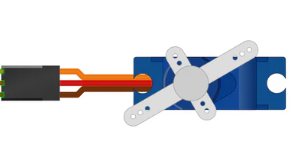

Image of servo motor
Cirkit Designer LogoDesign with servo motor in Cirkit Designer

Introduction

A servo motor is a rotary actuator that allows for precise control of angular position, velocity, and acceleration. It consists of a motor coupled to a sensor for position feedback, enabling accurate movement. Servo motors are widely used in applications such as robotics, automation, remote-controlled vehicles, and industrial machinery. Their ability to provide precise positioning makes them essential in systems requiring controlled motion.

Explore Projects Built with servo motor
Use Cirkit Designer to design, explore, and prototype these projects online. Some projects support real-time simulation. Click "Open Project" to start designing instantly!
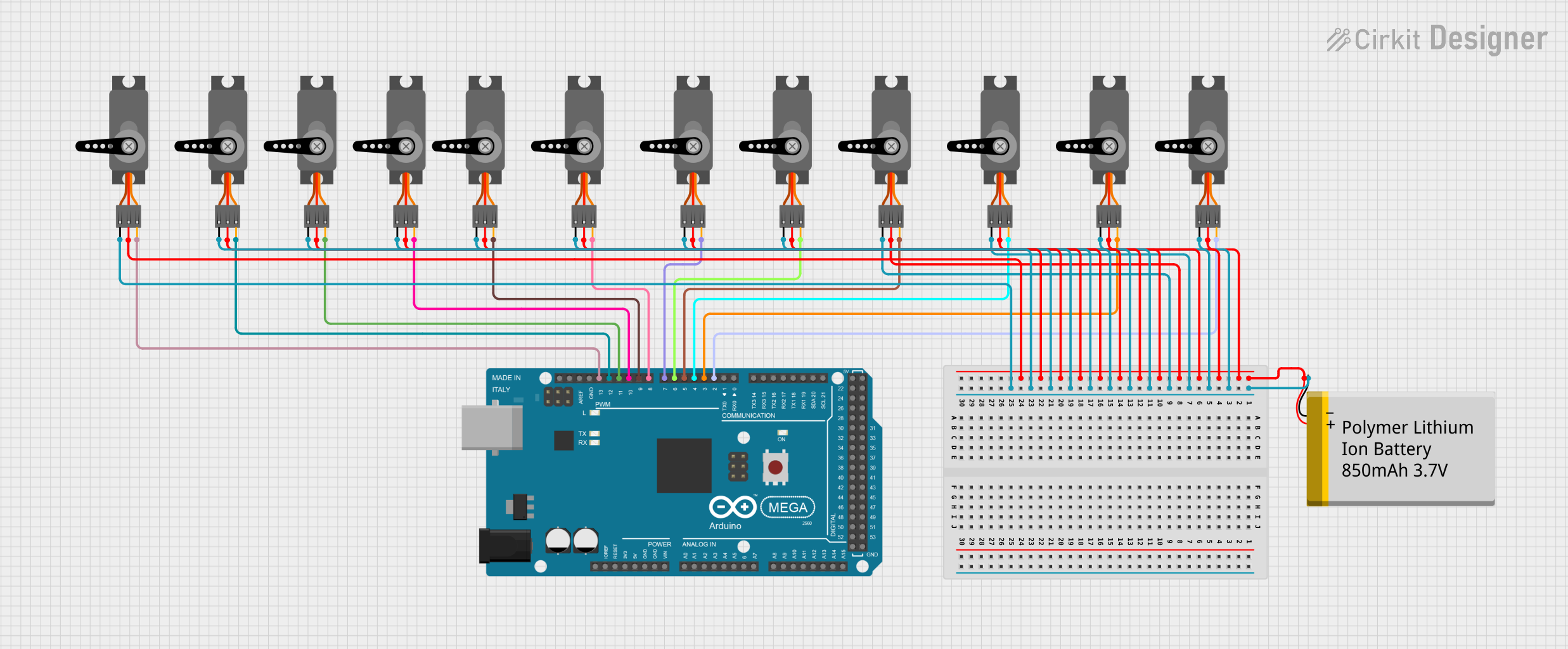
Arduino Mega 2560 Controlled Multi-Servo Random Positioning System
Image of robotic: A project utilizing servo motor  in a practical application
This circuit consists of an Arduino Mega 2560 microcontroller connected to twelve servo motors, each individually controlled by a distinct PWM pin on the Arduino. The servos are powered by a single Polymer Lithium Ion Battery, with all servos sharing a common power (VCC) and ground (GND) connection. The embedded code on the Arduino is designed to randomly position each servo within a 0 to 180-degree range, with a random delay between movements, demonstrating a multi-servo control system possibly for applications like robotics or animatronics.
Cirkit Designer LogoOpen Project in Cirkit Designer
Bluetooth-Controlled Robotic Vehicle with Arduino and Servo-Gearmotor Actuation
Image of CARM: A project utilizing servo motor  in a practical application
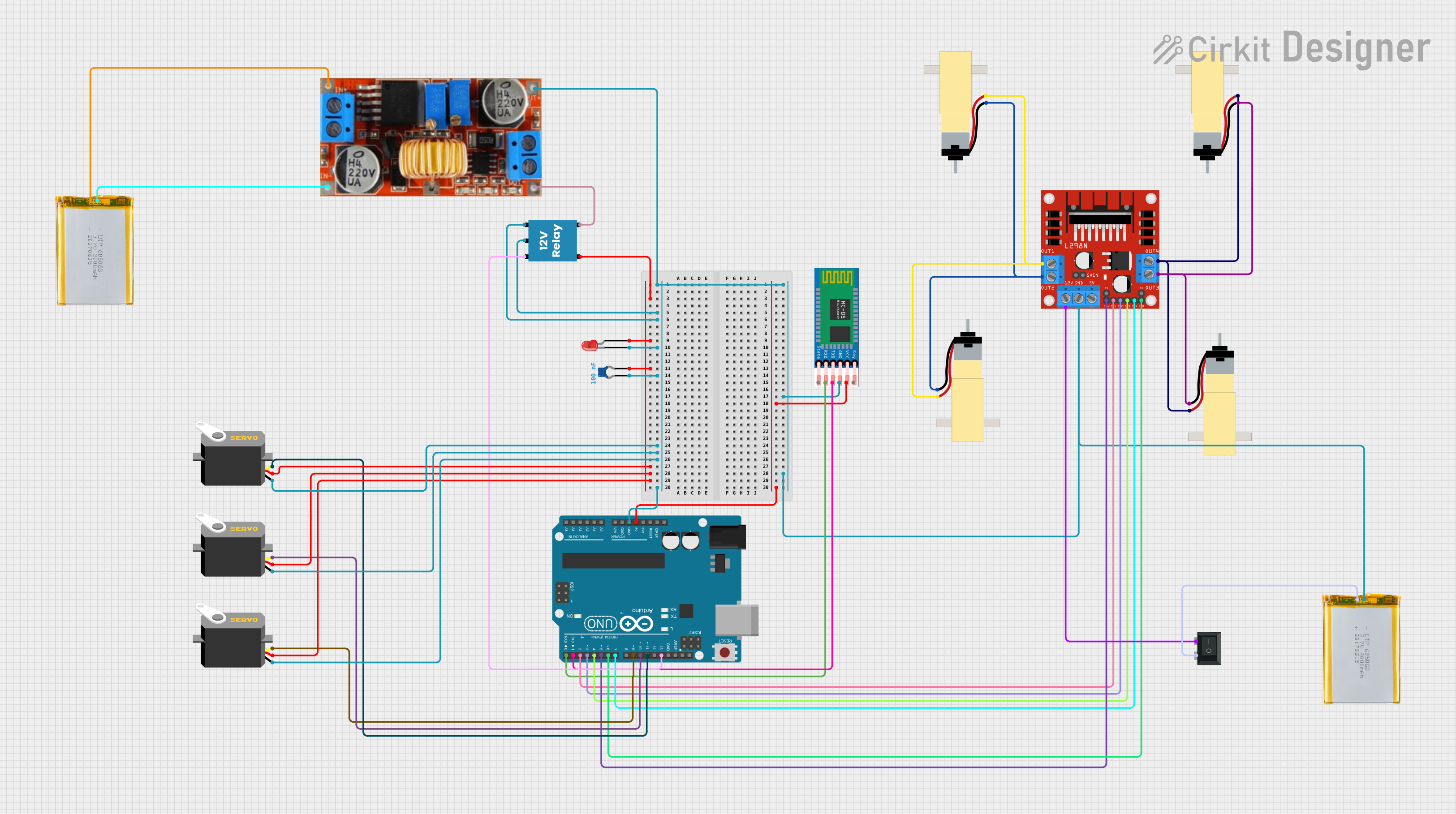
This circuit appears to be a remote-controlled robotic system with multiple servos and gearmotors, likely for movement and manipulation. An Arduino UNO microcontroller is used to control the servos and gearmotors via a L298N motor driver, and it interfaces with an HC-05 Bluetooth module for wireless communication. The system is powered by batteries, with a step-down converter to regulate voltage, and includes a relay and LED for power control and indication.
Cirkit Designer LogoOpen Project in Cirkit Designer
Arduino-Controlled Robotic System with Bluetooth Interface and Motorized Actuators
Image of CARM: A project utilizing servo motor  in a practical application
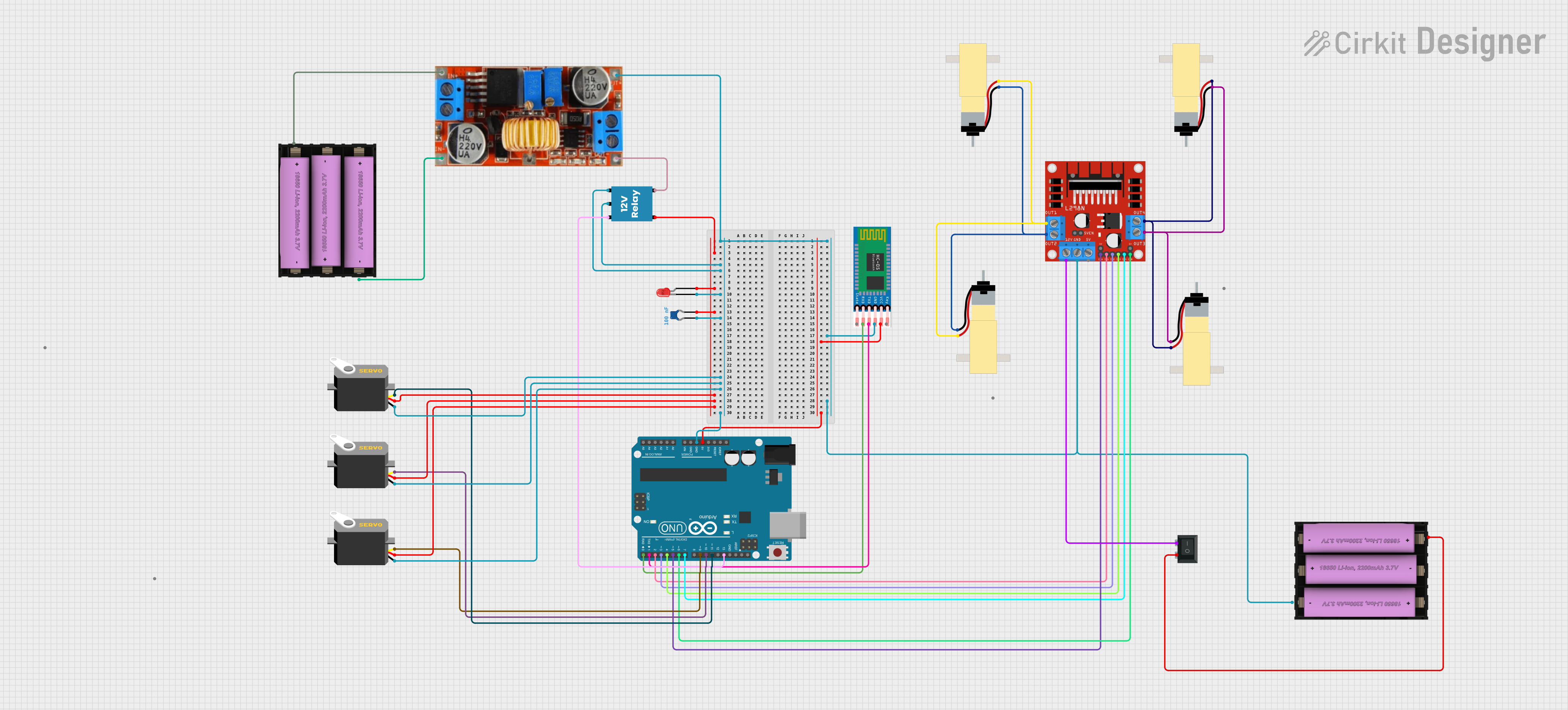
This circuit appears to be a remote-controlled robotic system with multiple servos and DC gearmotors, likely for movement and manipulation. An Arduino UNO microcontroller is used to control the servos and motors via a L298N motor driver, and it interfaces with an HC-05 Bluetooth module for wireless communication. Power management is handled by a Li-ion battery connected through a rocker switch and a step-down converter, with a relay and LED indicating the system's power status.
Cirkit Designer LogoOpen Project in Cirkit Designer
Arduino Mega 2560 Controlled Servo Motor System
Image of project2: A project utilizing servo motor  in a practical application
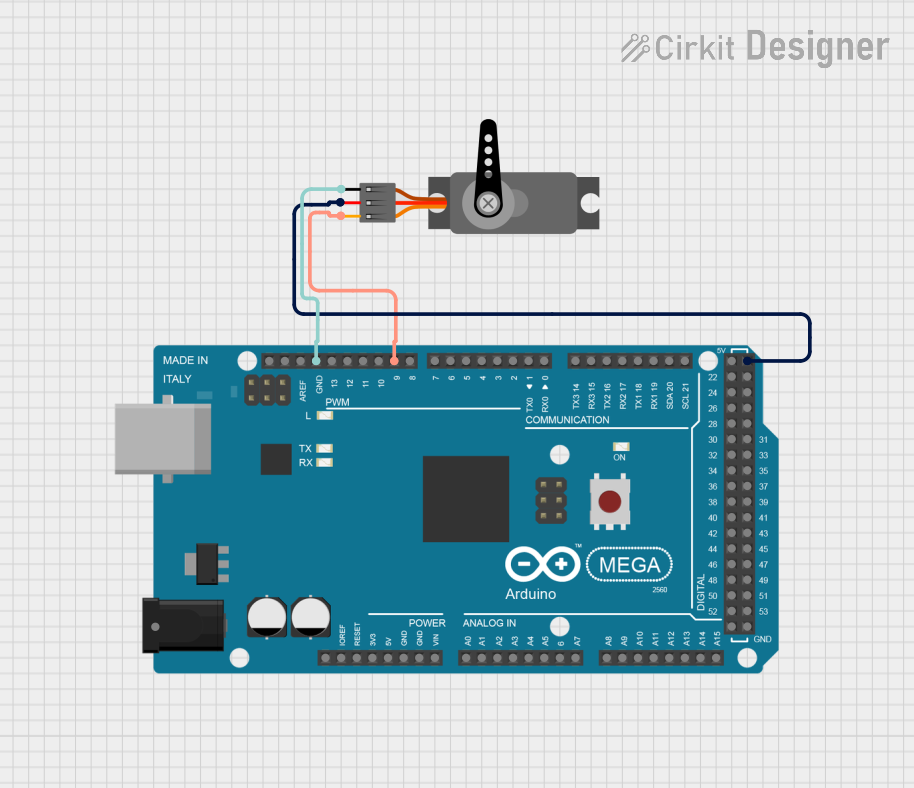
This circuit consists of an Arduino Mega 2560 microcontroller connected to a servo motor. The Arduino controls the servo motor via a PWM signal on pin D9, while providing power and ground connections to the servo motor from its 5V and GND pins, respectively.
Cirkit Designer LogoOpen Project in Cirkit Designer

Explore Projects Built with servo motor

Use Cirkit Designer to design, explore, and prototype these projects online. Some projects support real-time simulation. Click "Open Project" to start designing instantly!
Image of robotic: A project utilizing servo motor  in a practical application
Arduino Mega 2560 Controlled Multi-Servo Random Positioning System
This circuit consists of an Arduino Mega 2560 microcontroller connected to twelve servo motors, each individually controlled by a distinct PWM pin on the Arduino. The servos are powered by a single Polymer Lithium Ion Battery, with all servos sharing a common power (VCC) and ground (GND) connection. The embedded code on the Arduino is designed to randomly position each servo within a 0 to 180-degree range, with a random delay between movements, demonstrating a multi-servo control system possibly for applications like robotics or animatronics.
Cirkit Designer LogoOpen Project in Cirkit Designer
Image of CARM: A project utilizing servo motor  in a practical application
Bluetooth-Controlled Robotic Vehicle with Arduino and Servo-Gearmotor Actuation
This circuit appears to be a remote-controlled robotic system with multiple servos and gearmotors, likely for movement and manipulation. An Arduino UNO microcontroller is used to control the servos and gearmotors via a L298N motor driver, and it interfaces with an HC-05 Bluetooth module for wireless communication. The system is powered by batteries, with a step-down converter to regulate voltage, and includes a relay and LED for power control and indication.
Cirkit Designer LogoOpen Project in Cirkit Designer
Image of CARM: A project utilizing servo motor  in a practical application
Arduino-Controlled Robotic System with Bluetooth Interface and Motorized Actuators
This circuit appears to be a remote-controlled robotic system with multiple servos and DC gearmotors, likely for movement and manipulation. An Arduino UNO microcontroller is used to control the servos and motors via a L298N motor driver, and it interfaces with an HC-05 Bluetooth module for wireless communication. Power management is handled by a Li-ion battery connected through a rocker switch and a step-down converter, with a relay and LED indicating the system's power status.
Cirkit Designer LogoOpen Project in Cirkit Designer
Image of project2: A project utilizing servo motor  in a practical application
Arduino Mega 2560 Controlled Servo Motor System
This circuit consists of an Arduino Mega 2560 microcontroller connected to a servo motor. The Arduino controls the servo motor via a PWM signal on pin D9, while providing power and ground connections to the servo motor from its 5V and GND pins, respectively.
Cirkit Designer LogoOpen Project in Cirkit Designer

Technical Specifications

Below are the general technical specifications for a standard servo motor compatible with Arduino UNO:

Key Specifications

  • Operating Voltage: 4.8V to 6V
  • Operating Current: 100mA to 250mA (no load)
  • Stall Current: ~1A
  • Torque: 1.5 kg-cm to 10 kg-cm (varies by model)
  • Rotation Range: 0° to 180° (standard servo)
  • Control Signal: Pulse Width Modulation (PWM)
  • Pulse Width Range: 1ms to 2ms (corresponds to 0° to 180°)
  • Neutral Position: 1.5ms pulse width (90° position)
  • Connector: 3-pin (Signal, VCC, GND)

Pin Configuration

The servo motor typically has a 3-pin connector. The pinout is as follows:

Pin Name Wire Color (Common) Description
Signal Orange/Yellow Receives PWM signal for control
VCC Red Power supply (4.8V to 6V)
GND Brown/Black Ground connection

Usage Instructions

Connecting the Servo Motor to Arduino UNO

To use a servo motor with an Arduino UNO, follow these steps:

  1. Connect the Signal Pin: Attach the servo motor's signal pin (orange/yellow wire) to a PWM-capable pin on the Arduino UNO (e.g., Pin 9).
  2. Connect the Power Pin (VCC): Connect the red wire to the 5V pin on the Arduino UNO.
  3. Connect the Ground Pin (GND): Connect the brown/black wire to the GND pin on the Arduino UNO.
  4. Use an External Power Source (if needed): If the servo motor requires more current than the Arduino can supply, use an external power source. Connect the servo's VCC to the external power supply and ensure the grounds of the Arduino and the external power supply are connected.

Example Code for Arduino UNO

Below is an example code to control a servo motor using the Arduino UNO:

#include <Servo.h> // Include the Servo library

Servo myServo; // Create a Servo object to control the motor

void setup() {
  myServo.attach(9); // Attach the servo to pin 9 on the Arduino
}

void loop() {
  // Move the servo to 0 degrees
  myServo.write(0); 
  delay(1000); // Wait for 1 second

  // Move the servo to 90 degrees
  myServo.write(90); 
  delay(1000); // Wait for 1 second

  // Move the servo to 180 degrees
  myServo.write(180); 
  delay(1000); // Wait for 1 second
}

Important Considerations

  • Power Supply: Ensure the servo motor is powered with the correct voltage and current. Using an external power source is recommended for high-torque servos.
  • PWM Pin: Use a PWM-capable pin on the Arduino UNO to control the servo.
  • Avoid Overloading: Do not exceed the torque rating of the servo motor to prevent damage.
  • Neutral Position: The servo's neutral position corresponds to a 1.5ms pulse width (90° position).

Troubleshooting and FAQs

Common Issues and Solutions

  1. Servo Motor Not Moving

    • Cause: Incorrect wiring or insufficient power supply.
    • Solution: Double-check the wiring and ensure the servo is receiving the correct voltage and current.
  2. Servo Jittering or Vibrating

    • Cause: Electrical noise or unstable power supply.
    • Solution: Use a capacitor (e.g., 100µF) across the power supply to stabilize it.
  3. Servo Overheating

    • Cause: Prolonged stalling or excessive load.
    • Solution: Reduce the load on the servo or use a higher-torque model.
  4. Servo Not Reaching Full Range

    • Cause: Incorrect PWM signal or mechanical obstruction.
    • Solution: Verify the PWM signal range and check for physical obstructions.

FAQs

  • Can I control multiple servos with an Arduino UNO? Yes, you can control multiple servos using the Servo library. However, ensure the power supply can handle the combined current draw.

  • What happens if I exceed the servo's torque rating? Exceeding the torque rating can cause the servo to stall, overheat, or become damaged. Always use a servo with a torque rating suitable for your application.

  • Can I rotate the servo beyond 180°? Standard servos are limited to 0° to 180°. For continuous rotation, use a modified or continuous rotation servo.

By following this documentation, you can effectively use a servo motor with the Arduino UNO for precise motion control in your projects.