
How to Use ROTARY SWITCH: Examples, Pinouts, and Specs
 Design with ROTARY SWITCH in Cirkit Designer
Introduction
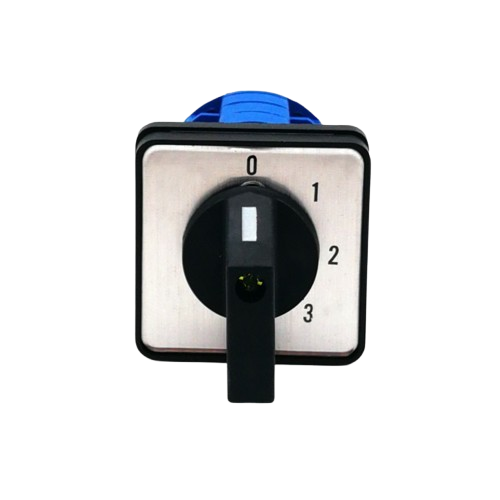
A rotary switch is an electrical switch that is operated by rotating a knob or lever. It allows the user to select different circuits or functions by turning the switch to different positions. Rotary switches are commonly used in applications where multiple circuit options or settings need to be selected manually. They are versatile and reliable components found in devices such as audio equipment, industrial machinery, and control panels.
Explore Projects Built with ROTARY SWITCH
 Open Project in Cirkit Designer
 Open Project in Cirkit Designer
 Open Project in Cirkit Designer
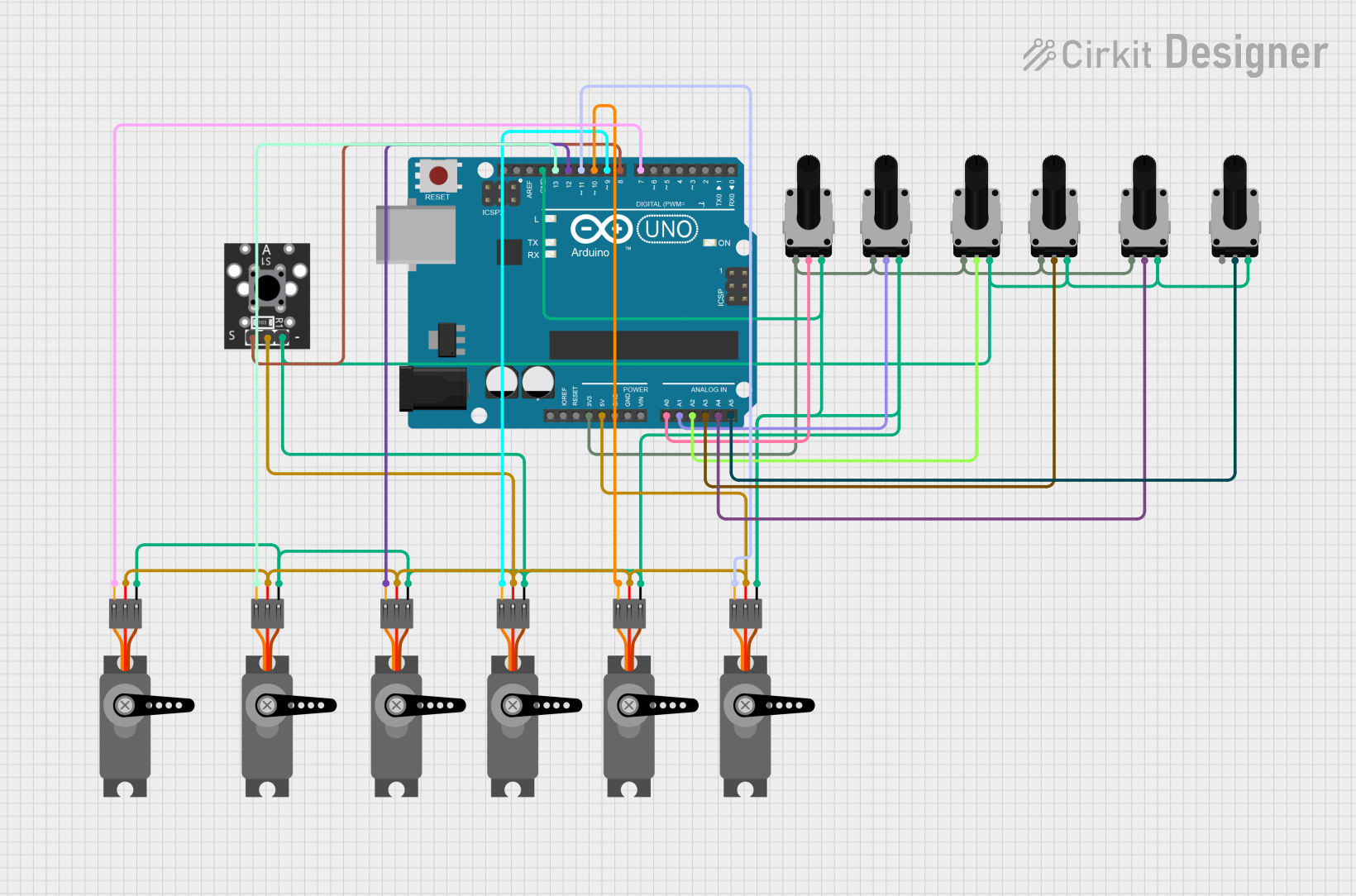 Open Project in Cirkit Designer
Explore Projects Built with ROTARY SWITCH
Open Project in Cirkit DesignerOpen Project in Cirkit DesignerOpen Project in Cirkit DesignerOpen Project in Cirkit DesignerCommon Applications and Use Cases
- Audio equipment for selecting input sources or adjusting settings
- Industrial machinery for mode or function selection
- Test and measurement equipment for range or parameter selection
- Home appliances for controlling fan speeds or temperature settings
- Control panels for selecting operational modes
Technical Specifications
Below are the general technical specifications for a typical rotary switch. Note that specific values may vary depending on the model and manufacturer.
| Parameter | Specification |
|---|---|
| Voltage Rating | 12V to 250V (AC or DC, depending on model) |
| Current Rating | 0.3A to 6A |
| Number of Positions | 2 to 12 (varies by model) |
| Contact Resistance | ≤ 50 mΩ |
| Insulation Resistance | ≥ 100 MΩ |
| Operating Temperature | -20°C to 85°C |
| Mechanical Life | 10,000 to 50,000 cycles |
Pin Configuration and Descriptions
The pin configuration of a rotary switch depends on the number of positions and poles. Below is an example for a single-pole, 4-position rotary switch:
| Pin Number | Description |
|---|---|
| Common (C) | Common terminal connected to the selected position |
| Position 1 | Terminal for position 1 |
| Position 2 | Terminal for position 2 |
| Position 3 | Terminal for position 3 |
| Position 4 | Terminal for position 4 |
For a double-pole, 3-position rotary switch, the configuration would include two sets of common and position terminals (e.g., C1, C2, P1A, P1B, etc.).
Usage Instructions
How to Use the Rotary Switch in a Circuit
- Identify the Terminals: Refer to the datasheet or pin configuration to identify the common terminal and position terminals.
- Connect the Common Terminal: Connect the common terminal (C) to the input voltage or signal source.
- Connect the Position Terminals: Connect the position terminals to the desired output circuits or devices.
- Secure the Switch: Mount the rotary switch securely in your device or control panel.
- Test the Circuit: Rotate the switch to each position and verify that the correct circuit is activated.
Important Considerations and Best Practices
- Voltage and Current Ratings: Ensure the rotary switch is rated for the voltage and current of your application to avoid damage or failure.
- Debouncing: Rotary switches may produce electrical noise or "bouncing" when switching positions. Use capacitors or software debouncing techniques if necessary.
- Mechanical Durability: Avoid excessive force when turning the switch to prevent mechanical wear.
- Wiring: Use appropriate wire gauges and secure connections to ensure reliable operation.
Example: Connecting a Rotary Switch to an Arduino UNO
Below is an example of how to use a rotary switch with an Arduino UNO to read its position:
Circuit Diagram
- Connect the common terminal of the rotary switch to the Arduino's 5V pin.
- Connect each position terminal to a separate digital input pin on the Arduino (e.g., pins 2, 3, 4, and 5).
- Use pull-down resistors on each input pin to ensure stable readings.
Arduino Code
// Rotary Switch Example with Arduino UNO
// Reads the position of a 4-position rotary switch and prints it to the Serial Monitor

const int pin1 = 2; // Position 1 connected to digital pin 2
const int pin2 = 3; // Position 2 connected to digital pin 3
const int pin3 = 4; // Position 3 connected to digital pin 4
const int pin4 = 5; // Position 4 connected to digital pin 5

void setup() {
  // Set rotary switch pins as inputs
  pinMode(pin1, INPUT);
  pinMode(pin2, INPUT);
  pinMode(pin3, INPUT);
  pinMode(pin4, INPUT);

  // Initialize Serial Monitor
  Serial.begin(9600);
}

void loop() {
  // Check which position is active
  if (digitalRead(pin1) == HIGH) {
    Serial.println("Rotary Switch Position: 1");
  } else if (digitalRead(pin2) == HIGH) {
    Serial.println("Rotary Switch Position: 2");
  } else if (digitalRead(pin3) == HIGH) {
    Serial.println("Rotary Switch Position: 3");
  } else if (digitalRead(pin4) == HIGH) {
    Serial.println("Rotary Switch Position: 4");
  } else {
    Serial.println("No position selected");
  }

  delay(500); // Delay for stability
}
Troubleshooting and FAQs
Common Issues and Solutions
Switch Not Working in Circuit
- Cause: Incorrect wiring or loose connections.
- Solution: Double-check the wiring and ensure all connections are secure.
Incorrect Position Detection
- Cause: Electrical noise or bouncing.
- Solution: Add pull-down resistors or use software debouncing techniques.
Switch Feels Stiff or Loose
- Cause: Mechanical wear or improper mounting.
- Solution: Inspect the switch for damage and ensure it is mounted securely.
Overheating or Damage
- Cause: Exceeding voltage or current ratings.
- Solution: Use a switch rated for the specific voltage and current of your application.
FAQs
Q: Can a rotary switch be used for analog signals?
A: Yes, rotary switches can handle analog signals, but ensure the switch has low contact resistance and is rated for the signal's voltage and current.
Q: How do I debounce a rotary switch?
A: You can use capacitors across the terminals or implement software debouncing in your microcontroller code.
Q: Can I use a rotary switch for high-power applications?
A: Only if the switch is specifically rated for high power. For most high-power applications, consider using relays or contactors controlled by the rotary switch.
Q: How do I determine the number of poles and positions?
A: Check the datasheet or inspect the switch. The number of poles refers to independent circuits, and the number of positions refers to selectable states.