
How to Use Raspberry Pi 4 Model B: Examples, Pinouts, and Specs
 Design with Raspberry Pi 4 Model B in Cirkit Designer
Introduction
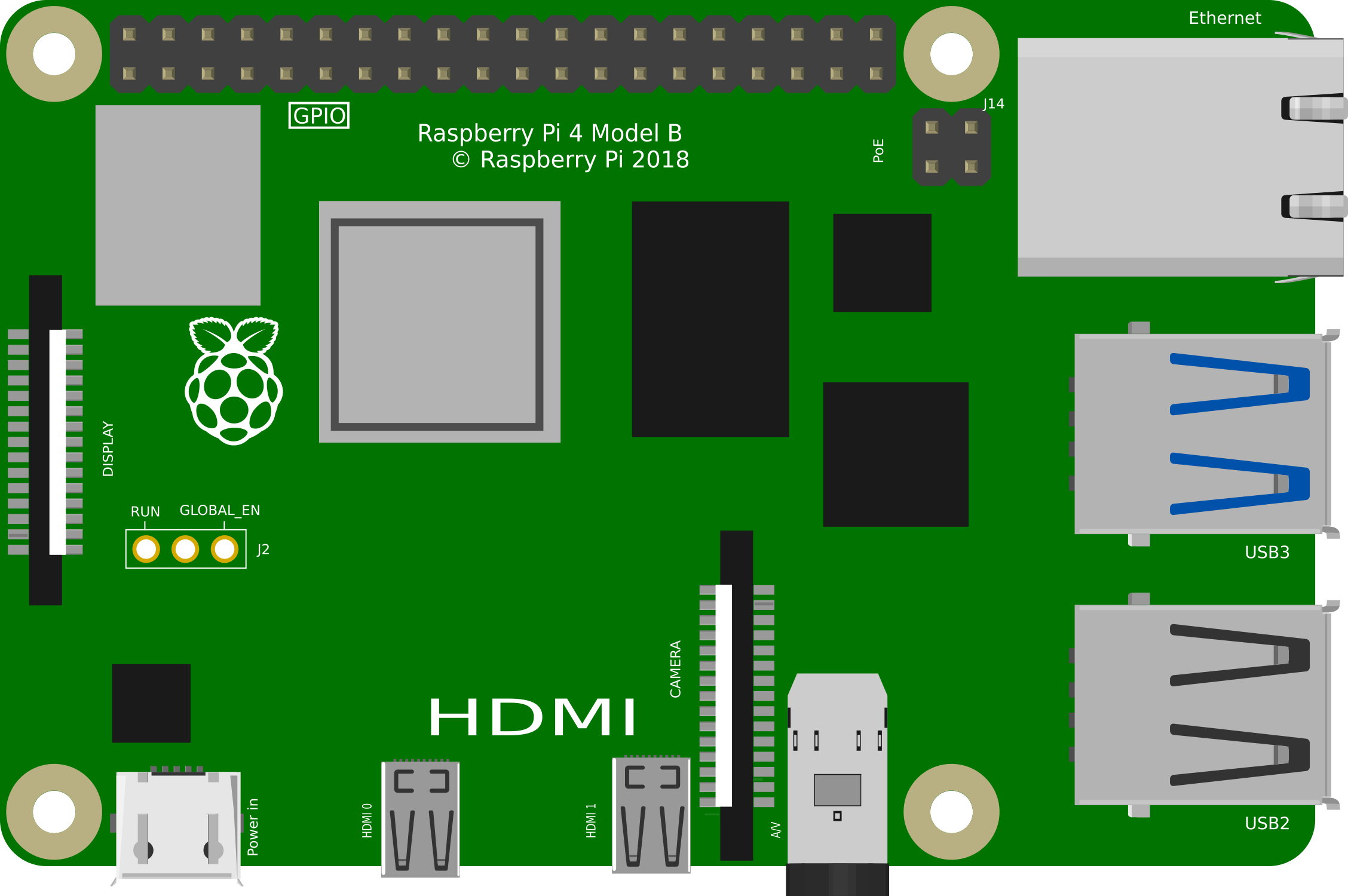
The Raspberry Pi 4 Model B is a compact, affordable single-board computer designed for a wide range of applications. Equipped with a powerful quad-core processor, multiple USB ports, dual HDMI outputs, and GPIO pins, it is an ideal platform for programming, robotics, IoT projects, and more. Its versatility and affordability make it a popular choice for hobbyists, educators, and professionals alike.
Explore Projects Built with Raspberry Pi 4 Model B
 Open Project in Cirkit Designer
 Open Project in Cirkit Designer
 Open Project in Cirkit Designer
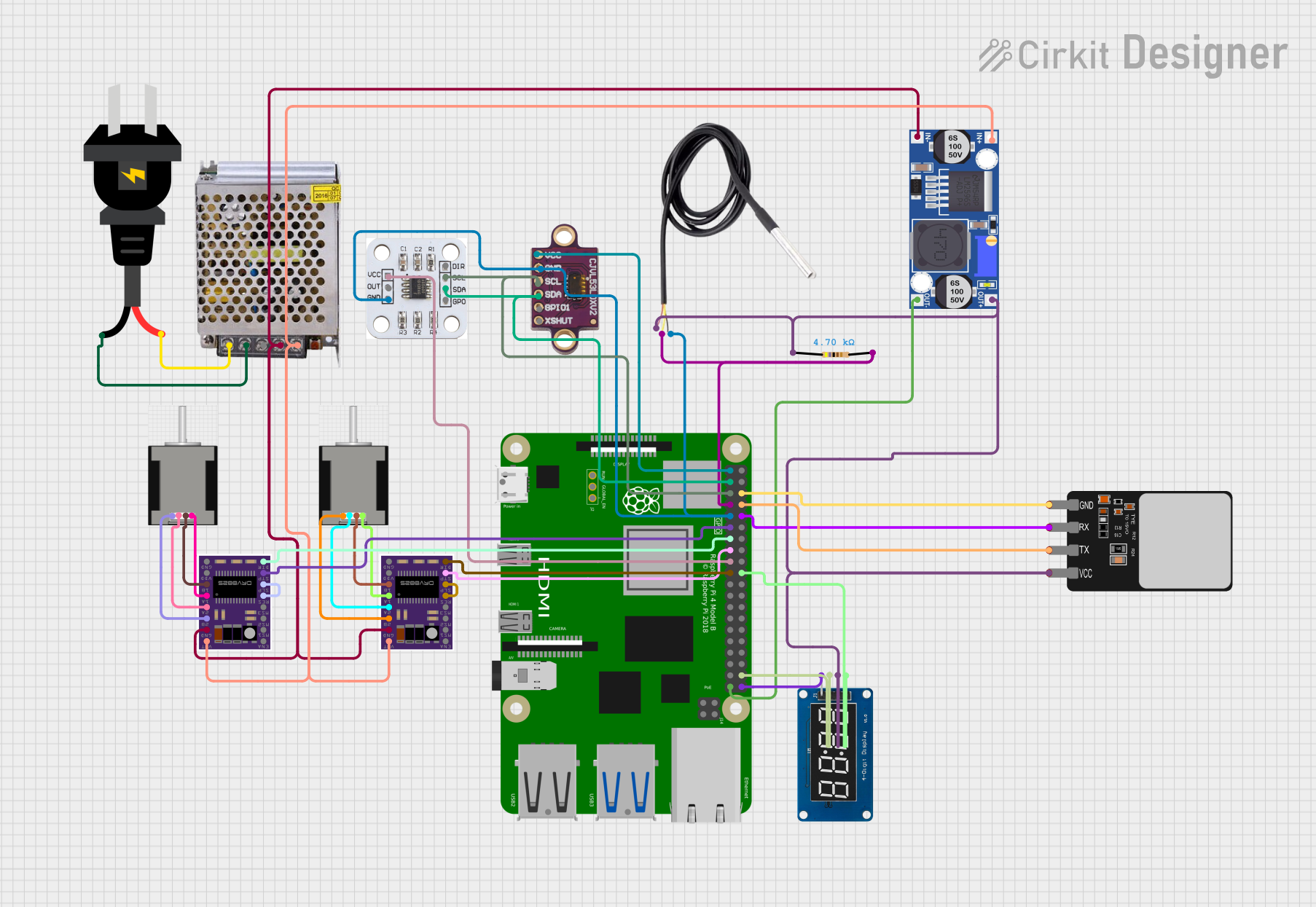 Open Project in Cirkit Designer
Explore Projects Built with Raspberry Pi 4 Model B
Open Project in Cirkit DesignerOpen Project in Cirkit DesignerOpen Project in Cirkit DesignerOpen Project in Cirkit DesignerCommon Applications and Use Cases
- Programming and Education: Ideal for learning programming languages like Python, C++, and Java.
- IoT Projects: Acts as a hub for smart home devices or other IoT systems.
- Media Center: Can be used to build a home theater system with software like Kodi.
- Robotics: Powers robots and automation systems with its GPIO pins and processing capabilities.
- Web Servers: Functions as a lightweight web server for hosting small websites or applications.
Technical Specifications
Key Technical Details
| Specification | Details |
|---|---|
| Processor | Quad-core Cortex-A72 (ARM v8) 64-bit SoC @ 1.5GHz |
| RAM Options | 2GB, 4GB, or 8GB LPDDR4 |
| USB Ports | 2 × USB 3.0, 2 × USB 2.0 |
| HDMI Outputs | 2 × Micro HDMI (supports up to 4K resolution) |
| Ethernet | Gigabit Ethernet |
| Wireless Connectivity | Dual-band 802.11ac Wi-Fi, Bluetooth 5.0 |
| GPIO Pins | 40-pin header (3.3V logic, supports I2C, SPI, UART, etc.) |
| Power Supply | 5V/3A via USB-C or GPIO header |
| Storage | MicroSD card slot (supports booting and storage) |
| Dimensions | 85.6mm × 56.5mm × 17mm |
GPIO Pin Configuration
The Raspberry Pi 4 Model B features a 40-pin GPIO header. Below is a summary of the pin configuration:
| Pin Number | Pin Name | Functionality |
|---|---|---|
| 1 | 3.3V Power | Power supply (3.3V) |
| 2 | 5V Power | Power supply (5V) |
| 3 | GPIO2 (SDA1) | I2C Data |
| 4 | 5V Power | Power supply (5V) |
| 5 | GPIO3 (SCL1) | I2C Clock |
| 6 | Ground | Ground |
| 7 | GPIO4 | General-purpose I/O |
| 8 | GPIO14 (TXD0) | UART Transmit |
| 9 | Ground | Ground |
| 10 | GPIO15 (RXD0) | UART Receive |
| ... | ... | ... |
| 39 | Ground | Ground |
| 40 | GPIO21 | General-purpose I/O |
For a complete GPIO pinout, refer to the official Raspberry Pi documentation.
Usage Instructions
How to Use the Raspberry Pi 4 Model B in a Circuit
Powering the Raspberry Pi:
- Use a 5V/3A USB-C power adapter to power the board.
- Alternatively, power it via the GPIO header (pins 2 and 6 for 5V and ground).
Connecting Peripherals:
- Attach a monitor via one of the micro HDMI ports.
- Connect a keyboard and mouse to the USB ports.
- Insert a microSD card with a pre-installed operating system (e.g., Raspberry Pi OS).
Using GPIO Pins:
- Use the GPIO pins to interface with sensors, LEDs, motors, and other components.
- Libraries like
RPi.GPIOorgpiozeroin Python can simplify GPIO programming.
Important Considerations and Best Practices
- Cooling: The Raspberry Pi 4 Model B can get hot under heavy loads. Use a heatsink or fan for cooling.
- Power Supply: Ensure a stable 5V/3A power supply to avoid performance issues.
- Static Protection: Handle the board carefully to avoid damage from static electricity.
- Software Updates: Regularly update the operating system and firmware for optimal performance and security.
Example: Blinking an LED with GPIO
Below is an example of how to blink an LED connected to GPIO pin 17 using Python:
Import necessary libraries
import RPi.GPIO as GPIO import time
Set up GPIO mode
GPIO.setmode(GPIO.BCM) # Use Broadcom pin numbering GPIO.setup(17, GPIO.OUT) # Set GPIO pin 17 as an output
try: while True: GPIO.output(17, GPIO.HIGH) # Turn LED on time.sleep(1) # Wait for 1 second GPIO.output(17, GPIO.LOW) # Turn LED off time.sleep(1) # Wait for 1 second except KeyboardInterrupt: # Clean up GPIO settings on exit GPIO.cleanup()
**Note**: Connect the LED's anode to GPIO pin 17 and its cathode to a resistor (330Ω recommended), which is then connected to ground.

---
Troubleshooting and FAQs
Common Issues and Solutions
The Raspberry Pi does not boot:
- Ensure the microSD card is properly inserted and contains a valid operating system.
- Check the power supply for sufficient voltage and current.
Overheating:
- Use a heatsink or fan to cool the board.
- Avoid placing the Raspberry Pi in an enclosed space without ventilation.
No display on the monitor:
- Verify the HDMI cable and monitor compatibility.
- Ensure the correct HDMI port is used (HDMI0 is the primary port).
GPIO pins not working:
- Double-check the pin connections and ensure the correct pin numbering is used in the code.
- Verify that no other process is using the GPIO pins.
FAQs
Can I power the Raspberry Pi 4 Model B via USB ports? No, the USB ports cannot be used to power the board. Use the USB-C port or GPIO header.
What operating systems are supported? The Raspberry Pi 4 Model B supports Raspberry Pi OS, Ubuntu, and other Linux-based distributions.
Can I connect multiple displays? Yes, the Raspberry Pi 4 Model B supports dual displays via its two micro HDMI ports.
How do I reset the Raspberry Pi? Disconnect and reconnect the power supply to perform a reset.
This documentation provides a comprehensive guide to using the Raspberry Pi 4 Model B effectively. For further details, refer to the official Raspberry Pi website.