The 18650 battery holder is a device designed to securely house a single 18650 lithium-ion rechargeable battery cell. This type of battery is widely used due to its high energy density, long life, and stable performance. The holder allows for easy insertion and removal of the battery, making it convenient for applications where battery replacement is necessary. Common applications include portable electronics, flashlights, electric vehicles, and as a power source for DIY projects, including those involving microcontrollers like the Arduino UNO.
Explore Projects Built with 18650 in holder
Use Cirkit Designer to design, explore, and prototype these projects online. Some projects support real-time simulation. Click "Open Project" to start designing instantly!
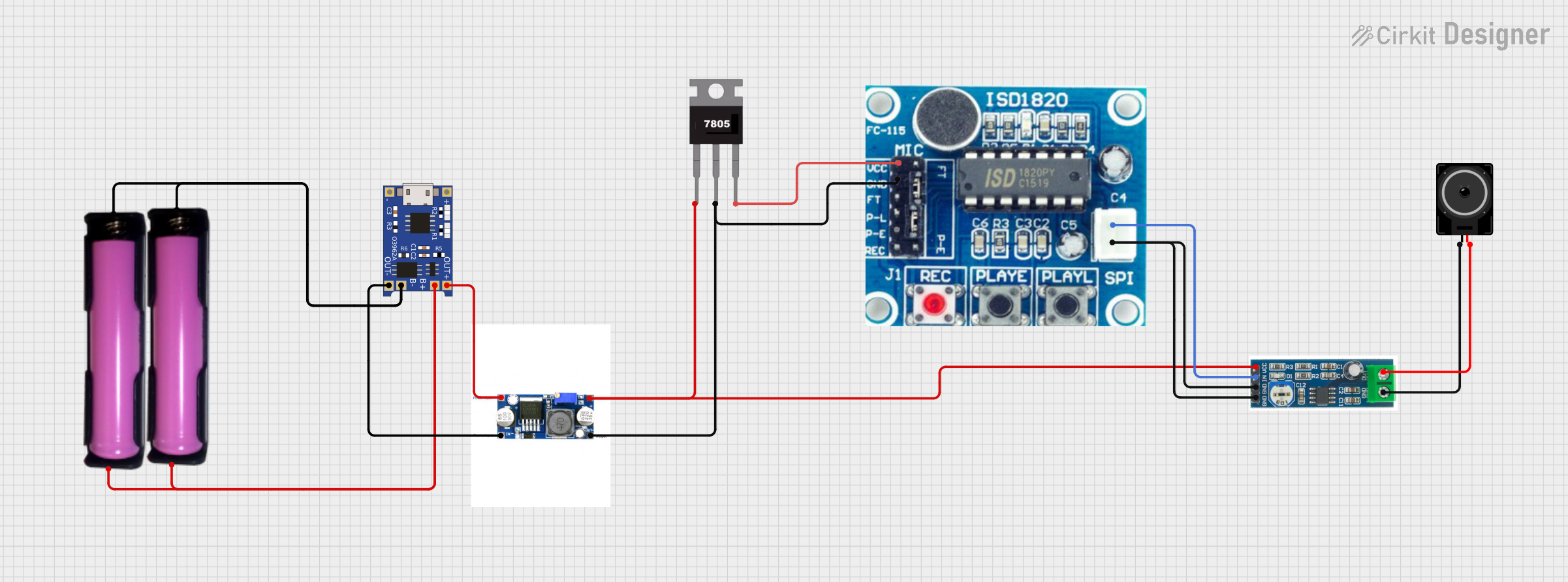
This circuit is designed to charge 18650 lithium-ion batteries using a TP4056 charger module, and then boost the voltage using an XL 6009 Boost Module. The boosted voltage is regulated by a 7805 voltage regulator to provide a stable 5V output, which powers an ISD1820 voice recording and playback module. The audio signal from the ISD1820 is then amplified by an LM386 audio amplifier module and output through a loudspeaker.
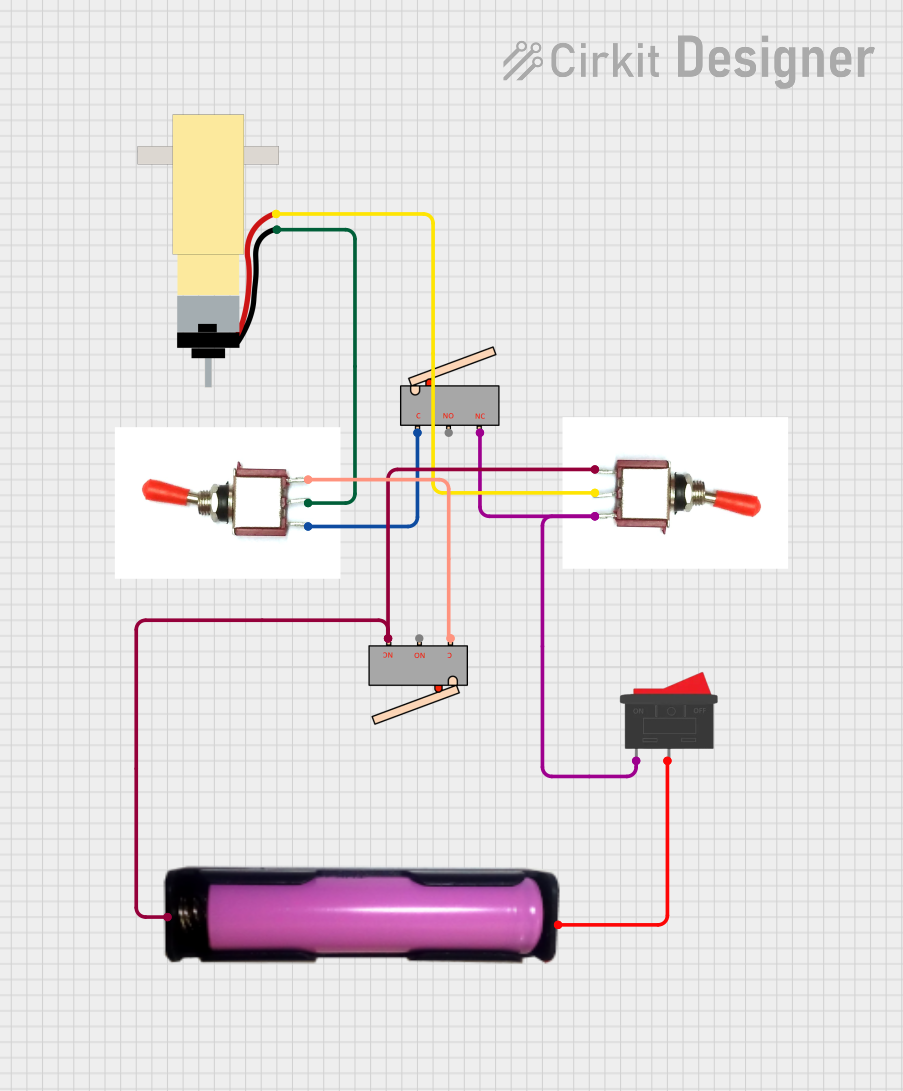
This circuit controls a hobby gear motor using two toggle switches, a rocker switch, and two limit switches. The motor's direction is controlled by the toggle switches, while the limit switches and rocker switch provide additional control and safety features. Power is supplied by a 18650 battery in a holder.
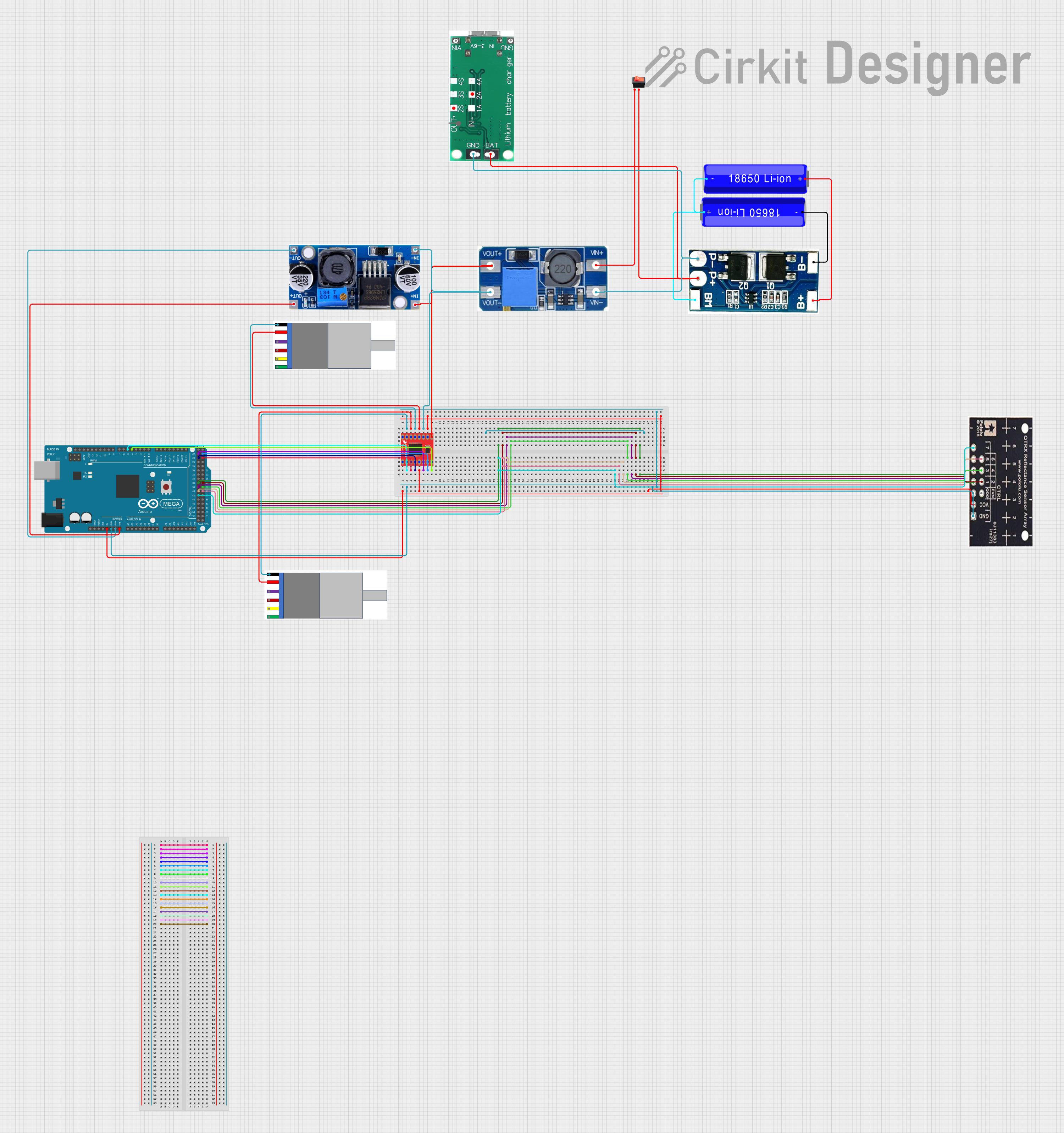
This circuit is a motor control system powered by 18650 Li-ion batteries, featuring an Arduino Mega 2560 microcontroller that controls two gear motors with integrated encoders via a TB6612FNG motor driver. It also includes a QTRX-HD-07RC reflectance sensor array for line following, and power management components such as a lithium battery charging board, a step-up boost converter, and a buck converter to regulate voltage.
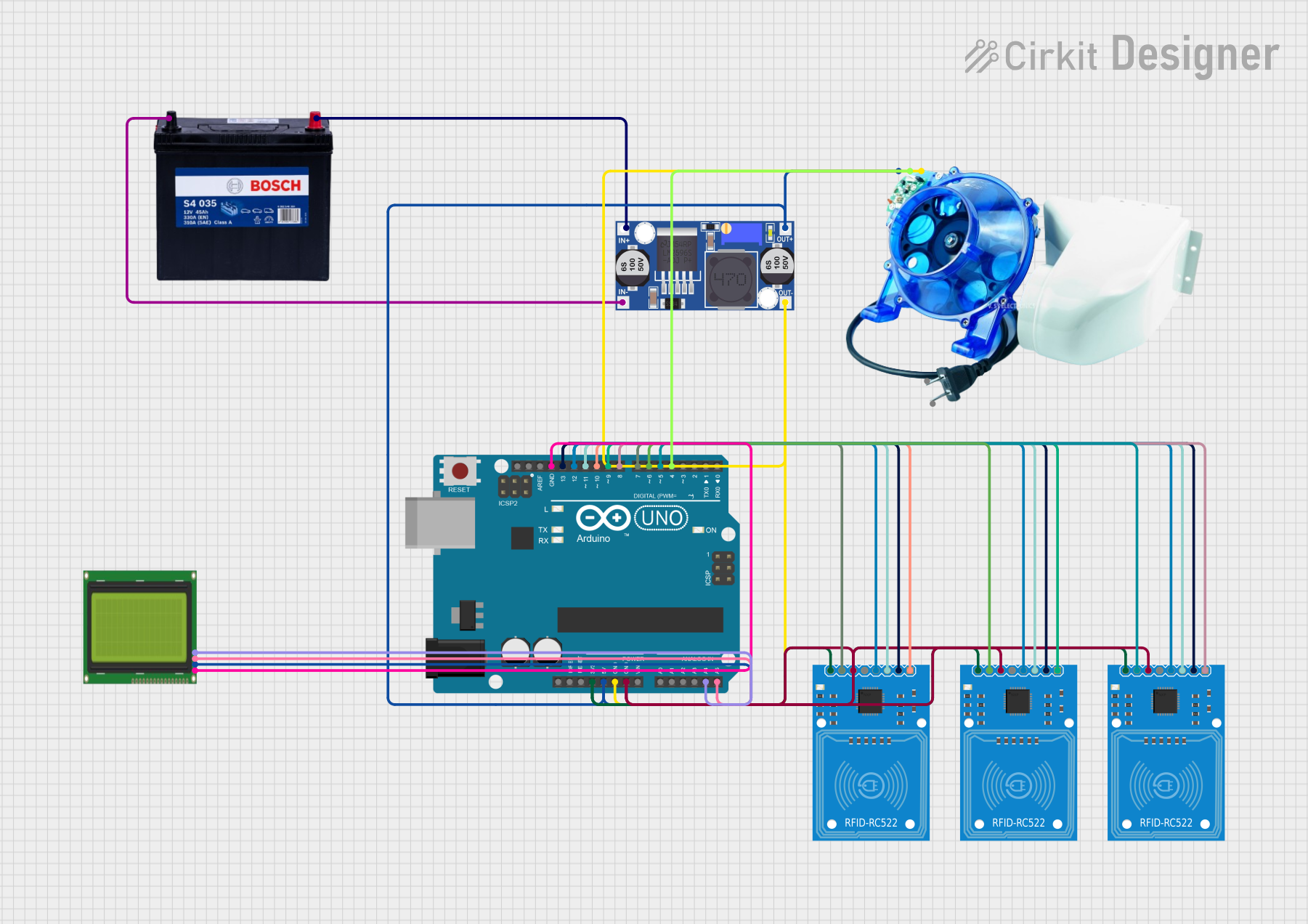
This circuit is an automated utensil counting and dispensing system using an Arduino UNO, three RFID-RC522 readers, a coin hopper, and an LCD display. The RFID readers detect different types of utensils, the Arduino processes the data and updates the count on the LCD, and the coin hopper dispenses a coin for each detected utensil.
Ensure the 18650 battery is charged and in good condition.
Open the holder's cap or latch, depending on the design.
Insert the 18650 battery into the holder with the positive end aligning with the + terminal and the negative end with the - terminal.
Close the holder securely to ensure a good electrical connection.
Connecting to a Circuit
Connect the + terminal of the holder to the positive power input of your circuit.
Connect the - terminal of the holder to the ground of your circuit.
Ensure all connections are secure and insulated to prevent short circuits.
Best Practices
Always verify the polarity before connecting the battery to avoid damage.
Do not expose the battery holder to high temperatures or moisture.
When not in use, remove the battery to prevent slow discharge.
Check the battery voltage regularly to avoid over-discharge.
Example: Connecting to an Arduino UNO
// Example code for powering an Arduino UNO with a 18650 battery

void setup() {
  // Initialize digital pin LED_BUILTIN as an output.
  pinMode(LED_BUILTIN, OUTPUT);
}

void loop() {
  // Turn the LED on (HIGH is the voltage level)
  digitalWrite(LED_BUILTIN, HIGH);
  // Wait for a second
  delay(1000);
  // Turn the LED off by making the voltage LOW
  digitalWrite(LED_BUILTIN, LOW);
   // Wait for a second
  delay(1000);
}
Note: The Arduino UNO requires a voltage of 5V; therefore, a voltage step-up converter is needed when using a 3.7V 18650 battery.
Troubleshooting and FAQs
Common Issues
Battery not charging: Ensure the charger is functioning and the contacts are clean.
Power not reaching the circuit: Check for loose connections and ensure the holder's terminals are making proper contact with the battery.
Battery drains quickly: Verify that the battery is in good condition and the circuit does not have any unintended current drains.
FAQs
Q: Can I use any 18650 battery with this holder?
A: Most 18650 batteries will fit, but always check the battery's dimensions and specifications.
Q: Is it safe to leave the battery in the holder for extended periods?
A: It is generally safe, but to prevent slow discharge or potential leakage, it is advisable to remove the battery if not in use for long periods.
Q: Can I recharge the battery while it's in the holder?
A: This depends on the holder's design. Some holders come with built-in charging circuits, while others do not support in-holder charging.
Q: How do I know if the battery is inserted correctly?
A: The battery should fit snugly, and the holder's terminals should align with the battery's positive and negative ends.
For further assistance, consult the battery holder's manufacturer or seek advice from experienced electronics professionals.


 Open Project in Cirkit Designer