
How to Use SABERTOOTH 2X32 MOTOR CONTROLLER: Examples, Pinouts, and Specs
 Design with SABERTOOTH 2X32 MOTOR CONTROLLER in Cirkit Designer
Introduction
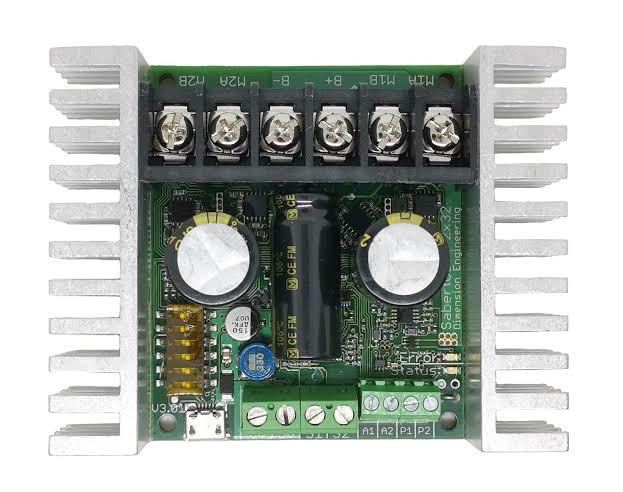
The Sabertooth 2x32 Motor Controller is a versatile dual-channel motor controller designed for controlling DC motors. It is capable of handling up to 32A per channel continuously, making it ideal for high-power applications. This controller supports various control modes, including PWM, analog voltage, serial communication, and RC signal inputs, providing flexibility for a wide range of use cases. Its robust design and advanced features make it a popular choice for robotics, automation systems, and remote-controlled vehicles.
Explore Projects Built with SABERTOOTH 2X32 MOTOR CONTROLLER
 Open Project in Cirkit Designer
 Open Project in Cirkit Designer
 Open Project in Cirkit Designer
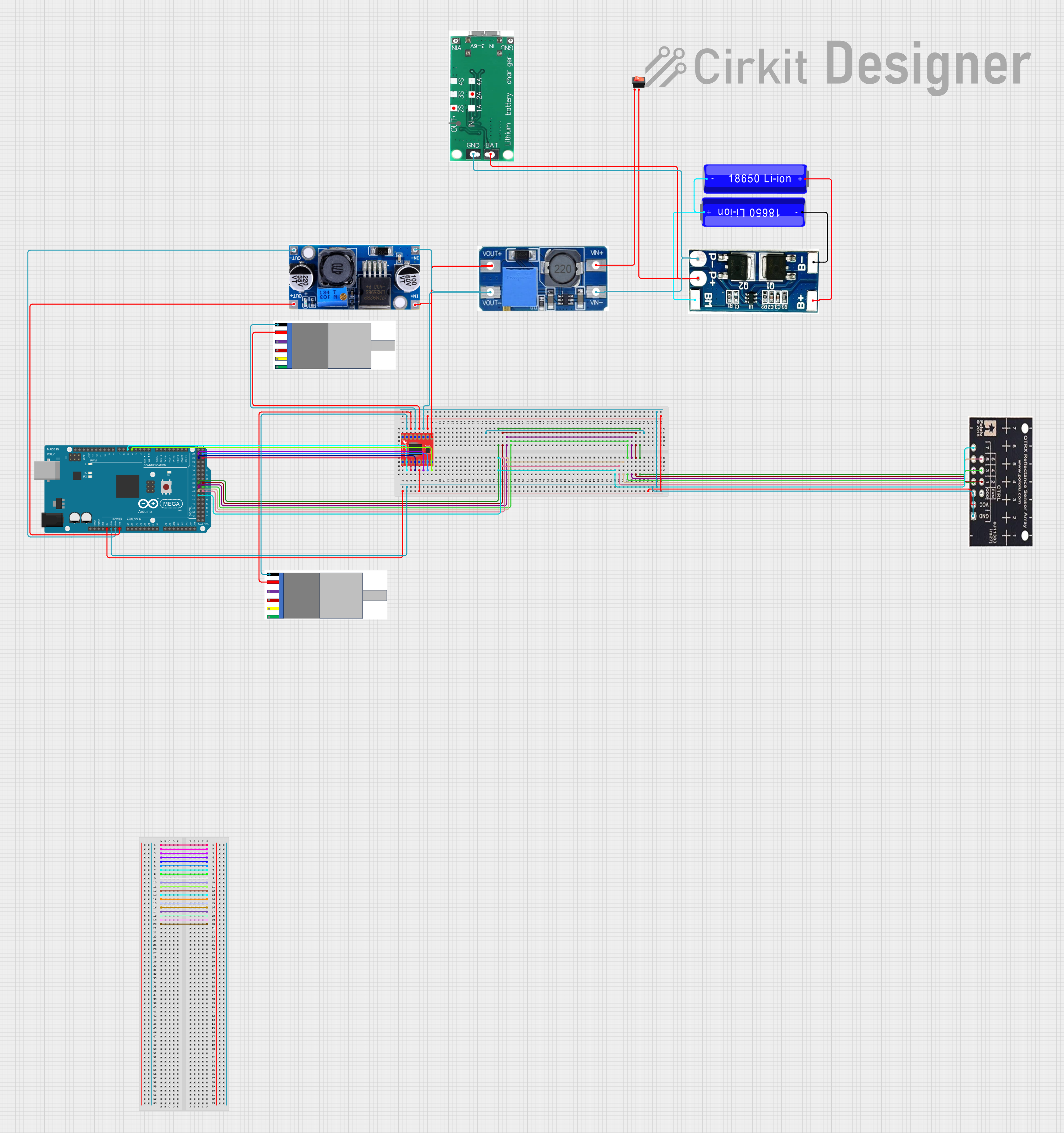 Open Project in Cirkit Designer
Explore Projects Built with SABERTOOTH 2X32 MOTOR CONTROLLER
Open Project in Cirkit DesignerOpen Project in Cirkit DesignerOpen Project in Cirkit DesignerOpen Project in Cirkit DesignerCommon Applications
- Robotics (e.g., mobile robots, robotic arms)
- Automation systems
- Remote-controlled vehicles (e.g., cars, boats, and drones)
- Conveyor belts and industrial machinery
- Electric wheelchairs and mobility devices
Technical Specifications
The Sabertooth 2x32 Motor Controller is packed with features to ensure reliable and efficient motor control. Below are its key technical specifications:
General Specifications
| Parameter | Value |
|---|---|
| Channels | 2 |
| Continuous Current | 32A per channel |
| Peak Current | 64A per channel (for short durations) |
| Input Voltage Range | 6V to 30V |
| Control Modes | PWM, Analog, Serial, RC |
| Operating Temperature | -40°C to 85°C |
| Dimensions | 3.25" x 2.75" x 1.5" |
| Weight | 120g |
Pin Configuration and Descriptions
The Sabertooth 2x32 features a screw terminal block and a control input header for easy connections. Below is the pin configuration:
Screw Terminal Block (Motor and Power Connections)
| Pin Name | Description |
|---|---|
| M1A, M1B | Motor 1 connections (A and B terminals) |
| M2A, M2B | Motor 2 connections (A and B terminals) |
| B+ | Positive power supply input |
| B- | Negative power supply (ground) |
Control Input Header (Signal Connections)
| Pin Name | Description |
|---|---|
| S1 | Signal input for Motor 1 |
| S2 | Signal input for Motor 2 |
| 0V | Ground reference for control signals |
| 5V | 5V output for powering external devices |
Usage Instructions
The Sabertooth 2x32 Motor Controller is designed for ease of use. Follow the steps below to integrate it into your project:
Step 1: Wiring the Motor Controller
- Connect the Motors: Attach the motor leads to the M1A/M1B and M2A/M2B terminals.
- Power Supply: Connect the positive and negative terminals of your power supply to B+ and B-, respectively. Ensure the voltage is within the 6V to 30V range.
- Control Signals: Connect your control signals (e.g., PWM, RC, or serial) to the S1 and S2 pins on the control input header.
Step 2: Configuring the Control Mode
- Use the DIP switches on the motor controller to select the desired control mode. Refer to the Sabertooth 2x32 user manual for the DIP switch settings corresponding to each mode.
Step 3: Programming with Arduino (PWM Example)
The Sabertooth 2x32 can be controlled using an Arduino UNO via PWM signals. Below is an example code snippet:
// Example: Controlling Sabertooth 2x32 with Arduino UNO using PWM
// Connect S1 to Arduino pin 9 and S2 to pin 10. Ensure a common ground.

#define MOTOR1_PIN 9  // PWM pin for Motor 1
#define MOTOR2_PIN 10 // PWM pin for Motor 2

void setup() {
  pinMode(MOTOR1_PIN, OUTPUT); // Set Motor 1 pin as output
  pinMode(MOTOR2_PIN, OUTPUT); // Set Motor 2 pin as output
}

void loop() {
  // Drive Motor 1 forward at 50% speed
  analogWrite(MOTOR1_PIN, 128); // PWM value (0-255)

  // Drive Motor 2 backward at 75% speed
  analogWrite(MOTOR2_PIN, 64);  // PWM value (0-255)

  delay(2000); // Run motors for 2 seconds

  // Stop both motors
  analogWrite(MOTOR1_PIN, 0);
  analogWrite(MOTOR2_PIN, 0);

  delay(2000); // Wait for 2 seconds before repeating
}
Important Considerations
- Heat Dissipation: Ensure adequate ventilation or use a heatsink if the controller operates near its maximum current rating.
- Power Supply: Use a power supply capable of delivering sufficient current for both motors.
- Common Ground: Ensure the ground of the motor controller is connected to the ground of your control system (e.g., Arduino).
Troubleshooting and FAQs
Common Issues and Solutions
Motors Not Running
- Cause: Incorrect wiring or insufficient power supply.
- Solution: Double-check all connections and ensure the power supply voltage is within the specified range.
Overheating
- Cause: Prolonged operation at high currents without proper cooling.
- Solution: Improve ventilation or add a heatsink to the controller.
Erratic Motor Behavior
- Cause: Noise or interference in control signals.
- Solution: Use shielded cables for signal connections and ensure a common ground.
Controller Not Responding
- Cause: Incorrect DIP switch settings.
- Solution: Verify the DIP switch configuration matches the desired control mode.
FAQs
Q: Can I use the Sabertooth 2x32 with a battery-powered system?
A: Yes, the controller is compatible with battery-powered systems. Ensure the battery voltage is within the 6V to 30V range.
Q: How do I reverse the motor direction?
A: Swap the motor leads connected to the M1A/M1B or M2A/M2B terminals, or adjust the control signal polarity.
Q: Can I control the Sabertooth 2x32 using a Raspberry Pi?
A: Yes, the controller can be interfaced with a Raspberry Pi using PWM or serial communication.
Q: What happens if the current exceeds 32A per channel?
A: The controller includes overcurrent protection and will shut down temporarily to prevent damage.
This concludes the documentation for the Sabertooth 2x32 Motor Controller. For further details, refer to the official user manual or contact the manufacturer.