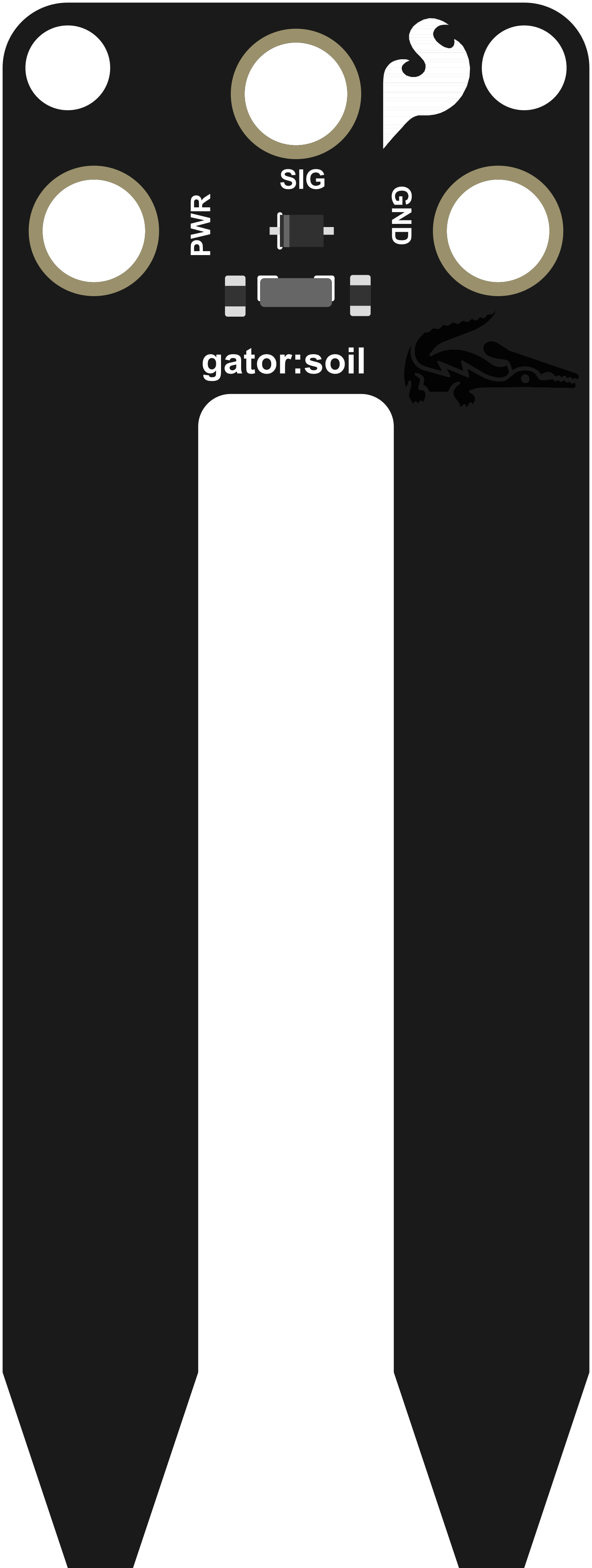
The SparkFun gator:soil is an easy-to-use soil moisture sensor designed to measure the moisture content within the soil. It is an ideal tool for hobbyists, gardeners, and agriculturalists who wish to monitor and ensure optimal soil moisture levels for their plants. The sensor is part of the gator:bit ecosystem, which is compatible with the micro:bit platform, making it accessible for educational purposes and beginners in electronics.
Explore Projects Built with SparkFun gator:soil
Use Cirkit Designer to design, explore, and prototype these projects online. Some projects support real-time simulation. Click "Open Project" to start designing instantly!
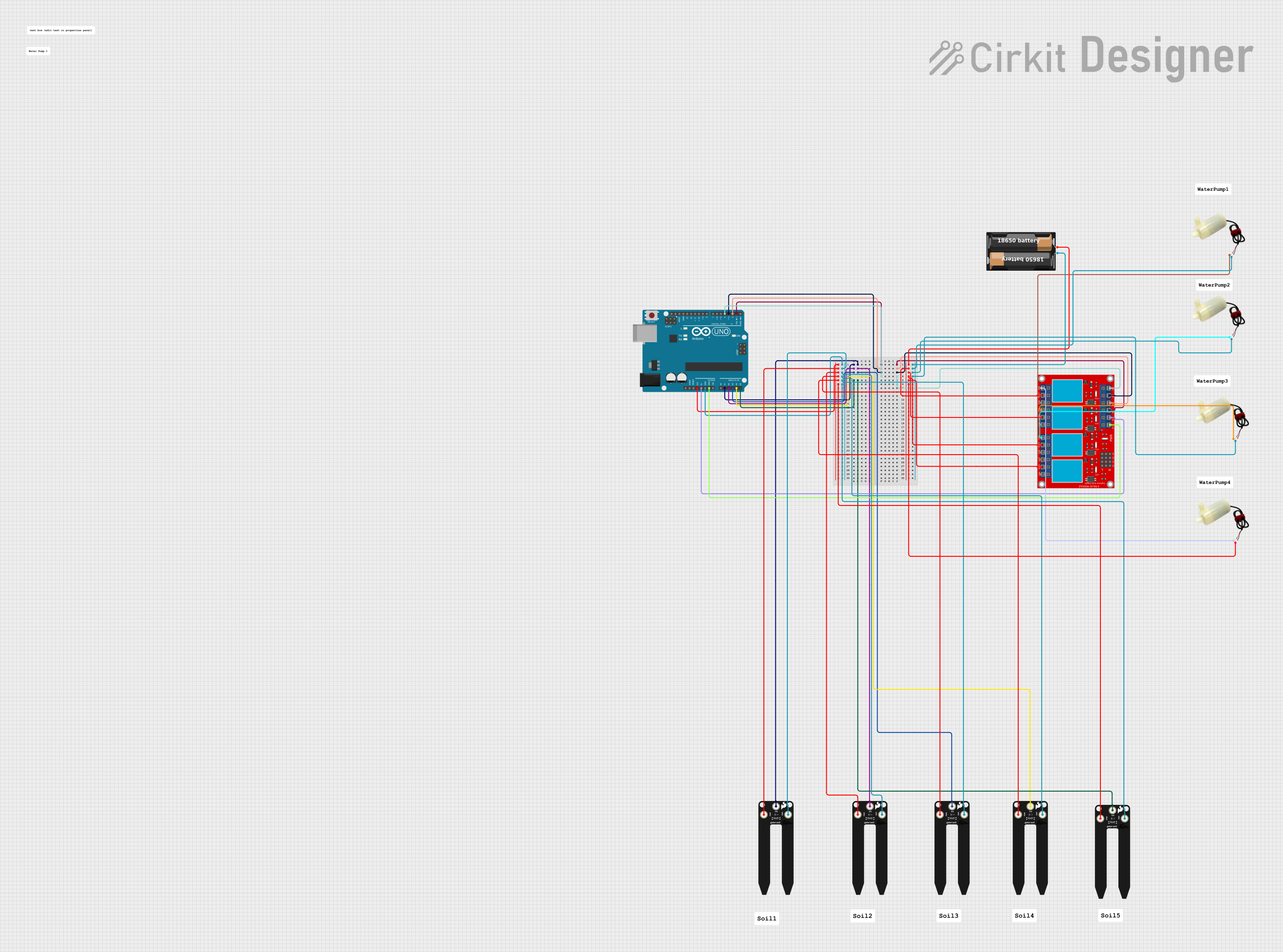
This circuit is designed to monitor soil moisture levels using multiple SparkFun gator:soil sensors and control water pumps based on the moisture readings. An Arduino UNO reads the analog moisture levels from the sensors and activates corresponding channels on a 4-channel relay module to turn on or off the water pumps. The system aims to automate the watering process for up to four different soil areas, ensuring optimal moisture levels are maintained.
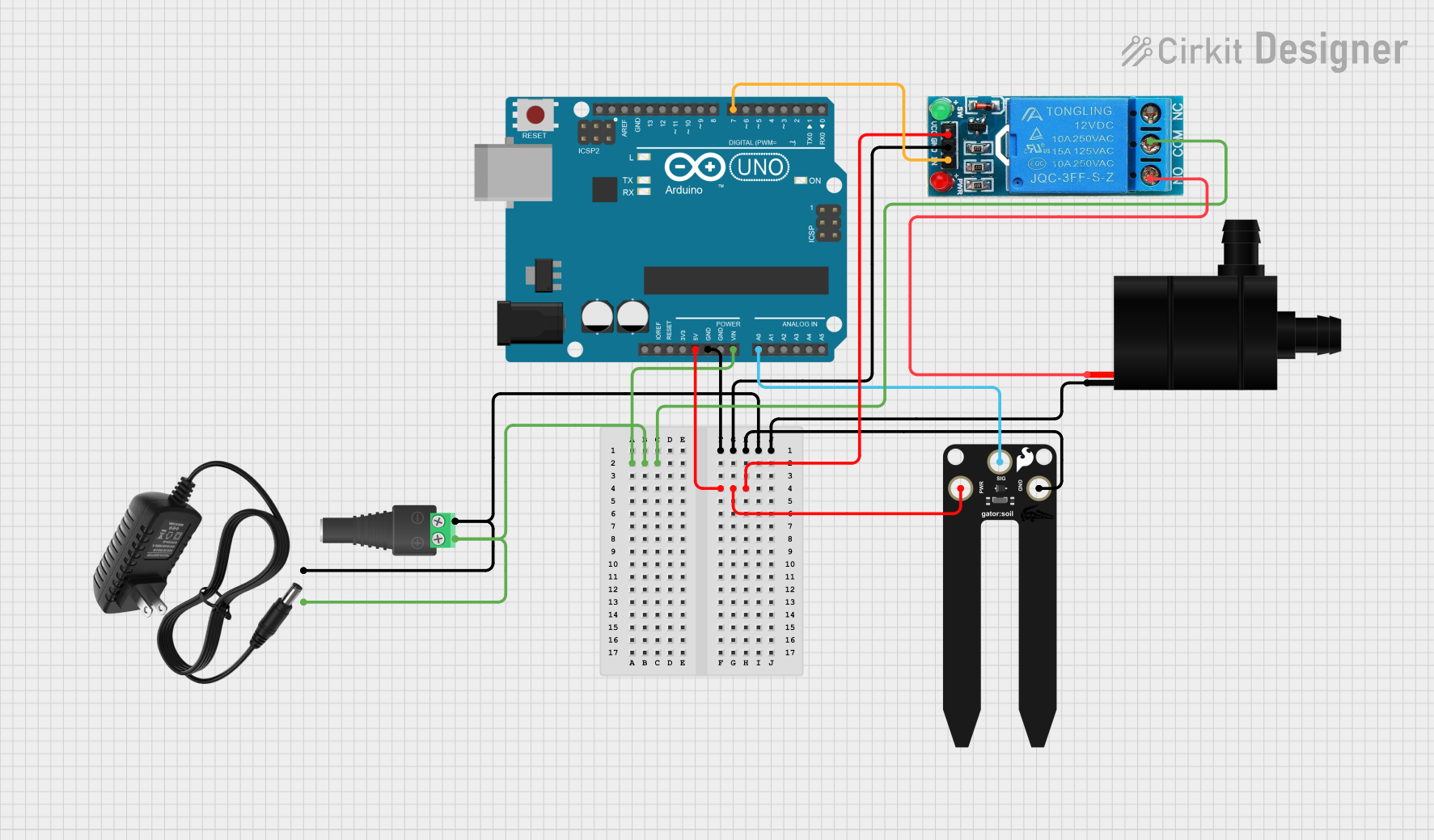
This circuit is an automated plant watering system. An Arduino UNO reads soil moisture levels from a SparkFun gator:soil sensor and controls a water pump through a 12V relay based on the moisture data. The entire system is powered by a 12V power supply, with the Arduino regulating the relay and sensor.
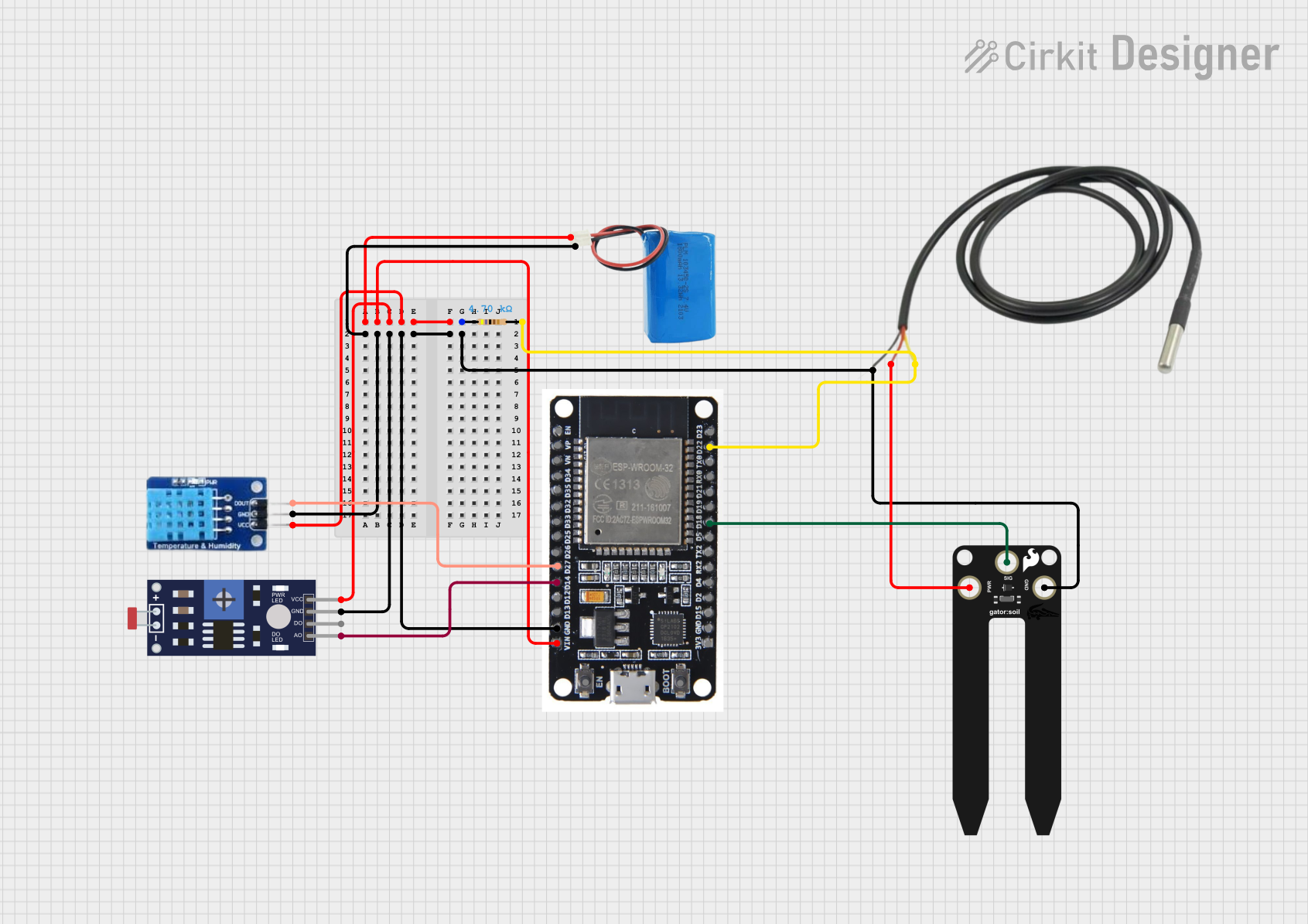
This circuit is designed for environmental sensing, featuring a DHT11 sensor for temperature and humidity, a photoresistor for light intensity, a SparkFun gator:soil sensor for soil moisture, and a temperature sensor. An ESP32 microcontroller is used to read data from these sensors. The circuit is powered by a 5V battery, and a resistor is included, likely for pull-up or pull-down purposes on one of the sensor data lines.
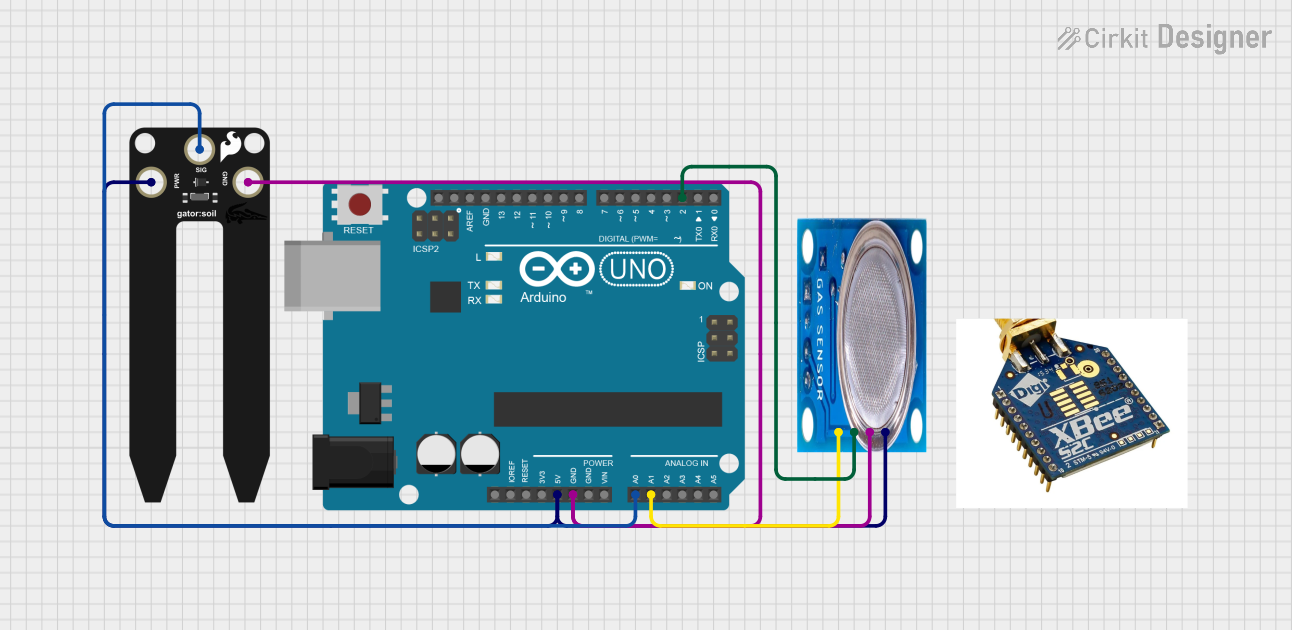
This circuit is designed for a smart diaper management system using an Arduino UNO as the central processing unit. It includes a SparkFun gator:soil moisture sensor connected to the Arduino's analog pin A0 to monitor moisture levels, and an MQ-5 gas sensor connected to analog pin A1 and digital pin D2 to detect gas concentrations. The Arduino reads the sensor outputs, evaluates them against predefined thresholds, and outputs the status and alerts to the Serial Monitor.
Monitoring soil moisture in gardens and potted plants
Automated watering systems
Educational projects related to agriculture and botany
Environmental sensing and data logging
Technical Specifications
Key Technical Details
Operating Voltage: 3.3V
Current Consumption: Typically 5mA
Measurement Range: Capacitive sensing to detect moisture levels
Interface: Analog
Pin Configuration and Descriptions
Pin Number
Name
Description
1
GND
Ground connection
2
VCC
Power supply (3.3V)
3
SIG
Analog signal output
Usage Instructions
Connecting to a Circuit
Connect the GND pin to the ground of your microcontroller.
Connect the VCC pin to a 3.3V output from your microcontroller.
Connect the SIG pin to an analog input on your microcontroller.
Important Considerations and Best Practices
Do not submerge the sensor completely in water or any other liquid.
Avoid exposing the sensor to direct sunlight for prolonged periods.
Clean the sensor gently with a soft brush to remove soil or debris.
Calibrate the sensor for the specific soil type for accurate readings.
Example Code for Arduino UNO
// Define the soil moisture sensor analog input pin
const int soilMoisturePin = A0;

void setup() {
  // Initialize serial communication at 9600 baud rate
  Serial.begin(9600);
}

void loop() {
  // Read the value from the soil moisture sensor
  int sensorValue = analogRead(soilMoisturePin);

  // Convert the analog reading to a more familiar percentage
  int moisturePercent = map(sensorValue, 0, 1023, 100, 0);

  // Print the moisture level to the Serial Monitor
  Serial.print("Soil Moisture Level: ");
  Serial.print(moisturePercent);
  Serial.println("%");

  // Wait for a second before reading again
  delay(1000);
}
Note: The map function is used to convert the sensor reading (which ranges from 0 to 1023 for the Arduino's 10-bit ADC) to a percentage (0% to 100%). The mapping may need to be adjusted based on calibration.
Troubleshooting and FAQs
Common Issues
Inconsistent Readings: Ensure that the sensor is inserted into the soil properly and that there is no debris affecting the sensor's ability to measure moisture.
No Readings: Check all connections and ensure that the sensor is powered with 3.3V.
Sensor Corrosion: Prolonged exposure to moisture can lead to corrosion. Minimize direct contact with water and soil.
Solutions and Tips for Troubleshooting
If the sensor provides inconsistent readings, recalibrate it for the specific soil type.
Ensure that the sensor is not placed too close to the surface or too deep into the soil.
If the sensor stops working, inspect it for any signs of physical damage or corrosion.
FAQs
Q: Can the gator:soil sensor be left in the soil permanently?
A: While the sensor is designed for use in soil, leaving it in the soil permanently can lead to corrosion. It is recommended to remove the sensor when not in use.
Q: Is the sensor waterproof?
A: The sensor is not fully waterproof and should not be submerged in water. The electronic components can be damaged by prolonged exposure to moisture.
Q: How do I calibrate the sensor for my soil type?
A: To calibrate the sensor, take readings from the sensor in soil at known moisture levels and map these readings to the corresponding moisture percentages. Use these mappings in your code to get accurate moisture level readings.

 Open Project in Cirkit Designer