
How to Use Blade Fuse: Examples, Pinouts, and Specs
 Design with Blade Fuse in Cirkit Designer
Introduction
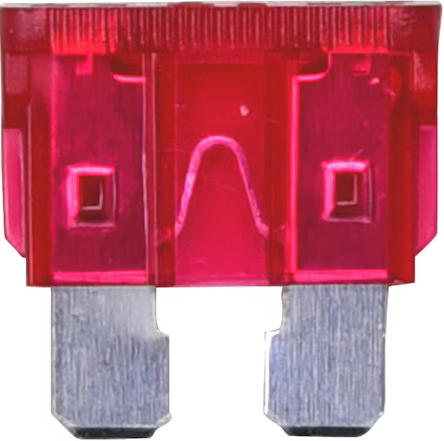
A blade fuse is a type of electrical fuse with a plastic body and two metal prongs. It is designed to protect electrical circuits by breaking the circuit when excessive current flows through it, thereby preventing damage to the connected components. Blade fuses are widely used in automotive, marine, and industrial applications due to their compact size, ease of replacement, and reliable performance.
Explore Projects Built with Blade Fuse
 Open Project in Cirkit Designer
 Open Project in Cirkit Designer
 Open Project in Cirkit Designer
 Open Project in Cirkit Designer
Explore Projects Built with Blade Fuse
Open Project in Cirkit DesignerOpen Project in Cirkit DesignerOpen Project in Cirkit DesignerOpen Project in Cirkit DesignerCommon Applications and Use Cases
- Automotive electrical systems (e.g., car stereos, headlights, and power windows)
- Marine electrical systems
- Industrial equipment and machinery
- Consumer electronics
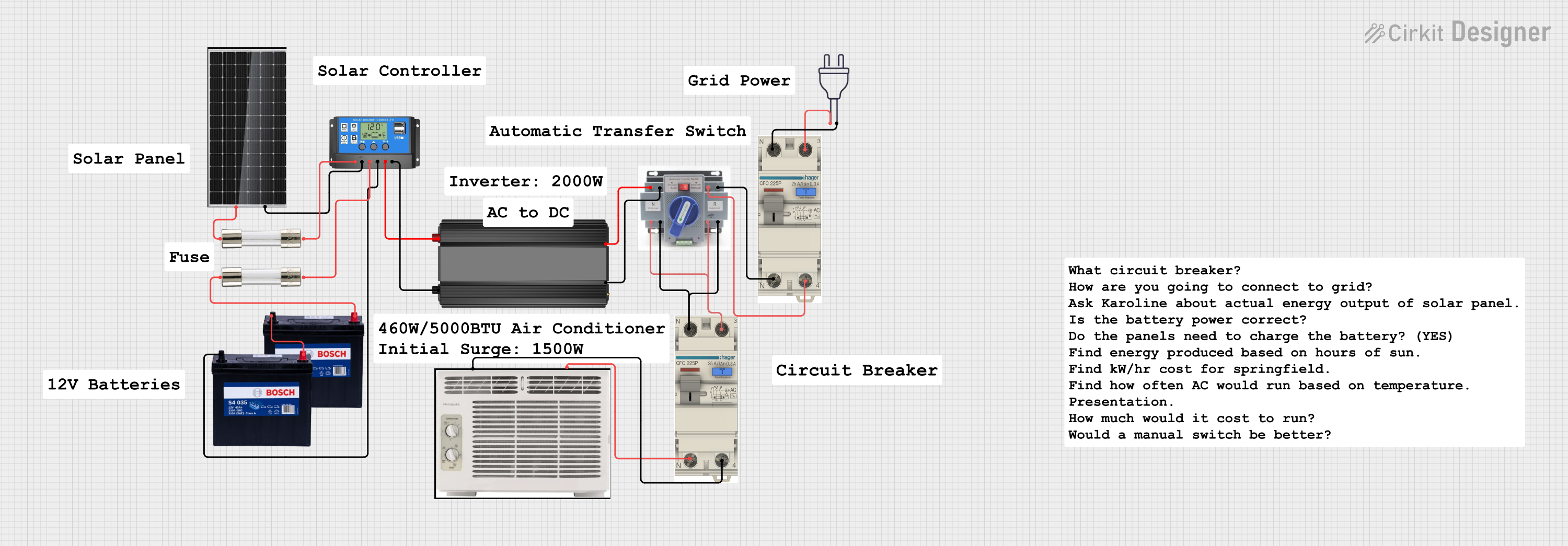
- Renewable energy systems (e.g., solar panel setups)
Technical Specifications
Blade fuses are available in various sizes and current ratings to suit different applications. Below are the key technical details:
General Specifications
- Body Material: Plastic (typically thermoplastic)
- Prong Material: Tin-plated copper or zinc
- Voltage Rating: Typically 32V DC (varies by model)
- Current Ratings: Commonly available in 1A to 40A
- Blow Characteristics: Fast-acting or slow-blow, depending on the type
- Operating Temperature: -40°C to +125°C (varies by manufacturer)
Blade Fuse Sizes
Blade fuses come in different physical sizes, each suited for specific applications. Below is a table summarizing the common sizes:
| Fuse Type | Dimensions (L x W x H) | Current Range | Common Applications |
|---|---|---|---|
| Mini Blade Fuse | 10.9mm x 3.6mm x 16.3mm | 1A to 30A | Compact automotive systems |
| Standard Blade | 19.1mm x 5.1mm x 18.5mm | 1A to 40A | General automotive use |
| Maxi Blade Fuse | 29.2mm x 8.4mm x 34.3mm | 20A to 100A | High-current applications |
Pin Configuration and Descriptions
Blade fuses have two metal prongs that connect to the circuit. The prongs are identical and non-polarized, meaning they can be inserted in either orientation. Below is a description of the pins:
| Pin Name | Description |
|---|---|
| Pin 1 | Connects to the power source |
| Pin 2 | Connects to the load (protected side) |
Usage Instructions
How to Use a Blade Fuse in a Circuit
- Determine the Current Rating: Select a blade fuse with a current rating slightly higher than the normal operating current of the circuit but lower than the maximum current the wiring can handle.
- Insert the Fuse: Place the blade fuse into a compatible fuse holder or fuse box. Ensure the prongs make firm contact with the terminals.
- Connect the Circuit: Wire the fuse holder in series with the circuit to ensure the fuse protects the load.
- Test the Circuit: Power on the circuit and verify that it operates correctly. If the fuse blows, check for short circuits or excessive current draw.
Important Considerations and Best Practices
- Always use a fuse with the correct voltage and current rating for your application.
- Avoid bypassing or replacing a blown fuse with one of a higher rating, as this can damage the circuit.
- Inspect the fuse regularly for signs of wear or damage, such as discoloration or melted plastic.
- Use a fuse puller tool to safely remove and replace fuses.
Example: Using a Blade Fuse with an Arduino UNO
When connecting a blade fuse to an Arduino UNO, you can use it to protect the power supply line. Below is an example circuit and code:
Circuit Setup
- Connect a 5V power source to one prong of a 1A blade fuse.
- Connect the other prong of the fuse to the Arduino UNO's VIN pin.
- Ensure the ground of the power source is connected to the Arduino's GND pin.
Example Code
// Example code to blink an LED connected to an Arduino UNO
// This setup assumes a blade fuse is protecting the power supply line.

const int ledPin = 13; // Pin connected to the onboard LED

void setup() {
  pinMode(ledPin, OUTPUT); // Set the LED pin as an output
}

void loop() {
  digitalWrite(ledPin, HIGH); // Turn the LED on
  delay(1000);                // Wait for 1 second
  digitalWrite(ledPin, LOW);  // Turn the LED off
  delay(1000);                // Wait for 1 second
}
Troubleshooting and FAQs
Common Issues and Solutions
Fuse Blows Repeatedly
- Cause: Excessive current draw or a short circuit in the circuit.
- Solution: Check the circuit for faults, such as damaged components or wiring. Use a fuse with the correct current rating.
Fuse Does Not Blow When Expected
- Cause: Incorrect fuse rating or a faulty fuse.
- Solution: Verify the fuse rating and replace the fuse if necessary.
Fuse Holder Overheats
- Cause: Loose connections or an undersized fuse holder.
- Solution: Ensure the fuse holder is rated for the current and voltage of the circuit. Tighten or replace the holder if needed.
FAQs
Q: Can I use a blade fuse in an AC circuit?
A: Blade fuses are typically rated for DC circuits. Check the manufacturer's specifications before using them in AC applications.Q: How do I know if a blade fuse is blown?
A: Inspect the fuse visually. A blown fuse will have a broken or melted metal strip inside the plastic body. Alternatively, use a multimeter to check for continuity.Q: Can I replace a blade fuse with a circuit breaker?
A: Yes, in some cases, a circuit breaker can replace a blade fuse. However, ensure the circuit breaker is compatible with the application and has the correct rating.