The FMC125 is a high-performance frequency synthesizer manufactured by Teltonika, designed to provide precise frequency generation for a wide range of applications. With its low phase noise and high stability, the FMC125 is ideal for use in telecommunications, signal processing, and other demanding RF and microwave systems. Its robust design ensures reliable performance in critical environments, making it a preferred choice for engineers and system designers.
Explore Projects Built with FMC125
Use Cirkit Designer to design, explore, and prototype these projects online. Some projects support real-time simulation. Click "Open Project" to start designing instantly!
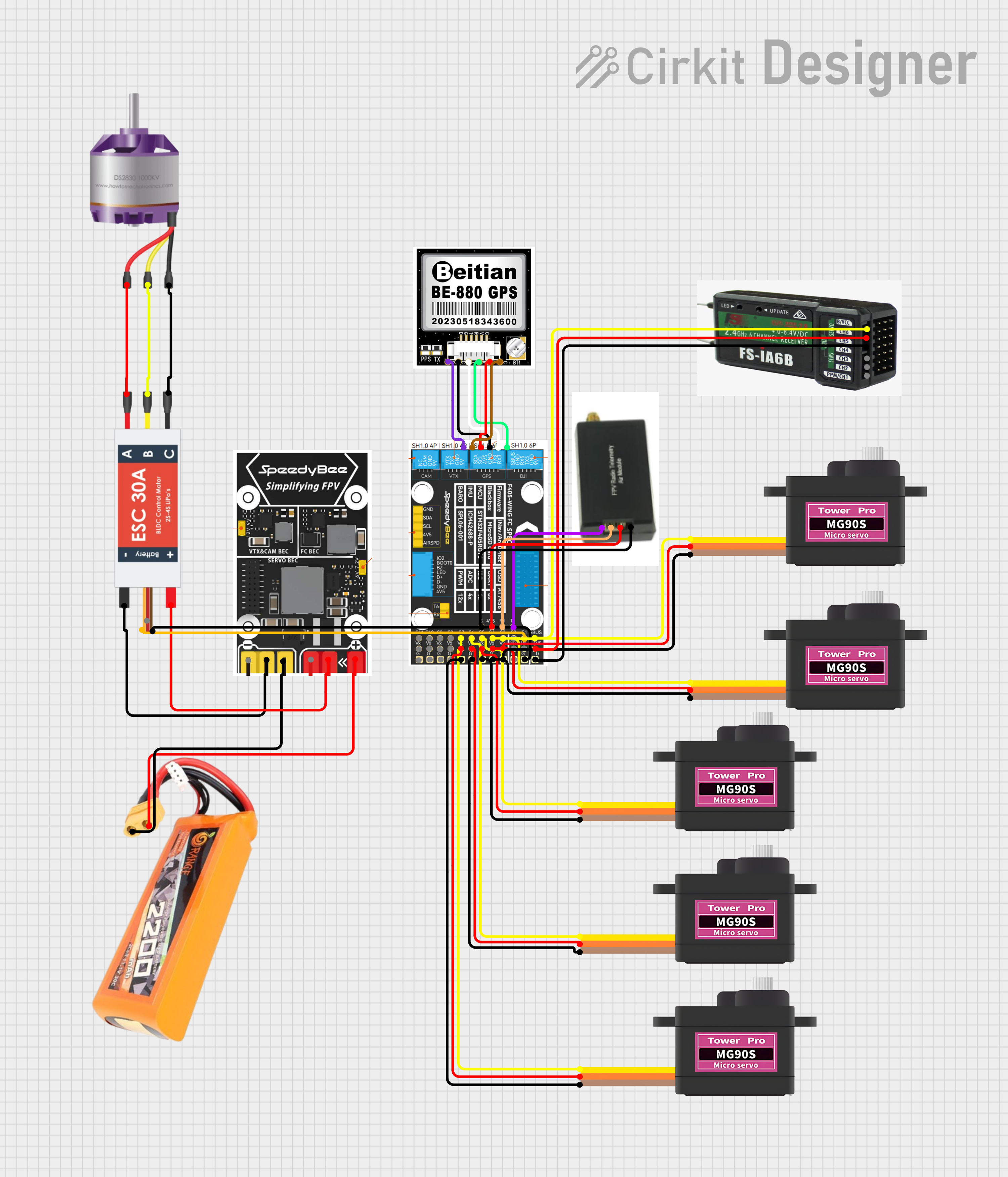
This circuit is designed for a remote-controlled vehicle or drone, featuring a flight controller that manages a brushless motor, servomotors for actuation, telemetry for data communication, and a GPS module for positioning. It is powered by a lipo battery and includes a receiver for remote control inputs.
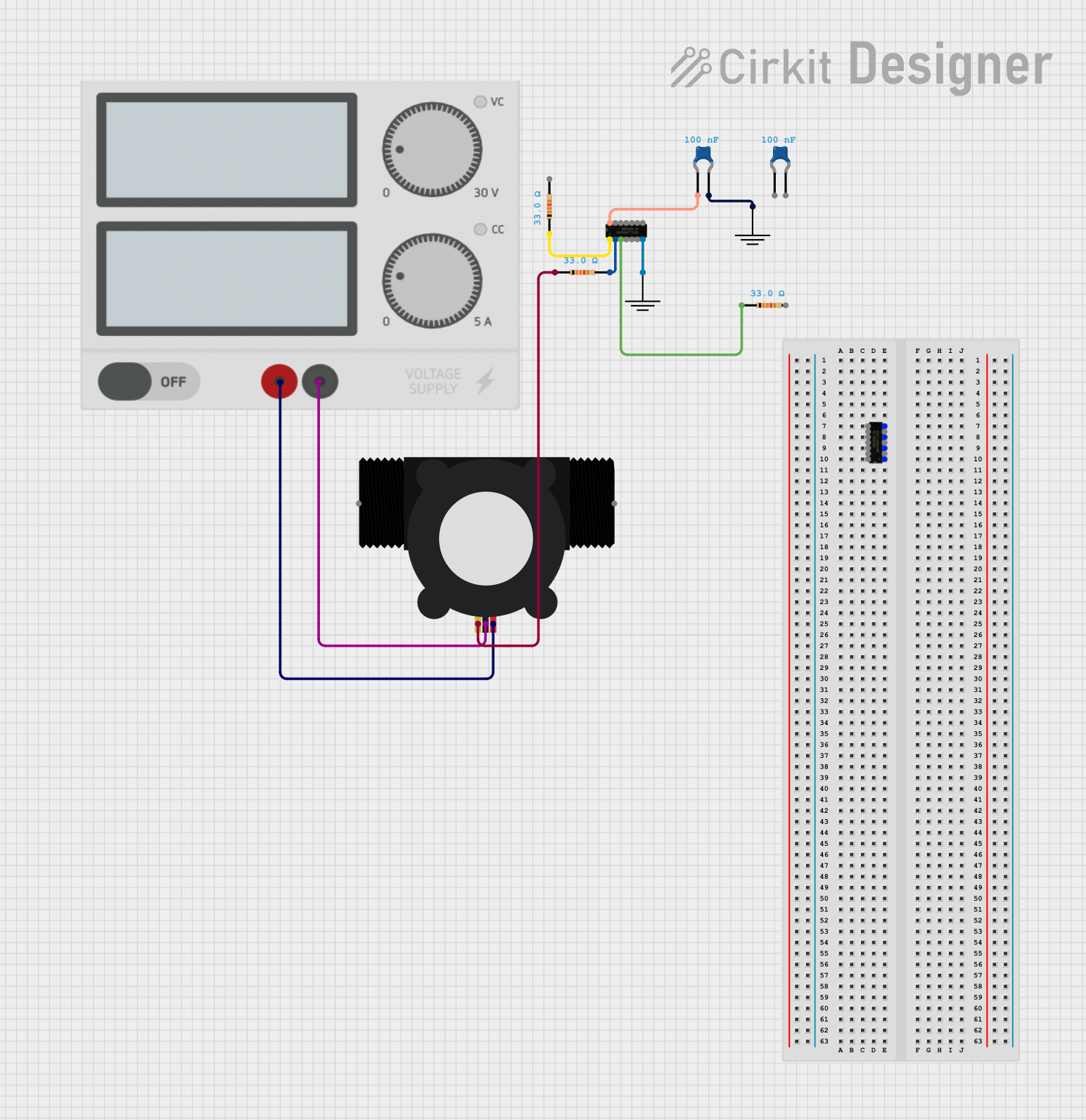
This circuit is designed to interface a YF-S201 Water Flow Meter with an SN74AHCT125N buffer/level shifter, likely for signal conditioning purposes. The power supply provides the necessary voltage to the flow meter, and decoupling capacitors are used to stabilize the buffer's power supply. The circuit is prepared for further expansion or connection to a microcontroller for data processing, although no microcontroller or its code is included in the provided information.
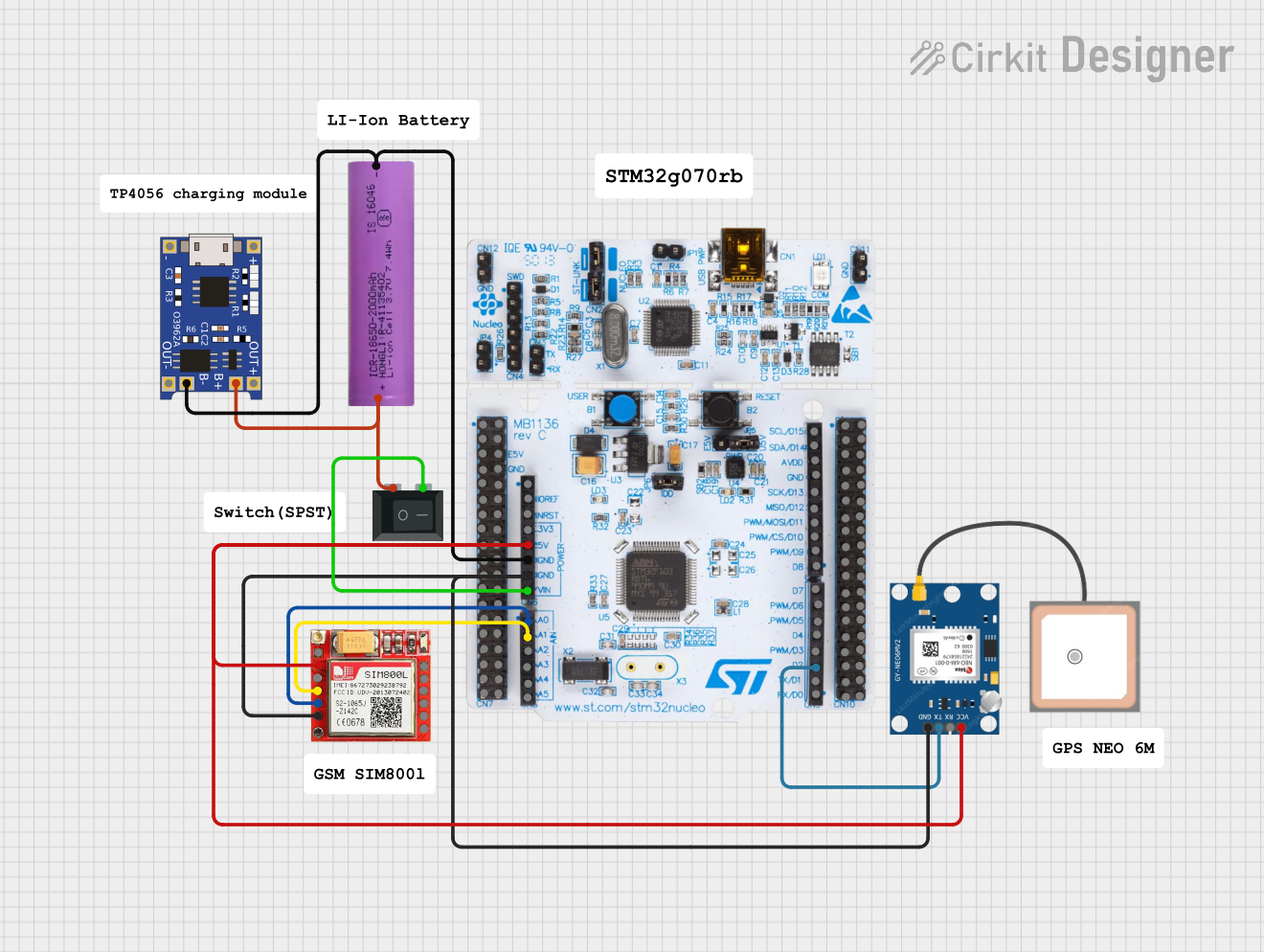
This circuit is an emergency alert system that uses a NUCLEO-F072RB microcontroller to send SMS alerts and make calls via a SIM800L GSM module, while obtaining location data from a GPS NEO 6M module. The system is powered by a Li-ion battery and includes a TP4056 module for battery charging and protection, with a rocker switch to control power to the microcontroller.
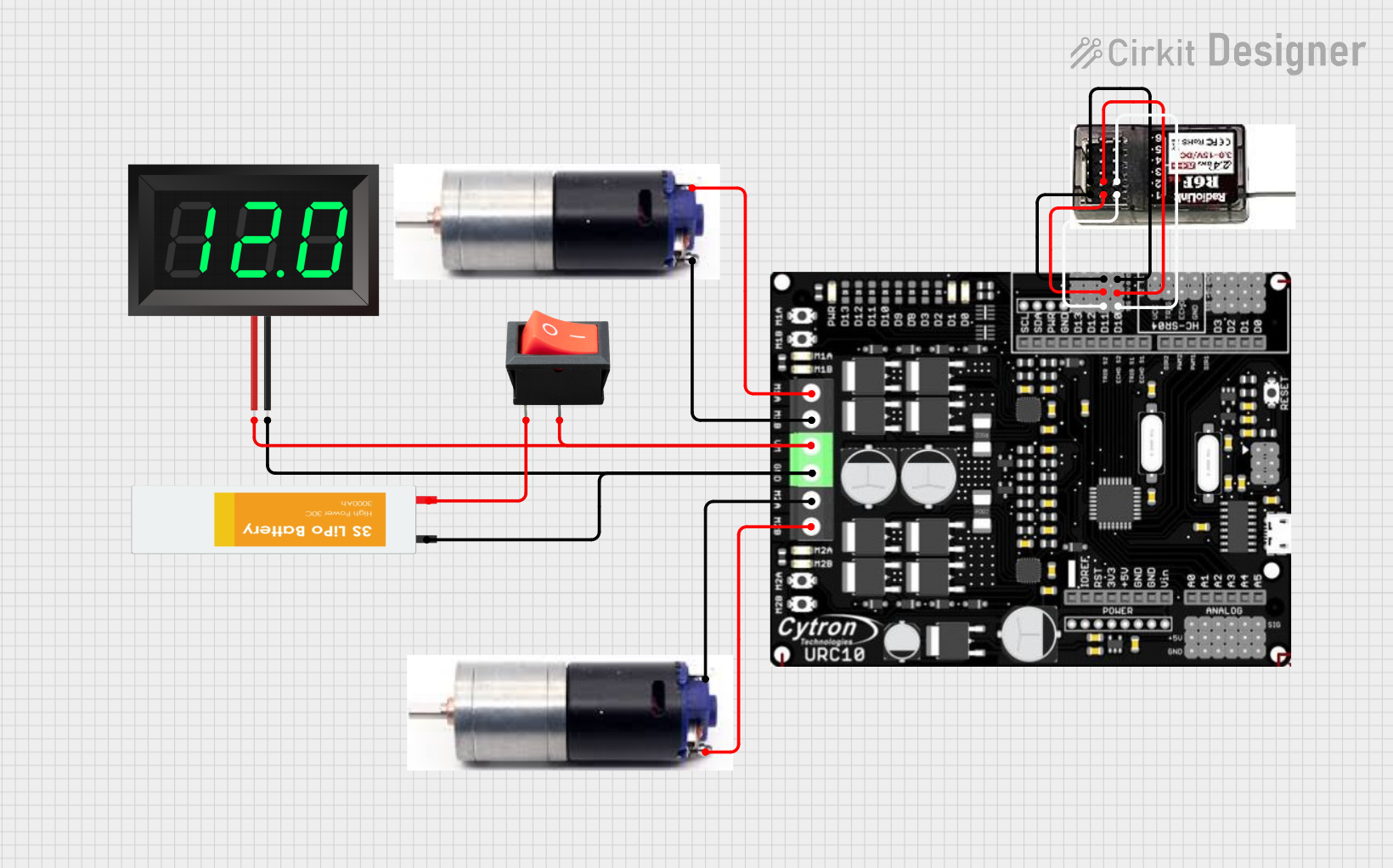
This circuit is a remote-controlled dual DC motor driver system powered by a 3S LiPo battery. It uses a Cytron URC10 motor driver to control two GM25 DC motors based on signals received from an R6FG receiver, with a rocker switch for power control and a 7-segment panel voltmeter for monitoring the battery voltage.
Telecommunications systems requiring stable frequency generation
Signal processing in RF and microwave systems
Test and measurement equipment
Radar and satellite communication systems
Wireless communication infrastructure
Technical Specifications
The FMC125 is engineered to deliver exceptional performance in frequency synthesis. Below are its key technical specifications:
General Specifications
Parameter
Value
Manufacturer
Teltonika
Part ID
FMC
Frequency Range
10 MHz to 6 GHz
Phase Noise
-120 dBc/Hz @ 10 kHz offset
Frequency Stability
±0.5 ppm
Output Power
+10 dBm (typical)
Supply Voltage
3.3 V to 5 V
Power Consumption
1.5 W (typical)
Operating Temperature
-40°C to +85°C
Dimensions
25 mm x 25 mm x 5 mm
Pin Configuration and Descriptions
The FMC125 features a standard pinout for easy integration into circuits. Below is the pin configuration:
Pin Number
Pin Name
Description
1
VCC
Power supply input (3.3 V to 5 V)
2
GND
Ground connection
3
RF_OUT
RF output for synthesized frequency
4
ENABLE
Enable/disable control for the synthesizer
5
CLK_IN
External clock input (optional)
6
DATA_IN
Data input for frequency programming
7
LOCK
Lock status output (high when frequency is locked)
8
NC
No connection (leave unconnected)
Usage Instructions
The FMC125 is straightforward to use in a circuit. Follow the steps below to integrate and operate the component effectively:
Steps to Use the FMC125
Power Supply: Connect the VCC pin to a stable power source (3.3 V to 5 V) and the GND pin to the ground.
Frequency Programming: Use the DATA_IN pin to program the desired frequency. This can be done via a microcontroller or other digital interface.
Enable the Synthesizer: Set the ENABLE pin high to activate the synthesizer. When ENABLE is low, the synthesizer is disabled.
Monitor Lock Status: Use the LOCK pin to verify that the output frequency is stable and locked.
RF Output: Connect the RF_OUT pin to the desired load or circuit to utilize the synthesized frequency.
Important Considerations and Best Practices
Ensure the power supply is clean and within the specified voltage range to avoid damage or instability.
Use proper RF shielding and grounding techniques to minimize noise and interference.
If using an external clock, ensure the CLK_IN signal is stable and within the supported frequency range.
Avoid leaving unused pins floating; connect them to ground or leave them unconnected as specified in the pin description.
Example: Using FMC125 with Arduino UNO
The FMC125 can be controlled using an Arduino UNO for frequency programming. Below is an example code snippet:
// Example code to program FMC125 frequency using Arduino UNO
// Ensure DATA_IN is connected to Arduino pin 9, ENABLE to pin 8, and LOCK to pin 7

#define DATA_IN_PIN 9  // Pin connected to FMC125 DATA_IN
#define ENABLE_PIN 8   // Pin connected to FMC125 ENABLE
#define LOCK_PIN 7     // Pin connected to FMC125 LOCK

void setup() {
  pinMode(DATA_IN_PIN, OUTPUT);  // Set DATA_IN as output
  pinMode(ENABLE_PIN, OUTPUT);  // Set ENABLE as output
  pinMode(LOCK_PIN, INPUT);     // Set LOCK as input

  digitalWrite(ENABLE_PIN, LOW);  // Disable FMC125 initially
  delay(100);                     // Wait for stabilization

  // Program frequency (example: 1 GHz)
  programFrequency(1000000000);   // Call function to program 1 GHz

  digitalWrite(ENABLE_PIN, HIGH); // Enable FMC125
}

void loop() {
  // Monitor lock status
  if (digitalRead(LOCK_PIN) == HIGH) {
    Serial.println("Frequency locked!");
  } else {
    Serial.println("Frequency not locked.");
  }
  delay(1000);  // Check lock status every second
}

void programFrequency(unsigned long frequency) {
  // Function to program frequency (simplified example)
  // Convert frequency to binary and send via DATA_IN
  for (int i = 31; i >= 0; i--) {
    digitalWrite(DATA_IN_PIN, (frequency >> i) & 1);
    delayMicroseconds(10);  // Simulate clock pulse
  }
}
Troubleshooting and FAQs
Common Issues and Solutions
No RF Output:
Ensure the ENABLE pin is set high.
Verify the power supply voltage is within the specified range.
Check the DATA_IN programming for errors.
Frequency Not Locked:
Verify the external clock (if used) is stable and within the supported range.
Ensure proper grounding and shielding to reduce noise.
High Phase Noise:
Check for interference from nearby components or signals.
Use high-quality power supply and proper decoupling capacitors.
FAQs
Q: Can the FMC125 operate without an external clock?
A: Yes, the FMC125 has an internal clock source, but an external clock can be used for higher precision.
Q: What is the maximum output power of the FMC125?
A: The typical output power is +10 dBm.
Q: How do I verify if the frequency is locked?
A: Monitor the LOCK pin; it will be high when the frequency is locked.
Q: Can the FMC125 operate at temperatures below -40°C?
A: No, the operating temperature range is -40°C to +85°C. Operating outside this range may cause instability or damage.
By following this documentation, users can effectively integrate and operate the FMC125 in their systems.


 Open Project in Cirkit Designer