
How to Use DHT11 Temperature & Humidity Sensor: Examples, Pinouts, and Specs
 Design with DHT11 Temperature & Humidity Sensor in Cirkit Designer
Introduction
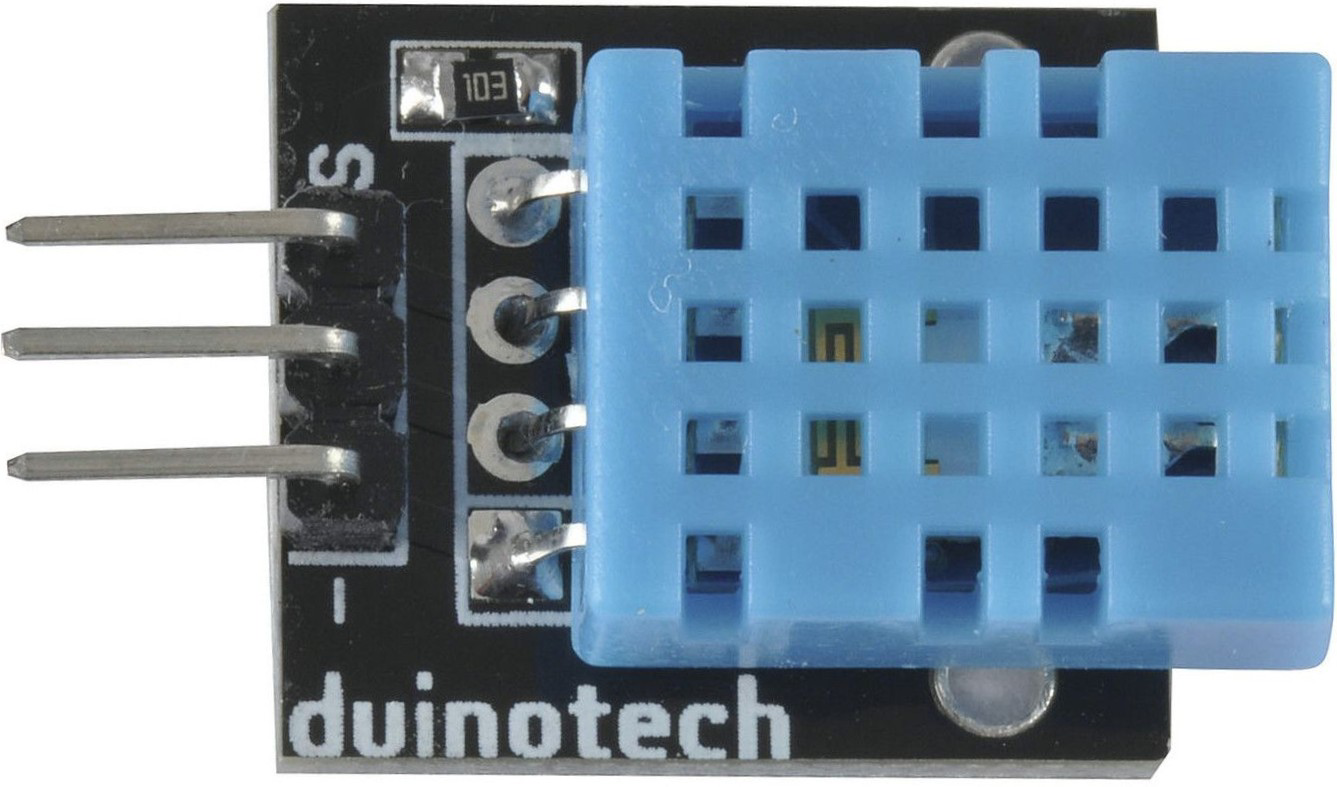
The DHT11 Temperature & Humidity Sensor (Manufacturer: Duinotech, Part ID: XC4520) is a low-cost, digital sensor designed to measure both temperature and humidity. It provides reliable and accurate readings, making it a popular choice for a wide range of applications. The DHT11 is easy to interface with microcontrollers and is widely used in projects such as weather monitoring, HVAC systems, and home automation.
Explore Projects Built with DHT11 Temperature & Humidity Sensor
 Open Project in Cirkit Designer
 Open Project in Cirkit Designer
 Open Project in Cirkit Designer
 Open Project in Cirkit Designer
Explore Projects Built with DHT11 Temperature & Humidity Sensor
Open Project in Cirkit DesignerOpen Project in Cirkit DesignerOpen Project in Cirkit DesignerOpen Project in Cirkit DesignerCommon Applications
- Weather stations and environmental monitoring
- HVAC (Heating, Ventilation, and Air Conditioning) systems
- Smart home automation
- Agricultural monitoring systems
- IoT (Internet of Things) devices
Technical Specifications
The DHT11 sensor is designed for simplicity and efficiency. Below are its key technical details:
| Parameter | Value |
|---|---|
| Operating Voltage | 3.3V to 5.5V |
| Operating Current | 0.3mA (measuring), 60µA (standby) |
| Temperature Range | 0°C to 50°C |
| Temperature Accuracy | ±2°C |
| Humidity Range | 20% to 90% RH |
| Humidity Accuracy | ±5% RH |
| Sampling Rate | 1 Hz (1 reading per second) |
| Communication Protocol | Single-wire digital signal |
| Dimensions | 15.5mm x 12mm x 5.5mm |
Pin Configuration
The DHT11 sensor has four pins, as shown in the table below. Note that some modules may have only three pins, with the fourth pin (NC) omitted.
| Pin Number | Name | Description |
|---|---|---|
| 1 | VCC | Power supply (3.3V to 5.5V) |
| 2 | DATA | Digital data output (connect to microcontroller) |
| 3 | NC | Not connected (leave unconnected) |
| 4 | GND | Ground (0V reference) |
Usage Instructions
The DHT11 sensor is straightforward to use in a circuit. Below are the steps and best practices for integrating it into your project.
Connecting the DHT11 to a Microcontroller
- Power the Sensor: Connect the VCC pin to a 3.3V or 5V power source and the GND pin to ground.
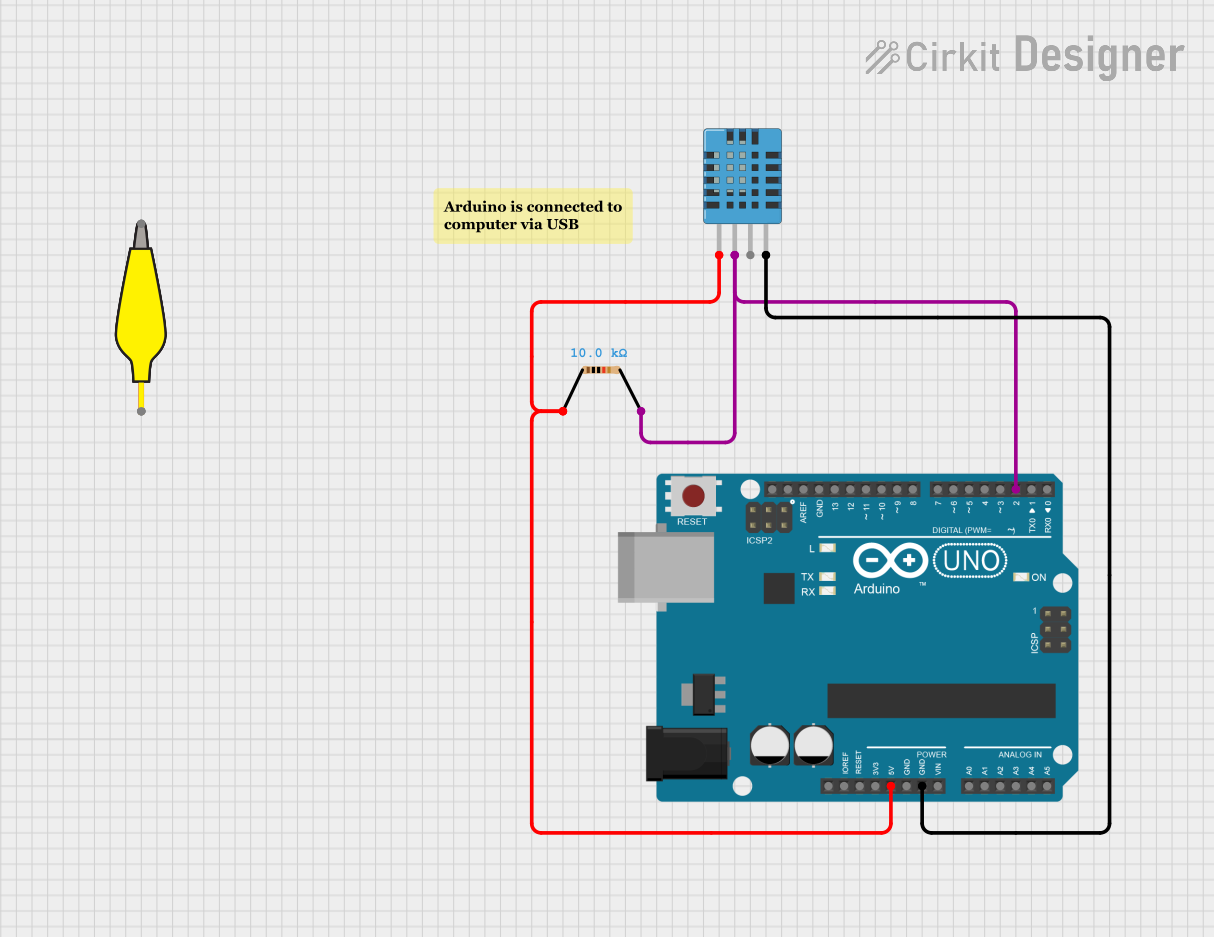
- Data Communication: Connect the DATA pin to a digital input pin on your microcontroller. Use a pull-up resistor (typically 10kΩ) between the DATA pin and VCC to ensure stable communication.
- Leave NC Unconnected: If your module has an NC pin, leave it unconnected.
Example Circuit
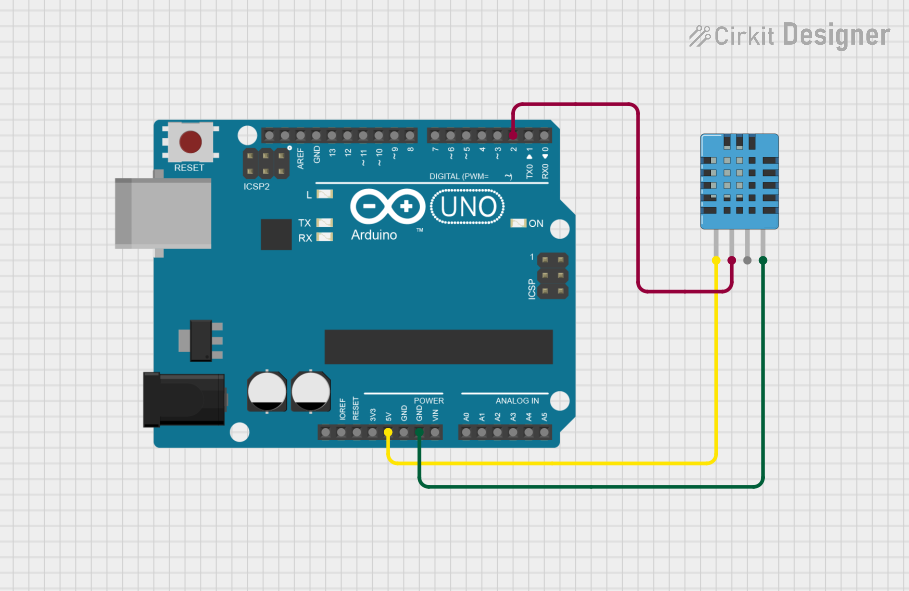
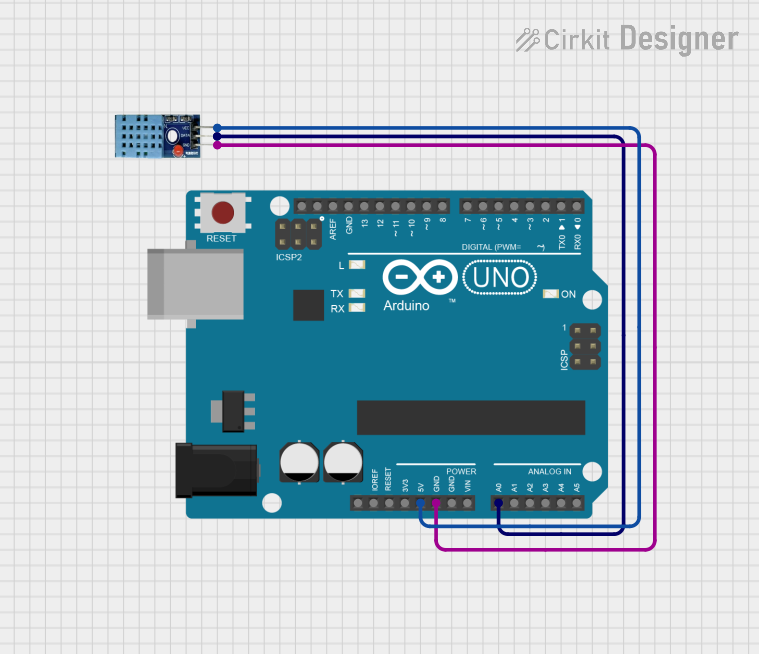
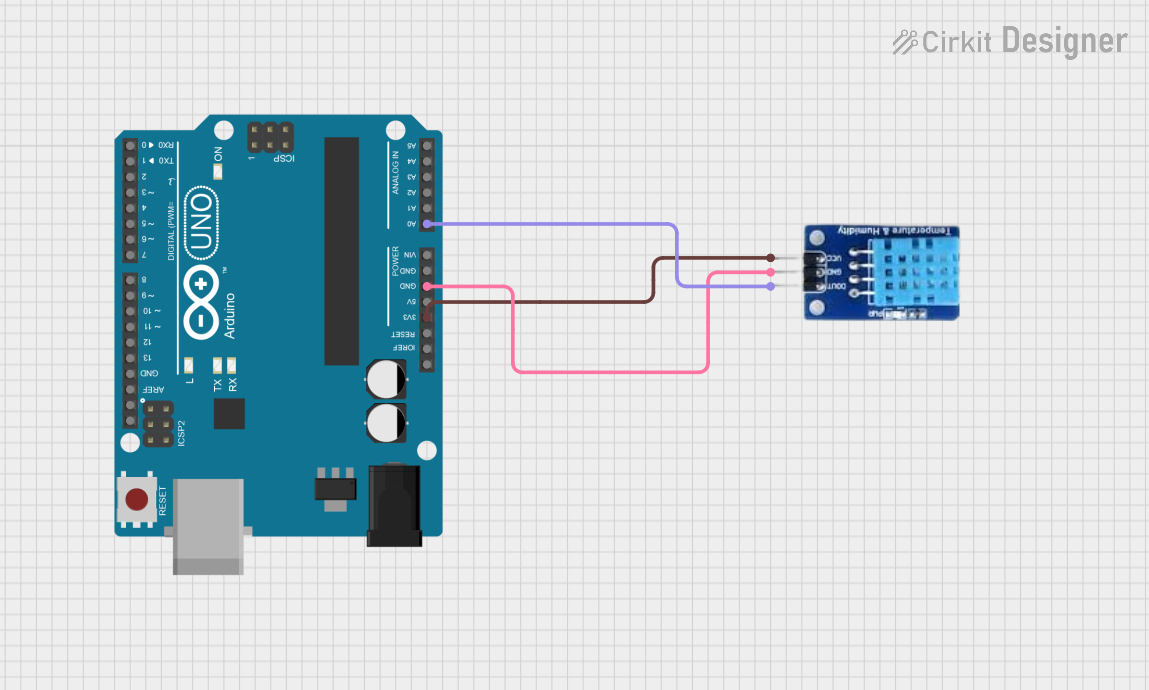
Below is an example of how to connect the DHT11 to an Arduino UNO:
- VCC → 5V
- DATA → Digital Pin 2 (with a 10kΩ pull-up resistor to 5V)
- GND → GND
Arduino Code Example
The following code demonstrates how to read temperature and humidity data from the DHT11 sensor using an Arduino UNO. This example uses the popular DHT library.
// Include the DHT library
#include <DHT.h>

// Define the DHT sensor type and the pin it's connected to
#define DHTPIN 2     // DHT11 data pin connected to Arduino digital pin 2
#define DHTTYPE DHT11 // Specify the sensor type (DHT11)

// Initialize the DHT sensor
DHT dht(DHTPIN, DHTTYPE);

void setup() {
  Serial.begin(9600); // Start the serial communication
  Serial.println("DHT11 Sensor Initialization");
  dht.begin(); // Initialize the DHT sensor
}

void loop() {
  delay(2000); // Wait 2 seconds between readings

  // Read temperature and humidity
  float humidity = dht.readHumidity();
  float temperature = dht.readTemperature();

  // Check if the readings are valid
  if (isnan(humidity) || isnan(temperature)) {
    Serial.println("Failed to read from DHT sensor!");
    return;
  }

  // Print the results to the Serial Monitor
  Serial.print("Humidity: ");
  Serial.print(humidity);
  Serial.print(" %\t");
  Serial.print("Temperature: ");
  Serial.print(temperature);
  Serial.println(" °C");
}
Best Practices
- Sampling Rate: Do not read data from the DHT11 more than once per second. The sensor has a sampling rate of 1 Hz.
- Pull-Up Resistor: Always use a pull-up resistor on the DATA pin to ensure reliable communication.
- Stable Power Supply: Provide a stable power source to avoid inaccurate readings.
- Environmental Conditions: Avoid exposing the sensor to extreme temperatures or humidity levels outside its specified range.
Troubleshooting and FAQs
Common Issues and Solutions
No Data or Incorrect Readings
- Ensure the DATA pin is connected to the correct digital pin on the microcontroller.
- Verify that a pull-up resistor (10kΩ) is connected between the DATA pin and VCC.
- Check the power supply voltage (3.3V to 5.5V) and ensure it is stable.
"Failed to Read from DHT Sensor" Error
- Ensure the sensor is not being read more than once per second.
- Double-check the wiring and connections.
- Verify that the correct sensor type (
DHT11) is specified in the code.
Inconsistent or Fluctuating Readings
- Ensure the sensor is placed in a stable environment without rapid temperature or humidity changes.
- Avoid placing the sensor near heat sources or in direct sunlight.
FAQs
Q: Can the DHT11 measure negative temperatures?
A: No, the DHT11 can only measure temperatures in the range of 0°C to 50°C.
Q: What is the difference between the DHT11 and DHT22 sensors?
A: The DHT22 offers a wider temperature and humidity range, higher accuracy, and faster response times compared to the DHT11. However, it is more expensive.
Q: Can I use the DHT11 with a 3.3V microcontroller?
A: Yes, the DHT11 operates within a voltage range of 3.3V to 5.5V, making it compatible with 3.3V microcontrollers.
Q: How long is the cable length supported by the DHT11?
A: The DHT11 can support cable lengths of up to 20 meters, but longer cables may require a lower pull-up resistor value (e.g., 4.7kΩ) to maintain signal integrity.