
How to Use AJSR04T: Examples, Pinouts, and Specs
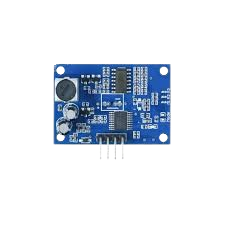
 Design with AJSR04T in Cirkit Designer
Introduction
The AJSR04T is a surface mount resistor designed for use in electronic circuits where current limiting, voltage division, or signal conditioning is required. Known for its reliability and precision, the AJSR04T is a popular choice in applications ranging from consumer electronics to industrial control systems. Its compact size and surface-mount design make it ideal for high-density circuit boards.
Explore Projects Built with AJSR04T
 Open Project in Cirkit Designer
 Open Project in Cirkit Designer
 Open Project in Cirkit Designer
 Open Project in Cirkit Designer
Explore Projects Built with AJSR04T
Open Project in Cirkit DesignerOpen Project in Cirkit DesignerOpen Project in Cirkit DesignerOpen Project in Cirkit DesignerCommon Applications
- Current limiting in LED circuits
- Voltage division in analog and digital circuits
- Signal conditioning in sensor interfaces
- Pull-up or pull-down resistors in microcontroller circuits
- Power regulation in DC-DC converters
Technical Specifications
Key Specifications
| Parameter | Value |
|---|---|
| Resistance Range | 10 Ω to 1 MΩ |
| Tolerance | ±1% |
| Power Rating | 0.25 W (1/4 W) |
| Temperature Coefficient | ±100 ppm/°C |
| Operating Temperature | -55°C to +155°C |
| Package Type | 1206 (Surface Mount) |
| Maximum Working Voltage | 200 V |
| Maximum Overload Voltage | 400 V |
Pin Configuration and Description
The AJSR04T is a two-terminal component with no polarity. Below is the pin configuration:
| Pin Number | Description |
|---|---|
| 1 | Resistor Terminal 1 |
| 2 | Resistor Terminal 2 |
Usage Instructions
How to Use the AJSR04T in a Circuit
- Determine the Required Resistance Value: Select the appropriate resistance value based on your circuit's requirements for current limiting, voltage division, or other applications.
- Verify Power Rating: Ensure the resistor's power rating (0.25 W) is sufficient for the power dissipation in your circuit. Use the formula: [ P = I^2 \times R ] where (P) is power, (I) is current, and (R) is resistance.
- Soldering: Place the AJSR04T on the PCB pads corresponding to its 1206 package size. Use a soldering iron or reflow soldering process to secure it.
- Polarity: The AJSR04T is non-polarized, so it can be connected in either orientation.
Important Considerations
- Thermal Management: Avoid exceeding the resistor's power rating to prevent overheating. Use heat sinks or thermal vias if necessary.
- Voltage Rating: Ensure the applied voltage does not exceed the maximum working voltage (200 V).
- Tolerance: For precision applications, account for the ±1% tolerance in your circuit design.
Example: Using the AJSR04T with an Arduino UNO
The AJSR04T can be used as a pull-up resistor in an Arduino circuit. Below is an example of connecting a push button to an Arduino UNO using the AJSR04T as a pull-up resistor.
Circuit Description
- The AJSR04T (10 kΩ) is connected between the 5V pin and a digital input pin (e.g., D2) on the Arduino.
- A push button is connected between the digital input pin and ground.
Code Example
// Define the pin connected to the push button
const int buttonPin = 2;

// Variable to store the button state
int buttonState = 0;

void setup() {
  // Set the button pin as input
  pinMode(buttonPin, INPUT);

  // Initialize serial communication for debugging
  Serial.begin(9600);
}

void loop() {
  // Read the state of the button
  buttonState = digitalRead(buttonPin);

  // Print the button state to the Serial Monitor
  if (buttonState == HIGH) {
    Serial.println("Button is not pressed");
  } else {
    Serial.println("Button is pressed");
  }

  // Add a small delay to debounce the button
  delay(50);
}
Troubleshooting and FAQs
Common Issues
Resistor Overheating
- Cause: Exceeding the power rating of the resistor.
- Solution: Verify the power dissipation using (P = I^2 \times R) and ensure it is within the 0.25 W limit. Use a higher power-rated resistor if necessary.
Incorrect Resistance Value
- Cause: Using the wrong resistor value for the application.
- Solution: Double-check the resistance value and tolerance before soldering. Use a multimeter to verify the resistor's value.
Poor Solder Joints
- Cause: Insufficient solder or improper soldering technique.
- Solution: Reflow the solder joints and ensure proper contact between the resistor terminals and PCB pads.
FAQs
Q: Can the AJSR04T be used in high-frequency circuits?
A: Yes, the AJSR04T can be used in high-frequency circuits, but its parasitic inductance and capacitance should be considered for very high-frequency applications.
Q: Is the AJSR04T suitable for automotive applications?
A: Yes, the AJSR04T's wide operating temperature range (-55°C to +155°C) makes it suitable for automotive and other harsh environments.
Q: How do I calculate the voltage drop across the AJSR04T?
A: Use Ohm's Law: (V = I \times R), where (V) is the voltage drop, (I) is the current, and (R) is the resistance.
Q: Can I use multiple AJSR04T resistors in parallel or series?
A: Yes, resistors can be combined in parallel or series to achieve the desired resistance value or power rating.