
How to Use 12S MATEK Servo PDB: Examples, Pinouts, and Specs
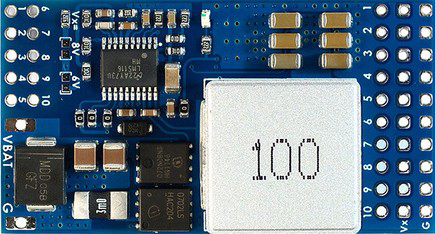
 Design with 12S MATEK Servo PDB in Cirkit Designer
Introduction
The 12S MATEK Servo PDB (Manufacturer Part ID: Servo PDB, w/ 12A BEC 9-55V to 5/6/8V) is a high-performance power distribution board designed for multi-rotor and fixed-wing aircraft. It is capable of handling up to 12S LiPo batteries and provides efficient power delivery to servos and other onboard components. With its integrated 12A BEC (Battery Eliminator Circuit), the board offers selectable output voltages of 5V, 6V, or 8V, making it versatile for a wide range of applications.
Explore Projects Built with 12S MATEK Servo PDB
 Open Project in Cirkit Designer
 Open Project in Cirkit Designer
 Open Project in Cirkit Designer
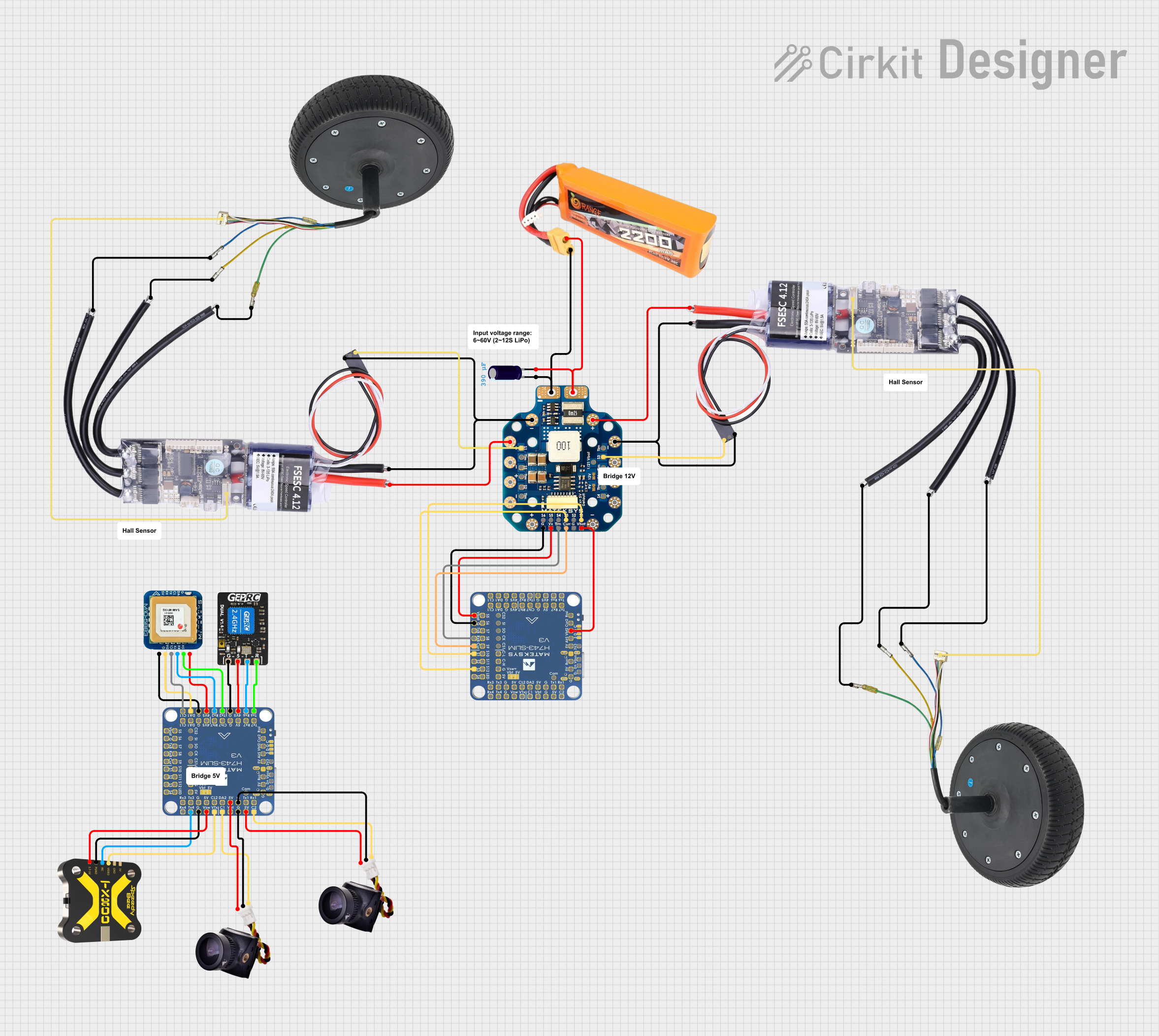 Open Project in Cirkit Designer
Explore Projects Built with 12S MATEK Servo PDB
Open Project in Cirkit DesignerOpen Project in Cirkit DesignerOpen Project in Cirkit DesignerOpen Project in Cirkit DesignerCommon Applications
- Powering servos in RC aircraft, including multi-rotors and fixed-wing drones.
- Distributing power to flight controllers, receivers, and other onboard electronics.
- Supporting high-current applications in UAVs and robotics.
Technical Specifications
Key Technical Details
| Parameter | Specification |
|---|---|
| Input Voltage Range | 9V to 55V (up to 12S LiPo) |
| BEC Output Voltage Options | 5V, 6V, or 8V (selectable via jumper) |
| BEC Output Current | 12A continuous, 15A peak |
| Dimensions | 50mm x 50mm |
| Weight | 15g |
| Operating Temperature | -40°C to 85°C |
| Mounting Hole Spacing | 30.5mm x 30.5mm (standard M3 holes) |
Pin Configuration and Descriptions
The 12S MATEK Servo PDB features multiple input and output connections for easy integration into your system. Below is the pin configuration:
Input Connections
| Pin Name | Description |
|---|---|
| VIN+ | Positive input terminal for LiPo battery (9-55V) |
| VIN- | Negative input terminal for LiPo battery |
Output Connections
| Pin Name | Description |
|---|---|
| VOUT+ | Positive output terminal for servos and devices |
| VOUT- | Negative output terminal for servos and devices |
| BEC Voltage | Jumper pins to select BEC output voltage (5V/6V/8V) |
Additional Features
| Feature | Description |
|---|---|
| LED Indicator | Indicates power status and BEC operation |
| Mounting Holes | Standard M3 holes for secure installation |
Usage Instructions
How to Use the Component in a Circuit
Connect the Input Power:
- Attach the positive terminal of your LiPo battery to the
VIN+pin. - Attach the negative terminal of your LiPo battery to the
VIN-pin.
- Attach the positive terminal of your LiPo battery to the
Select the BEC Output Voltage:
- Use the onboard jumper to select the desired BEC output voltage (5V, 6V, or 8V).
- Ensure the selected voltage matches the requirements of your servos and other connected devices.
Connect the Output Devices:
- Connect the positive terminal of your servos or other devices to the
VOUT+pin. - Connect the negative terminal of your servos or other devices to the
VOUT-pin.
- Connect the positive terminal of your servos or other devices to the
Secure the Board:
- Mount the PDB using the M3 mounting holes and ensure it is securely fastened to your aircraft or project.
Power On:
- Turn on the power supply and verify the LED indicator to ensure proper operation.
Important Considerations and Best Practices
- Voltage Selection: Always double-check the BEC output voltage before connecting your devices to avoid damage.
- Current Limits: Ensure the total current draw of connected devices does not exceed the 12A continuous rating of the BEC.
- Cooling: For high-current applications, ensure adequate airflow or cooling to prevent overheating.
- Polarity: Double-check all connections to avoid reverse polarity, which can damage the board and connected devices.
Example: Connecting to an Arduino UNO
The 12S MATEK Servo PDB can be used to power an Arduino UNO and servos in a robotics project. Below is an example setup:
- Connect the PDB's
VOUT+to the Arduino'sVINpin. - Connect the PDB's
VOUT-to the Arduino'sGNDpin. - Use the BEC to power servos by connecting their power and ground wires to
VOUT+andVOUT-.
Sample Arduino Code for Servo Control
#include <Servo.h> // Include the Servo library

Servo myServo; // Create a Servo object

void setup() {
  myServo.attach(9); // Attach the servo to pin 9
  // Move the servo to the initial position
  myServo.write(90); // Set servo to 90 degrees
}

void loop() {
  // Sweep the servo from 0 to 180 degrees
  for (int pos = 0; pos <= 180; pos += 1) {
    myServo.write(pos); // Move servo to the current position
    delay(15); // Wait 15ms for the servo to reach the position
  }

  // Sweep the servo back from 180 to 0 degrees
  for (int pos = 180; pos >= 0; pos -= 1) {
    myServo.write(pos); // Move servo to the current position
    delay(15); // Wait 15ms for the servo to reach the position
  }
}
Troubleshooting and FAQs
Common Issues and Solutions
No Power Output:
- Cause: Incorrect input connections or insufficient input voltage.
- Solution: Verify the battery is connected correctly and the voltage is within the 9-55V range.
Overheating:
- Cause: Excessive current draw or poor ventilation.
- Solution: Ensure the total current draw does not exceed 12A continuous. Improve airflow or add a heatsink if necessary.
Servos Not Working:
- Cause: Incorrect BEC voltage selection or loose connections.
- Solution: Check the BEC voltage jumper and ensure it matches the servo's voltage requirements. Verify all connections are secure.
LED Indicator Not Lit:
- Cause: No input power or damaged board.
- Solution: Check the input power connections and ensure the battery is charged. Inspect the board for visible damage.
FAQs
Q: Can I use this PDB with a 4S LiPo battery?
A: Yes, the PDB supports input voltages from 9V to 55V, so a 4S LiPo (14.8V nominal) is compatible.
Q: How do I change the BEC output voltage?
A: Use the onboard jumper to select between 5V, 6V, or 8V. Refer to the silkscreen on the board for jumper positions.
Q: What happens if I exceed the 12A current limit?
A: Exceeding the current limit may cause the BEC to overheat or shut down. Ensure your devices' total current draw stays within the specified limits.
Q: Can I use this PDB for non-aircraft applications?
A: Yes, the PDB can be used in robotics, RC cars, or any project requiring efficient power distribution and a high-current BEC.