
How to Use lcd 20*4: Examples, Pinouts, and Specs
 Design with lcd 20*4 in Cirkit Designer
Introduction
A 20x4 LCD (Liquid Crystal Display) is a versatile display module capable of showing 20 characters per line across 4 lines. It is widely used in embedded systems for displaying text, numeric data, and simple graphics. The module operates using either a parallel or serial interface, making it compatible with a variety of microcontrollers, including Arduino, Raspberry Pi, and other development boards.
Explore Projects Built with lcd 20*4
 Open Project in Cirkit Designer
 Open Project in Cirkit Designer
 Open Project in Cirkit Designer
 Open Project in Cirkit Designer
Explore Projects Built with lcd 20*4
Open Project in Cirkit DesignerOpen Project in Cirkit DesignerOpen Project in Cirkit DesignerOpen Project in Cirkit DesignerCommon Applications and Use Cases
- User interfaces for embedded systems
- Displaying sensor data in IoT projects
- Menu systems for devices and appliances
- Educational and prototyping purposes
- Industrial control panels
Technical Specifications
Below are the key technical details of the LCD 20x4 module:
| Parameter | Specification |
|---|---|
| Display Type | Character LCD |
| Display Size | 20 characters x 4 lines |
| Operating Voltage | 4.7V to 5.3V |
| Operating Current | 1.5mA (without backlight) |
| Backlight Voltage | 4.2V to 4.6V |
| Backlight Current | 120mA (typical) |
| Communication Interface | Parallel (4-bit or 8-bit) or I2C |
| Character Size | 5x8 dot matrix |
| Operating Temperature | -20°C to +70°C |
Pin Configuration and Descriptions
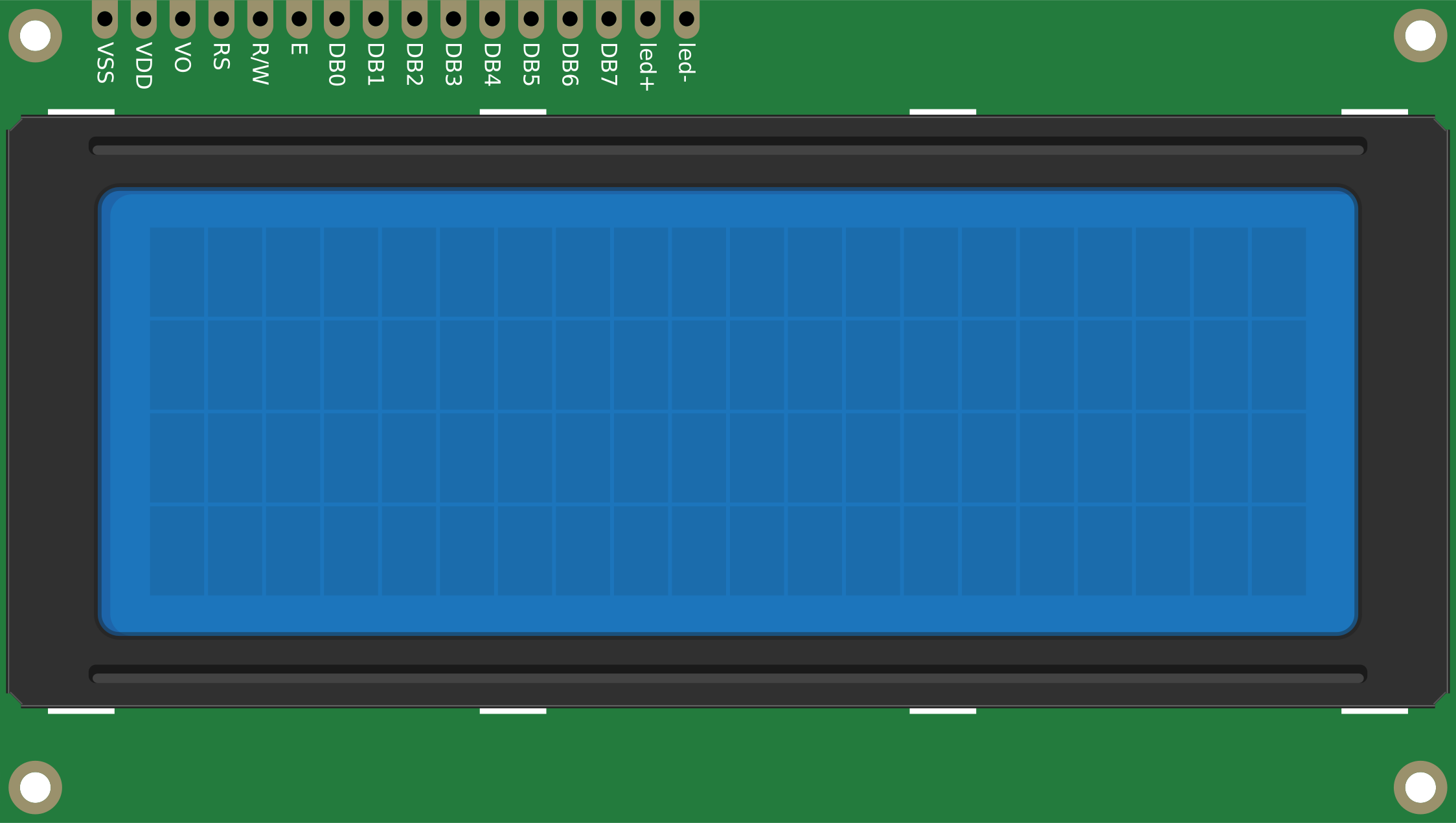
The LCD 20x4 module typically has 16 pins for parallel communication. If using an I2C adapter, only 4 pins are required.
Parallel Interface Pinout
| Pin | Name | Description |
|---|---|---|
| 1 | VSS | Ground (0V) |
| 2 | VDD | Power supply (4.7V to 5.3V) |
| 3 | VO | Contrast adjustment (connect to a potentiometer) |
| 4 | RS | Register Select (0: Command, 1: Data) |
| 5 | RW | Read/Write (0: Write, 1: Read) |
| 6 | E | Enable signal (triggers data read/write) |
| 7-14 | D0-D7 | Data pins (D0-D3 optional in 4-bit mode) |
| 15 | A (LED+) | Backlight anode (connect to +5V via a resistor) |
| 16 | K (LED-) | Backlight cathode (connect to ground) |
I2C Interface Pinout (with I2C Adapter)
| Pin | Name | Description |
|---|---|---|
| 1 | GND | Ground (0V) |
| 2 | VCC | Power supply (4.7V to 5.3V) |
| 3 | SDA | Serial Data Line |
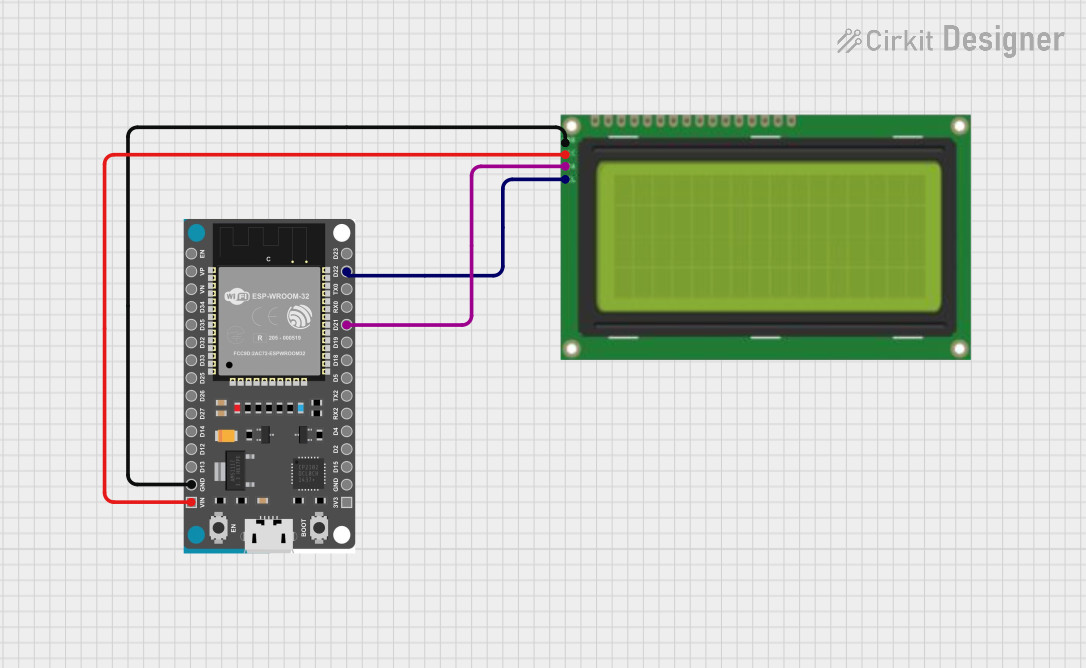
| 4 | SCL | Serial Clock Line |
Usage Instructions
Using the LCD 20x4 in a Circuit
- Power the LCD: Connect the VSS pin to ground and the VDD pin to a 5V power source.
- Adjust Contrast: Connect the VO pin to the wiper of a 10kΩ potentiometer. Connect one end of the potentiometer to ground and the other to 5V. Adjust the potentiometer to set the display contrast.
- Connect Control Pins:
- RS, RW, and E pins should be connected to digital pins on your microcontroller.
- For 4-bit mode, connect D4-D7 to the microcontroller. For 8-bit mode, connect all D0-D7 pins.
- Backlight: Connect the A (LED+) pin to 5V through a current-limiting resistor (220Ω recommended). Connect the K (LED-) pin to ground.
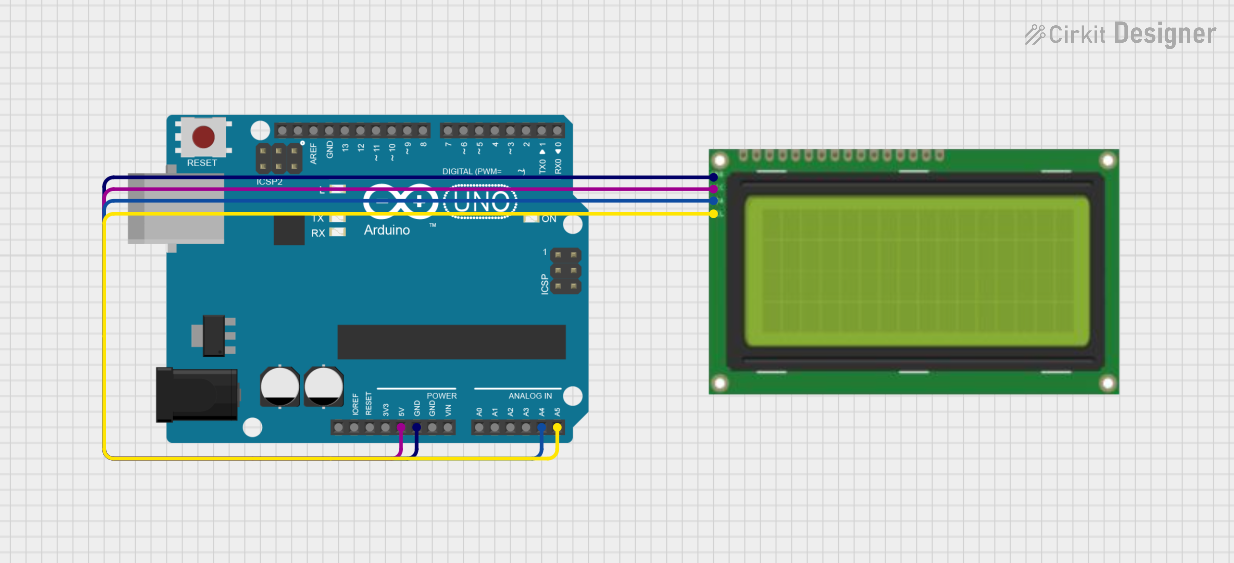
- I2C Adapter (Optional): If using an I2C adapter, connect the SDA and SCL pins to the corresponding pins on your microcontroller.
Arduino UNO Example Code
Below is an example of how to use the LCD 20x4 with an I2C adapter and the Arduino UNO:
#include <Wire.h>
#include <LiquidCrystal_I2C.h>

// Initialize the LCD with I2C address 0x27 and 20x4 dimensions
LiquidCrystal_I2C lcd(0x27, 20, 4);

void setup() {
  lcd.init(); // Initialize the LCD
  lcd.backlight(); // Turn on the backlight

  // Display a welcome message
  lcd.setCursor(0, 0); // Set cursor to column 0, row 0
  lcd.print("Hello, World!");
  lcd.setCursor(0, 1); // Set cursor to column 0, row 1
  lcd.print("LCD 20x4 Demo");
}

void loop() {
  // Example: Display a counter on the third line
  static int counter = 0;
  lcd.setCursor(0, 2); // Set cursor to column 0, row 2
  lcd.print("Counter: ");
  lcd.print(counter++);
  delay(1000); // Update every second
}
Important Considerations and Best Practices
- Contrast Adjustment: Ensure the contrast is properly set using a potentiometer; otherwise, the characters may not be visible.
- Backlight Current: Use a resistor to limit the current to the backlight to prevent damage.
- I2C Address: The default I2C address is usually
0x27or0x3F. If the LCD does not respond, check the address using an I2C scanner sketch. - 4-bit vs. 8-bit Mode: Use 4-bit mode to save microcontroller pins unless 8-bit mode is specifically required.
Troubleshooting and FAQs
Common Issues and Solutions
No Display on the Screen:
- Check the power connections (VSS and VDD).
- Adjust the contrast using the potentiometer.
- Ensure the backlight is powered correctly.
Garbage Characters or No Response:
- Verify the wiring of the data and control pins.
- Ensure the correct mode (4-bit or 8-bit) is configured in the code.
- If using I2C, confirm the I2C address matches the one in the code.
Backlight Not Working:
- Check the current-limiting resistor and connections to the A and K pins.
- Ensure the backlight voltage is within the specified range.
I2C Communication Issues:
- Use an I2C scanner sketch to detect the correct address.
- Check the pull-up resistors on the SDA and SCL lines (typically 4.7kΩ).
FAQs
Q: Can I use the LCD 20x4 with a 3.3V microcontroller?
A: Yes, but you will need a level shifter or voltage divider for the data lines, and the backlight may require a separate 5V power source.
Q: How do I clear the display?
A: Use the lcd.clear() function in your code to clear all characters from the screen.
Q: Can I display custom characters?
A: Yes, the LCD supports custom characters. Use the createChar() function to define and display them.
Q: What is the maximum viewing angle?
A: The typical viewing angle is around 45° to 60°, depending on the model. Check the datasheet for exact details.