
How to Use IR Receiver: Examples, Pinouts, and Specs
 Design with IR Receiver in Cirkit Designer
Introduction
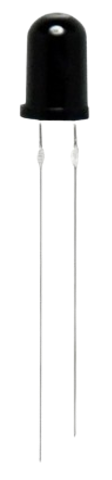
An IR Receiver is a device that detects infrared (IR) signals, typically emitted by remote controls or other IR transmitters. It converts the received infrared light into electrical signals that can be processed by microcontrollers or other electronic circuits. IR Receivers are widely used in consumer electronics, such as televisions, air conditioners, and home automation systems, to enable wireless communication.
Explore Projects Built with IR Receiver
 Open Project in Cirkit Designer
 Open Project in Cirkit Designer
 Open Project in Cirkit Designer
 Open Project in Cirkit Designer
Explore Projects Built with IR Receiver
Open Project in Cirkit DesignerOpen Project in Cirkit DesignerOpen Project in Cirkit DesignerOpen Project in Cirkit DesignerCommon Applications and Use Cases
- Remote control systems for TVs, audio systems, and other appliances
- Wireless data transmission
- Home automation and IoT devices
- Robotics and obstacle detection
- IR-based communication between devices
Technical Specifications
Below are the general technical specifications for a typical IR Receiver module (e.g., TSOP1738 or similar):
| Parameter | Value |
|---|---|
| Operating Voltage | 2.7V to 5.5V |
| Operating Current | 0.4mA to 1.5mA |
| Carrier Frequency | 38 kHz (common) |
| Reception Range | Up to 10 meters (depending on IR source) |
| Output Signal Type | Digital (active low) |
| Viewing Angle | ±45° |
| Response Time | ~200 µs |
Pin Configuration and Descriptions
The IR Receiver typically has three pins. Below is the pinout for a standard 3-pin IR Receiver module:
| Pin | Name | Description |
|---|---|---|
| 1 | VCC | Power supply pin (connect to 3.3V or 5V) |
| 2 | GND | Ground pin |
| 3 | OUT | Digital output pin (active low, connects to microcontroller) |
Note: Always refer to the datasheet of your specific IR Receiver model for exact pin configuration and specifications.
Usage Instructions
How to Use the IR Receiver in a Circuit
- Power the IR Receiver: Connect the VCC pin to a 3.3V or 5V power supply (depending on the module's specifications) and the GND pin to the ground.
- Connect the Output Pin: Connect the OUT pin to a digital input pin of a microcontroller (e.g., Arduino UNO).
- Use a Pull-Up Resistor (if needed): Some IR Receivers may require a pull-up resistor on the output pin to ensure proper signal levels.
- Place the IR Receiver Properly: Ensure the IR Receiver is positioned to face the IR transmitter for optimal signal reception.
Important Considerations and Best Practices
- Avoid Direct Sunlight: IR Receivers can be affected by ambient IR light sources, such as sunlight or incandescent bulbs. Use the component in a controlled environment or shield it from such interference.
- Match the Carrier Frequency: Ensure the IR transmitter's carrier frequency matches the IR Receiver's frequency (e.g., 38 kHz).
- Use Decoupling Capacitors: Place a small decoupling capacitor (e.g., 0.1 µF) between VCC and GND to reduce noise and improve stability.
- Check the Viewing Angle: Ensure the transmitter is within the receiver's viewing angle for reliable communication.
Example: Using an IR Receiver with Arduino UNO
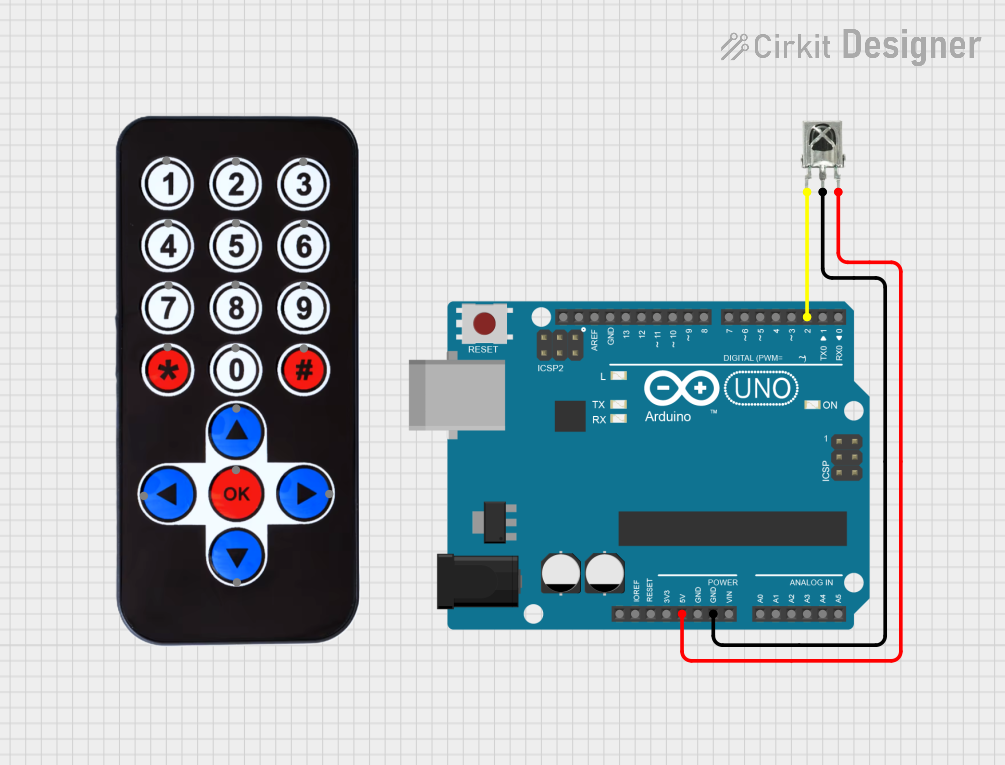
Below is an example of how to use an IR Receiver with an Arduino UNO to decode signals from a remote control.
Circuit Diagram
- Connect the IR Receiver's VCC pin to the Arduino's 5V pin.
- Connect the GND pin to the Arduino's GND.
- Connect the OUT pin to Arduino digital pin 11.
Arduino Code
#include <IRremote.h> // Include the IRremote library

const int RECV_PIN = 11; // Define the pin connected to the IR Receiver
IRrecv irrecv(RECV_PIN); // Create an IRrecv object
decode_results results;  // Create a variable to store decoded results

void setup() {
  Serial.begin(9600); // Initialize serial communication
  irrecv.enableIRIn(); // Start the IR Receiver
  Serial.println("IR Receiver is ready to decode signals.");
}

void loop() {
  if (irrecv.decode(&results)) { // Check if a signal is received
    Serial.print("Received IR code: ");
    Serial.println(results.value, HEX); // Print the received code in HEX format
    irrecv.resume(); // Prepare to receive the next signal
  }
}
Note: Install the
IRremotelibrary in the Arduino IDE before uploading the code. You can do this via the Library Manager.
Troubleshooting and FAQs
Common Issues and Solutions
No Signal Detected
- Cause: Incorrect wiring or loose connections.
- Solution: Double-check the connections and ensure the IR Receiver is powered correctly.
Interference from Ambient Light
- Cause: Strong ambient IR sources (e.g., sunlight, incandescent bulbs).
- Solution: Shield the IR Receiver from ambient light or use it in a controlled environment.
Short Reception Range
- Cause: Weak IR transmitter or misalignment.
- Solution: Ensure the transmitter is aligned with the receiver and within the specified range.
Incorrect Decoded Signals
- Cause: Mismatched carrier frequency or noisy environment.
- Solution: Verify that the transmitter's carrier frequency matches the receiver's frequency (e.g., 38 kHz).
FAQs
Q1: Can I use an IR Receiver with a 3.3V microcontroller?
A1: Yes, most IR Receivers operate within a voltage range of 2.7V to 5.5V. Check the datasheet of your specific model to confirm compatibility.
Q2: How do I increase the reception range of the IR Receiver?
A2: Use a stronger IR transmitter or ensure there are no obstacles between the transmitter and receiver. Proper alignment also helps improve range.
Q3: Can I use multiple IR Receivers in the same circuit?
A3: Yes, but ensure they are positioned to avoid interference from each other's signals.
Q4: What is the typical lifespan of an IR Receiver?
A4: IR Receivers are durable and can last for years under normal operating conditions. However, exposure to extreme temperatures or electrical overstress can reduce their lifespan.