
How to Use Multiplus Compact Inverter/Charger 230V: Examples, Pinouts, and Specs
 Design with Multiplus Compact Inverter/Charger 230V in Cirkit Designer
Introduction
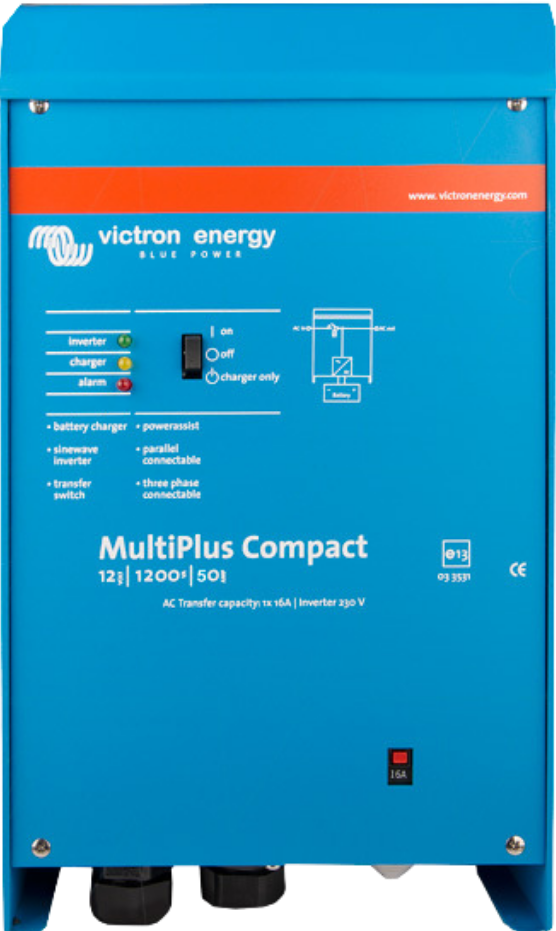
The Victron MultiPlus Compact Inverter/Charger 230V (Part ID: 12/1200/50-16) is a versatile and reliable device designed to convert DC power from batteries into AC power for household appliances. Additionally, it functions as a battery charger, allowing batteries to be charged from an AC source such as a generator or grid power. Its compact design makes it ideal for installations where space is limited, and it is widely used in off-grid systems, mobile applications (e.g., RVs, boats), and backup power setups.
Explore Projects Built with Multiplus Compact Inverter/Charger 230V
 Open Project in Cirkit Designer
 Open Project in Cirkit Designer
 Open Project in Cirkit Designer
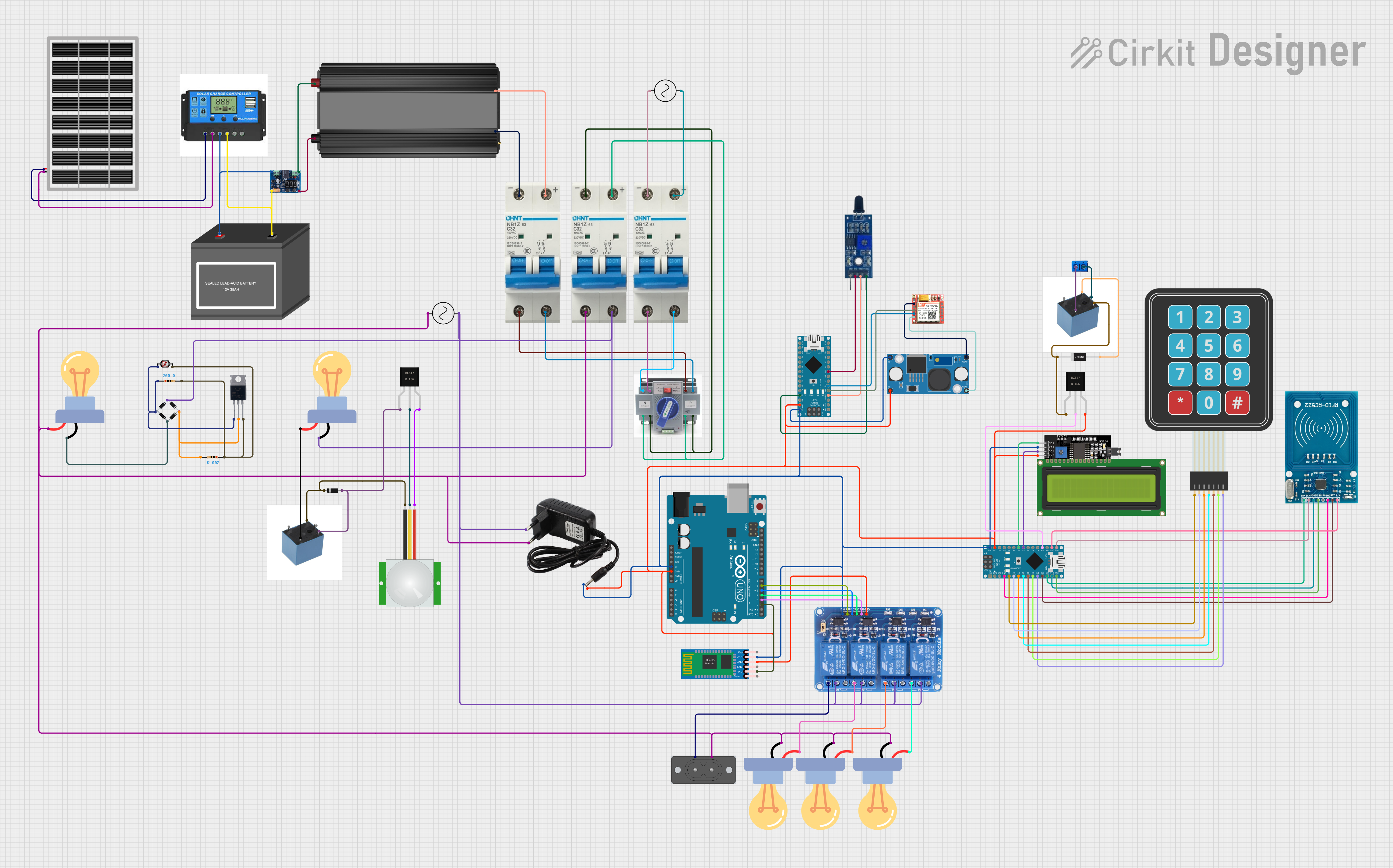 Open Project in Cirkit Designer
Explore Projects Built with Multiplus Compact Inverter/Charger 230V
Open Project in Cirkit DesignerOpen Project in Cirkit DesignerOpen Project in Cirkit DesignerOpen Project in Cirkit DesignerCommon Applications and Use Cases
- Off-grid solar power systems
- Backup power for homes and businesses
- Mobile power systems in RVs, boats, and caravans
- Hybrid energy systems combining renewable energy and grid power
- Industrial and remote installations requiring reliable AC power
Technical Specifications
The following table outlines the key technical details of the Victron MultiPlus Compact Inverter/Charger 230V:
| Specification | Value |
|---|---|
| Manufacturer Part ID | 12/1200/50-16 |
| Input Voltage Range (DC) | 9.5V - 17V |
| Output Voltage (AC) | 230V ± 2% |
| Continuous Output Power | 1200VA (1000W at 25°C) |
| Peak Power | 2400W |
| Charger Input Voltage Range | 187V - 265V AC |
| Maximum Battery Charging Current | 50A |
| Transfer Switch Rating | 16A |
| Efficiency | 94% |
| Dimensions (H x W x D) | 375 x 214 x 110 mm |
| Weight | 10 kg |
| Operating Temperature Range | -40°C to +65°C |
Pin Configuration and Descriptions
The MultiPlus Compact Inverter/Charger has several connection points for DC input, AC input/output, and communication. Below is a summary of the key connections:
| Pin/Port | Description |
|---|---|
| DC Input Terminals | Connect to the battery bank (positive and negative terminals). |
| AC Input Terminals | Connect to an AC power source (e.g., grid or generator). |
| AC Output Terminals | Provide 230V AC power to connected appliances or loads. |
| VE.Bus Ports | Communication ports for connecting to Victron monitoring and control devices. |
| Remote On/Off Port | Allows remote control of the inverter/charger. |
| Grounding Terminal | Connect to the system's grounding point for safety. |
Usage Instructions
How to Use the Component in a Circuit
DC Input Connection:
- Connect the DC input terminals to a 12V battery bank. Ensure proper polarity (positive to positive, negative to negative).
- Use appropriately rated cables and fuses to handle the current safely.
AC Input Connection:
- Connect the AC input terminals to a grid power source or generator.
- Ensure the input voltage is within the specified range (187V - 265V AC).
AC Output Connection:
- Connect the AC output terminals to the appliances or loads you wish to power.
- Ensure the total load does not exceed the inverter's continuous power rating (1000W).
Grounding:
- Connect the grounding terminal to the system's grounding point to ensure safety and compliance with electrical standards.
Configuration:
- Use the VE.Bus ports to connect the MultiPlus Compact to a Victron GX device or computer for configuration and monitoring.
- Configure the device using Victron's software tools (e.g., VEConfigure) to set parameters such as battery charging profiles and transfer switch behavior.
Important Considerations and Best Practices
- Battery Sizing: Ensure the battery bank has sufficient capacity to handle the inverter's power requirements and the connected load.
- Cable Sizing: Use cables with appropriate thickness to minimize voltage drop and heat generation.
- Ventilation: Install the inverter/charger in a well-ventilated area to prevent overheating.
- Overload Protection: Use circuit breakers or fuses on both the DC and AC sides to protect the system from overloads and short circuits.
- Monitoring: Consider using Victron's monitoring devices (e.g., Color Control GX) to track system performance and troubleshoot issues.
Arduino UNO Integration
While the MultiPlus Compact is not directly controlled by an Arduino, you can use an Arduino UNO to monitor its status via the VE.Bus communication protocol. Below is an example of how to read data from the MultiPlus Compact using an Arduino and a VE.Direct to USB interface:
#include <SoftwareSerial.h>

// Define RX and TX pins for SoftwareSerial
SoftwareSerial veDirect(10, 11); // RX = pin 10, TX = pin 11

void setup() {
  Serial.begin(9600); // Initialize serial monitor
  veDirect.begin(19200); // Initialize VE.Direct communication

  Serial.println("Starting VE.Direct communication...");
}

void loop() {
  // Check if data is available from the VE.Direct port
  if (veDirect.available()) {
    String data = ""; // Initialize a string to store incoming data

    // Read data from VE.Direct
    while (veDirect.available()) {
      char c = veDirect.read();
      data += c;
    }

    // Print the received data to the serial monitor
    Serial.println("Received data:");
    Serial.println(data);
  }

  delay(1000); // Wait for 1 second before reading again
}
Note: This example assumes you have a VE.Direct to USB interface connected to the MultiPlus Compact. Modify the code as needed based on your specific setup.
Troubleshooting and FAQs
Common Issues Users Might Face
Inverter Does Not Turn On:
- Cause: Insufficient battery voltage or incorrect wiring.
- Solution: Check the battery voltage and ensure proper connections to the DC input terminals.
Overload or Shutdown:
- Cause: Connected load exceeds the inverter's power rating.
- Solution: Reduce the load to within the inverter's continuous power rating (1000W).
Battery Not Charging:
- Cause: AC input voltage is out of range or charger settings are incorrect.
- Solution: Verify the AC input voltage and configure the charger settings using VEConfigure.
Overheating:
- Cause: Poor ventilation or excessive ambient temperature.
- Solution: Ensure adequate airflow around the inverter and install it in a cooler location.
Solutions and Tips for Troubleshooting
- Use Victron's diagnostic tools (e.g., VictronConnect app) to identify and resolve issues.
- Regularly inspect cables and connections for signs of wear or damage.
- Refer to the MultiPlus Compact user manual for detailed troubleshooting steps and error code explanations.
By following this documentation, users can effectively install, configure, and maintain the Victron MultiPlus Compact Inverter/Charger 230V for a wide range of applications.