
How to Use AHT20: Examples, Pinouts, and Specs
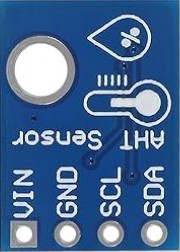
 Design with AHT20 in Cirkit Designer
Introduction
The AHT20 is a digital temperature and humidity sensor designed for precise environmental monitoring. It integrates a capacitive humidity sensor and a high-performance temperature sensor, providing accurate and reliable measurements. The AHT20 features a built-in I2C interface, making it easy to connect to microcontrollers and other digital systems. Its compact size, low power consumption, and high precision make it ideal for a wide range of applications.
Explore Projects Built with AHT20
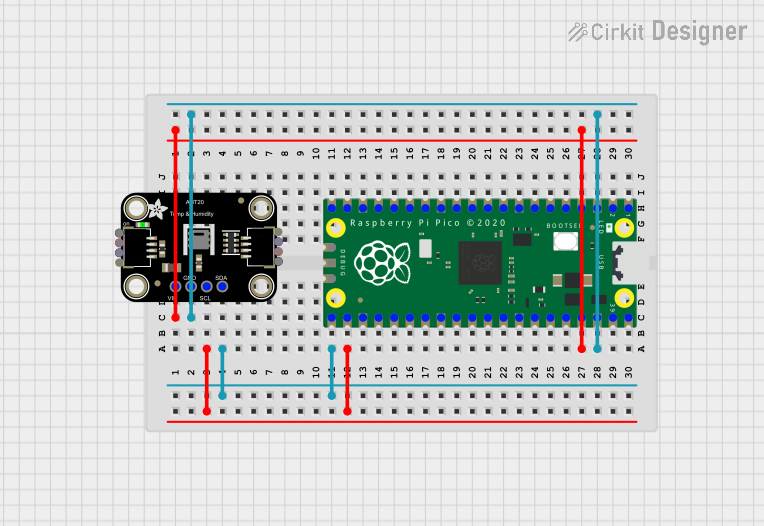 Open Project in Cirkit Designer
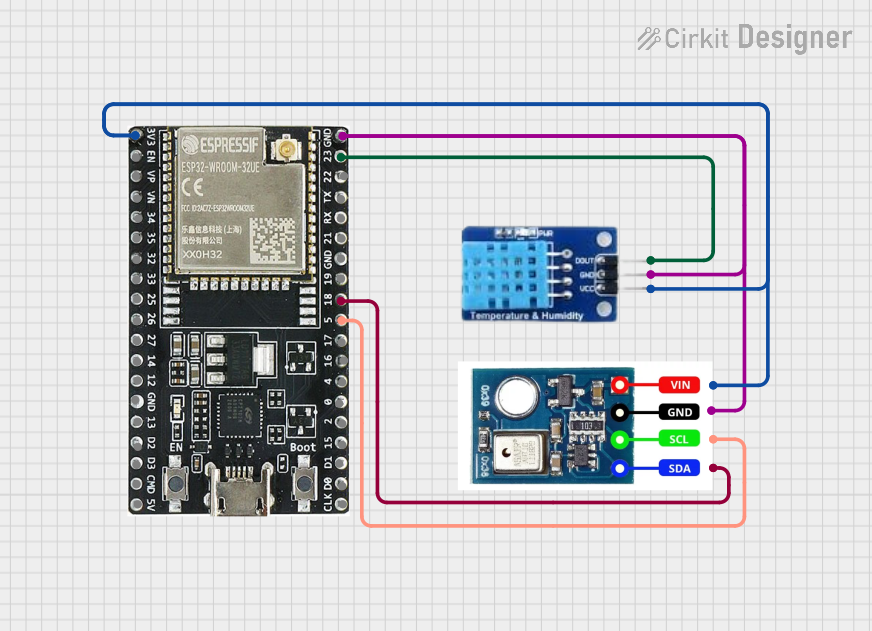 Open Project in Cirkit Designer
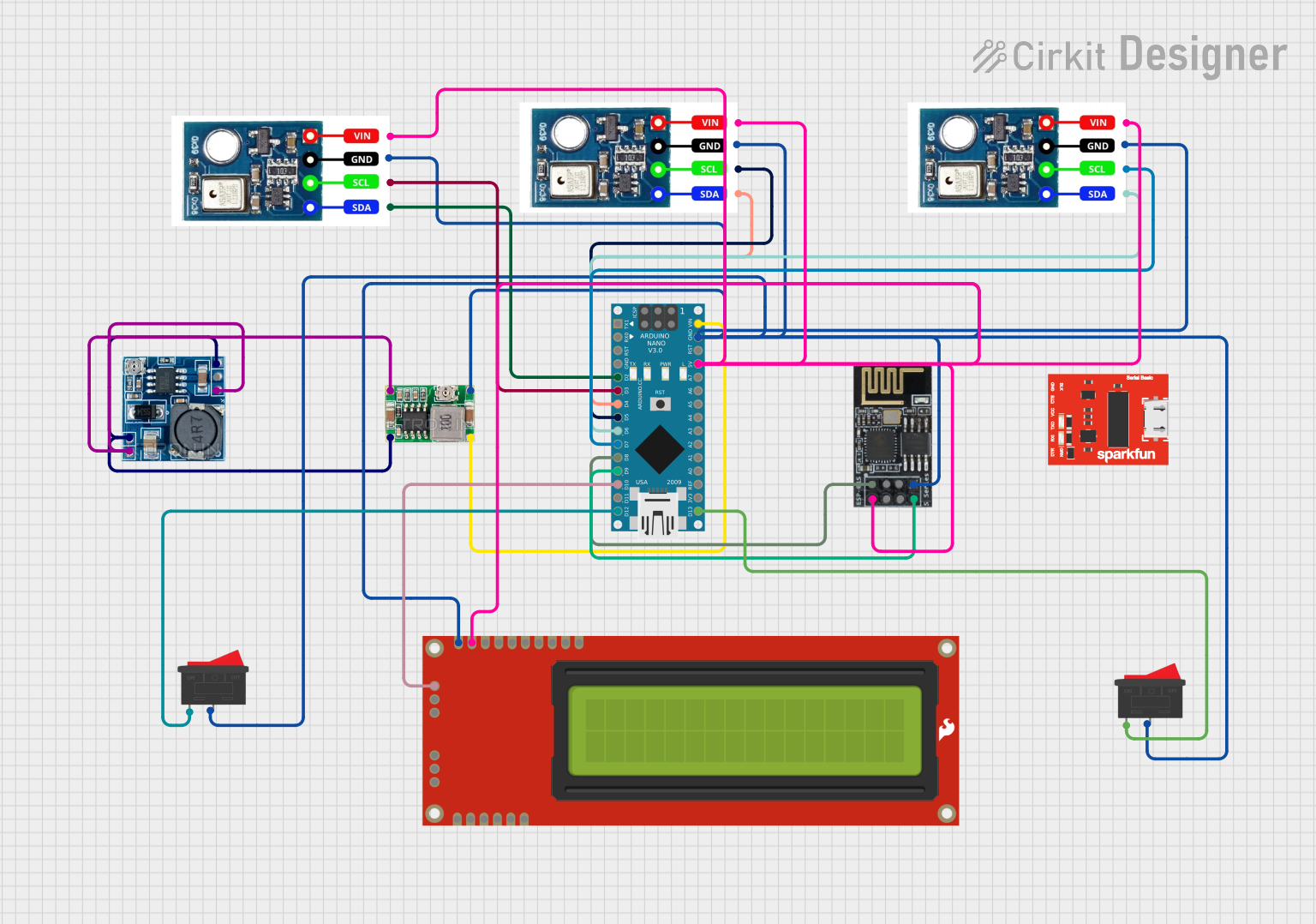 Open Project in Cirkit Designer
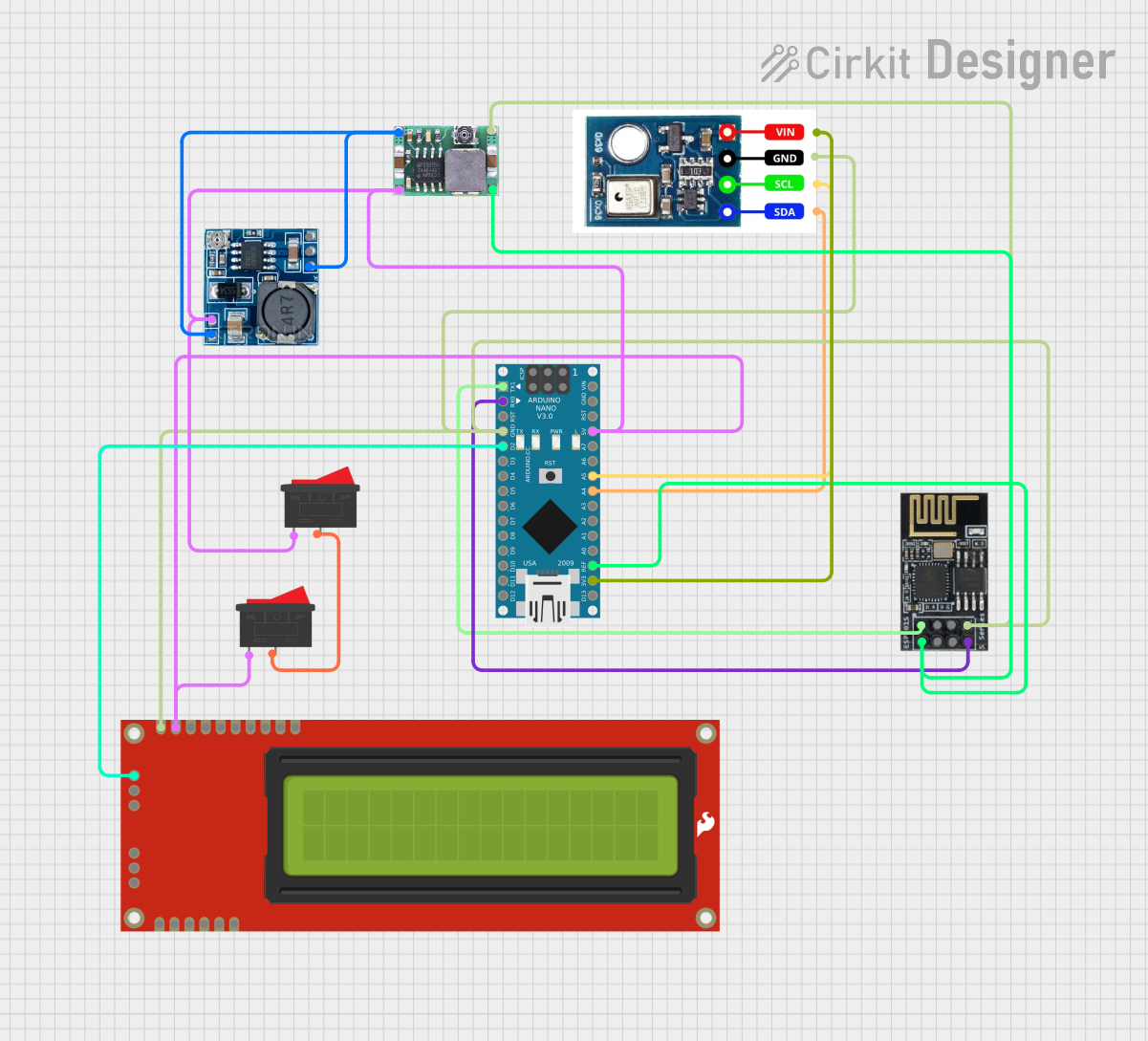 Open Project in Cirkit Designer
Explore Projects Built with AHT20
Open Project in Cirkit DesignerOpen Project in Cirkit DesignerOpen Project in Cirkit DesignerOpen Project in Cirkit DesignerCommon Applications and Use Cases
- Weather monitoring systems
- HVAC (Heating, Ventilation, and Air Conditioning) control
- IoT (Internet of Things) devices
- Industrial automation
- Home appliances (e.g., dehumidifiers, air purifiers)
- Environmental data logging
Technical Specifications
Key Technical Details
| Parameter | Value |
|---|---|
| Supply Voltage | 2.0V to 5.5V |
| Typical Operating Voltage | 3.3V |
| Current Consumption | 0.25 mA (measuring), 0.01 mA (idle) |
| Humidity Range | 0% to 100% RH |
| Humidity Accuracy | ±2% RH (typical) |
| Temperature Range | -40°C to 85°C |
| Temperature Accuracy | ±0.3°C (typical) |
| Communication Interface | I2C |
| I2C Address | 0x38 |
| Response Time | ≤8 seconds |
| Dimensions | 3.6mm x 2.4mm x 0.8mm |
Pin Configuration and Descriptions
| Pin Name | Pin Number | Description |
|---|---|---|
| VDD | 1 | Power supply (2.0V to 5.5V) |
| GND | 2 | Ground |
| SDA | 3 | I2C data line |
| SCL | 4 | I2C clock line |
Usage Instructions
How to Use the AHT20 in a Circuit
- Power Supply: Connect the VDD pin to a 3.3V or 5V power source and the GND pin to ground.
- I2C Communication: Connect the SDA and SCL pins to the corresponding I2C pins on your microcontroller. Use pull-up resistors (typically 4.7kΩ) on both SDA and SCL lines if not already present on your board.
- Initialization: The AHT20 requires initialization commands to start measurements. Ensure your microcontroller sends the correct I2C commands to configure the sensor.
- Data Reading: Read temperature and humidity data from the sensor via the I2C interface. The data is provided in a 6-byte format, which needs to be processed to extract meaningful values.
Important Considerations and Best Practices
- Power Stability: Ensure a stable power supply to avoid measurement errors.
- I2C Pull-Up Resistors: Verify that pull-up resistors are present on the SDA and SCL lines to ensure proper I2C communication.
- Environmental Factors: Avoid exposing the sensor to extreme conditions (e.g., condensation, dust) that could affect its accuracy or damage it.
- Calibration: The AHT20 is factory-calibrated, so no additional calibration is required.
Example Code for Arduino UNO
Below is an example of how to use the AHT20 with an Arduino UNO:
#include <Wire.h>

// AHT20 I2C address
#define AHT20_ADDRESS 0x38

void setup() {
  Wire.begin(); // Initialize I2C communication
  Serial.begin(9600); // Start serial communication for debugging

  // Initialize the AHT20 sensor
  Wire.beginTransmission(AHT20_ADDRESS);
  Wire.write(0xBE); // Send initialization command
  Wire.endTransmission();
  delay(10); // Wait for the sensor to initialize
}

void loop() {
  // Trigger measurement
  Wire.beginTransmission(AHT20_ADDRESS);
  Wire.write(0xAC); // Command to start measurement
  Wire.write(0x33); // Fixed data byte
  Wire.write(0x00); // Fixed data byte
  Wire.endTransmission();
  delay(80); // Wait for measurement to complete

  // Read data from the sensor
  Wire.requestFrom(AHT20_ADDRESS, 6);
  if (Wire.available() == 6) {
    uint8_t data[6];
    for (int i = 0; i < 6; i++) {
      data[i] = Wire.read();
    }

    // Process humidity data
    uint32_t humidityRaw = ((uint32_t)data[1] << 12) |
                           ((uint32_t)data[2] << 4) |
                           ((data[3] & 0xF0) >> 4);
    float humidity = (humidityRaw * 100.0) / 1048576.0;

    // Process temperature data
    uint32_t temperatureRaw = (((uint32_t)data[3] & 0x0F) << 16) |
                              ((uint32_t)data[4] << 8) |
                              (uint32_t)data[5];
    float temperature = ((temperatureRaw * 200.0) / 1048576.0) - 50.0;

    // Print results
    Serial.print("Humidity: ");
    Serial.print(humidity);
    Serial.println(" %");
    Serial.print("Temperature: ");
    Serial.print(temperature);
    Serial.println(" °C");
  }

  delay(2000); // Wait before the next measurement
}
Troubleshooting and FAQs
Common Issues and Solutions
No Data from the Sensor:
- Ensure the sensor is powered correctly (check VDD and GND connections).
- Verify that the I2C address (0x38) matches the one used in your code.
- Check for proper pull-up resistors on the SDA and SCL lines.
Inaccurate Measurements:
- Ensure the sensor is not exposed to condensation or contaminants.
- Verify that the sensor is operating within its specified temperature and humidity range.
I2C Communication Errors:
- Check the wiring and ensure SDA and SCL are connected to the correct pins.
- Confirm that the I2C clock speed is compatible with the AHT20 (typically up to 400kHz).
FAQs
Q: Do I need to calibrate the AHT20?
A: No, the AHT20 is factory-calibrated and does not require additional calibration.
Q: Can the AHT20 operate at 5V?
A: Yes, the AHT20 supports a supply voltage range of 2.0V to 5.5V, making it compatible with 5V systems.
Q: What is the typical response time of the AHT20?
A: The typical response time is ≤8 seconds for humidity and temperature measurements.
Q: How do I protect the sensor from environmental damage?
A: Use a protective enclosure or filter to shield the sensor from dust, condensation, and other contaminants.