
How to Use abaisseur 220V AC to 24V DC: Examples, Pinouts, and Specs
 Design with abaisseur 220V AC to 24V DC in Cirkit Designer
Introduction
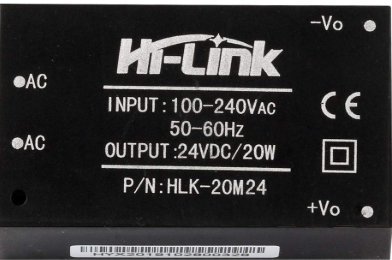
The HILINK 220V AC to 24V DC is a compact and efficient power supply module designed to convert high-voltage AC (220V) into a stable 24V DC output. This component is widely used in applications requiring low-voltage DC power, such as industrial control systems, IoT devices, LED lighting, and embedded systems. Its small size and high efficiency make it an excellent choice for space-constrained designs.
Explore Projects Built with abaisseur 220V AC to 24V DC
 Open Project in Cirkit Designer
 Open Project in Cirkit Designer
 Open Project in Cirkit Designer
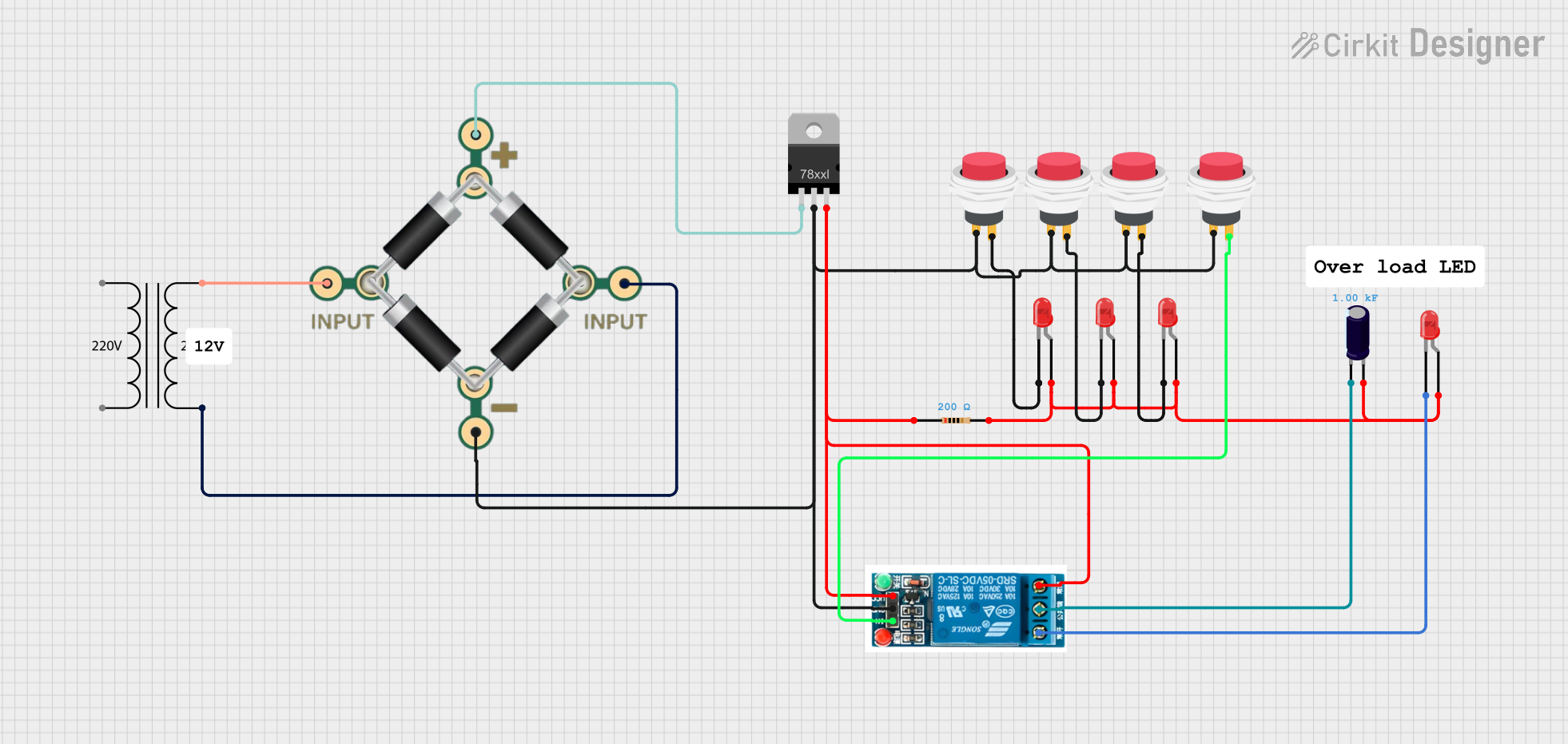 Open Project in Cirkit Designer
Explore Projects Built with abaisseur 220V AC to 24V DC
Open Project in Cirkit DesignerOpen Project in Cirkit DesignerOpen Project in Cirkit DesignerOpen Project in Cirkit DesignerCommon Applications
- Powering low-voltage DC devices from an AC mains supply
- Industrial automation and control systems
- LED drivers and lighting systems
- IoT devices and smart home applications
- Embedded systems and microcontroller-based projects
Technical Specifications
The following table outlines the key technical details of the HILINK 220V AC to 24V DC module:
| Parameter | Value |
|---|---|
| Input Voltage Range | 100V AC to 240V AC |
| Output Voltage | 24V DC |
| Output Current | 0.5A (maximum) |
| Output Power | 12W |
| Efficiency | ≥ 85% |
| Frequency Range | 50Hz to 60Hz |
| Operating Temperature | -25°C to +70°C |
| Storage Temperature | -40°C to +85°C |
| Dimensions | 52mm x 27mm x 22mm |
| Isolation Voltage | 3000V AC |
| Safety Standards | CE, RoHS compliant |
Pin Configuration and Descriptions
The module has six pins for input and output connections. The pin configuration is as follows:
| Pin Number | Pin Name | Description |
|---|---|---|
| 1 | AC-L | Live input for 220V AC |
| 2 | AC-N | Neutral input for 220V AC |
| 3 | GND | Ground for 24V DC output |
| 4 | +24V | Positive 24V DC output |
| 5 | NC | Not connected (leave unconnected) |
| 6 | NC | Not connected (leave unconnected) |
Usage Instructions
How to Use the Component in a Circuit
- Input Connection: Connect the AC-L and AC-N pins to the live and neutral wires of the 220V AC mains supply. Ensure proper insulation and safety precautions when handling high-voltage connections.
- Output Connection: Connect the GND and +24V pins to the load requiring 24V DC power. Verify the polarity to avoid damage to the connected device.
- Mounting: Secure the module in a well-ventilated area to prevent overheating. Avoid placing it near heat-sensitive components.
- Protection: Use a fuse or circuit breaker on the AC input side to protect against overcurrent or short circuits.
Important Considerations and Best Practices
- Safety First: Always disconnect the module from the mains supply before making any connections or modifications.
- Load Requirements: Ensure the connected load does not exceed the maximum output current of 0.5A.
- Heat Dissipation: Provide adequate ventilation or heat sinking if the module operates near its maximum power rating.
- Isolation: Maintain proper isolation between the high-voltage AC side and the low-voltage DC side to prevent electrical hazards.
Example: Using with an Arduino UNO
The HILINK 220V AC to 24V DC module can be used to power an Arduino UNO via a step-down regulator (e.g., LM2596) to convert 24V DC to 5V DC. Below is an example circuit and Arduino code:
Circuit Setup
- Connect the AC-L and AC-N pins to the 220V AC mains supply.
- Connect the +24V and GND pins to the input of an LM2596 step-down regulator.
- Set the LM2596 output to 5V DC and connect it to the Arduino UNO's 5V and GND pins.
Arduino Code Example
// Example code to blink an LED using Arduino UNO
// Ensure the HILINK module powers the Arduino via a step-down regulator

const int ledPin = 13; // Pin connected to the onboard LED

void setup() {
  pinMode(ledPin, OUTPUT); // Set the LED pin as an output
}

void loop() {
  digitalWrite(ledPin, HIGH); // Turn the LED on
  delay(1000);                // Wait for 1 second
  digitalWrite(ledPin, LOW);  // Turn the LED off
  delay(1000);                // Wait for 1 second
}
Troubleshooting and FAQs
Common Issues and Solutions
No Output Voltage
- Cause: Incorrect wiring or no AC input.
- Solution: Verify the AC-L and AC-N connections. Ensure the mains supply is active.
Overheating
- Cause: Operating near maximum load or poor ventilation.
- Solution: Reduce the load or improve ventilation around the module.
Output Voltage Fluctuations
- Cause: Unstable AC input or excessive load.
- Solution: Check the AC input voltage stability and ensure the load does not exceed 0.5A.
Module Not Powering On
- Cause: Blown fuse or damaged module.
- Solution: Replace the fuse or inspect the module for visible damage.
FAQs
Q1: Can this module be used with 110V AC input?
A1: Yes, the module supports an input voltage range of 100V AC to 240V AC.
Q2: Is the module suitable for outdoor use?
A2: No, the module is not weatherproof. Use it in a dry, indoor environment or within a weatherproof enclosure.
Q3: Can I connect multiple devices to the 24V output?
A3: Yes, as long as the total current draw does not exceed 0.5A.
Q4: Does the module require additional filtering?
A4: No, the module includes built-in filtering for stable DC output. However, additional filtering can be added if required for sensitive applications.