
How to Use DM556 (Jiawen) Microstep Driver Peak 5.6A, 20-50 VDC 2-phase: Examples, Pinouts, and Specs
 Design with DM556 (Jiawen) Microstep Driver Peak 5.6A, 20-50 VDC 2-phase in Cirkit Designer
Introduction
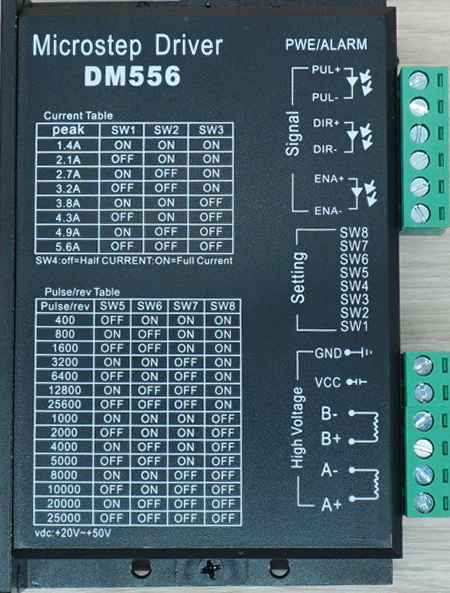
The DM556 microstep driver, manufactured by Jiawen, is a high-performance driver designed for controlling 2-phase stepper motors. It supports a wide range of step resolutions and delivers smooth motion with high precision. With a peak current of 5.6A and an operating voltage range of 20-50 VDC, the DM556 is suitable for demanding applications requiring precise motor control.
Explore Projects Built with DM556 (Jiawen) Microstep Driver Peak 5.6A, 20-50 VDC 2-phase
 Open Project in Cirkit Designer
 Open Project in Cirkit Designer
 Open Project in Cirkit Designer
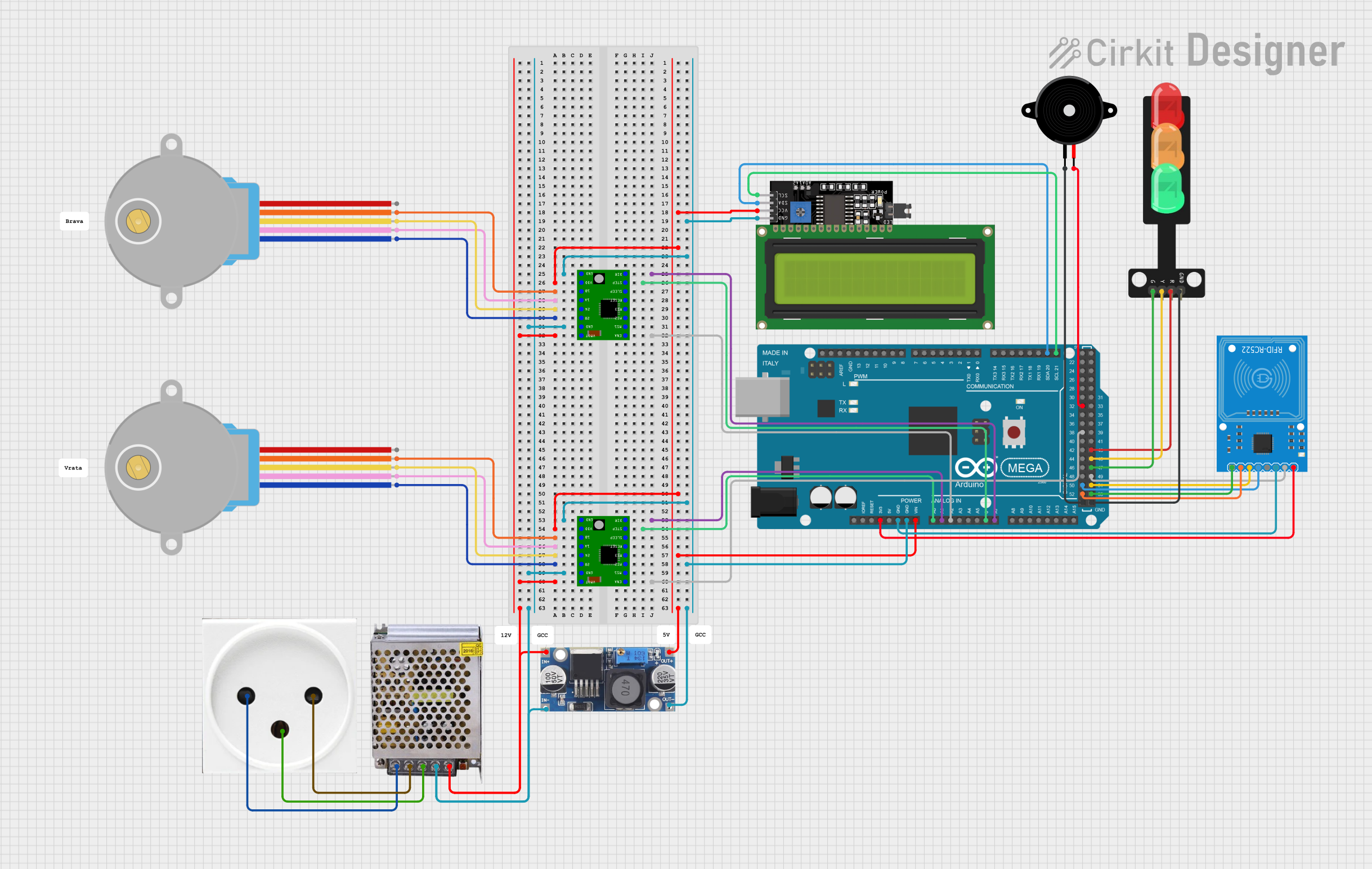 Open Project in Cirkit Designer
Explore Projects Built with DM556 (Jiawen) Microstep Driver Peak 5.6A, 20-50 VDC 2-phase
Open Project in Cirkit DesignerOpen Project in Cirkit DesignerOpen Project in Cirkit DesignerOpen Project in Cirkit DesignerCommon Applications and Use Cases
- CNC machines and 3D printers
- Robotics and automation systems
- Laser cutters and engravers
- Conveyor systems
- Industrial machinery requiring precise motion control
Technical Specifications
Key Technical Details
| Parameter | Value |
|---|---|
| Manufacturer | Jiawen |
| Part ID | DM556 |
| Input Voltage Range | 20-50 VDC |
| Peak Output Current | 5.6A |
| Microstepping Resolution | Up to 256 microsteps per step |
| Motor Type Supported | 2-phase stepper motors |
| Control Signal Voltage | 5V TTL |
| Operating Temperature | -10°C to +45°C |
| Dimensions | 118mm x 75.5mm x 34mm |
| Weight | 280g |
Pin Configuration and Descriptions
The DM556 has two main connectors: one for motor and power connections, and another for control signals. Below is the pin configuration:
Motor and Power Connector
| Pin Name | Description |
|---|---|
| A+ | Positive terminal for motor coil A |
| A- | Negative terminal for motor coil A |
| B+ | Positive terminal for motor coil B |
| B- | Negative terminal for motor coil B |
| V+ | Positive power supply input (20-50V) |
| GND | Ground for power supply |
Control Signal Connector
| Pin Name | Description |
|---|---|
| PUL+ | Positive pulse signal input (step signal) |
| PUL- | Negative pulse signal input |
| DIR+ | Positive direction signal input |
| DIR- | Negative direction signal input |
| ENA+ | Positive enable signal input (optional) |
| ENA- | Negative enable signal input (optional) |
Usage Instructions
How to Use the DM556 in a Circuit
- Power Supply: Connect a DC power supply (20-50 VDC) to the
V+andGNDpins. Ensure the power supply can deliver sufficient current for the motor and driver. - Motor Connection: Connect the stepper motor coils to the
A+,A-,B+, andB-terminals. Verify the wiring matches the motor's datasheet. - Control Signals: Connect the
PUL+,PUL-,DIR+, andDIR-pins to a microcontroller or motion controller. Use theENA+andENA-pins if you need to enable or disable the driver dynamically. - Microstepping and Current Settings: Use the DIP switches on the driver to configure the microstepping resolution and output current. Refer to the DM556 datasheet for detailed DIP switch settings.
Important Considerations and Best Practices
- Heat Dissipation: The DM556 may generate heat during operation. Mount it on a heat sink or ensure proper ventilation to prevent overheating.
- Signal Integrity: Use shielded cables for control signals to minimize noise interference.
- Current Settings: Set the output current to match the stepper motor's rated current to avoid damage to the motor or driver.
- Microstepping: Choose an appropriate microstepping resolution based on the application's precision and speed requirements.
Example: Connecting the DM556 to an Arduino UNO
Below is an example of how to control the DM556 using an Arduino UNO:
Wiring Diagram
PUL+to ArduinoD2PUL-to ArduinoGNDDIR+to ArduinoD3DIR-to ArduinoGNDENA+to ArduinoD4(optional)ENA-to ArduinoGND- Connect the motor and power supply as described above.
Arduino Code
// Define pin connections
const int stepPin = 2;  // Pin connected to PUL+
const int dirPin = 3;   // Pin connected to DIR+
const int enablePin = 4; // Pin connected to ENA+ (optional)

void setup() {
  // Set pin modes
  pinMode(stepPin, OUTPUT);
  pinMode(dirPin, OUTPUT);
  pinMode(enablePin, OUTPUT);

  // Enable the driver
  digitalWrite(enablePin, LOW); // LOW to enable, HIGH to disable
}

void loop() {
  // Set direction
  digitalWrite(dirPin, HIGH); // HIGH for one direction, LOW for the other

  // Generate step pulses
  for (int i = 0; i < 200; i++) { // 200 steps for one revolution (1.8° motor)
    digitalWrite(stepPin, HIGH);
    delayMicroseconds(500); // Adjust for speed
    digitalWrite(stepPin, LOW);
    delayMicroseconds(500);
  }

  delay(1000); // Wait 1 second before reversing direction

  // Reverse direction
  digitalWrite(dirPin, LOW);
  for (int i = 0; i < 200; i++) {
    digitalWrite(stepPin, HIGH);
    delayMicroseconds(500);
    digitalWrite(stepPin, LOW);
    delayMicroseconds(500);
  }

  delay(1000); // Wait 1 second before repeating
}
Troubleshooting and FAQs
Common Issues and Solutions
Motor Not Moving
- Cause: Incorrect wiring or loose connections.
- Solution: Double-check all connections, especially motor coils and control signals.
Driver Overheating
- Cause: Insufficient cooling or incorrect current settings.
- Solution: Ensure proper ventilation or use a heat sink. Set the current to match the motor's rated current.
Erratic Motor Movement
- Cause: Noise interference or incorrect microstepping settings.
- Solution: Use shielded cables for control signals and verify DIP switch settings.
No Response from Driver
- Cause: Driver not enabled or incorrect power supply voltage.
- Solution: Check the
ENA+andENA-signals. Verify the power supply voltage is within the 20-50 VDC range.
FAQs
Can the DM556 drive 3-phase stepper motors?
- No, the DM556 is designed specifically for 2-phase stepper motors.
What is the maximum microstepping resolution?
- The DM556 supports up to 256 microsteps per step.
Is the driver compatible with 12V power supplies?
- No, the minimum input voltage is 20V. Using a 12V supply may damage the driver.
Can I use the DM556 without the enable pins?
- Yes, the driver is enabled by default if the
ENA+andENA-pins are not connected.
- Yes, the driver is enabled by default if the