A battery is a device that stores electrical energy in chemical form and converts it into electrical energy to power electronic circuits. Batteries are widely used in portable electronics, electric vehicles, renewable energy systems, and backup power supplies. They are essential for providing a reliable and portable source of energy in various applications.
Common applications of batteries include:
Powering portable devices such as smartphones, laptops, and cameras.
Supplying energy to electric vehicles and drones.
Acting as backup power sources for critical systems like servers and medical equipment.
Storing energy in renewable energy systems, such as solar panels and wind turbines.
Explore Projects Built with Battery
Use Cirkit Designer to design, explore, and prototype these projects online. Some projects support real-time simulation. Click "Open Project" to start designing instantly!
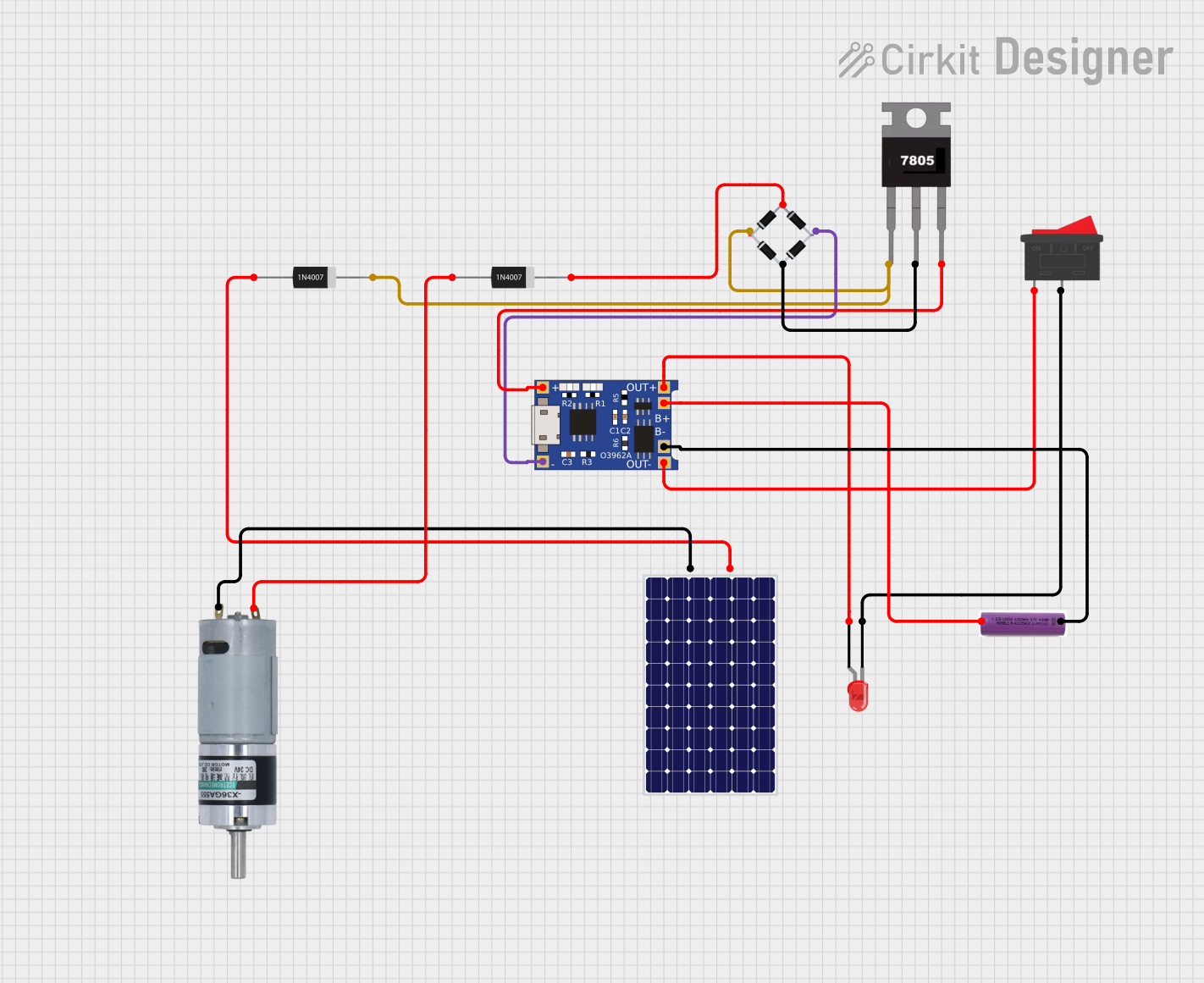
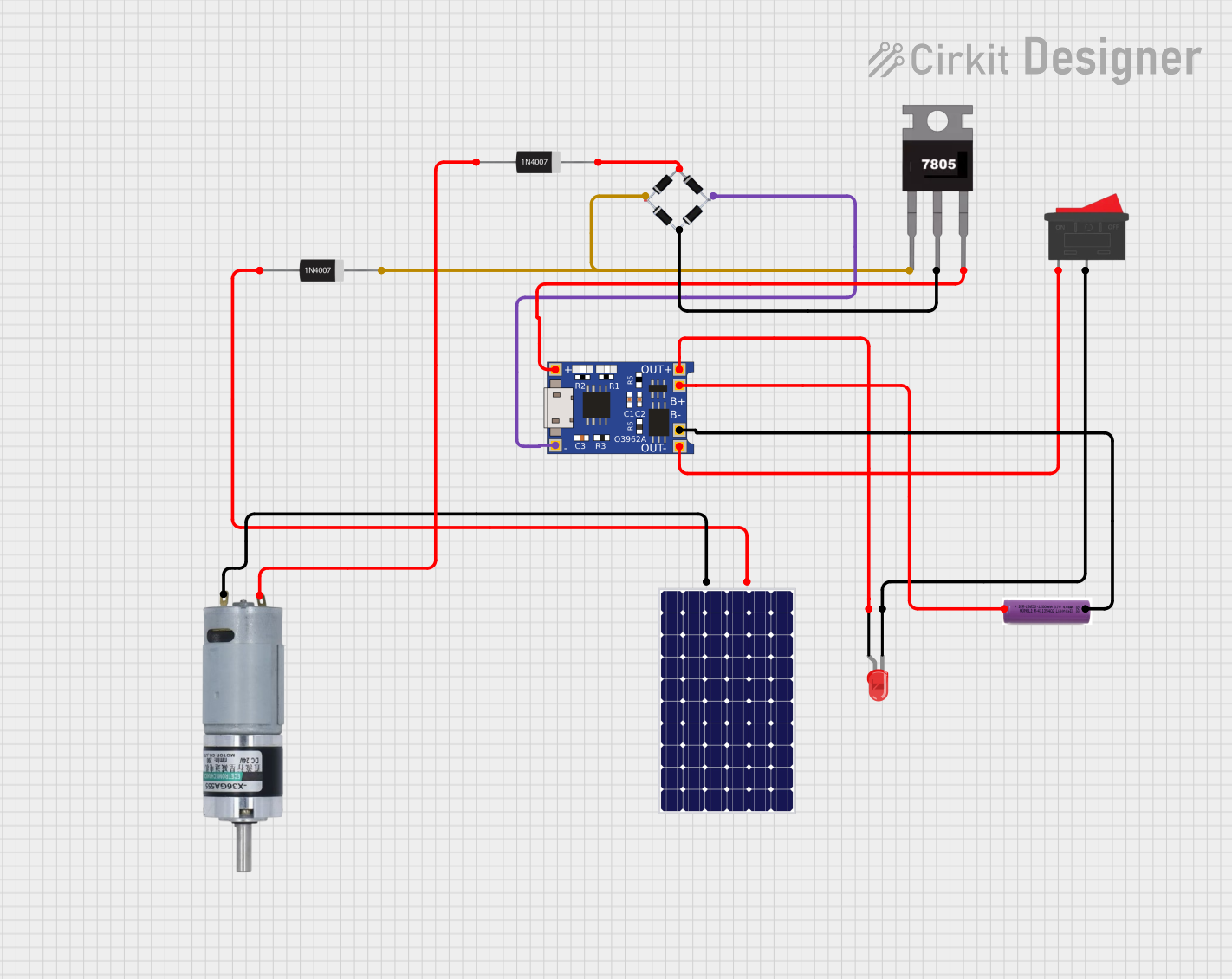
This circuit is a solar-powered battery charging and motor control system. The solar panel charges a 3.7V battery through a TP4056 charging module, which also powers an LED indicator via a rocker switch. Additionally, the circuit includes a motor driven by the battery, with a 7805 voltage regulator and bridge rectifier ensuring stable power delivery.
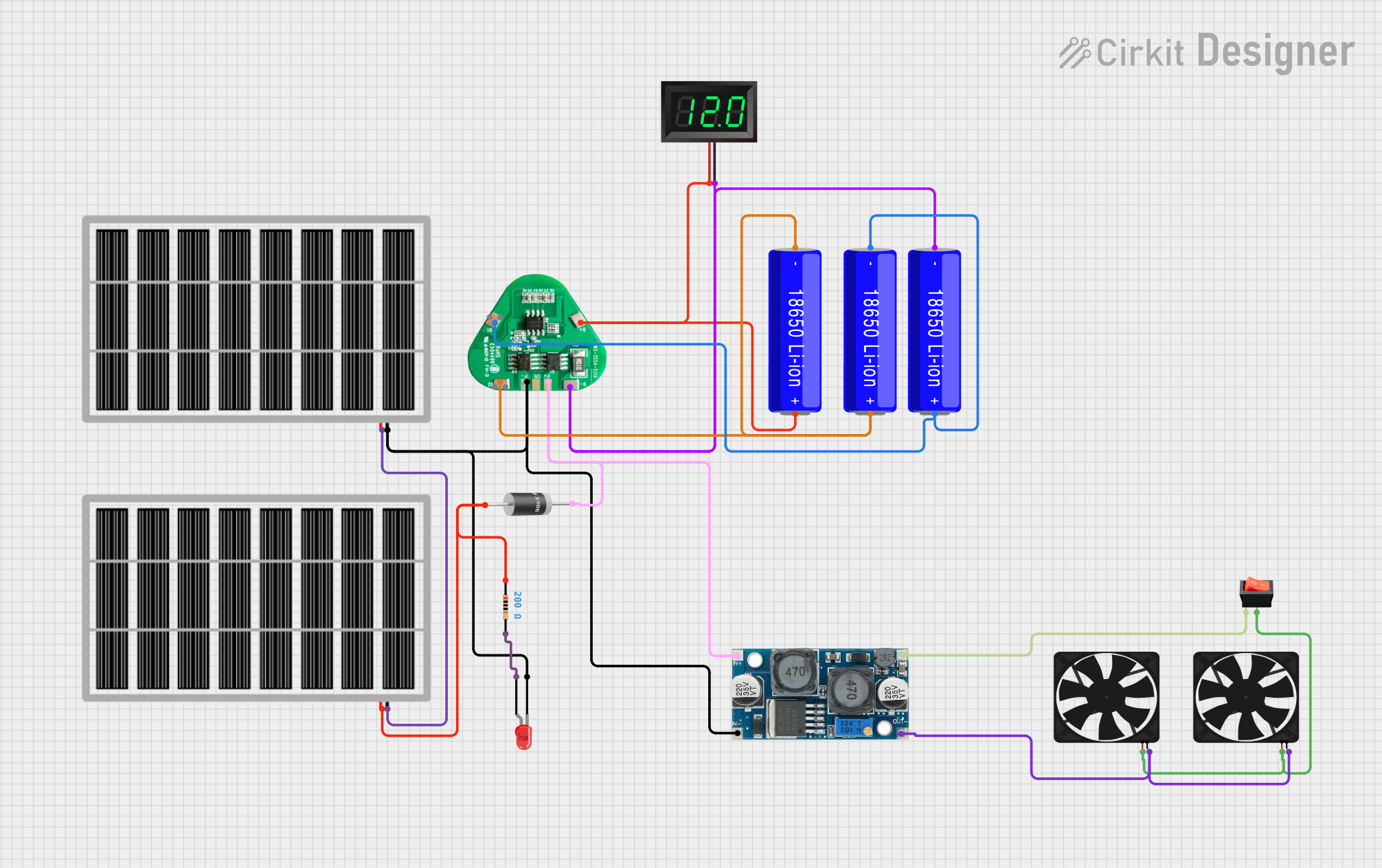
This is a solar-powered battery charging and power supply circuit with a battery management system for 18650 Li-ion batteries. It includes a voltage regulator for stable power delivery to fans, a visual power indicator LED with a current-limiting resistor, and a voltmeter to monitor battery voltage. A rocker switch controls the fans, and diodes are used to prevent reverse current flow.
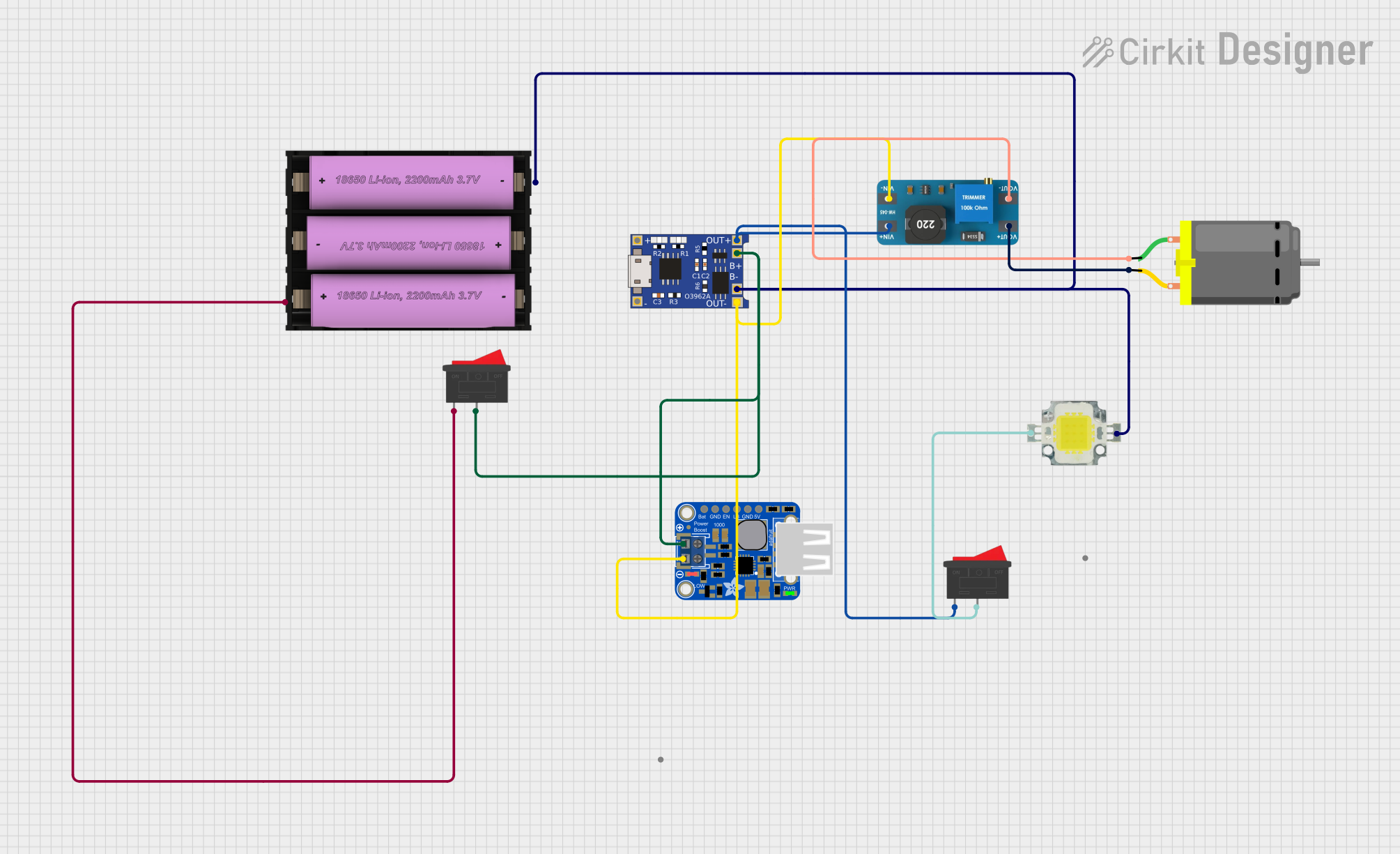
This circuit is designed to charge a Li-ion battery and power a DC motor and a 12V LED. The TP4056 module manages the battery charging process, while the PowerBoost 1000 and MT3608 boost converters step up the voltage to drive the motor and LED, respectively. Two rocker switches control the power flow to the LED and the charging circuit.
This circuit appears to be a solar-powered charging and power supply system with a battery backup. A TP4056 module is used for charging the 3.7V battery from the solar panel via a bridge rectifier, ensuring proper battery management. The system can power an LED and a motor, with a rocker switch to control the LED, and diodes are used to provide correct polarity and prevent backflow of current.
The specifications of a battery vary depending on its type (e.g., alkaline, lithium-ion, lead-acid). Below are general technical details for a typical lithium-ion battery:
Parameter
Specification
Nominal Voltage
3.7V
Capacity
1000mAh to 5000mAh (varies by model)
Maximum Discharge Rate
1C to 3C (varies by model)
Charging Voltage
4.2V (typical for lithium-ion)
Operating Temperature
-20°C to 60°C
Cycle Life
300 to 1000 cycles
Pin Configuration and Descriptions
For a typical rechargeable lithium-ion battery with a protection circuit, the pin configuration is as follows:
Pin
Name
Description
1
Positive (+)
The positive terminal of the battery, used to supply power to the circuit.
2
Negative (-)
The negative terminal of the battery, used as the return path for the circuit.
3
Thermistor (optional)
Monitors the battery temperature to prevent overheating during charging.
Usage Instructions
How to Use a Battery in a Circuit
Determine Voltage and Capacity Requirements: Ensure the battery's voltage and capacity match the requirements of your circuit.
Connect the Terminals Correctly: Connect the positive terminal of the battery to the positive rail of the circuit and the negative terminal to the ground rail.
Use a Battery Holder or Connector: For safety and convenience, use a battery holder or connector to secure the battery in place.
Include a Protection Circuit: For rechargeable batteries, use a battery management system (BMS) or protection circuit to prevent overcharging, over-discharging, and short circuits.
Charge the Battery Properly: Use a compatible charger with the correct voltage and current ratings to charge the battery safely.
Important Considerations and Best Practices
Avoid Overcharging or Over-discharging: Overcharging can damage the battery, while over-discharging can reduce its capacity and lifespan.
Monitor Temperature: Ensure the battery operates within its specified temperature range to prevent overheating or freezing.
Store Properly: Store batteries in a cool, dry place when not in use. For long-term storage, maintain a charge level of around 40-60%.
Dispose Responsibly: Recycle batteries according to local regulations to minimize environmental impact.
Example: Connecting a Battery to an Arduino UNO
To power an Arduino UNO with a 9V battery, follow these steps:
Connect the positive terminal of the 9V battery to the VIN pin on the Arduino.
Connect the negative terminal of the battery to the GND pin on the Arduino.
Here is an example Arduino sketch to blink an LED while powered by a battery:
// This code blinks an LED connected to pin 13 of the Arduino UNO.
// Ensure the battery is properly connected to the Arduino's VIN and GND pins.

void setup() {
  pinMode(13, OUTPUT); // Set pin 13 as an output pin
}

void loop() {
  digitalWrite(13, HIGH); // Turn the LED on
  delay(1000);            // Wait for 1 second
  digitalWrite(13, LOW);  // Turn the LED off
  delay(1000);            // Wait for 1 second
}
Troubleshooting and FAQs
Common Issues
Battery Drains Quickly:
Cause: High current draw or a faulty battery.
Solution: Check the circuit's current consumption and replace the battery if necessary.
Battery Overheats:
Cause: Overcharging, short circuit, or high ambient temperature.
Solution: Use a protection circuit and ensure proper ventilation.
Battery Does Not Charge:
Cause: Faulty charger or damaged battery.
Solution: Verify the charger is functioning correctly and replace the battery if needed.
Circuit Does Not Power On:
Cause: Incorrect battery connection or insufficient voltage.
Solution: Check the connections and ensure the battery voltage meets the circuit's requirements.
FAQs
Q: Can I use a higher voltage battery than specified for my circuit?
A: No, using a higher voltage battery can damage your components. Always use a battery with the correct voltage rating.
Q: How do I know when to recharge my battery?
A: Recharge the battery when its voltage drops to the manufacturer's recommended minimum voltage (e.g., 3.0V for lithium-ion batteries).
Q: Can I connect batteries in series or parallel?
A: Yes, connecting batteries in series increases the voltage, while connecting them in parallel increases the capacity. Ensure all batteries are of the same type and capacity.
Q: How do I safely dispose of a battery?
A: Take the battery to a certified recycling center or follow local disposal regulations to prevent environmental harm.

 Open Project in Cirkit Designer