The 20000 mAh battery is a high-capacity rechargeable power source designed to provide long-lasting energy for a wide range of electronic devices. With its substantial capacity, it is ideal for applications requiring extended operation times, such as portable electronics, power banks, robotics, and backup power systems. This battery is commonly used in scenarios where reliability and endurance are critical.
Explore Projects Built with 20000 MAH BATTERY
Use Cirkit Designer to design, explore, and prototype these projects online. Some projects support real-time simulation. Click "Open Project" to start designing instantly!
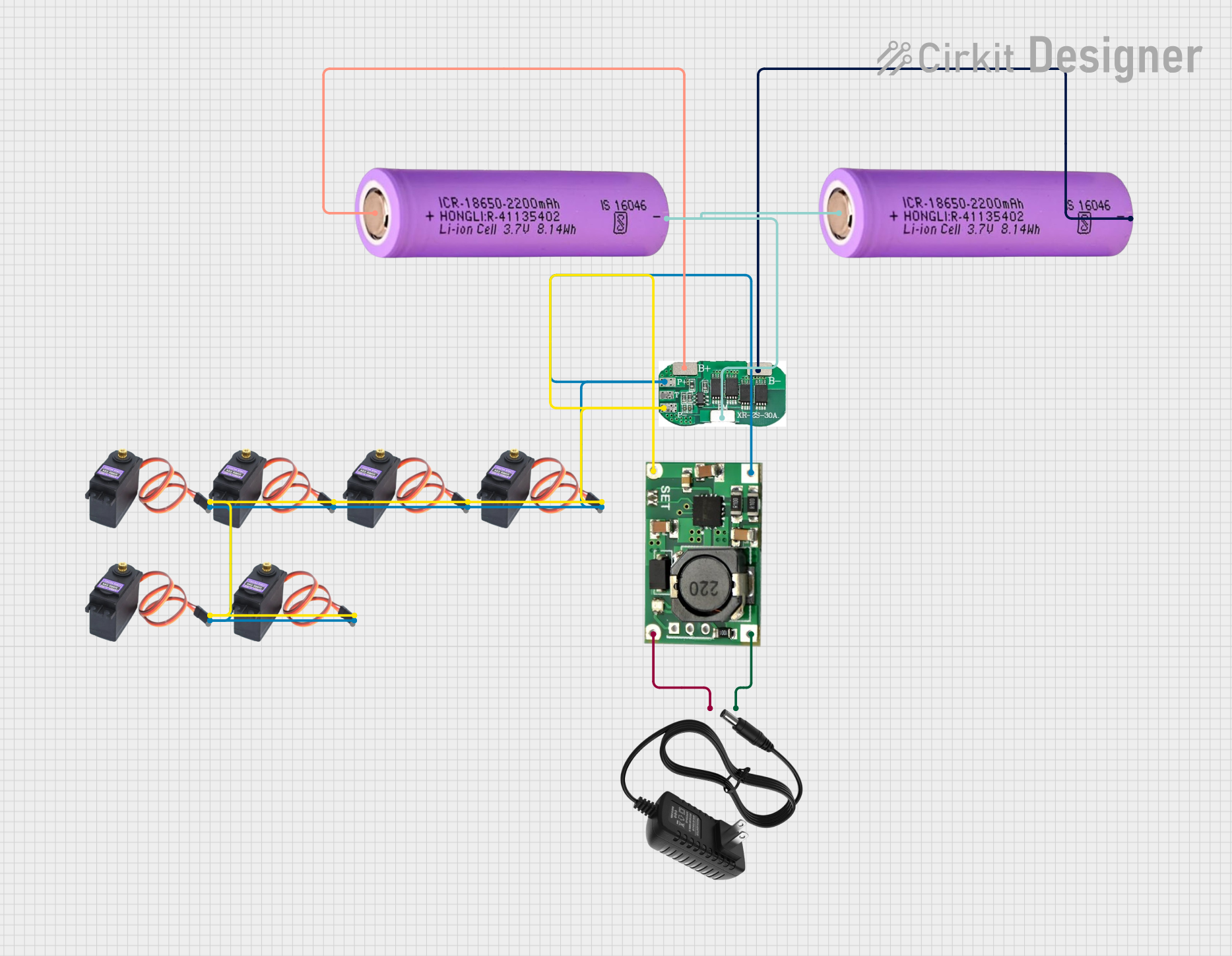
This circuit is a battery management and charging system for a 2S lithium-ion battery pack, which powers multiple MG996R servos. The TP5100 module charges the battery pack from a 12V power supply, while the 2S 30A BMS ensures safe operation and distribution of power to the servos.
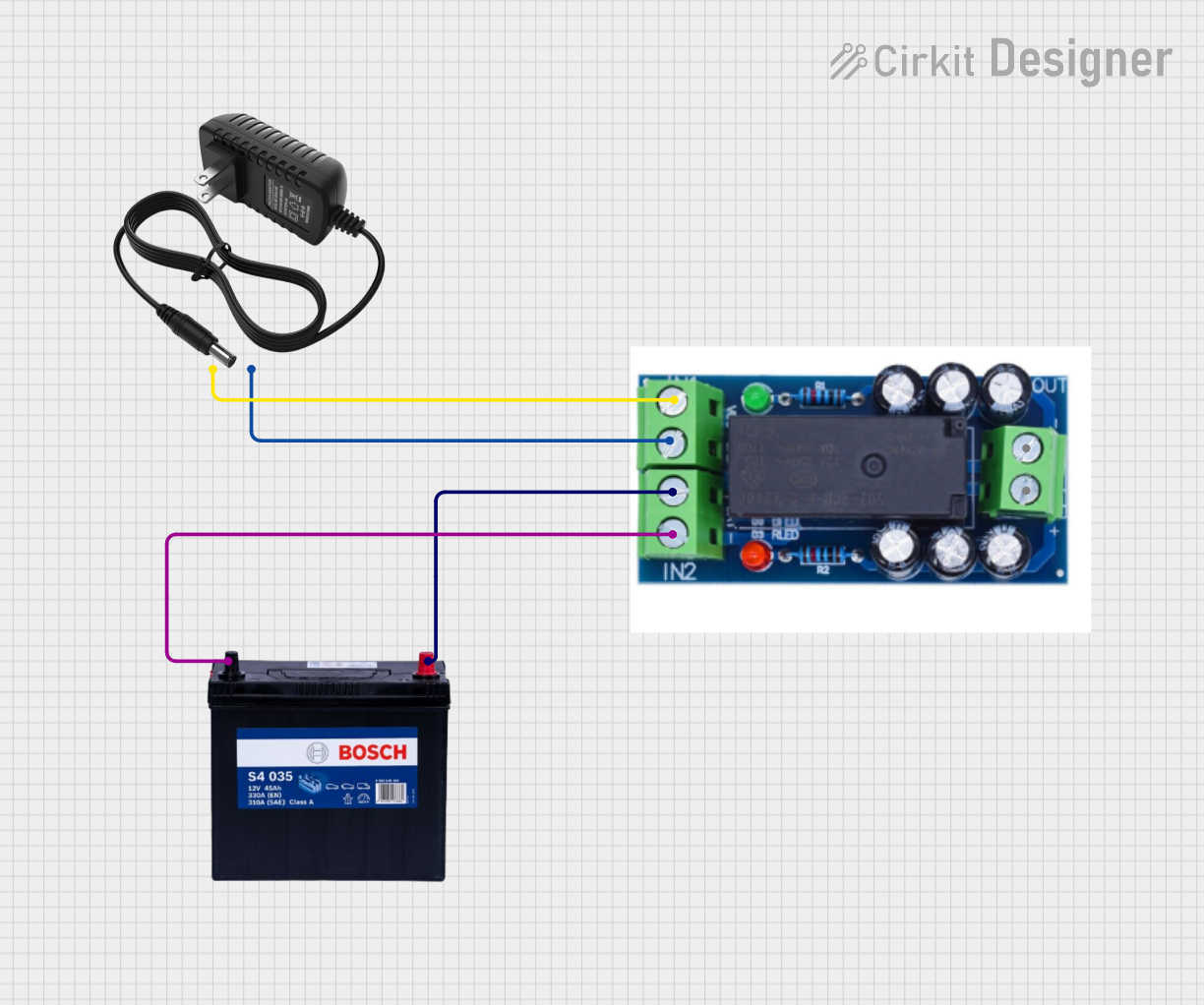
This circuit is designed to provide a backup power solution using a 12V 200Ah battery and a 12V power supply, with the HX-M350 module managing the switching between these power sources. The HX-M350 module automatically switches to the battery power when the main 12V power supply fails or is unavailable, ensuring uninterrupted power to the load. There is no microcontroller or additional control logic involved, indicating that the switching mechanism is likely handled entirely by the HX-M350 module itself.
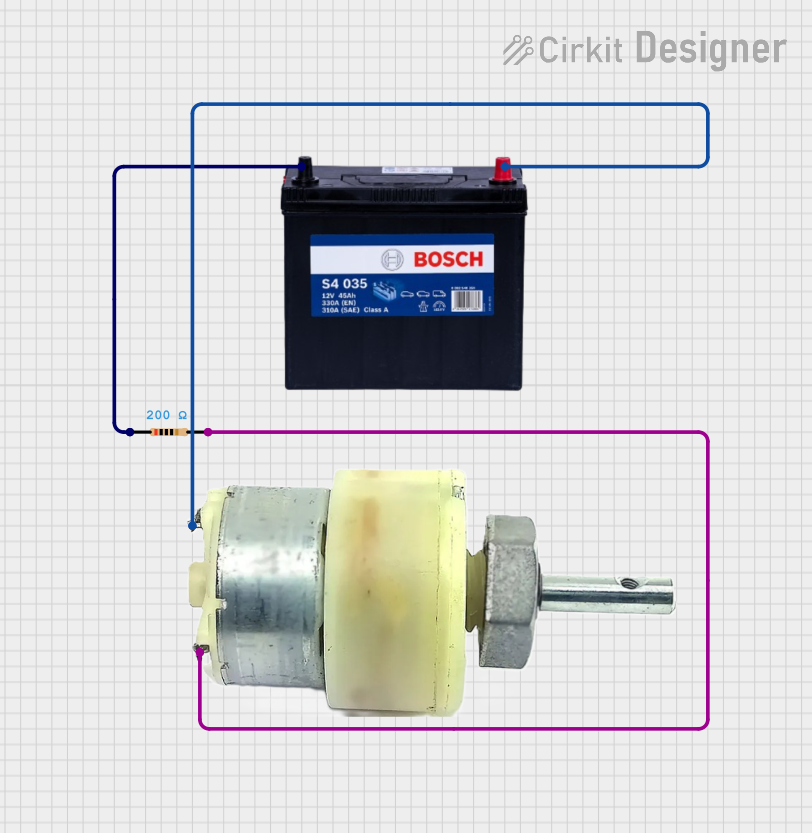
This circuit consists of a 12V 200Ah battery connected to a 12V geared motor, with a 200 Ohm resistor in series with one of the motor's terminals. The battery provides power to the motor, and the resistor limits the current flowing into the motor, potentially to control speed or to protect the motor from excessive current.
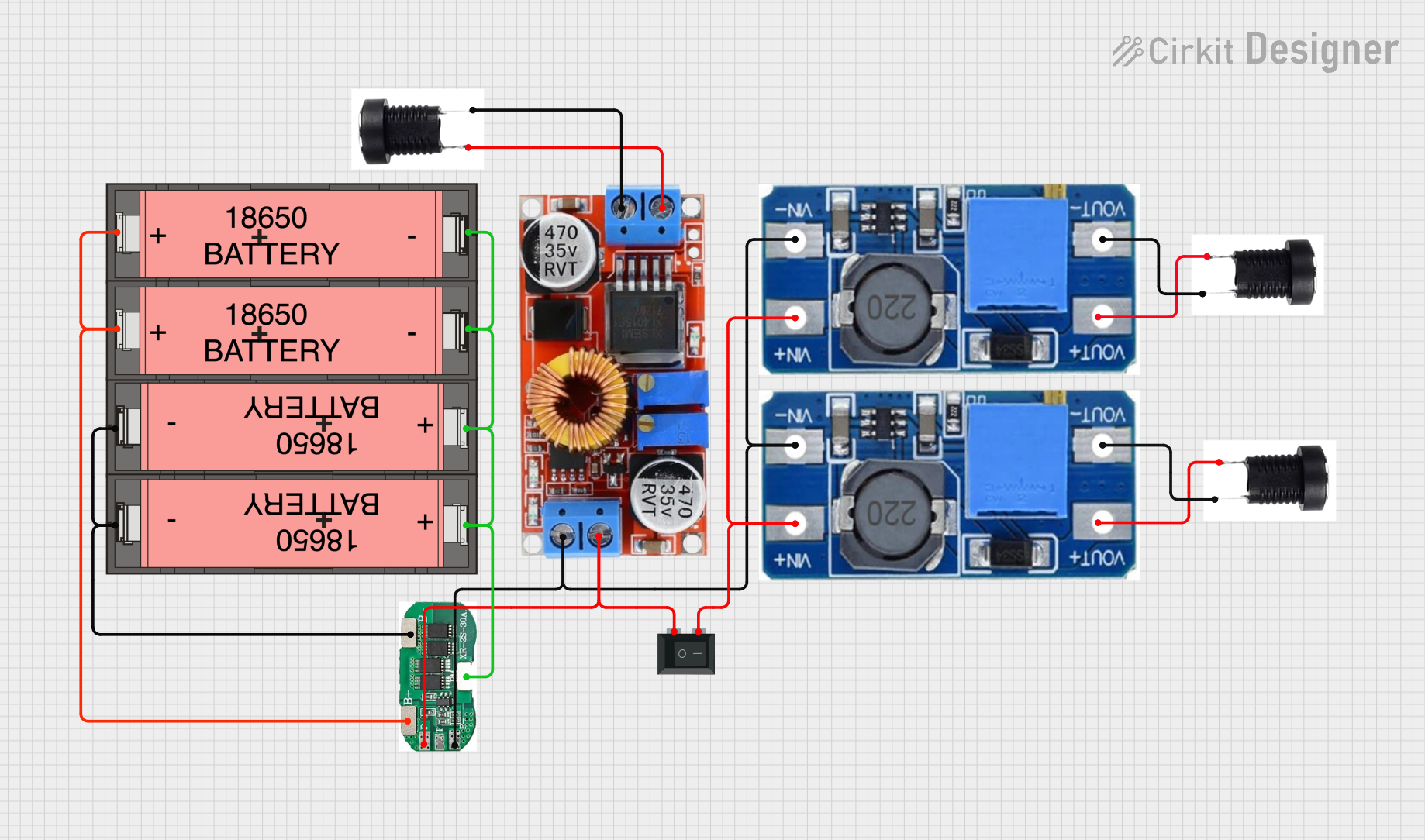
This circuit is a power management system that uses four Li-ion 18650 batteries connected to a 2S 30A BMS for battery management and protection. The system includes step-up and step-down voltage regulators to provide adjustable output voltages, controlled by a rocker switch, and multiple DC jacks for power input and output.
Power banks for charging smartphones, tablets, and other portable devices
Backup power for IoT devices, routers, and small appliances
Robotics and remote-controlled devices
Portable lighting systems
DIY electronics projects requiring high-capacity energy storage
Technical Specifications
The following table outlines the key technical details of the 20000 mAh battery:
Parameter
Value
Battery Type
Lithium-ion (Li-ion) or Lithium-polymer (Li-Po)
Capacity
20000 mAh (20 Ah)
Nominal Voltage
3.7V (single cell) or 7.4V (two cells in series)
Charging Voltage
4.2V (single cell) or 8.4V (two cells in series)
Discharge Current
2A to 5A (continuous, depending on model)
Peak Discharge Current
Up to 10A (short bursts)
Charging Current
1A to 2A (recommended)
Operating Temperature
-20°C to 60°C
Dimensions
Varies by manufacturer
Weight
Typically 300g to 500g
Cycle Life
300 to 500 charge/discharge cycles
Pin Configuration and Descriptions
The battery typically has two or three terminals, depending on the model:
Pin
Label
Description
1
+ (Positive)
Positive terminal for power output and charging.
2
- (Negative)
Negative terminal for power output and charging.
3
BMS (Optional)
Battery Management System (BMS) communication or protection circuit connection.
Usage Instructions
How to Use the 20000 mAh Battery in a Circuit
Connect the Terminals Properly: Ensure the positive terminal (+) is connected to the positive input of your circuit, and the negative terminal (-) is connected to the ground or negative input.
Use a Battery Management System (BMS): To protect the battery from overcharging, over-discharging, and short circuits, always use a BMS. Many 20000 mAh batteries come with an integrated BMS.
Charging the Battery:
Use a compatible charger with the correct voltage and current ratings (e.g., 4.2V for single-cell or 8.4V for two-cell configurations).
Avoid overcharging by using a charger with automatic cutoff functionality.
Discharging the Battery:
Ensure the connected load does not exceed the battery's maximum discharge current.
Monitor the voltage to avoid over-discharging (e.g., do not let the voltage drop below 3.0V per cell).
Important Considerations and Best Practices
Avoid Short Circuits: Directly connecting the positive and negative terminals can damage the battery and pose safety risks.
Temperature Management: Do not expose the battery to extreme temperatures, as this can reduce its lifespan or cause safety hazards.
Storage: Store the battery in a cool, dry place at around 50% charge for long-term storage.
Arduino Integration: When using the battery to power an Arduino UNO, ensure the voltage is regulated to 5V using a voltage regulator or a DC-DC converter.
Example: Powering an Arduino UNO with a 20000 mAh Battery
Below is an example of how to connect the battery to an Arduino UNO using a DC-DC step-up converter to regulate the voltage to 5V:
// Example Arduino code to blink an LED while powered by a 20000 mAh battery
// Ensure the battery voltage is regulated to 5V before connecting to Arduino

void setup() {
  pinMode(13, OUTPUT); // Set pin 13 as an output for the onboard LED
}

void loop() {
  digitalWrite(13, HIGH); // Turn the LED on
  delay(1000);            // Wait for 1 second
  digitalWrite(13, LOW);  // Turn the LED off
  delay(1000);            // Wait for 1 second
}
Wiring Diagram
Connect the battery's positive terminal to the input of the DC-DC converter.
Connect the battery's negative terminal to the ground of the DC-DC converter.
Connect the output of the DC-DC converter (5V and GND) to the Arduino UNO's 5V and GND pins.
Troubleshooting and FAQs
Common Issues and Solutions
Battery Not Charging:
Ensure the charger is compatible with the battery's voltage and current ratings.
Check for loose or damaged connections.
Verify that the BMS is functioning correctly.
Battery Drains Too Quickly:
Check if the connected load exceeds the battery's capacity or discharge current rating.
Ensure the battery is fully charged before use.
Replace the battery if it has reached the end of its cycle life.
Battery Overheats During Use:
Reduce the load to stay within the recommended discharge current.
Ensure proper ventilation around the battery.
Arduino UNO Not Powering On:
Verify that the DC-DC converter is outputting a stable 5V.
Check all connections for proper polarity and secure contact.
FAQs
Q: Can I use this battery to power a Raspberry Pi?
A: Yes, but you will need a DC-DC converter to step up the voltage to 5V and ensure the current output meets the Raspberry Pi's requirements.
Q: How long will the battery last on a single charge?
A: The runtime depends on the load. For example, a device drawing 1A will run for approximately 20 hours (20000 mAh ÷ 1000 mA = 20 hours).
Q: Is it safe to leave the battery connected to a charger?
A: Only if the charger has overcharge protection. Otherwise, disconnect the battery once fully charged.
Q: Can I connect multiple batteries in series or parallel?
A: Yes, but ensure proper balancing and use a BMS designed for the specific configuration.
By following these guidelines, you can safely and effectively use the 20000 mAh battery in your projects.


 Open Project in Cirkit Designer