
How to Use RELAY SRD-05VDC-SL-C: Examples, Pinouts, and Specs
 Design with RELAY SRD-05VDC-SL-C in Cirkit Designer
Introduction
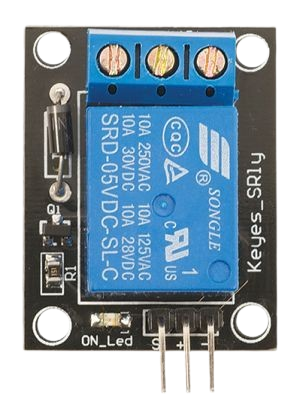
The RELAY SRD-05VDC-SL-C is a 5V DC relay module designed for switching high-voltage devices using low-voltage control signals. It features a Single Pole Double Throw (SPDT) configuration, enabling it to control a wide range of electrical loads, such as lights, motors, and appliances. This relay is commonly used in automation systems, home appliances, and microcontroller-based projects.
Explore Projects Built with RELAY SRD-05VDC-SL-C
 Open Project in Cirkit Designer
 Open Project in Cirkit Designer
 Open Project in Cirkit Designer
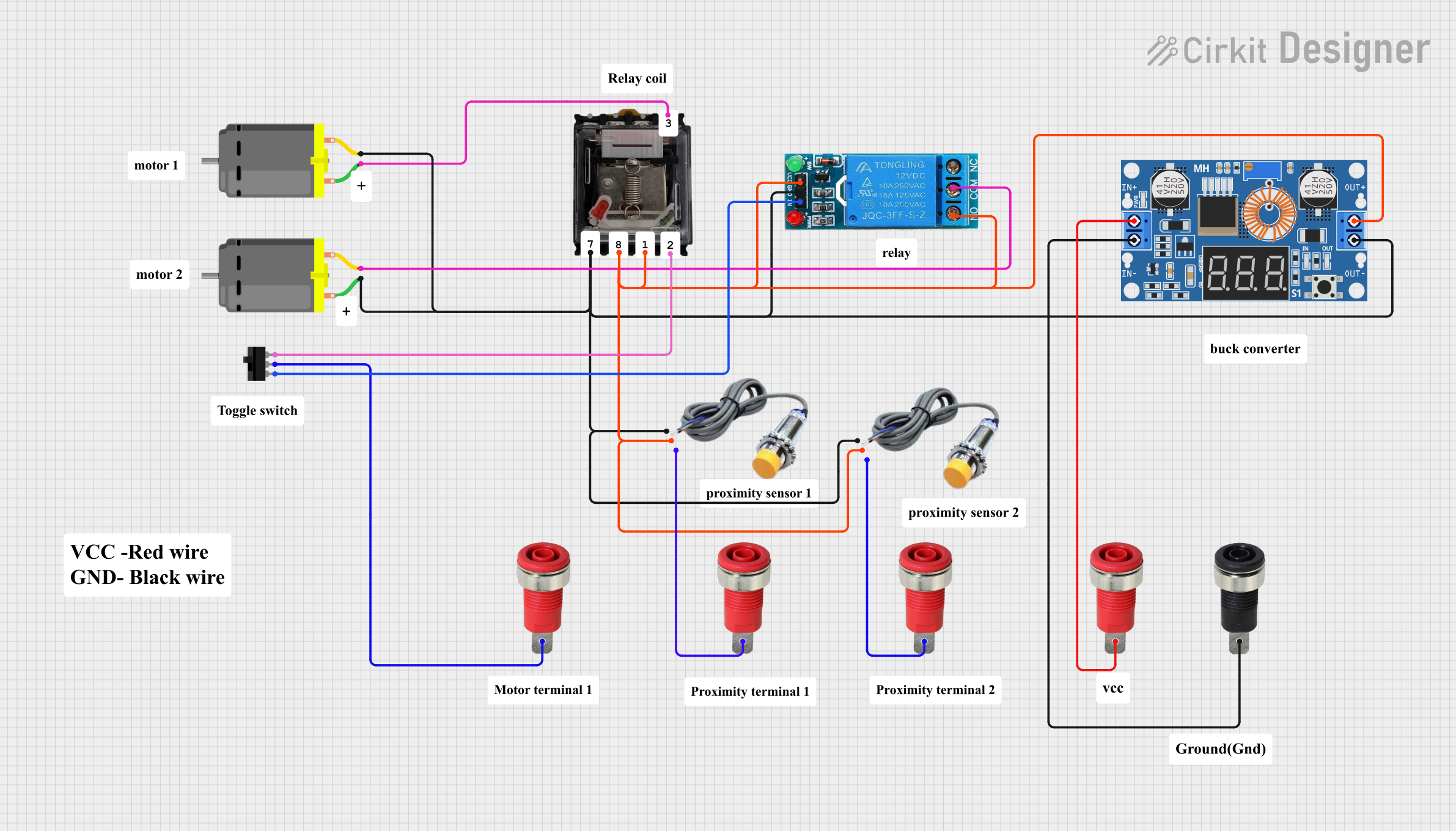 Open Project in Cirkit Designer
Explore Projects Built with RELAY SRD-05VDC-SL-C
Open Project in Cirkit DesignerOpen Project in Cirkit DesignerOpen Project in Cirkit DesignerOpen Project in Cirkit DesignerCommon Applications:
- Home automation systems
- Motor control circuits
- IoT projects for controlling high-power devices
- Industrial automation
- Microcontroller-based switching applications (e.g., Arduino, Raspberry Pi)
Technical Specifications
Below are the key technical details of the RELAY SRD-05VDC-SL-C:
| Parameter | Value |
|---|---|
| Operating Voltage | 5V DC |
| Trigger Voltage | 3.75V to 5V DC |
| Trigger Current | 15-20 mA |
| Contact Type | SPDT (Single Pole Double Throw) |
| Maximum Switching Voltage | 250V AC / 30V DC |
| Maximum Switching Current | 10A |
| Coil Resistance | ~70Ω |
| Isolation | Optocoupler isolation (if part of a module) |
| Dimensions | 19mm x 15.5mm x 15mm |
| Weight | ~10g |
Pin Configuration
The RELAY SRD-05VDC-SL-C typically has 5 pins. Below is the pinout description:
| Pin Name | Description |
|---|---|
| VCC | Connect to the 5V DC power supply. |
| GND | Connect to the ground of the power supply. |
| IN | Control signal input (low voltage, typically from a microcontroller). |
| COM | Common terminal for the relay switch. |
| NO | Normally Open terminal. Connect the load here if you want it to be off by default. |
| NC | Normally Closed terminal. Connect the load here if you want it to be on by default. |
Usage Instructions
How to Use the RELAY SRD-05VDC-SL-C in a Circuit
- Power the Relay: Connect the VCC pin to a 5V DC power source and the GND pin to ground.
- Control Signal: Connect the IN pin to a digital output pin of a microcontroller (e.g., Arduino) or any other control circuit. When the control signal is HIGH, the relay will activate.
- Load Connection:
- Connect the device you want to control (e.g., a light bulb or motor) to the COM and NO or COM and NC terminals, depending on whether you want the device to be normally off or on.
- Ensure the load voltage and current do not exceed the relay's maximum ratings (250V AC / 30V DC, 10A).
Important Considerations and Best Practices
- Isolation: If using a relay module with an optocoupler, ensure proper isolation between the control and load circuits.
- Flyback Diode: When switching inductive loads (e.g., motors), use a flyback diode across the load to protect the relay from voltage spikes.
- Power Supply: Ensure the power supply can provide sufficient current for the relay coil (15-20 mA).
- Safety: When working with high voltages, take necessary precautions to avoid electric shock or damage to components.
Example: Connecting to an Arduino UNO
Below is an example of how to control the RELAY SRD-05VDC-SL-C using an Arduino UNO:
Circuit Connections:
- Connect the relay module's VCC to the Arduino's 5V pin.
- Connect the relay module's GND to the Arduino's GND pin.
- Connect the relay module's IN pin to Arduino digital pin 7.
- Connect the load (e.g., a light bulb) to the COM and NO terminals of the relay.
Arduino Code:
// Define the relay control pin
const int relayPin = 7;

void setup() {
  pinMode(relayPin, OUTPUT); // Set the relay pin as an output
  digitalWrite(relayPin, LOW); // Ensure the relay is off at startup
}

void loop() {
  digitalWrite(relayPin, HIGH); // Turn the relay on
  delay(1000); // Keep it on for 1 second
  digitalWrite(relayPin, LOW); // Turn the relay off
  delay(1000); // Keep it off for 1 second
}
Troubleshooting and FAQs
Common Issues and Solutions
Relay Not Activating:
- Cause: Insufficient control signal voltage or current.
- Solution: Ensure the control signal voltage is between 3.75V and 5V, and the current is at least 15 mA.
Load Not Switching:
- Cause: Incorrect wiring of the load to the relay terminals.
- Solution: Double-check the connections to the COM, NO, and NC terminals.
Relay Clicking but No Output:
- Cause: Faulty relay contacts or excessive load current.
- Solution: Verify the load does not exceed the relay's maximum ratings. Replace the relay if necessary.
Microcontroller Resetting When Relay Activates:
- Cause: Voltage spikes or insufficient power supply.
- Solution: Add a flyback diode across the load and ensure the power supply can handle the relay's current draw.
FAQs
Q1: Can I use the RELAY SRD-05VDC-SL-C with a 3.3V microcontroller?
A1: Yes, but you may need a transistor or MOSFET to amplify the control signal to 5V, as the relay requires at least 3.75V to activate reliably.
Q2: Can this relay switch DC loads?
A2: Yes, it can switch DC loads up to 30V and 10A. Ensure the load does not exceed these ratings.
Q3: Is the relay safe for switching high-power AC devices?
A3: Yes, it can switch AC loads up to 250V and 10A. However, always follow safety precautions when working with high voltages.
Q4: Can I use multiple relays with one microcontroller?
A4: Yes, but ensure the microcontroller can supply sufficient current for all relays or use external drivers if needed.