
How to Use Universal Coin Selector: Examples, Pinouts, and Specs
 Design with Universal Coin Selector in Cirkit Designer
Introduction
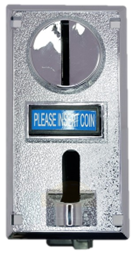
The Universal Coin Selector is a device designed to automatically identify and sort coins based on their size, weight, and metallic composition. It is widely used in vending machines, arcade machines, coin-operated laundry systems, and other automated payment systems. This component ensures accurate coin validation and rejection of counterfeit or invalid coins, making it an essential part of secure and efficient coin-operated devices.
Explore Projects Built with Universal Coin Selector
 Open Project in Cirkit Designer
 Open Project in Cirkit Designer
 Open Project in Cirkit Designer
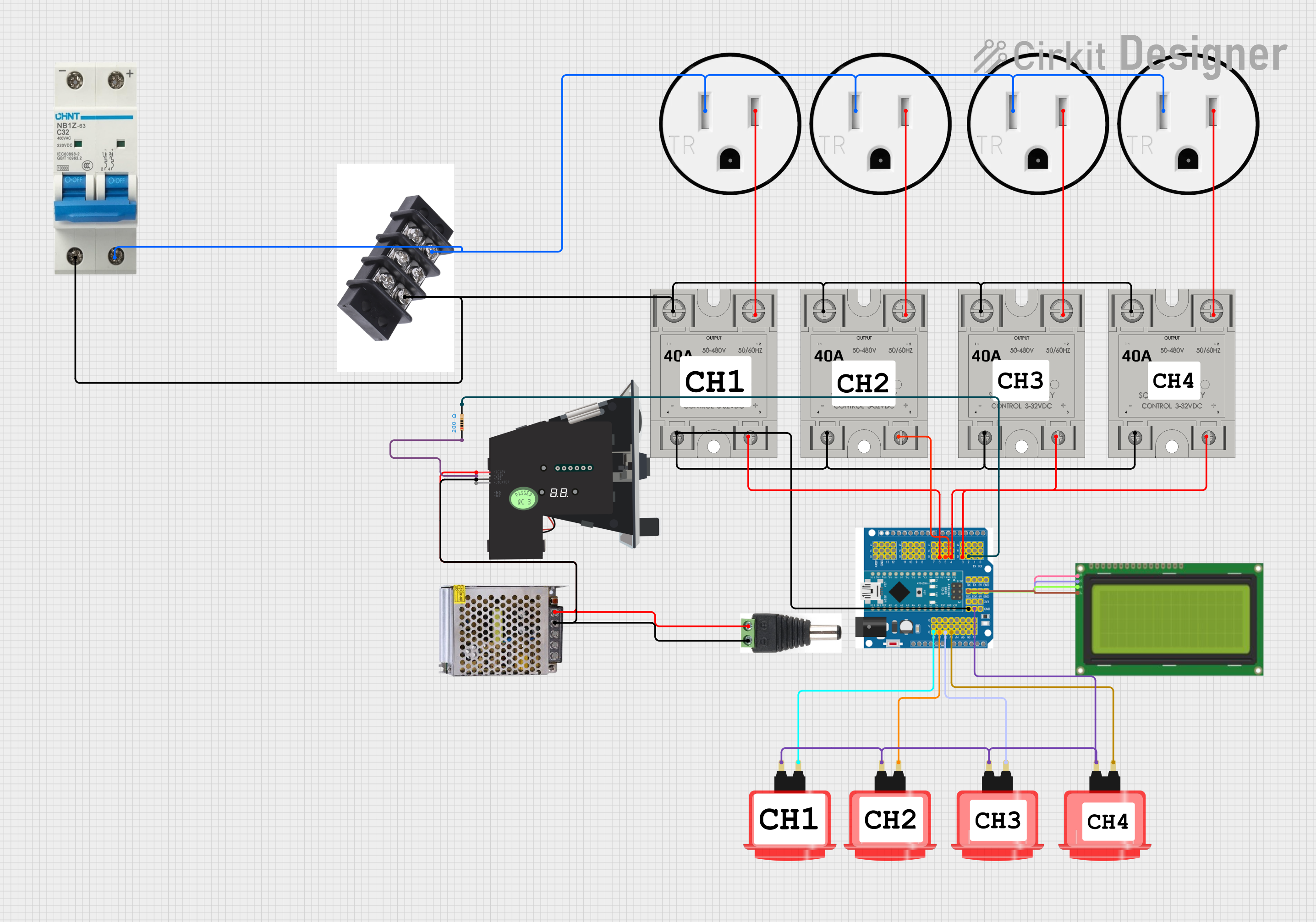 Open Project in Cirkit Designer
Explore Projects Built with Universal Coin Selector
Open Project in Cirkit DesignerOpen Project in Cirkit DesignerOpen Project in Cirkit DesignerOpen Project in Cirkit DesignerCommon Applications
- Vending machines
- Arcade and gaming machines
- Coin-operated laundry systems
- Parking meters
- Public telephones
- Toll booths
Technical Specifications
Key Technical Details
| Parameter | Specification |
|---|---|
| Operating Voltage | 12V DC |
| Operating Current | 65mA (idle), up to 500mA (active) |
| Coin Diameter Range | 15mm to 32mm |
| Coin Thickness Range | 1.2mm to 3.8mm |
| Coin Material Detection | Ferrous and non-ferrous metals |
| Output Signal | Pulse signal (TTL level) |
| Response Time | < 0.5 seconds |
| Interface Type | 3-wire or 6-wire connection |
| Dimensions | Varies by model (e.g., 120mm x 60mm x 30mm) |
Pin Configuration and Descriptions
3-Wire Interface
| Pin Number | Name | Description |
|---|---|---|
| 1 | VCC | Power supply input (12V DC) |
| 2 | GND | Ground |
| 3 | OUT | Pulse output signal for coin detection |
6-Wire Interface
| Pin Number | Name | Description |
|---|---|---|
| 1 | VCC | Power supply input (12V DC) |
| 2 | GND | Ground |
| 3 | OUT1 | Pulse output for coin type 1 |
| 4 | OUT2 | Pulse output for coin type 2 |
| 5 | OUT3 | Pulse output for coin type 3 |
| 6 | INHIBIT | Inhibit signal to disable coin input |
Usage Instructions
How to Use the Universal Coin Selector in a Circuit
- Power Supply: Connect the
VCCpin to a 12V DC power source and theGNDpin to ground. - Output Signal: Connect the
OUTpin (orOUT1,OUT2, etc., for multi-coin models) to the input pin of a microcontroller or other processing unit. - Inhibit Signal (Optional): For models with an
INHIBITpin, apply a HIGH signal to disable coin acceptance or a LOW signal to enable it. - Mounting: Secure the coin selector in the desired position using screws or brackets. Ensure the coin slot is accessible.
- Calibration: Some models allow calibration for specific coin types. Refer to the manufacturer's instructions for programming accepted coins.
Important Considerations
- Power Stability: Ensure a stable 12V DC power supply to avoid malfunctions.
- Coin Compatibility: Verify that the coin selector is programmed to accept the desired coin types.
- Signal Processing: Use a microcontroller (e.g., Arduino UNO) to process the pulse signals and determine the coin type.
- Environmental Conditions: Avoid exposure to excessive dust, moisture, or extreme temperatures, as these can affect performance.
Example: Connecting to an Arduino UNO
Below is an example of how to connect and program the Universal Coin Selector with an Arduino UNO to detect coins.
Circuit Connections
- Connect the
VCCpin of the coin selector to the Arduino'sVINpin (or an external 12V power source). - Connect the
GNDpin of the coin selector to the Arduino'sGNDpin. - Connect the
OUTpin of the coin selector to Arduino digital pin2.
Arduino Code
// Universal Coin Selector Example with Arduino UNO
// This code reads pulse signals from the coin selector and counts coins.

const int coinPin = 2;  // Pin connected to the OUT pin of the coin selector
volatile int coinCount = 0;  // Counter for detected coins

void setup() {
  pinMode(coinPin, INPUT);  // Set coinPin as input
  attachInterrupt(digitalPinToInterrupt(coinPin), coinInserted, RISING);
  // Attach an interrupt to detect rising edges on coinPin
  Serial.begin(9600);  // Initialize serial communication
}

void loop() {
  // Print the coin count to the Serial Monitor
  Serial.print("Coins Inserted: ");
  Serial.println(coinCount);
  delay(1000);  // Update every second
}

// Interrupt Service Routine (ISR) for coin detection
void coinInserted() {
  coinCount++;  // Increment the coin counter
}
Notes
- Ensure the coin selector is properly calibrated for the coins you intend to use.
- The
coinInsertedISR increments the coin count each time a valid coin is detected.
Troubleshooting and FAQs
Common Issues and Solutions
| Issue | Possible Cause | Solution |
|---|---|---|
| No response from the selector | Incorrect wiring or no power supply | Verify all connections and ensure a stable 12V DC supply. |
| Rejecting valid coins | Miscalibration or dirty coin path | Clean the coin path and recalibrate the selector. |
| Multiple pulses for one coin | Electrical noise or faulty wiring | Use proper shielding and check for loose connections. |
| Inconsistent detection | Environmental interference or damaged unit | Avoid extreme conditions and inspect for physical damage. |
FAQs
Can the coin selector handle multiple coin types?
- Yes, most models can be programmed to accept multiple coin types, with separate output signals for each.
What happens if an invalid coin is inserted?
- The coin selector will reject the coin, and no output pulse will be generated.
Can I use the coin selector with a 5V microcontroller?
- Yes, but you will need a level shifter or voltage divider to safely interface the 12V output signal with the 5V microcontroller.
How do I clean the coin selector?
- Use a soft, dry cloth to clean the coin path. Avoid using water or abrasive materials.
By following this documentation, you can effectively integrate and troubleshoot the Universal Coin Selector in your projects.