Introduction
The HC-SR04 Ultrasonic Distance Sensor is a popular and cost-effective solution for measuring distance without contact. It operates by emitting ultrasonic sound waves and then listening for an echo once these waves bounce off an object. This sensor is widely used in robotics for obstacle avoidance, in security systems, and for automatic distance measurement in various DIY projects.
Common Applications and Use Cases
- Robotics: Obstacle detection and navigation
- Security systems: Proximity detection
- Automotive: Parking assistance systems
- DIY projects: Distance measurement and interactive installations
Technical Specifications
Key Technical Details
- Operating Voltage: 5V DC
- Current Consumption: 15 mA
- Acoustic Emission Frequency: 40 kHz
- Max Range: 4m
- Min Range: 2cm
- Resolution: 3mm
- Measuring Angle: 15 degrees
Pin Configuration and Descriptions
Usage Instructions
How to Use the Component in a Circuit
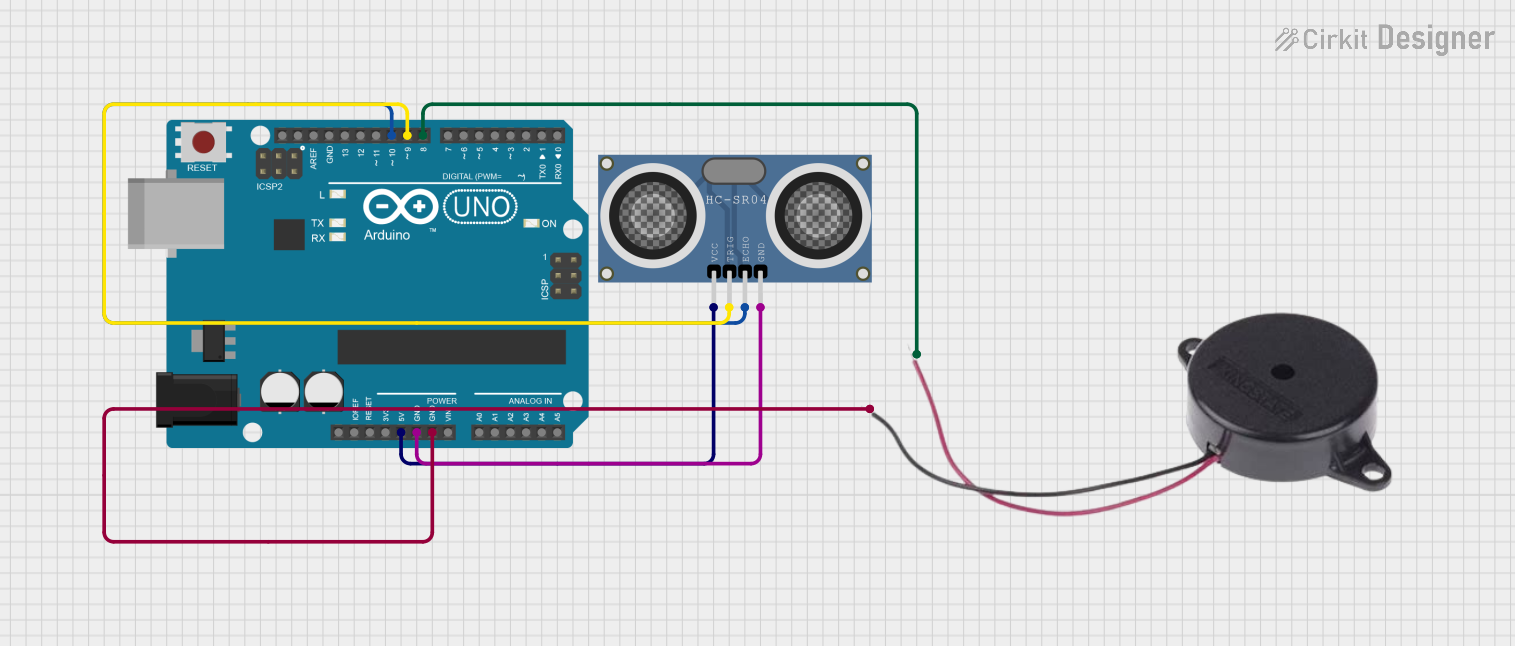
Power Supply: Connect the VCC pin to a 5V power supply and the GND pin to the ground.
Triggering the Sensor: Send a 10µs TTL pulse to the TRIG pin to start the measurement.
Receiving the Echo: Monitor the ECHO pin; the duration of the high signal will give you the time interval between sending and receiving the echo.
Calculating Distance: Use the following formula to calculate the distance:
Distance (in cm) = (Time x Speed of Sound (34300 cm/s)) / 2
Important Considerations and Best Practices
- Ensure that the sensor is mounted on a stable surface to avoid false readings due to vibrations.
- Avoid using the sensor in environments with high dust, humidity, or temperature extremes, as these can affect the accuracy.
- The sensor should not be used to measure absorbent materials like cloth, as they may not reflect sound waves properly.
- Keep the sensor away from noisy environments as this can interfere with the ultrasonic signals.
Example Code for Arduino UNO
#include <NewPing.h>

#define TRIGGER_PIN  12  // Arduino pin tied to trigger pin on the sensor.
#define ECHO_PIN     11  // Arduino pin tied to echo pin on the sensor.
#define MAX_DISTANCE 400 // Maximum distance we want to ping for (in centimeters).

NewPing sonar(TRIGGER_PIN, ECHO_PIN, MAX_DISTANCE); // NewPing setup of pins and maximum distance.

void setup() {
  Serial.begin(9600); // Open serial monitor at 9600 baud to see ping results.
}

void loop() {
  delay(50); // Wait 50ms between pings (about 20 pings/sec). 29ms should be the shortest delay between pings.
  unsigned int uS = sonar.ping(); // Send ping, get ping time in microseconds (uS).
  Serial.print("Ping: ");
  Serial.print(uS / US_ROUNDTRIP_CM); // Convert time into distance and print result (0 = outside set distance range)
  Serial.println("cm");
}
Troubleshooting and FAQs
Common Issues Users Might Face
- Inaccurate Readings: Ensure that the sensor is not facing any obstacles that are too close or too far. Also, check for any electrical noise or interference.
- No Readings: Verify that the wiring is correct and that the sensor is receiving the correct voltage. Also, ensure that the trigger pulse is being sent correctly.
Solutions and Tips for Troubleshooting
- Check Connections: Double-check all connections, especially the VCC and GND pins, to ensure they are secure.
- Avoid Obstacles: Make sure the path between the sensor and the object is clear of any obstructions.
- Use Libraries: Utilize Arduino libraries like
NewPing for easier implementation and more reliable readings.
FAQs
Q: What is the maximum range of the HC-SR04 sensor?
A: The maximum range is approximately 4 meters, but optimal performance is found within 2 meters.
Q: Can the HC-SR04 sensor detect soft materials?
A: Soft and absorbent materials may not reflect sound waves well, leading to less reliable readings.
Q: How can I increase the accuracy of the sensor?
A: Ensure stable mounting, avoid interference, and use averaging of multiple readings to increase accuracy.


 Open Project in Cirkit Designer