
How to Use Type-c Power Bank Module: Examples, Pinouts, and Specs
 Design with Type-c Power Bank Module in Cirkit Designer
Introduction
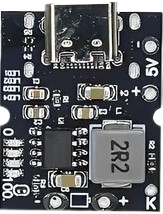
The Type-C Power Bank Module, manufactured by Arduino/ESP32, is a compact and efficient energy management solution designed for charging devices via a Type-C USB connection. This module integrates advanced features such as overcharge protection, battery level indicators, and support for fast charging. It is ideal for portable power bank applications, DIY electronics projects, and energy storage systems.
Explore Projects Built with Type-c Power Bank Module
 Open Project in Cirkit Designer
 Open Project in Cirkit Designer
 Open Project in Cirkit Designer
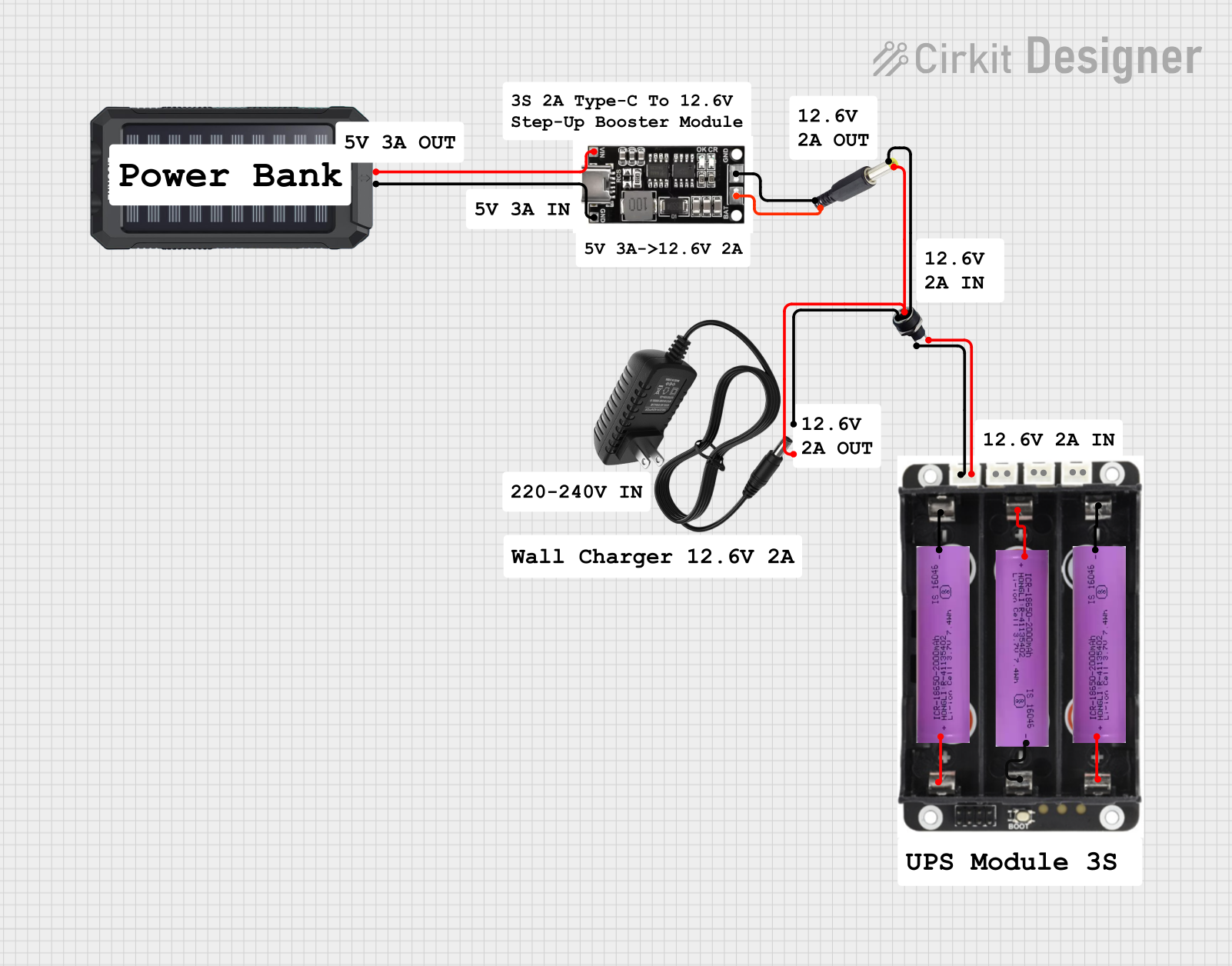 Open Project in Cirkit Designer
Explore Projects Built with Type-c Power Bank Module
Open Project in Cirkit DesignerOpen Project in Cirkit DesignerOpen Project in Cirkit DesignerOpen Project in Cirkit DesignerCommon Applications and Use Cases
- Portable power banks for smartphones, tablets, and other USB-powered devices.
- DIY electronics projects requiring a rechargeable power source.
- Backup power solutions for small IoT devices.
- Integration into wearable technology for on-the-go charging.
Technical Specifications
The following table outlines the key technical details of the Type-C Power Bank Module:
| Parameter | Specification |
|---|---|
| Input Voltage Range | 5V (via Type-C USB input) |
| Output Voltage | 5V (regulated) |
| Maximum Output Current | 2A (standard), 3A (fast charging) |
| Battery Compatibility | 3.7V Lithium-Ion or Lithium-Polymer cells |
| Charging Current | 1A (default), adjustable up to 2A |
| Protection Features | Overcharge, over-discharge, short circuit |
| Battery Level Indicators | 4 LEDs (25%, 50%, 75%, 100%) |
| Dimensions | 25mm x 50mm x 10mm |
Pin Configuration and Descriptions
The module includes several pins and connectors for input, output, and battery connections. The table below describes each pin:
| Pin/Connector | Description |
|---|---|
| Type-C Input | USB Type-C port for charging the battery. |
| BAT+ | Positive terminal for the 3.7V Li-ion/Li-Po battery. |
| BAT- | Negative terminal for the 3.7V Li-ion/Li-Po battery. |
| OUT+ | Positive terminal for 5V output. |
| OUT- | Negative terminal for 5V output. |
| LED Indicators | 4 LEDs to display battery charge level. |
Usage Instructions
How to Use the Module in a Circuit
- Connect the Battery: Attach a 3.7V Lithium-Ion or Lithium-Polymer battery to the BAT+ and BAT- terminals. Ensure correct polarity to avoid damage.
- Power Input: Use a Type-C USB cable to connect the module to a 5V power source for charging the battery.
- Output Connection: Connect the device to be charged to the OUT+ and OUT- terminals or use the Type-C output port.
- Monitor Battery Level: Observe the LED indicators to check the battery charge status:
- 1 LED: 25% charge
- 2 LEDs: 50% charge
- 3 LEDs: 75% charge
- 4 LEDs: 100% charge
Important Considerations and Best Practices
- Battery Selection: Use only high-quality 3.7V Lithium-Ion or Lithium-Polymer batteries to ensure safety and optimal performance.
- Heat Management: Avoid operating the module in high-temperature environments to prevent overheating.
- Fast Charging: Ensure the connected power source supports fast charging if you intend to use the module's fast charging feature.
- Polarity Check: Double-check all connections to avoid reversing polarity, which can damage the module.
Example: Using the Module with an Arduino UNO
The Type-C Power Bank Module can be used to power an Arduino UNO. Below is an example of how to connect and use the module:
- Connect the OUT+ and OUT- terminals of the module to the Arduino UNO's 5V and GND pins, respectively.
- Ensure the battery is fully charged before powering the Arduino UNO.
Here is a simple Arduino sketch to blink an LED while powered by the module:
// Blink an LED using power from the Type-C Power Bank Module
const int ledPin = 13; // Pin connected to the onboard LED

void setup() {
  pinMode(ledPin, OUTPUT); // Set the LED pin as an output
}

void loop() {
  digitalWrite(ledPin, HIGH); // Turn the LED on
  delay(1000);                // Wait for 1 second
  digitalWrite(ledPin, LOW);  // Turn the LED off
  delay(1000);                // Wait for 1 second
}
Troubleshooting and FAQs
Common Issues and Solutions
Module Not Charging the Battery
- Cause: Incorrect battery connection or damaged battery.
- Solution: Verify the battery polarity and ensure the battery is functional.
No Output Voltage
- Cause: Battery is fully discharged or module is damaged.
- Solution: Recharge the battery or inspect the module for physical damage.
LED Indicators Not Working
- Cause: Faulty LEDs or improper connections.
- Solution: Check the LED connections and replace any damaged LEDs.
Overheating During Operation
- Cause: Excessive current draw or high ambient temperature.
- Solution: Reduce the load on the module and ensure proper ventilation.
FAQs
Q: Can I use this module with a 12V battery?
A: No, the module is designed for 3.7V Lithium-Ion or Lithium-Polymer batteries only.
Q: Does the module support reverse charging?
A: No, the module does not support reverse charging. Always connect the battery and load correctly.
Q: Can I charge multiple devices simultaneously?
A: Yes, but ensure the total current draw does not exceed the module's maximum output current (3A).
Q: Is the module compatible with fast charging protocols like QC or PD?
A: The module supports basic fast charging but may not be fully compatible with advanced protocols like Quick Charge (QC) or Power Delivery (PD). Check the specifications of your power source and device for compatibility.