
How to Use Adafruit ADS122C04 24-Bit ADC - 4 Channel 2-kSPS - STEMMA QT / Qwiic: Examples, Pinouts, and Specs
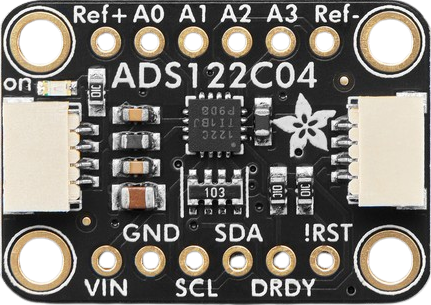
 Design with Adafruit ADS122C04 24-Bit ADC - 4 Channel 2-kSPS - STEMMA QT / Qwiic in Cirkit Designer
Introduction
The Adafruit ADS122C04 (Part ID: 6432) is a high-resolution analog-to-digital converter (ADC) designed for precision measurement applications. With 24-bit resolution and a sampling rate of up to 2,000 samples per second (2 kSPS), this ADC is ideal for applications requiring accurate and reliable analog signal conversion. It features four input channels, making it suitable for multi-sensor setups, and is equipped with STEMMA QT / Qwiic connectors for seamless integration into I2C-based systems.
Explore Projects Built with Adafruit ADS122C04 24-Bit ADC - 4 Channel 2-kSPS - STEMMA QT / Qwiic
 Open Project in Cirkit Designer
 Open Project in Cirkit Designer
 Open Project in Cirkit Designer
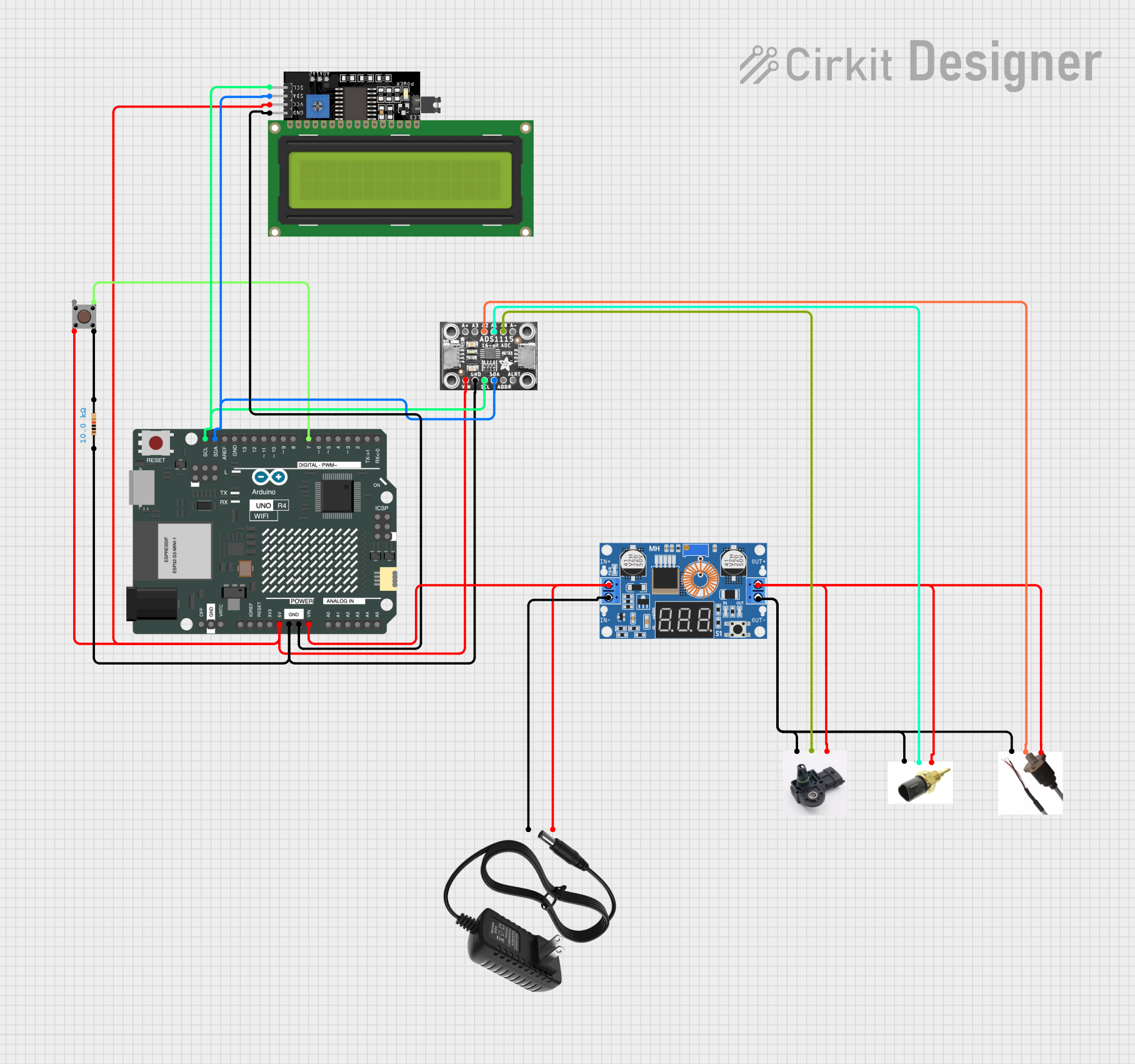 Open Project in Cirkit Designer
Explore Projects Built with Adafruit ADS122C04 24-Bit ADC - 4 Channel 2-kSPS - STEMMA QT / Qwiic
Open Project in Cirkit DesignerOpen Project in Cirkit DesignerOpen Project in Cirkit DesignerOpen Project in Cirkit DesignerCommon Applications
- Precision sensor measurements (e.g., temperature, pressure, or strain gauges)
- Data acquisition systems
- Industrial automation and control
- Scientific instrumentation
- IoT devices requiring high-resolution analog data
Technical Specifications
The following table outlines the key technical specifications of the Adafruit ADS122C04:
| Parameter | Value |
|---|---|
| Resolution | 24-bit |
| Sampling Rate | Up to 2,000 samples per second |
| Input Channels | 4 |
| Input Voltage Range | 0 to 5V (single-ended) |
| Interface | I2C |
| Operating Voltage | 3.3V or 5V |
| Current Consumption | ~1.5 mA (typical) |
| Operating Temperature Range | -40°C to +125°C |
| Dimensions | 25mm x 17mm x 4mm |
Pin Configuration and Descriptions
The Adafruit ADS122C04 features the following pinout:
| Pin Name | Type | Description |
|---|---|---|
| VIN | Power Input | Power supply input (3.3V or 5V). |
| GND | Ground | Ground connection. |
| SDA | I2C Data | Serial data line for I2C communication. |
| SCL | I2C Clock | Serial clock line for I2C communication. |
| AIN0 | Analog Input | Analog input channel 0. |
| AIN1 | Analog Input | Analog input channel 1. |
| AIN2 | Analog Input | Analog input channel 2. |
| AIN3 | Analog Input | Analog input channel 3. |
| STEMMA QT | I2C Connector | STEMMA QT / Qwiic connector for plug-and-play I2C integration. |
Usage Instructions
How to Use the Component in a Circuit
- Power the ADC: Connect the VIN pin to a 3.3V or 5V power source and the GND pin to ground.
- Connect to I2C: Use the SDA and SCL pins to connect the ADC to your microcontroller's I2C bus. Alternatively, use the STEMMA QT / Qwiic connector for a plug-and-play setup.
- Connect Analog Inputs: Attach your analog sensors or signals to the AIN0–AIN3 pins. Ensure the input voltage does not exceed the ADC's input range (0–5V).
- Configure the ADC: Use the I2C interface to configure the ADC settings, such as sampling rate, gain, and input channel selection.
Important Considerations and Best Practices
- Input Voltage Range: Ensure that the input signals are within the ADC's specified range (0–5V). Use a voltage divider or level shifter if necessary.
- Noise Reduction: Minimize noise by using short, shielded cables for analog inputs and placing decoupling capacitors near the ADC.
- I2C Pull-Up Resistors: If your system does not already include pull-up resistors on the I2C lines, add 4.7kΩ resistors to SDA and SCL.
- Power Supply Stability: Use a stable and clean power supply to avoid introducing noise into the ADC measurements.
Example Code for Arduino UNO
Below is an example of how to use the Adafruit ADS122C04 with an Arduino UNO:
#include <Wire.h>
#include <Adafruit_ADS1X15.h>

// Create an instance of the ADS122C04 ADC
Adafruit_ADS1115 ads; // Note: ADS1115 library is compatible with ADS122C04

void setup() {
  Serial.begin(9600);
  while (!Serial); // Wait for Serial Monitor to open

  // Initialize I2C communication
  if (!ads.begin()) {
    Serial.println("Failed to initialize ADS122C04. Check connections!");
    while (1);
  }
  Serial.println("ADS122C04 initialized successfully!");

  // Set gain to 1 (default) for full-scale input range of ±4.096V
  ads.setGain(GAIN_ONE);
}

void loop() {
  // Read analog value from channel 0
  int16_t adcValue = ads.readADC_SingleEnded(0);

  // Convert ADC value to voltage
  float voltage = adcValue * 0.125; // 0.125mV per bit for GAIN_ONE

  // Print the voltage to Serial Monitor
  Serial.print("Channel 0 Voltage: ");
  Serial.print(voltage);
  Serial.println(" mV");

  delay(1000); // Wait 1 second before next reading
}
Troubleshooting and FAQs
Common Issues
ADC Not Detected on I2C Bus
- Cause: Incorrect wiring or missing pull-up resistors on SDA/SCL lines.
- Solution: Verify connections and ensure 4.7kΩ pull-up resistors are present.
Inaccurate Readings
- Cause: Noise or input signals exceeding the ADC's range.
- Solution: Use shielded cables, decoupling capacitors, and ensure input signals are within 0–5V.
No Output on Serial Monitor
- Cause: Incorrect baud rate or failed ADC initialization.
- Solution: Check the Serial Monitor baud rate (set to 9600) and verify the ADC is properly powered and connected.
FAQs
Q: Can I use this ADC with a 3.3V microcontroller?
A: Yes, the ADS122C04 is compatible with both 3.3V and 5V systems.
Q: What is the maximum sampling rate?
A: The ADC supports a maximum sampling rate of 2,000 samples per second (2 kSPS).
Q: Can I use all four channels simultaneously?
A: The ADC can measure one channel at a time. You can switch between channels programmatically using the I2C interface.
Q: Is the ADS122C04 compatible with Raspberry Pi?
A: Yes, the ADC can be used with Raspberry Pi via the I2C interface. Use the STEMMA QT / Qwiic connector for easy integration.
Q: Do I need an external clock for the ADC?
A: No, the ADS122C04 has an internal oscillator and does not require an external clock.