
How to Use Zener Diode 5.1V: Examples, Pinouts, and Specs
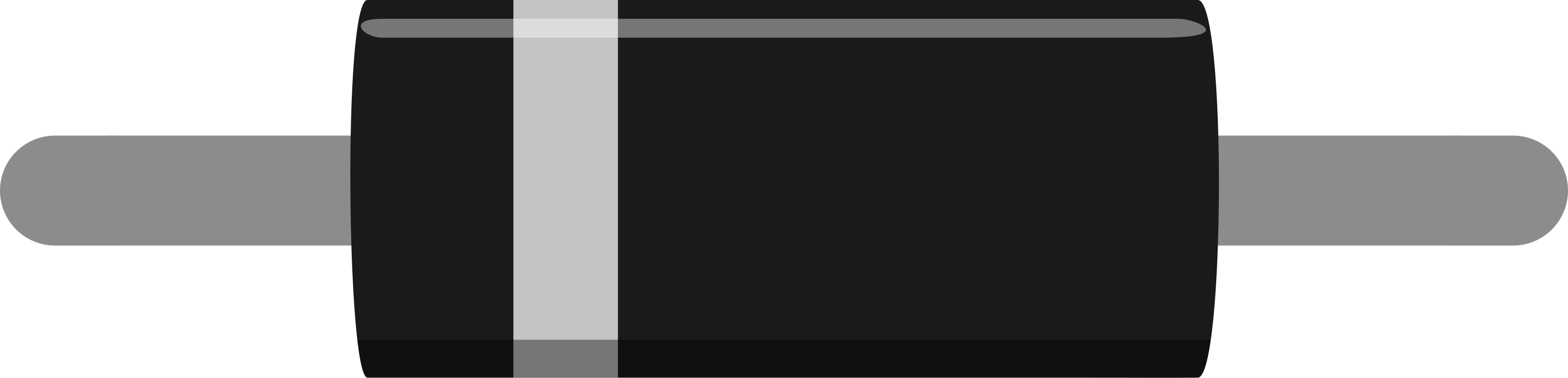
 Design with Zener Diode 5.1V in Cirkit Designer
Introduction
The Zener Diode 5.1V is a specialized semiconductor device designed to maintain a constant voltage of 5.1 volts when reverse-biased. Unlike standard diodes, which block current in the reverse direction, the Zener diode allows current to flow in reverse once the breakdown voltage (5.1V in this case) is reached. This makes it an essential component for voltage regulation, overvoltage protection, and reference voltage generation in electronic circuits.
Explore Projects Built with Zener Diode 5.1V
 Open Project in Cirkit Designer
 Open Project in Cirkit Designer
 Open Project in Cirkit Designer
 Open Project in Cirkit Designer
Explore Projects Built with Zener Diode 5.1V
Open Project in Cirkit DesignerOpen Project in Cirkit DesignerOpen Project in Cirkit DesignerOpen Project in Cirkit DesignerCommon Applications and Use Cases
- Voltage regulation in power supplies
- Overvoltage protection for sensitive components
- Reference voltage generation in analog and digital circuits
- Clipping and clamping circuits
- Waveform shaping and signal conditioning
Technical Specifications
Below are the key technical details and pin configuration for the Zener Diode 5.1V:
Key Technical Details
| Parameter | Value |
|---|---|
| Zener Voltage (Vz) | 5.1V |
| Tolerance | ±5% |
| Maximum Power Dissipation | 500mW (typical) |
| Maximum Zener Current (Iz max) | 100mA |
| Minimum Zener Current (Iz min) | 5mA |
| Reverse Leakage Current (Ir) | ≤ 5µA @ Vr = 1V |
| Operating Temperature | -55°C to +150°C |
| Package Type | DO-35 or SMD (varies by model) |
Pin Configuration
| Pin Number | Name | Description |
|---|---|---|
| 1 | Cathode (-) | Connected to the negative terminal or ground in reverse-bias mode. |
| 2 | Anode (+) | Connected to the positive terminal in reverse-bias mode. |
Usage Instructions
How to Use the Zener Diode 5.1V in a Circuit
- Voltage Regulation: Connect the Zener diode in reverse bias (cathode to the positive voltage source and anode to ground). Place a current-limiting resistor in series with the diode to prevent excessive current flow.
- Overvoltage Protection: Place the Zener diode across the load. When the input voltage exceeds 5.1V, the diode will conduct and clamp the voltage to 5.1V, protecting the load.
- Reference Voltage: Use the Zener diode in reverse bias to provide a stable 5.1V reference for analog or digital circuits.
Important Considerations and Best Practices
- Current Limiting: Always use a resistor in series with the Zener diode to limit the current. Calculate the resistor value using Ohm's Law:
[ R = \frac{V_{in} - V_z}{I_z} ]
where (V_{in}) is the input voltage, (V_z) is the Zener voltage (5.1V), and (I_z) is the desired Zener current. - Power Dissipation: Ensure the power dissipation ((P = V_z \times I_z)) does not exceed the diode's maximum rating (500mW).
- Polarity: Double-check the polarity of the diode before connecting it to the circuit. Reversing the connections in forward bias will not achieve the desired voltage regulation.
Example: Using the Zener Diode with an Arduino UNO
The Zener diode can be used to protect the Arduino UNO's input pins from overvoltage. Below is an example circuit and code:
Circuit Setup
- Connect the Zener diode (5.1V) in reverse bias across the input pin and ground.
- Use a 1kΩ resistor in series with the input signal to limit the current.
Arduino Code
// Example code to read a voltage-protected input pin
// The Zener diode clamps the input voltage to 5.1V to protect the Arduino pin.

const int inputPin = A0; // Analog pin A0 for voltage measurement

void setup() {
  Serial.begin(9600); // Initialize serial communication
  pinMode(inputPin, INPUT); // Set the pin as input
}

void loop() {
  int sensorValue = analogRead(inputPin); // Read the input voltage
  float voltage = sensorValue * (5.0 / 1023.0);
  // Convert the analog reading to voltage (5V reference, 10-bit ADC)

  Serial.print("Input Voltage: ");
  Serial.print(voltage);
  Serial.println(" V");

  delay(1000); // Wait for 1 second before the next reading
}
Troubleshooting and FAQs
Common Issues and Solutions
Zener Diode Overheating:
- Cause: Excessive current through the diode.
- Solution: Use a higher-value series resistor to limit the current.
Voltage Not Clamping at 5.1V:
- Cause: Incorrect polarity or insufficient input voltage.
- Solution: Verify the diode's orientation and ensure the input voltage exceeds 5.1V.
Circuit Not Working as Expected:
- Cause: Incorrect resistor value or damaged diode.
- Solution: Recalculate the resistor value and replace the diode if necessary.
FAQs
Q: Can I use the Zener diode without a series resistor?
A: No, a series resistor is essential to limit the current and prevent the diode from overheating or failing.
Q: What happens if the input voltage is below 5.1V?
A: The Zener diode will not conduct, and the output voltage will be the same as the input voltage.
Q: Can I use the Zener diode for AC voltage regulation?
A: Zener diodes are typically used for DC voltage regulation. For AC applications, additional components like rectifiers are required.
Q: How do I test if my Zener diode is working?
A: Use a multimeter in diode mode. In reverse bias, the diode should conduct only when the voltage exceeds 5.1V.