The FS-600R, manufactured by CONOTEC, is a high-performance power supply unit designed for reliable operation in a wide range of electronic applications. It provides stable voltage and current output, ensuring consistent performance for sensitive electronic devices. With built-in protection features, the FS-600R is ideal for applications requiring dependable power delivery and safety.
Explore Projects Built with FS-600R
Use Cirkit Designer to design, explore, and prototype these projects online. Some projects support real-time simulation. Click "Open Project" to start designing instantly!
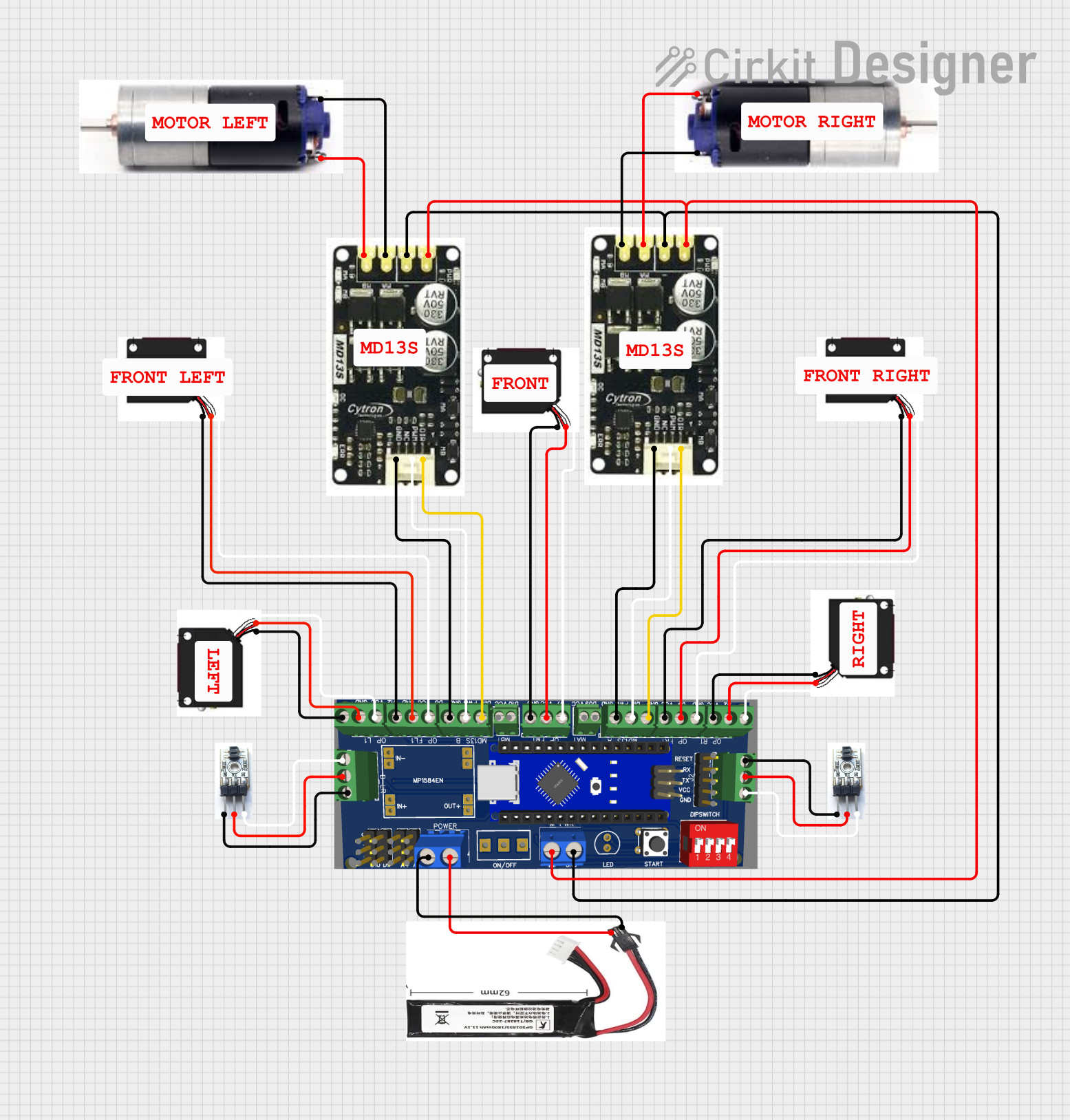
This circuit is designed for a robotic system, featuring a Massive Sumo Board as the central controller. It integrates multiple FS-80NK diffuse IR sensors and IR line sensors for obstacle detection and line following, respectively, and controls two GM25 DC motors via MD13s motor drivers for movement. Power is supplied by an 11.1V LiPo battery.
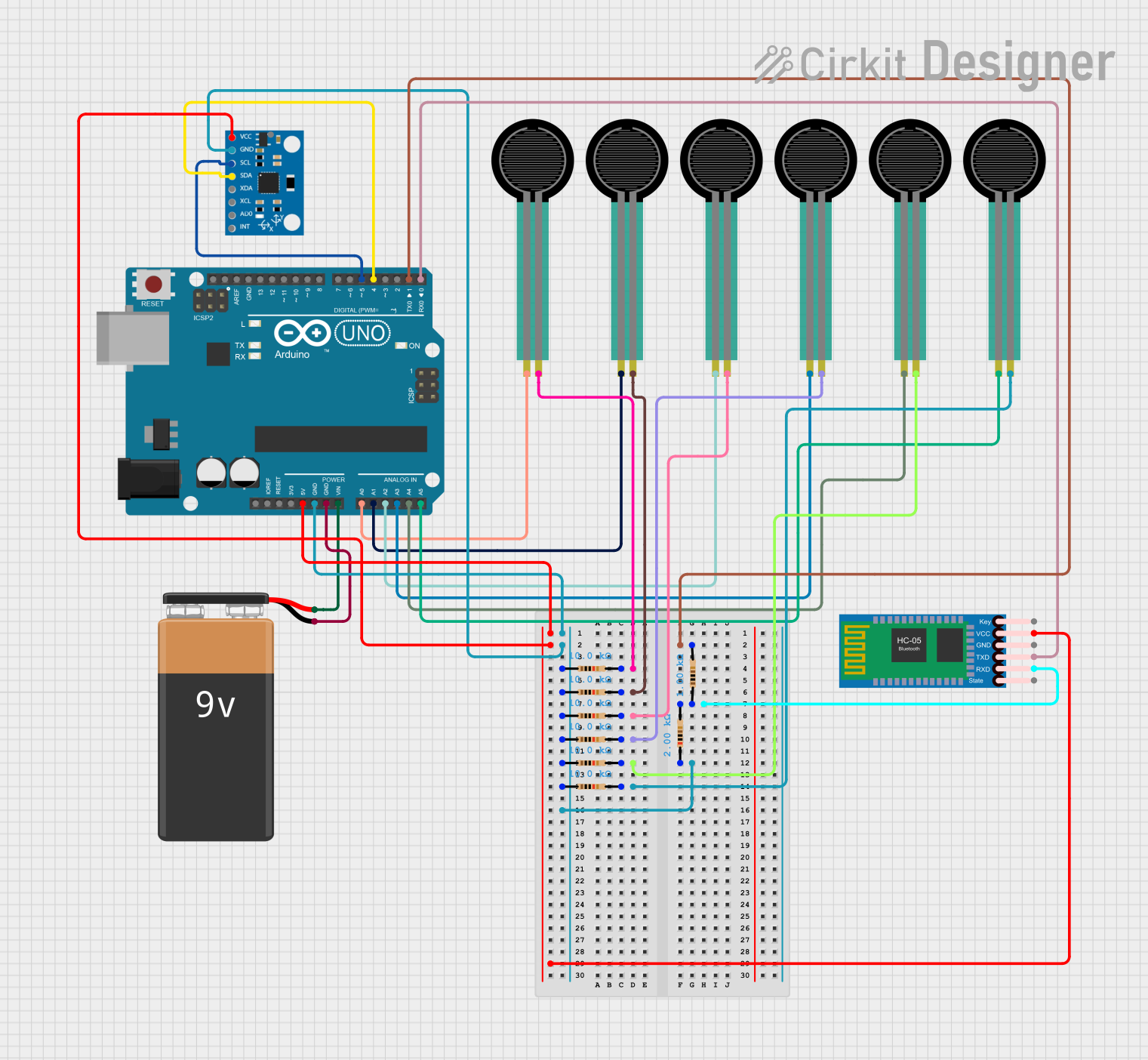
This circuit is designed to measure force using multiple force sensing resistors (FSRs) and transmit the data wirelessly via an HC-05 Bluetooth module. An Arduino UNO microcontroller reads the analog signals from the FSRs, processes the data, and communicates with the MPU6050 sensor for additional motion sensing capabilities.
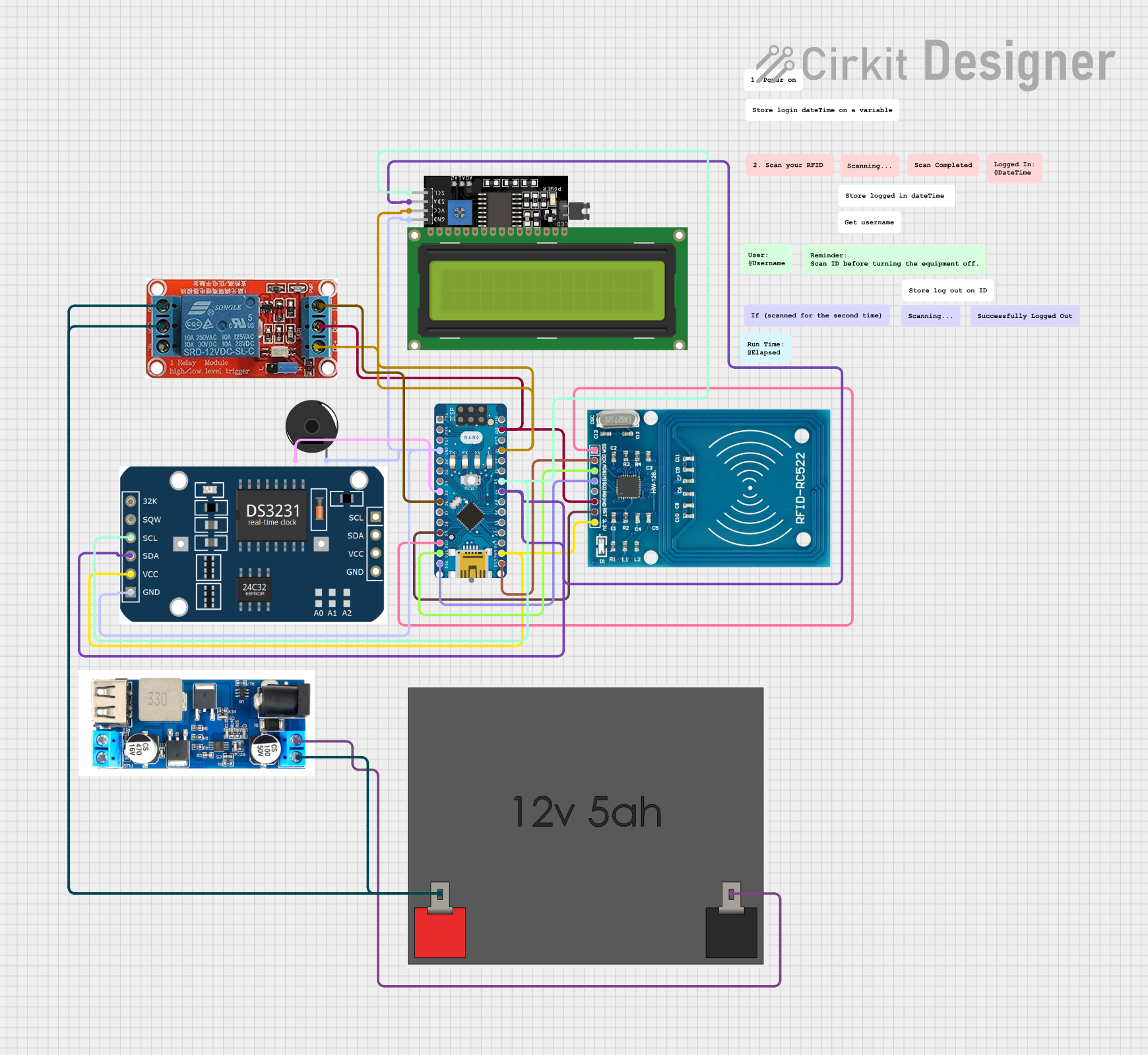
This circuit is an RFID-based time tracking system that uses an Arduino Nano to interface with an RFID reader, an RTC module, an LCD display, a piezo buzzer, and a relay. The system logs and displays login and logout times, sounds a buzzer upon button press, and controls a relay to power an external device.
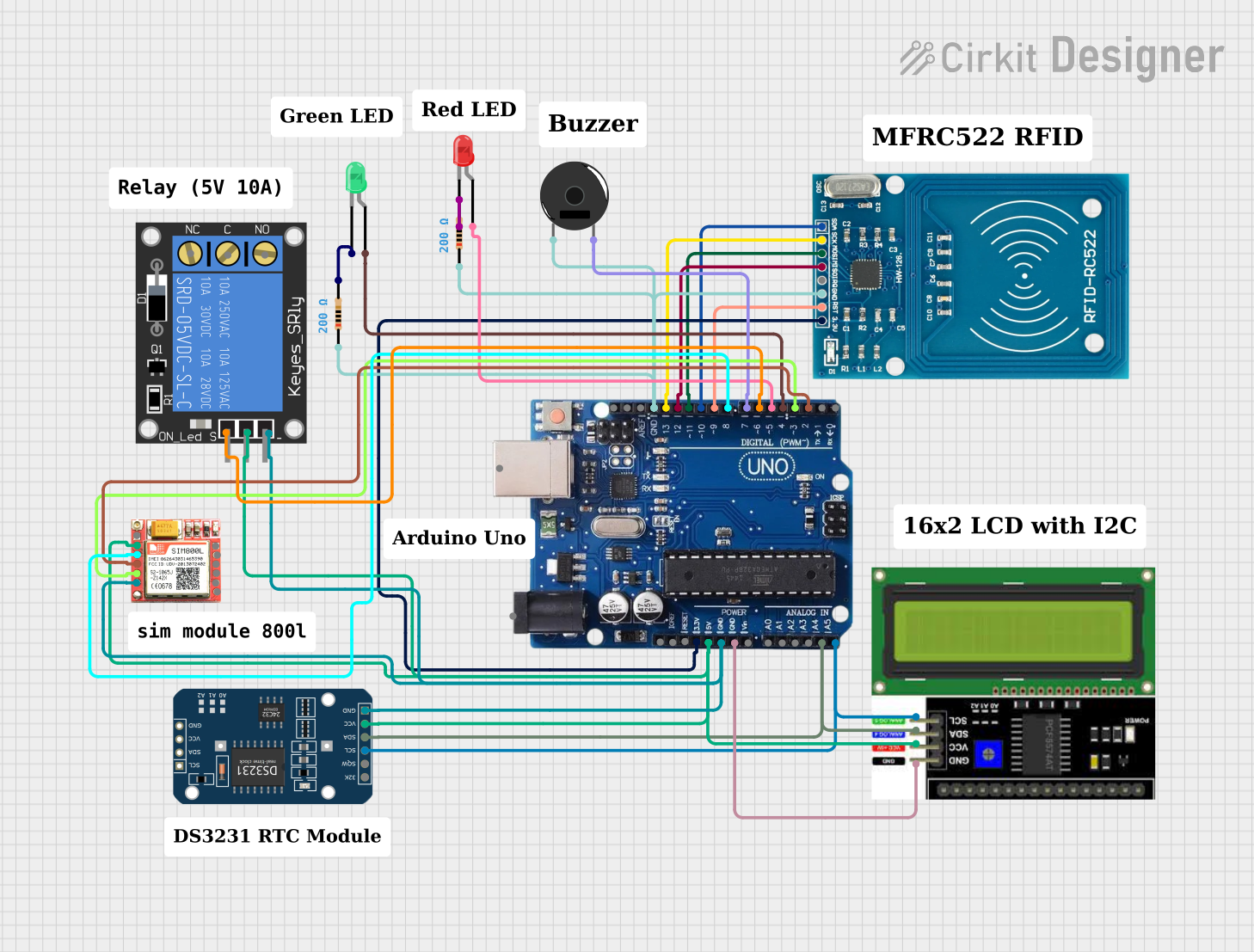
This circuit is an RFID-based attendance system that uses an Arduino Uno R3 as the main controller. It features an RFID reader for scanning tags, an RTC module for timekeeping, an LCD display and a buzzer for user feedback, and a SIM800L module for sending SMS notifications. Additionally, it controls access with a relay and provides visual status indicators with red and green LEDs.
Protection Features: Overvoltage, overcurrent, and short-circuit protection
Dimensions: 120mm x 80mm x 40mm
Weight: 300g
Pin Configuration and Descriptions
The FS-600R features a simple terminal block for input and output connections. Below is the pin configuration:
Pin Number
Label
Description
1
L (Line)
AC input live wire (100–240V AC)
2
N (Neutral)
AC input neutral wire
3
GND
Ground connection for safety
4
+V
Positive DC output terminal (12V DC)
5
-V
Negative DC output terminal (ground for DC output)
Usage Instructions
How to Use the FS-600R in a Circuit
Input Connection:
Connect the AC input terminals (L and N) to a 100–240V AC power source.
Ensure the ground (GND) terminal is properly connected to the earth for safety.
Output Connection:
Connect the +V terminal to the positive input of your load or circuit.
Connect the -V terminal to the ground of your load or circuit.
Power On:
After verifying all connections, switch on the AC power supply.
The FS-600R will provide a stable 12V DC output to your connected load.
Load Considerations:
Ensure the total current drawn by the load does not exceed 5A.
For optimal performance, operate the FS-600R within its specified temperature range.
Important Considerations and Best Practices
Always double-check the polarity of the output connections to avoid damage to your load.
Use appropriate fuses or circuit breakers on the input side for added protection.
Avoid exposing the FS-600R to excessive heat, moisture, or dust.
If using the FS-600R with sensitive electronics, consider adding additional filtering capacitors to the output for enhanced stability.
Example: Using FS-600R with Arduino UNO
The FS-600R can be used to power an Arduino UNO by connecting its 12V DC output to the Arduino's VIN and GND pins. Below is an example code to blink an LED connected to the Arduino:
// Example code to blink an LED using Arduino UNO powered by FS-600R

const int ledPin = 13; // Pin connected to the onboard LED

void setup() {
  pinMode(ledPin, OUTPUT); // Set the LED pin as an output
}

void loop() {
  digitalWrite(ledPin, HIGH); // Turn the LED on
  delay(1000);                // Wait for 1 second
  digitalWrite(ledPin, LOW);  // Turn the LED off
  delay(1000);                // Wait for 1 second
}
Note: Ensure the FS-600R's output voltage is within the Arduino's acceptable input range (7–12V on VIN).
Troubleshooting and FAQs
Common Issues and Solutions
Issue
Possible Cause
Solution
No output voltage
Incorrect input connections
Verify AC input connections (L, N, and GND).
Output voltage fluctuates
Overloaded or unstable input power
Reduce load or check input power stability.
Device overheats
Operating beyond rated current or temperature
Reduce load or improve ventilation.
Short-circuit protection triggered
Output terminals shorted
Check and correct output connections.
FAQs
Can the FS-600R power multiple devices simultaneously?
Yes, as long as the total current drawn by all devices does not exceed 5A.
What happens if the load exceeds 5A?
The FS-600R's overcurrent protection will activate, shutting down the output to prevent damage.
Can I use the FS-600R outdoors?
The FS-600R is not weatherproof. Use it only in dry, indoor environments.
Is the FS-600R compatible with 24V systems?
No, the FS-600R provides a fixed 12V DC output and is not suitable for 24V systems.
By following this documentation, users can effectively integrate the FS-600R into their projects and ensure reliable operation.


 Open Project in Cirkit Designer