
How to Use AC Adapter Plug: Examples, Pinouts, and Specs
 Design with AC Adapter Plug in Cirkit Designer
Introduction
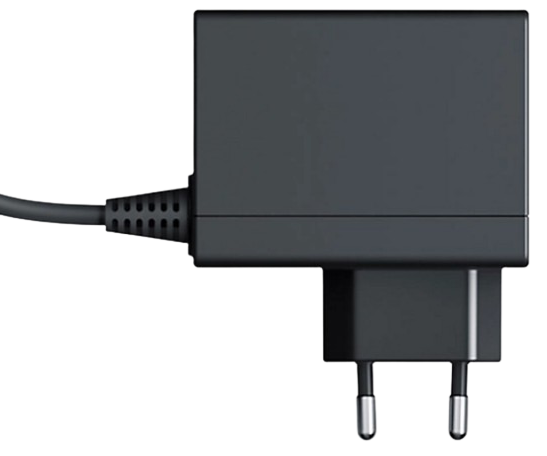
An AC adapter plug is a device that converts alternating current (AC) from a standard wall outlet into direct current (DC) to power electronic devices. It is commonly used to supply power to laptops, routers, small appliances, and other electronic devices that require a specific DC voltage and current. AC adapter plugs are available in various voltage and current ratings to suit different applications.
Explore Projects Built with AC Adapter Plug
 Open Project in Cirkit Designer
 Open Project in Cirkit Designer
 Open Project in Cirkit Designer
 Open Project in Cirkit Designer
Explore Projects Built with AC Adapter Plug
Open Project in Cirkit DesignerOpen Project in Cirkit DesignerOpen Project in Cirkit DesignerOpen Project in Cirkit DesignerCommon Applications and Use Cases
- Powering laptops, tablets, and smartphones
- Supplying power to routers, modems, and network devices
- Charging batteries for portable devices
- Operating small household appliances
- Providing power to DIY electronics projects
Technical Specifications
The technical specifications of an AC adapter plug vary depending on the model and intended application. Below are the general specifications for a typical AC adapter plug:
General Specifications
| Parameter | Description |
|---|---|
| Input Voltage | 100-240V AC, 50/60 Hz |
| Output Voltage | 5V, 9V, 12V, 19V, or other DC voltages |
| Output Current | 0.5A to 5A (varies by model) |
| Power Rating | 5W to 100W |
| Connector Type | Barrel plug, USB, or proprietary |
| Efficiency | ≥ 80% (varies by model) |
| Protection Features | Overvoltage, overcurrent, short circuit |
Pin Configuration and Descriptions
For AC adapter plugs with a barrel connector, the pin configuration is typically as follows:
| Pin Name | Description |
|---|---|
| Outer Sleeve | Ground (negative terminal) |
| Inner Pin | Positive terminal (DC output voltage) |
For USB-based AC adapters, the pin configuration follows the USB standard:
| Pin Name | Description |
|---|---|
| VBUS | +5V DC (or higher for USB-C PD) |
| D- | Data line (negative) |
| D+ | Data line (positive) |
| GND | Ground (negative terminal) |
Usage Instructions
How to Use the Component in a Circuit
- Select the Correct Adapter: Ensure the AC adapter's output voltage and current match the requirements of your device. Using an incorrect adapter can damage your device.
- Connect to the Wall Outlet: Plug the AC adapter into a standard wall outlet (100-240V AC).
- Connect to the Device: Insert the adapter's output connector (e.g., barrel plug or USB) into the device's power input port.
- Power On the Device: Turn on the device if it does not power on automatically.
Important Considerations and Best Practices
- Voltage and Current Ratings: Always verify that the adapter's output voltage and current match the device's specifications.
- Polarity: For barrel connectors, ensure the polarity (positive and negative terminals) matches the device's requirements.
- Avoid Overloading: Do not exceed the adapter's maximum power rating, as this can cause overheating or failure.
- Use in Dry Environments: Avoid using the adapter in wet or humid conditions to prevent electrical hazards.
- Check for Certifications: Use adapters with safety certifications (e.g., UL, CE) to ensure reliability and safety.
Example: Using an AC Adapter with an Arduino UNO
To power an Arduino UNO using an AC adapter:
- Use an adapter with a 9V DC output and at least 500mA current.
- Connect the barrel plug to the Arduino's power jack.
- Ensure the polarity is correct (center pin positive, outer sleeve negative).
Here is an example Arduino sketch to verify the board is powered correctly:
// Simple LED blink program to test Arduino power
// Connect an LED to pin 13 with a resistor

void setup() {
  pinMode(13, OUTPUT); // Set pin 13 as an output
}

void loop() {
  digitalWrite(13, HIGH); // Turn the LED on
  delay(1000);            // Wait for 1 second
  digitalWrite(13, LOW);  // Turn the LED off
  delay(1000);            // Wait for 1 second
}
Troubleshooting and FAQs
Common Issues Users Might Face
Device Does Not Power On:
- Check if the wall outlet is functional.
- Verify the adapter's output voltage and current match the device's requirements.
- Ensure the connector is securely plugged into the device.
Overheating Adapter:
- Ensure the adapter is not overloaded by checking the device's power consumption.
- Use the adapter in a well-ventilated area to prevent overheating.
Intermittent Power:
- Inspect the adapter's cable and connector for damage or loose connections.
- Replace the adapter if the cable is frayed or the connector is faulty.
Device Not Charging:
- Confirm the adapter's output voltage and polarity match the device's input requirements.
- Check if the device's charging port is clean and free of debris.
Solutions and Tips for Troubleshooting
- Use a multimeter to measure the adapter's output voltage and verify it matches the specifications.
- Replace the adapter if it shows signs of physical damage or if the output voltage is unstable.
- For USB adapters, try using a different USB cable to rule out cable issues.
- If the adapter has a removable fuse, check and replace the fuse if it is blown.
By following these guidelines, you can ensure safe and effective use of your AC adapter plug.