
How to Use Lipo Battery: Examples, Pinouts, and Specs
 Design with Lipo Battery in Cirkit Designer
Introduction
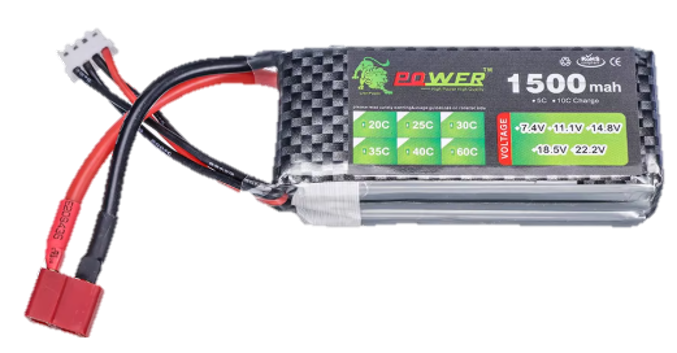
A lithium polymer (LiPo) battery is a type of rechargeable battery that uses a polymer electrolyte instead of a liquid electrolyte. It is known for its high energy density, lightweight design, and ability to deliver high discharge rates. These characteristics make LiPo batteries ideal for applications such as drones, RC vehicles, portable electronics, and other devices requiring compact and efficient power sources.
LiPo batteries are widely used in hobbyist projects, robotics, and consumer electronics due to their versatility and performance. However, they require careful handling and proper charging to ensure safety and longevity.
Explore Projects Built with Lipo Battery
 Open Project in Cirkit Designer
 Open Project in Cirkit Designer
 Open Project in Cirkit Designer
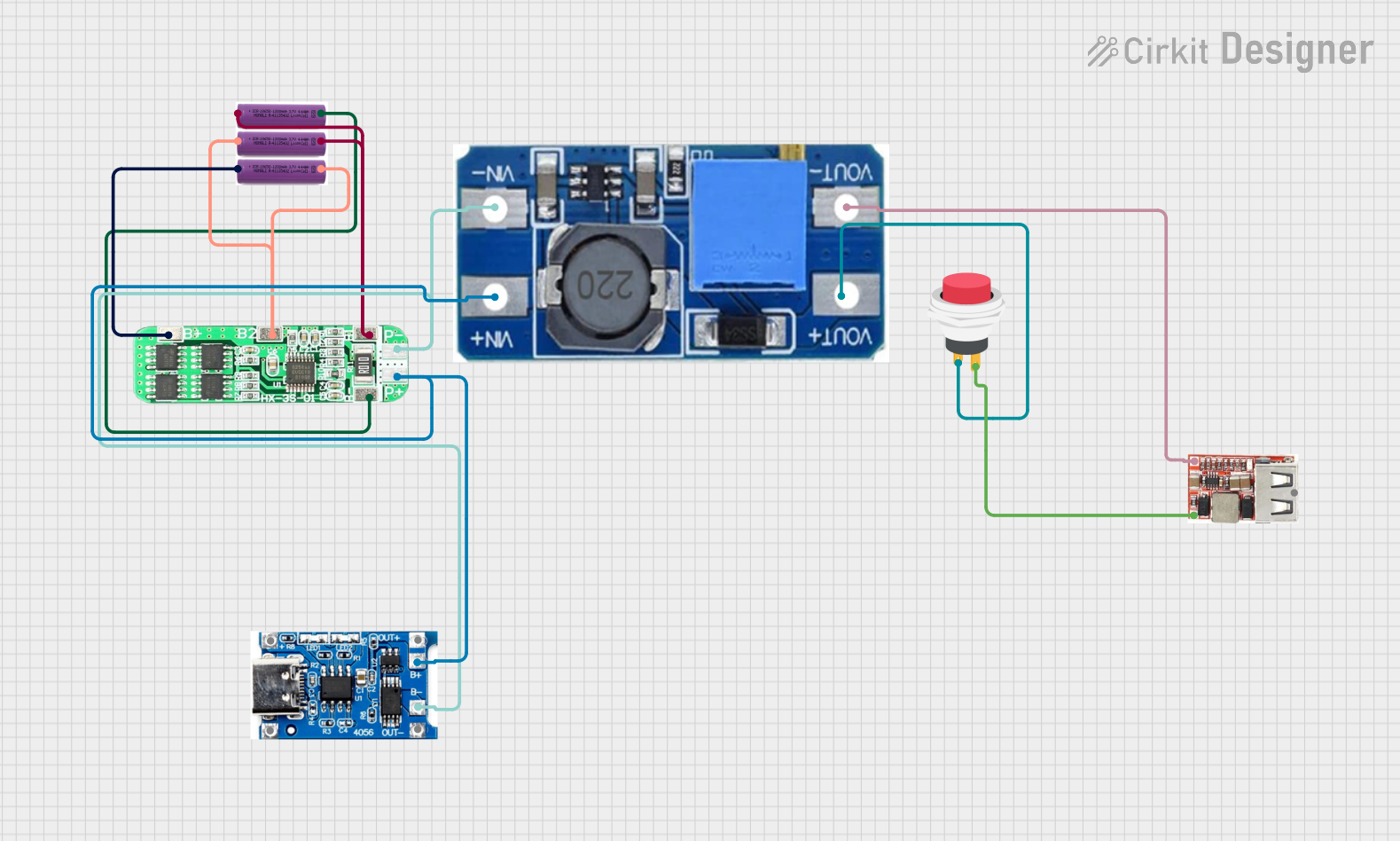 Open Project in Cirkit Designer
Explore Projects Built with Lipo Battery
Open Project in Cirkit DesignerOpen Project in Cirkit DesignerOpen Project in Cirkit DesignerOpen Project in Cirkit DesignerTechnical Specifications
Below are the general technical specifications of a typical LiPo battery. Note that specific values may vary depending on the model and manufacturer.
Key Technical Details
- Nominal Voltage: 3.7V per cell (fully charged: 4.2V, fully discharged: ~3.0V)
- Capacity: Ranges from 100mAh to several thousand mAh
- Discharge Rate (C-Rating): Typically 1C to 100C (varies by model)
- Charging Voltage: 4.2V per cell (maximum)
- Charging Current: Typically 1C (e.g., for a 1000mAh battery, charge at 1A)
- Connector Types: JST, XT60, XT90, or custom connectors
- Cell Configuration: Single-cell (1S) or multi-cell (e.g., 2S, 3S, etc.)
- Operating Temperature: 0°C to 60°C (charging), -20°C to 60°C (discharging)
Pin Configuration and Descriptions
LiPo batteries typically have two types of connectors: a power connector and a balance connector (for multi-cell batteries). Below is a description of these connectors:
Power Connector
| Pin Name | Description |
|---|---|
| + (Positive) | Positive terminal for power output |
| - (Negative) | Negative terminal for power output |
Balance Connector (for multi-cell batteries)
| Pin Name | Description |
|---|---|
| Cell 1+ | Positive terminal of the first cell |
| Cell 1- | Negative terminal of the first cell (or ground for single-cell batteries) |
| Cell 2+ | Positive terminal of the second cell (only for 2S or higher configurations) |
| Cell 2- | Negative terminal of the second cell (and so on for higher configurations) |
Usage Instructions
How to Use the Component in a Circuit
Connecting the Battery:
- Ensure the device or circuit is compatible with the battery's voltage and current ratings.
- Connect the power connector to the device's input terminals, ensuring correct polarity.
- For multi-cell batteries, use the balance connector with a compatible charger to ensure safe and even charging of all cells.
Charging the Battery:
- Use a LiPo-compatible charger with a balance charging feature for multi-cell batteries.
- Set the charger to the correct cell count (e.g., 1S, 2S, 3S) and charging current (typically 1C).
- Monitor the charging process and avoid overcharging (voltage above 4.2V per cell).
Discharging the Battery:
- Avoid discharging below 3.0V per cell to prevent damage.
- Use a battery monitoring circuit or voltage alarm to track the voltage during use.
Important Considerations and Best Practices
- Safety:
- Never puncture, crush, or expose the battery to fire or water.
- Store the battery in a fireproof container when not in use.
- Avoid short-circuiting the terminals.
- Storage:
- Store the battery at a voltage of 3.7V to 3.85V per cell for long-term storage.
- Keep the battery in a cool, dry place.
- Handling:
- Inspect the battery for swelling or damage before use.
- Dispose of damaged or swollen batteries properly at a recycling facility.
Example: Using a LiPo Battery with an Arduino UNO
Below is an example of powering an Arduino UNO using a LiPo battery and a voltage regulator (if required):
/* Example: Reading battery voltage using Arduino UNO
   This code reads the voltage of a LiPo battery connected to an analog pin.
   Ensure the battery voltage is within the safe range for the Arduino's ADC.
*/

const int batteryPin = A0;  // Analog pin connected to the battery
const float voltageDividerRatio = 2.0;  // Adjust based on your resistor divider
const float referenceVoltage = 5.0;     // Arduino's reference voltage (5V)

void setup() {
  Serial.begin(9600);  // Initialize serial communication
}

void loop() {
  int rawValue = analogRead(batteryPin);  // Read the analog value
  float batteryVoltage = (rawValue / 1023.0) * referenceVoltage * voltageDividerRatio;

  // Print the battery voltage to the Serial Monitor
  Serial.print("Battery Voltage: ");
  Serial.print(batteryVoltage);
  Serial.println(" V");

  delay(1000);  // Wait for 1 second before the next reading
}
Note: Use a voltage divider circuit to scale down the battery voltage if it exceeds the Arduino's input voltage range (0-5V).
Troubleshooting and FAQs
Common Issues Users Might Face
Battery Swelling:
- Cause: Overcharging, over-discharging, or physical damage.
- Solution: Stop using the battery immediately and dispose of it safely.
Battery Not Charging:
- Cause: Faulty charger, incorrect settings, or damaged battery.
- Solution: Verify the charger settings and connections. Replace the charger or battery if necessary.
Short Battery Life:
- Cause: Frequent over-discharging or improper storage.
- Solution: Avoid discharging below 3.0V per cell and store at the recommended voltage.
Device Not Powering On:
- Cause: Incorrect polarity or insufficient voltage.
- Solution: Check the connections and ensure the battery voltage matches the device's requirements.
Solutions and Tips for Troubleshooting
- Use a multimeter to measure the battery voltage and verify proper operation.
- Always use a balance charger for multi-cell batteries to prevent cell imbalance.
- If the battery becomes hot during use, reduce the load or check for short circuits.
By following these guidelines, you can safely and effectively use LiPo batteries in your projects and devices.