The Relay12V 4channel is a 4-channel relay module designed to control multiple devices using a 12V power supply. It acts as an interface between low-power control systems (e.g., microcontrollers) and high-power devices, enabling the safe switching of high voltage loads. This module is widely used in home automation, industrial control systems, and robotics to control appliances, motors, lights, and other high-power devices.
Explore Projects Built with Relay12V 4channel
Use Cirkit Designer to design, explore, and prototype these projects online. Some projects support real-time simulation. Click "Open Project" to start designing instantly!
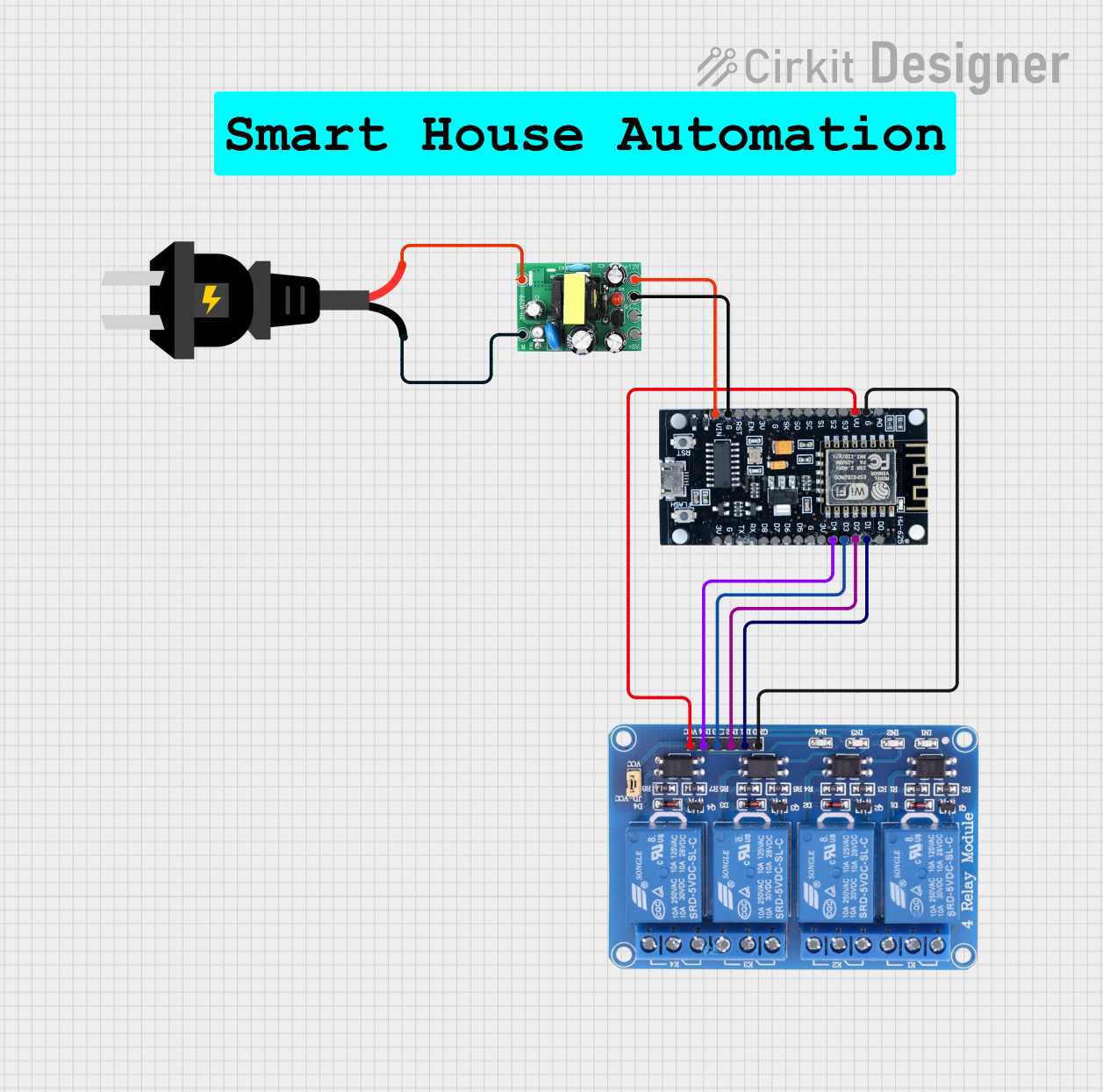
This circuit uses an ESP8266 microcontroller to control a 4-channel relay module, which can switch various loads. The ESP8266 is powered by a 12V DC supply converted from an AC source, and it interfaces with the relay module to control the relays via its digital output pins.
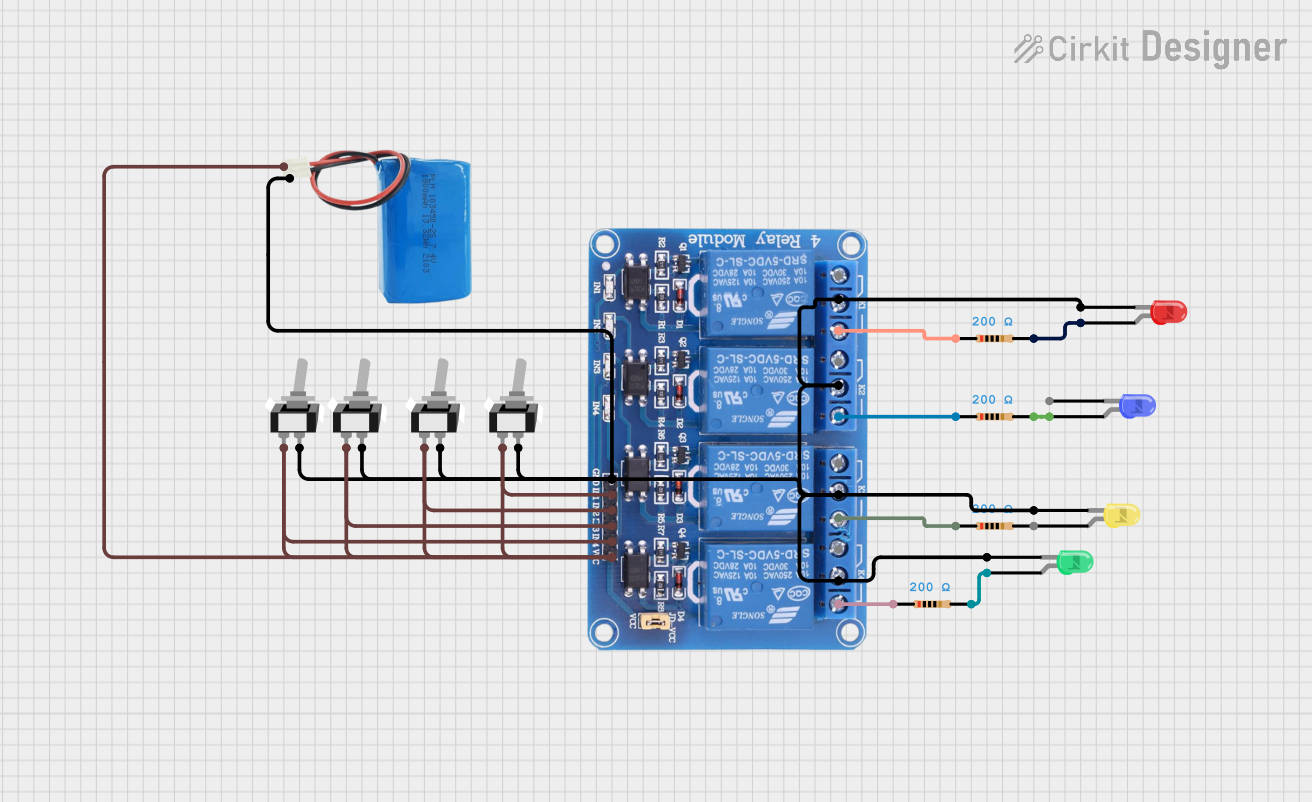
This circuit consists of a 5V battery powering a 4-channel relay module, which controls four LEDs (red, yellow, green, and blue) through individual resistors. Each relay channel is activated by a corresponding SPST toggle switch, allowing manual control of the LEDs.
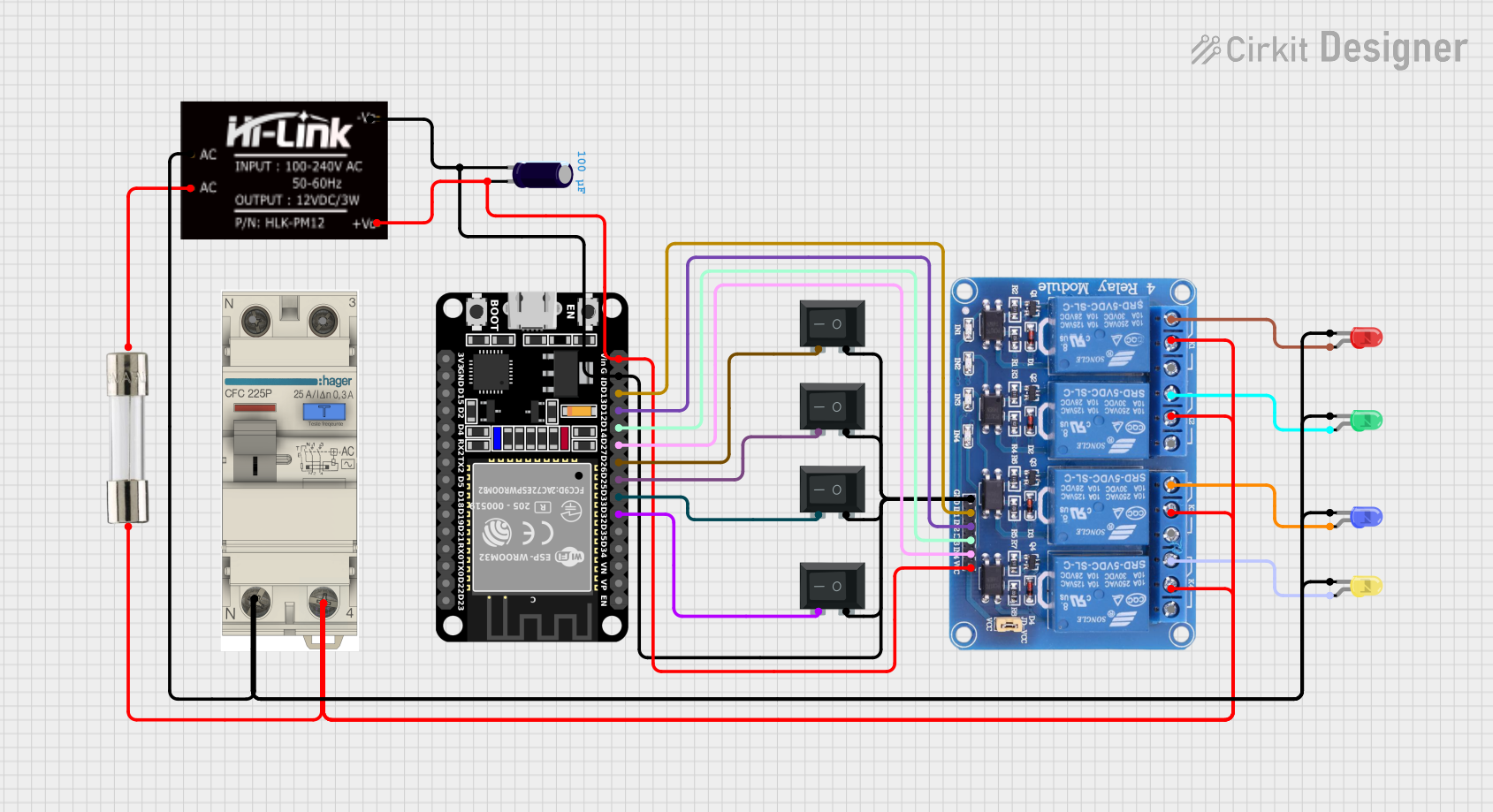
This circuit is a control system using an ESP32 microcontroller to manage a 4-channel relay module, which in turn controls various loads. The relays are activated by rocker switches and provide visual feedback through LEDs, while power is supplied and regulated by an HLK-PM12 module and protected by a fuse and circuit breaker.
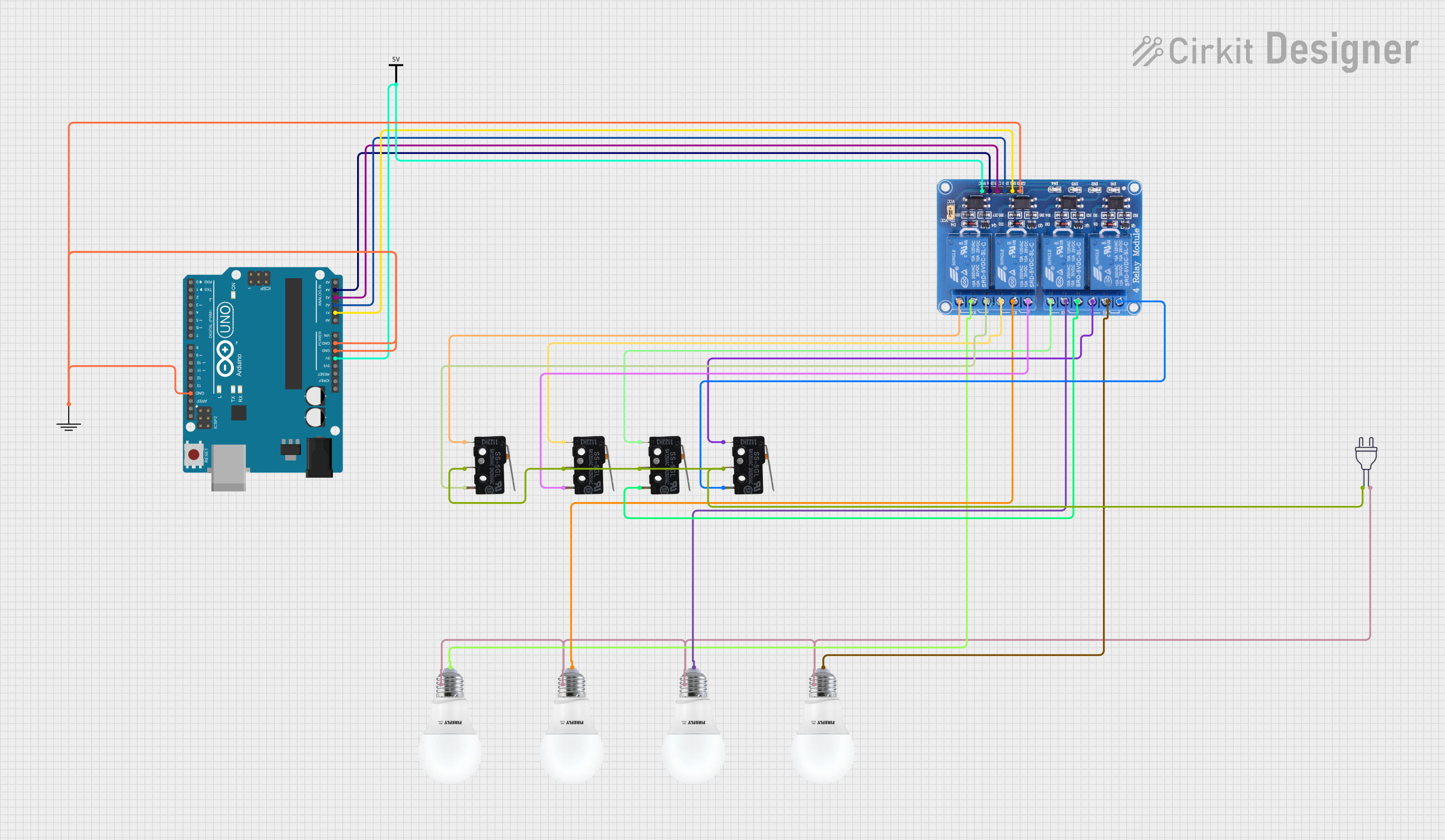
This circuit uses an Arduino UNO to control a 4-channel relay module, which in turn controls four bulbs. Each relay channel is connected to a bulb and can be toggled by corresponding micro switches, allowing for manual control of the bulbs.
Home automation systems (e.g., controlling lights, fans, or appliances)
Industrial automation and control
Robotics and motor control
IoT projects requiring high-power switching
Smart energy management systems
Technical Specifications
The Relay12V 4channel module is designed for reliable and efficient operation. Below are its key technical details:
General Specifications
Operating Voltage: 12V DC
Trigger Voltage: 3.3V to 5V (compatible with most microcontrollers)
Relay Type: Electromechanical
Number of Channels: 4
Maximum Load (per channel):
AC: 250V at 10A
DC: 30V at 10A
Isolation: Optocoupler isolation for safe operation
Dimensions: 75mm x 55mm x 20mm (approx.)
Pin Configuration and Descriptions
The module has two main interfaces: the control pins and the relay output terminals.
Control Pins
Pin Name
Description
VCC
Power supply input (12V DC)
GND
Ground connection
IN1
Control signal for Relay 1 (active LOW)
IN2
Control signal for Relay 2 (active LOW)
IN3
Control signal for Relay 3 (active LOW)
IN4
Control signal for Relay 4 (active LOW)
Relay Output Terminals
Each relay channel has three output terminals:
| Terminal | Description |
|--------------|------------------------------------------------------|
| NO (Normally Open) | Open circuit when the relay is inactive; closed when active |
| COM (Common) | Common terminal for the relay |
| NC (Normally Closed) | Closed circuit when the relay is inactive; open when active |
Usage Instructions
How to Use the Relay12V 4channel in a Circuit
Power the Module: Connect the VCC pin to a 12V DC power supply and the GND pin to the ground of your circuit.
Connect Control Signals: Use the IN1, IN2, IN3, and IN4 pins to control the relays. These pins are typically connected to a microcontroller (e.g., Arduino UNO) or other control systems.
Connect the Load: For each relay channel, connect the load to the NO, NC, and COM terminals as required:
Use the NO terminal if you want the load to be off by default and turn on when the relay is activated.
Use the NC terminal if you want the load to be on by default and turn off when the relay is activated.
Trigger the Relays: Send a LOW signal (0V) to the respective IN pin to activate the relay. A HIGH signal (3.3V or 5V) will deactivate the relay.
Example: Connecting to an Arduino UNO
Below is an example of how to control the Relay12V 4channel module using an Arduino UNO:
Circuit Connections
Connect the VCC pin of the relay module to the Arduino's 5V pin.
Connect the GND pin of the relay module to the Arduino's GND pin.
Connect IN1, IN2, IN3, and IN4 to Arduino digital pins (e.g., D2, D3, D4, D5).
Arduino Code
// Define the relay control pins
#define RELAY1 2  // Relay 1 connected to pin D2
#define RELAY2 3  // Relay 2 connected to pin D3
#define RELAY3 4  // Relay 3 connected to pin D4
#define RELAY4 5  // Relay 4 connected to pin D5

void setup() {
  // Set relay pins as outputs
  pinMode(RELAY1, OUTPUT);
  pinMode(RELAY2, OUTPUT);
  pinMode(RELAY3, OUTPUT);
  pinMode(RELAY4, OUTPUT);

  // Initialize all relays to OFF (HIGH state)
  digitalWrite(RELAY1, HIGH);
  digitalWrite(RELAY2, HIGH);
  digitalWrite(RELAY3, HIGH);
  digitalWrite(RELAY4, HIGH);
}

void loop() {
  // Example: Turn on Relay 1 for 2 seconds, then turn it off
  digitalWrite(RELAY1, LOW);  // Activate Relay 1
  delay(2000);                // Wait for 2 seconds
  digitalWrite(RELAY1, HIGH); // Deactivate Relay 1
  delay(2000);                // Wait for 2 seconds

  // Repeat similar actions for other relays as needed
}
Important Considerations
Power Supply: Ensure the module is powered with a stable 12V DC supply. Using a lower voltage may cause unreliable operation.
Isolation: The module includes optocoupler isolation for safety, but always ensure proper grounding and avoid direct contact with high-voltage terminals.
Load Ratings: Do not exceed the maximum load ratings (10A at 250V AC or 30V DC) to prevent damage to the relays.
Troubleshooting and FAQs
Common Issues and Solutions
Relays Not Activating
Cause: Insufficient power supply or incorrect wiring.
Solution: Verify that the module is powered with 12V DC and that the control signals are correctly connected.
Relays Stuck in ON or OFF State
Cause: Faulty relay or incorrect control signal.
Solution: Check the control signal voltage levels. Replace the relay module if necessary.
Load Not Switching Properly
Cause: Incorrect wiring of the load to the relay terminals.
Solution: Double-check the connections to the NO, NC, and COM terminals.
Arduino Not Controlling the Relays
Cause: Incorrect pin configuration or insufficient current from the Arduino.
Solution: Ensure the Arduino pins are correctly defined in the code and that the Arduino's 5V pin can supply enough current.
FAQs
Q1: Can I use this module with a 3.3V microcontroller like the ESP32?
A1: Yes, the module is compatible with 3.3V control signals, but ensure the 12V power supply is connected to the VCC pin.
Q2: Can I control AC and DC loads simultaneously?
A2: Yes, each relay channel is independent, so you can control a mix of AC and DC loads as long as you stay within the load ratings.
Q3: Is it safe to use this module for high-power appliances?
A3: Yes, but ensure proper insulation, grounding, and adherence to the load ratings to avoid electrical hazards.
Q4: Can I use fewer than 4 relays?
A4: Yes, you can use any number of relays. Simply leave the unused IN pins unconnected.


 Open Project in Cirkit Designer