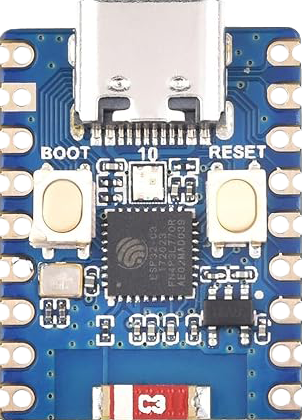
The ESP32-C3 Mini is a highly integrated, low-power system on a chip (SoC) that incorporates Wi-Fi and Bluetooth capabilities, making it an ideal choice for Internet of Things (IoT) projects and embedded systems. This compact development board is based on the ESP32-C3 chip and is designed for a wide range of applications, from smart home devices to industrial automation.
Explore Projects Built with ESP32-C3 Mini
Use Cirkit Designer to design, explore, and prototype these projects online. Some projects support real-time simulation. Click "Open Project" to start designing instantly!
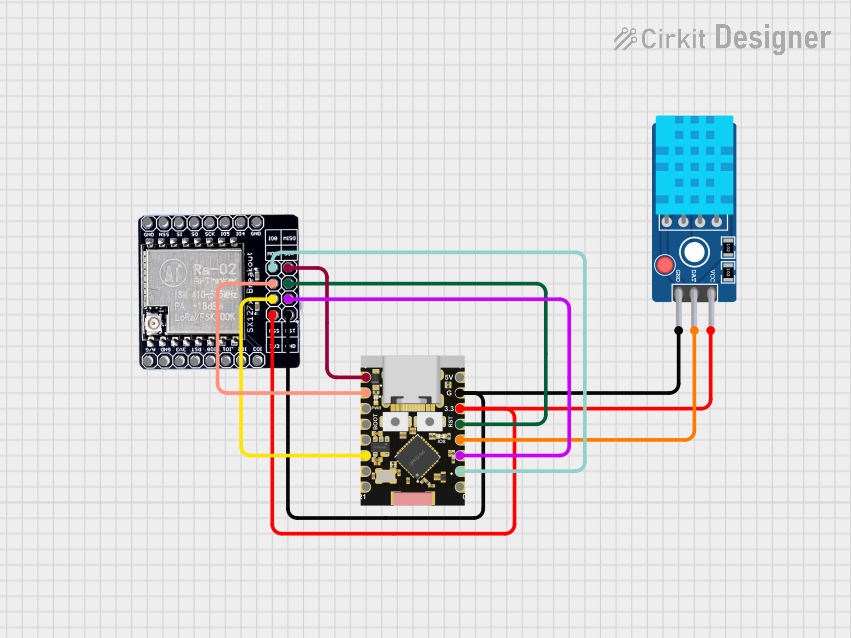
This circuit features an ESP32C3 Supermini microcontroller connected to a LORA_RA02 module and a DHT11 temperature and humidity sensor. The ESP32C3 handles communication with the LORA module via SPI (using GPIO05, GPIO06, GPIO10, and GPIO04 for MISO, MOSI, NSS, and SCK respectively) and GPIO01 and GPIO02 for additional control signals. The DHT11 sensor is interfaced through GPIO03 for data reading, and all components share a common power supply through the 3.3V and GND pins.
This circuit features an ESP32-C3 microcontroller interfaced with a Micro SD Card Module. The ESP32-C3 handles SPI communication with the SD card for data storage and retrieval, with specific GPIO pins assigned for MOSI, MISO, SCK, and CS signals.
This is a smart control system featuring an ESP32C3 Supermini microcontroller for interfacing with various sensors and actuators. It includes temperature and humidity sensing, RGB LED strip control, user input via a pushbutton and rotary encoder, and AC power control through a two-channel relay. The system is powered by an AC source converted to DC by the HLK-PM12 module.
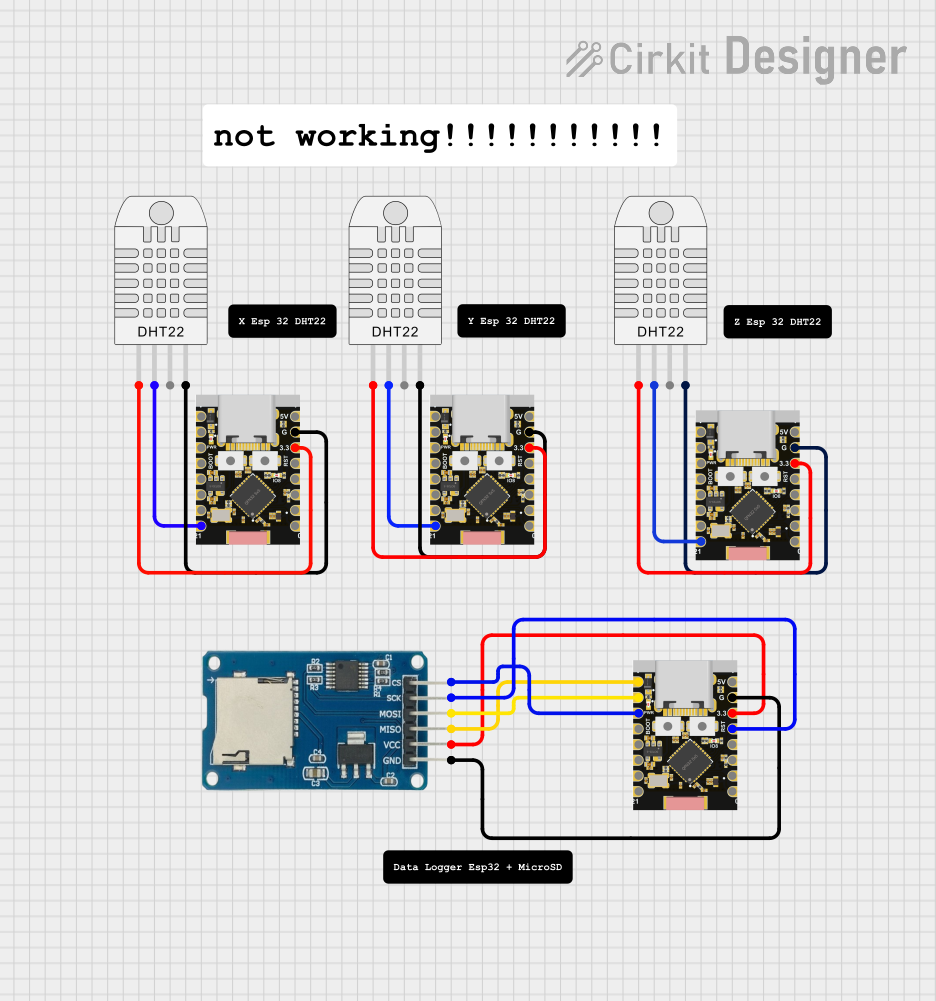
The circuit consists of multiple ESP32C3 microcontrollers interfacing with DHT22 temperature and humidity sensors and a Micro SD Card module. One ESP32C3 scans for WiFi networks, while others read data from the DHT22 sensors and potentially store or process this data.
Smart home devices (e.g., lighting, security systems)
Wireless sensors and actuators
IoT nodes and gateways
Wearable electronics
Low-power embedded systems
Technical Specifications
Key Technical Details
CPU: 32-bit RISC-V single-core processor
Operating Voltage: 3.3V
Input Voltage (recommended): 5V via USB or VIN pin
Digital I/O Pins: 22
Analog Input Pins: 6 (ADC channels)
Wi-Fi: 802.11 b/g/n (2.4 GHz)
Bluetooth: BLE 5.0
Flash Memory: 4 MB
SRAM: 400 KB
Clock Frequency: Up to 160 MHz
Interfaces: UART, SPI, I2C, PWM, I2S, RMT
Temperature Range: -40°C to 125°C
Pin Configuration and Descriptions
Pin Number
Name
Functionality
1
3V3
Power supply (3.3V)
2
GND
Ground
3
EN
Chip enable (active high)
...
...
...
n
IOxx
General purpose IO pins
Note: This is a simplified representation. Refer to the ESP32-C3 Mini datasheet for the complete pinout and detailed descriptions.
Usage Instructions
How to Use the Component in a Circuit
Powering the Module: Connect a 5V power supply to the VIN pin and GND, or use the USB port if available.
Programming the Module: Use the onboard USB-to-UART bridge to upload firmware.
Connecting to Wi-Fi: Utilize the provided libraries to connect to a Wi-Fi network.
Using GPIO Pins: Configure the pins as input or output according to your application needs.
Important Considerations and Best Practices
Ensure that the power supply is stable and within the recommended voltage range.
Use a logic level converter if interfacing with 5V logic devices.
Avoid exposing the module to temperatures outside the specified range.
Follow proper ESD precautions when handling the module to prevent damage.
Troubleshooting and FAQs
Common Issues Users Might Face
Module Does Not Power On: Check the power supply and connections.
Cannot Connect to Wi-Fi: Verify the network credentials and signal strength.
Intermittent Operation: Ensure there is no overheating and that the power supply is consistent.
Solutions and Tips for Troubleshooting
Double-check wiring and solder joints for any loose connections.
Use serial output to debug and monitor the status of the module.
Update to the latest firmware to resolve known issues.
FAQs
Q: Can the ESP32-C3 Mini be used with a battery?
A: Yes, it can be powered by a battery, but ensure voltage regulation if the battery exceeds the recommended voltage.
Q: Is the ESP32-C3 Mini compatible with the Arduino IDE?
A: Yes, it is compatible with the Arduino IDE. You will need to install the ESP32 board package.
Q: How many GPIO pins support PWM?
A: All digital GPIO pins on the ESP32-C3 Mini support PWM.
Example Code for Arduino UNO
#include <WiFi.h>

// Replace with your network credentials
const char* ssid = "your_SSID";
const char* password = "your_PASSWORD";

void setup() {
  Serial.begin(115200);

  // Connect to Wi-Fi
  WiFi.begin(ssid, password);
  while (WiFi.status() != WL_CONNECTED) {
    delay(500);
    Serial.println("Connecting to WiFi...");
  }
  Serial.println("Connected to WiFi");
}

void loop() {
  // Your code here
}
Note: This example demonstrates how to connect the ESP32-C3 Mini to a Wi-Fi network. Make sure to replace your_SSID and your_PASSWORD with your actual Wi-Fi credentials.
Remember to wrap code comments to limit line length to 80 characters, as shown in the example above. This ensures readability and maintains a clean, professional appearance in the documentation.

 Open Project in Cirkit Designer