
How to Use MQ-3 Gas Sensor: Examples, Pinouts, and Specs
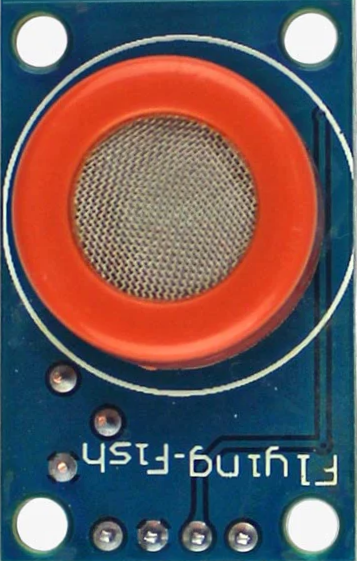
 Design with MQ-3 Gas Sensor in Cirkit Designer
Introduction
The MQ-3 Gas Sensor, manufactured by Hanwei Electronics (Part ID: MQ-3), is a versatile and reliable sensor designed to detect various gases, including alcohol, carbon monoxide, and methane. It operates on the principle of resistive change in the presence of target gases, providing an analog output proportional to the gas concentration. This sensor is widely used in breathalyzers, gas leak detection systems, and environmental monitoring applications.
Explore Projects Built with MQ-3 Gas Sensor
 Open Project in Cirkit Designer
 Open Project in Cirkit Designer
 Open Project in Cirkit Designer
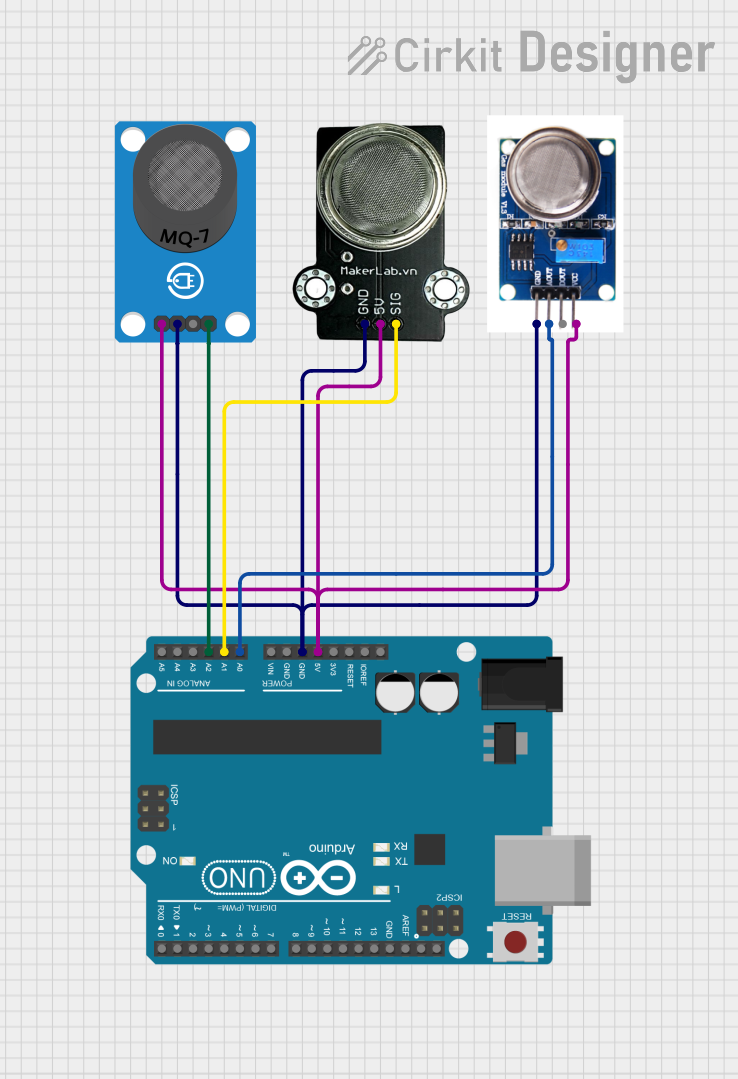 Open Project in Cirkit Designer
Explore Projects Built with MQ-3 Gas Sensor
Open Project in Cirkit DesignerOpen Project in Cirkit DesignerOpen Project in Cirkit DesignerOpen Project in Cirkit DesignerCommon Applications
- Alcohol detection in breathalyzers
- Gas leak detection for safety systems
- Air quality monitoring
- Industrial and home automation systems
Technical Specifications
The MQ-3 Gas Sensor is designed for ease of use and integration into various systems. Below are its key technical details:
Key Technical Details
| Parameter | Value |
|---|---|
| Operating Voltage | 5V DC |
| Load Resistance (RL) | 200Ω to 10kΩ |
| Heater Voltage (VH) | 5V ± 0.2V |
| Heater Power Consumption | ≤ 800mW |
| Detection Range | 0.04 mg/L to 4 mg/L (alcohol) |
| Preheat Time | ≥ 24 hours |
| Output Signal | Analog (voltage) |
| Sensitivity | High sensitivity to alcohol |
| Operating Temperature | -20°C to 50°C |
| Humidity Range | ≤ 95% RH |
| Dimensions | 18mm x 18mm x 15mm |
Pin Configuration and Descriptions
The MQ-3 sensor typically comes with six pins, but only four are used in most applications. Below is the pin configuration:
| Pin Number | Label | Description |
|---|---|---|
| 1 | H1 | Heater pin 1 (connect to 5V) |
| 2 | A | Analog output pin (connect to ADC input) |
| 3 | B | Analog output pin (alternative, often unused) |
| 4 | H2 | Heater pin 2 (connect to GND) |
| 5 | NC | Not connected |
| 6 | NC | Not connected |
Note: Pins A and B are internally connected, so either can be used for the analog output.
Usage Instructions
The MQ-3 Gas Sensor is straightforward to use in a circuit. Follow the steps below to integrate it into your project:
Circuit Connection
- Power the Heater: Connect pin H1 to a 5V DC power supply and pin H2 to ground. This powers the internal heating element, which is necessary for gas detection.
- Connect the Output: Connect pin A (or B) to an analog input pin of your microcontroller or ADC (Analog-to-Digital Converter).
- Load Resistor: Place a load resistor (RL) between the analog output pin (A or B) and ground. The value of RL can be adjusted based on the desired sensitivity and application, typically between 200Ω and 10kΩ.
- Preheat the Sensor: Allow the sensor to preheat for at least 24 hours before taking accurate measurements.
Important Considerations
- Preheating: The sensor requires a preheating period of at least 24 hours for optimal performance. During this time, the internal heater stabilizes the sensor's characteristics.
- Calibration: For precise gas concentration measurements, calibrate the sensor in a controlled environment with known gas concentrations.
- Ventilation: Ensure proper ventilation around the sensor to avoid saturation and ensure accurate readings.
- Power Supply: Use a stable 5V power supply to avoid fluctuations in the heater voltage, which can affect sensitivity.
Example Code for Arduino UNO
Below is an example of how to use the MQ-3 Gas Sensor with an Arduino UNO to measure alcohol concentration:
// MQ-3 Gas Sensor Example Code for Arduino UNO
// Connect the analog output pin (A or B) of the MQ-3 to Arduino A0
// Connect H1 to 5V and H2 to GND for the heater

const int sensorPin = A0;  // Analog pin connected to MQ-3 output
int sensorValue = 0;       // Variable to store the sensor reading

void setup() {
  Serial.begin(9600);  // Initialize serial communication at 9600 baud
  Serial.println("MQ-3 Gas Sensor Test");
}

void loop() {
  // Read the analog value from the sensor
  sensorValue = analogRead(sensorPin);

  // Convert the analog value to a voltage (assuming 5V reference)
  float voltage = sensorValue * (5.0 / 1023.0);

  // Print the sensor value and voltage to the Serial Monitor
  Serial.print("Sensor Value: ");
  Serial.print(sensorValue);
  Serial.print(" | Voltage: ");
  Serial.print(voltage);
  Serial.println(" V");

  // Add a delay for stability
  delay(1000);
}
Note: The above code provides raw sensor readings and voltage. For accurate gas concentration measurements, you will need to calibrate the sensor and apply the appropriate conversion formula.
Troubleshooting and FAQs
Common Issues and Solutions
| Issue | Possible Cause | Solution |
|---|---|---|
| No output or unstable readings | Insufficient preheating time | Ensure the sensor is preheated for 24 hours. |
| Incorrect or fluctuating readings | Unstable power supply | Use a regulated 5V power supply. |
| Sensor not responding to gas | Load resistor value is too high or low | Adjust RL to an appropriate value (200Ω–10kΩ). |
| Overly sensitive or saturated | Poor ventilation or high gas levels | Ensure proper ventilation around the sensor. |
FAQs
Can the MQ-3 detect gases other than alcohol?
- Yes, the MQ-3 can detect other gases like carbon monoxide and methane, but it is most sensitive to alcohol.
How do I calibrate the MQ-3 sensor?
- Calibration involves exposing the sensor to a known concentration of gas and adjusting the load resistor or software calculations to match the expected output.
What is the lifespan of the MQ-3 sensor?
- The sensor typically lasts for several years with proper usage and maintenance.
Can I use the MQ-3 with a 3.3V system?
- The heater requires 5V, but the analog output can be interfaced with a 3.3V ADC using a voltage divider.
By following this documentation, you can effectively integrate and use the MQ-3 Gas Sensor in your projects.