
How to Use INMP441 Mic: Examples, Pinouts, and Specs
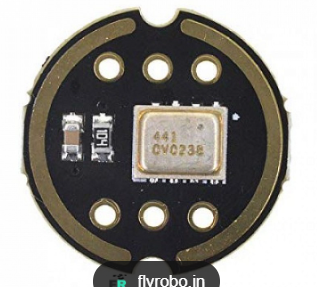
 Design with INMP441 Mic in Cirkit Designer
Introduction
The INMP441 is a low-power, digital MEMS (Micro-Electro-Mechanical Systems) microphone that delivers high-quality audio capture with a digital I2S (Inter-IC Sound) output interface. Unlike traditional analog microphones, the INMP441 outputs audio data in a digital format, making it ideal for modern audio processing systems. Its compact size, low power consumption, and high signal-to-noise ratio (SNR) make it suitable for a wide range of applications.
Explore Projects Built with INMP441 Mic
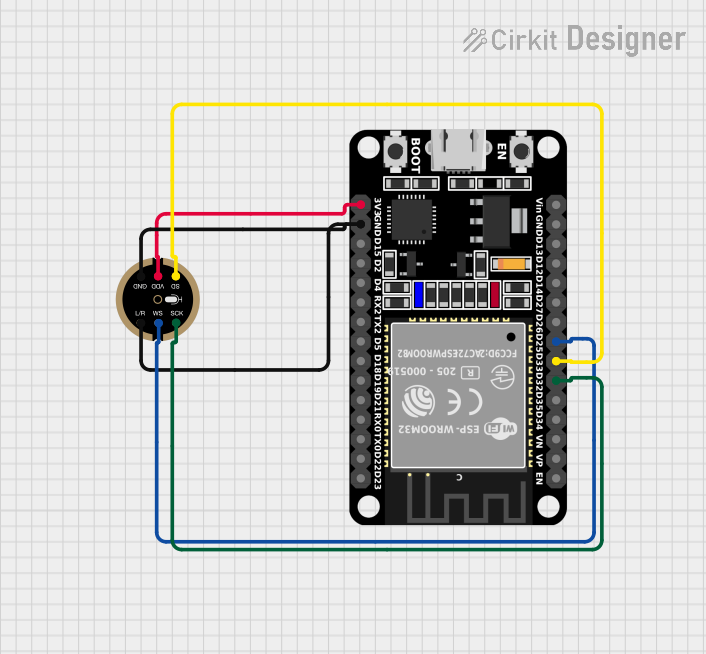 Open Project in Cirkit Designer
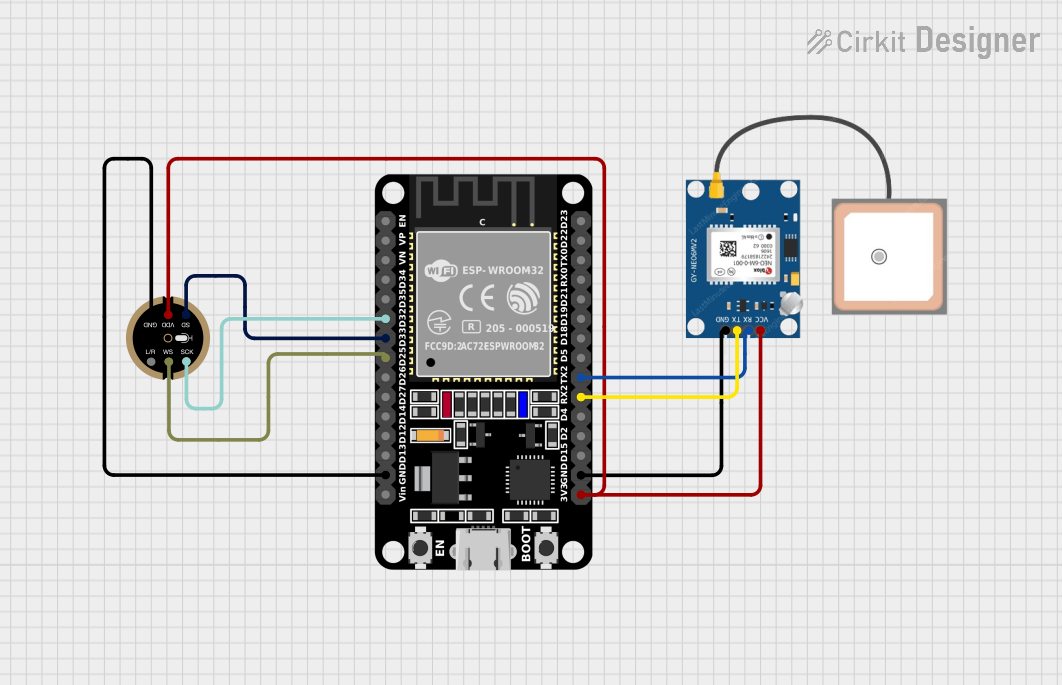 Open Project in Cirkit Designer
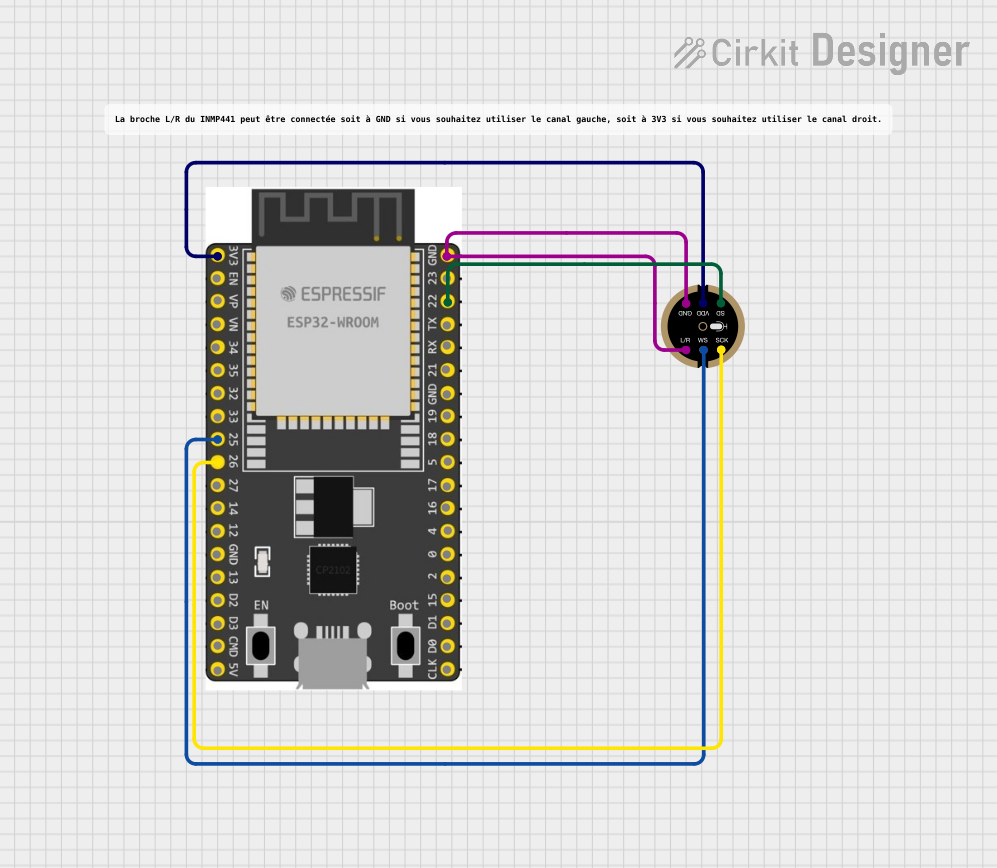 Open Project in Cirkit Designer
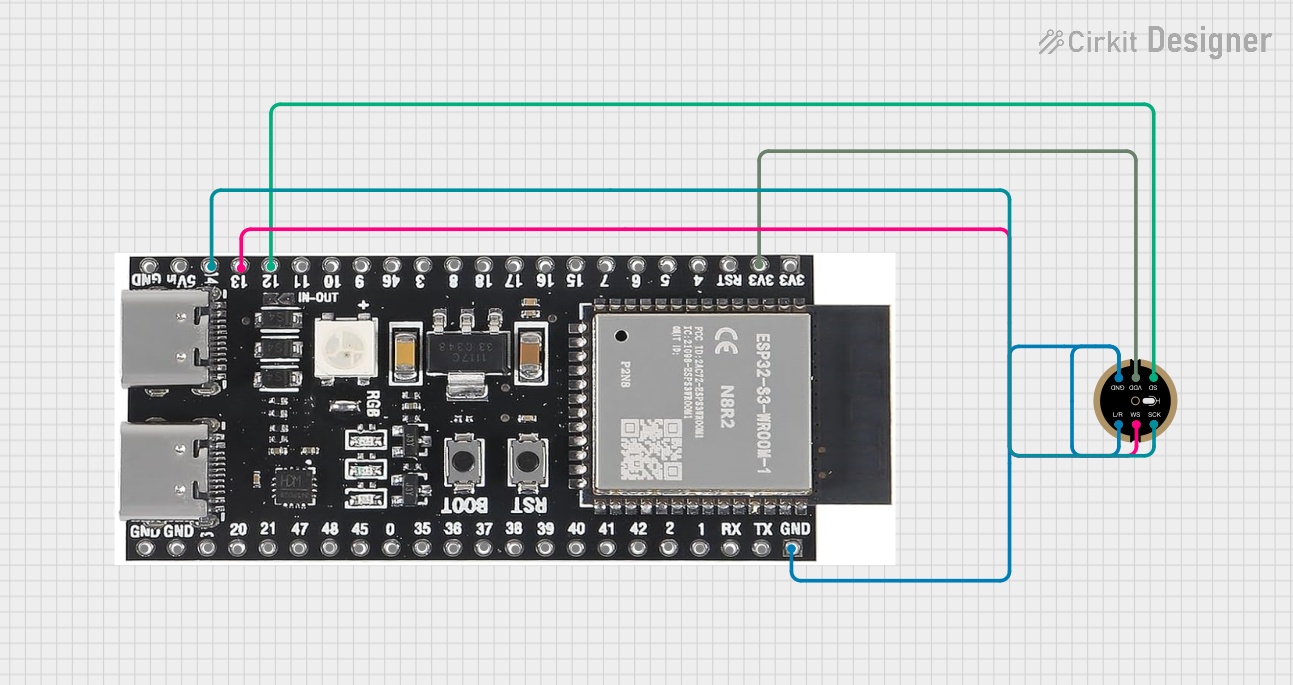 Open Project in Cirkit Designer
Explore Projects Built with INMP441 Mic
Open Project in Cirkit DesignerOpen Project in Cirkit DesignerOpen Project in Cirkit DesignerOpen Project in Cirkit DesignerCommon Applications
- Voice recognition systems (e.g., smart assistants)
- Audio recording devices
- IoT devices with sound processing capabilities
- Noise monitoring and sound level measurement
- Embedded systems requiring digital audio input
Technical Specifications
Below are the key technical details of the INMP441 microphone:
| Parameter | Value |
|---|---|
| Supply Voltage (VDD) | 1.8V to 3.3V |
| Current Consumption | 1.4 mA (typical) |
| Signal-to-Noise Ratio (SNR) | 61 dB |
| Acoustic Overload Point | 120 dB SPL |
| Frequency Response | 60 Hz to 15 kHz |
| Output Format | I2S (Inter-IC Sound) |
| Sensitivity | -26 dBFS ±1 dB |
| Operating Temperature | -40°C to +85°C |
| Dimensions | 3.5 mm × 2.65 mm × 0.98 mm |
Pin Configuration and Descriptions
The INMP441 has a total of 7 pins. Below is the pinout and description:
| Pin Name | Pin Number | Description |
|---|---|---|
| VDD | 1 | Power supply input (1.8V to 3.3V). |
| GND | 2 | Ground connection. |
| WS | 3 | Word Select (I2S left/right channel selection). |
| SCK | 4 | Serial Clock (I2S clock input). |
| SD | 5 | Serial Data (I2S audio data output). |
| L/R | 6 | Left/Right channel selection (connect to GND or VDD). |
| NC | 7 | No connection (leave unconnected). |
Usage Instructions
How to Use the INMP441 in a Circuit
- Power Supply: Connect the VDD pin to a 1.8V to 3.3V power source and the GND pin to ground.
- I2S Interface:
- Connect the
SCKpin to the I2S clock line of your microcontroller or processor. - Connect the
WSpin to the I2S word select line. - Connect the
SDpin to the I2S data input line of your microcontroller.
- Connect the
- Channel Selection: Use the
L/Rpin to select the audio channel:- Connect to GND for the left channel.
- Connect to VDD for the right channel.
- Unused Pin: Leave the
NCpin unconnected.
Important Considerations
- Ensure the power supply voltage is within the specified range (1.8V to 3.3V).
- Use decoupling capacitors (e.g., 0.1 µF) near the VDD pin to reduce noise.
- The INMP441 outputs digital audio data in I2S format, so ensure your microcontroller supports I2S communication.
- Avoid placing the microphone near high-frequency noise sources to maintain audio quality.
Example: Connecting INMP441 to Arduino UNO
The Arduino UNO does not natively support I2S communication. However, you can use an external I2S interface or a microcontroller like the ESP32, which has built-in I2S support. Below is an example of using the INMP441 with an ESP32:
Wiring Diagram
| INMP441 Pin | ESP32 Pin |
|---|---|
| VDD | 3.3V |
| GND | GND |
| WS | GPIO25 |
| SCK | GPIO26 |
| SD | GPIO27 |
| L/R | GND (Left) |
Example Code
#include "driver/i2s.h"

// I2S configuration
#define I2S_NUM         I2S_NUM_0  // I2S port number
#define I2S_WS          25         // Word Select pin
#define I2S_SCK         26         // Serial Clock pin
#define I2S_SD          27         // Serial Data pin

void setup() {
  // Configure I2S
  i2s_config_t i2s_config = {
    .mode = (i2s_mode_t)(I2S_MODE_MASTER | I2S_MODE_RX), // Master mode, receive
    .sample_rate = 16000,                               // Sampling rate
    .bits_per_sample = I2S_BITS_PER_SAMPLE_16BIT,       // 16-bit audio
    .channel_format = I2S_CHANNEL_FMT_ONLY_LEFT,        // Left channel only
    .communication_format = I2S_COMM_FORMAT_I2S,        // I2S format
    .intr_alloc_flags = ESP_INTR_FLAG_LEVEL1,           // Interrupt level
    .dma_buf_count = 8,                                 // Number of DMA buffers
    .dma_buf_len = 64                                   // Buffer length
  };

  // Configure I2S pins
  i2s_pin_config_t pin_config = {
    .bck_io_num = I2S_SCK,  // Serial Clock
    .ws_io_num = I2S_WS,    // Word Select
    .data_out_num = I2S_PIN_NO_CHANGE, // Not used
    .data_in_num = I2S_SD   // Serial Data
  };

  // Install and start I2S driver
  i2s_driver_install(I2S_NUM, &i2s_config, 0, NULL);
  i2s_set_pin(I2S_NUM, &pin_config);
}

void loop() {
  // Buffer to store audio data
  int16_t audio_buffer[64];
  size_t bytes_read;

  // Read audio data from INMP441
  i2s_read(I2S_NUM, audio_buffer, sizeof(audio_buffer), &bytes_read, portMAX_DELAY);

  // Process audio data (e.g., send to a server or analyze)
}
Troubleshooting and FAQs
Common Issues
No Audio Data Received
- Ensure the I2S pins are correctly connected to the microcontroller.
- Verify that the
L/Rpin is set correctly for the desired channel. - Check the power supply voltage (1.8V to 3.3V).
Distorted Audio
- Ensure the sampling rate matches the microphone's capabilities (e.g., 16 kHz).
- Avoid placing the microphone near sources of electromagnetic interference.
Microphone Not Detected
- Confirm that the microcontroller supports I2S communication.
- Double-check the I2S configuration in your code.
FAQs
Q: Can I use the INMP441 with a 5V microcontroller?
A: The INMP441 operates at 1.8V to 3.3V. If your microcontroller operates at 5V, use a level shifter for the I2S signals.
Q: Does the INMP441 support stereo audio?
A: The INMP441 is a mono microphone. However, you can use two INMP441 microphones (one set to the left channel and the other to the right channel) to capture stereo audio.
Q: What is the maximum distance for the microphone to capture sound?
A: The INMP441 is designed for near-field audio capture. Its effective range depends on the sound source's volume and environmental noise levels.