
How to Use Hall Effect Magnetic Sensor Module: Examples, Pinouts, and Specs
 Design with Hall Effect Magnetic Sensor Module in Cirkit Designer
Introduction
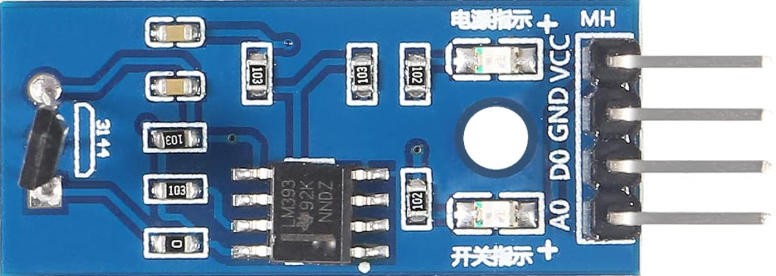
The Hall Effect Magnetic Sensor Module (Manufacturer: HiLetgo, Part ID: 3-01-1193) is a versatile electronic component designed to detect the presence and strength of a magnetic field. It operates based on the Hall effect, which generates a voltage difference across a conductor when it is exposed to a magnetic field. This module is widely used in applications such as position sensing, proximity detection, speed measurement, and current sensing.
Explore Projects Built with Hall Effect Magnetic Sensor Module
 Open Project in Cirkit Designer
 Open Project in Cirkit Designer
 Open Project in Cirkit Designer
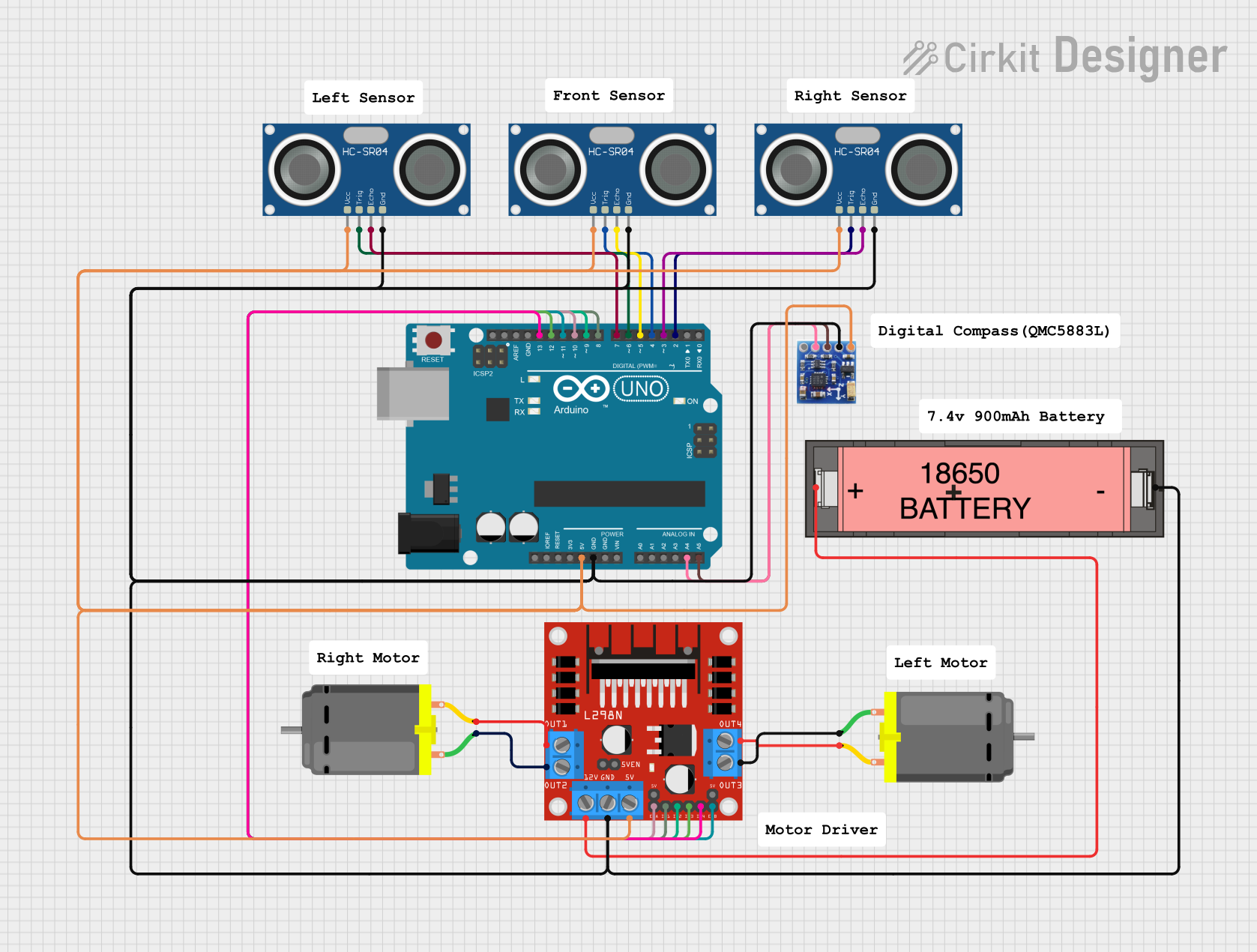 Open Project in Cirkit Designer
Explore Projects Built with Hall Effect Magnetic Sensor Module
Open Project in Cirkit DesignerOpen Project in Cirkit DesignerOpen Project in Cirkit DesignerOpen Project in Cirkit DesignerCommon Applications
- Position Sensing: Detecting the position of moving parts in machinery.
- Proximity Detection: Identifying the presence of magnetic objects.
- Speed Measurement: Measuring the rotational speed of motors or wheels.
- Current Measurement: Monitoring current flow in circuits using magnetic fields.
Technical Specifications
The following table outlines the key technical details of the HiLetgo Hall Effect Magnetic Sensor Module:
| Parameter | Specification |
|---|---|
| Operating Voltage | 3.3V to 5V DC |
| Output Type | Digital (High/Low) |
| Sensitivity | Detects magnetic fields > 3mT |
| Output Voltage (High) | ~Vcc (3.3V or 5V, depending on input) |
| Output Voltage (Low) | ~0V |
| Operating Temperature | -40°C to +85°C |
| Dimensions | 32mm x 14mm x 7mm |
Pin Configuration and Descriptions
The module has three pins, as described in the table below:
| Pin | Name | Description |
|---|---|---|
| 1 | VCC | Power supply input (3.3V to 5V DC) |
| 2 | GND | Ground connection |
| 3 | OUT | Digital output pin (High when no magnetic field, Low when a magnetic field is detected) |
Usage Instructions
How to Use the Component in a Circuit
- Power the Module: Connect the
VCCpin to a 3.3V or 5V DC power source and theGNDpin to the ground of your circuit. - Connect the Output: Attach the
OUTpin to a digital input pin of your microcontroller or other logic-level device. - Place the Magnet: Position a magnet near the sensor. The module will output a LOW signal when a magnetic field is detected and a HIGH signal when no magnetic field is present.
Important Considerations and Best Practices
- Magnet Placement: Ensure the magnet is aligned properly with the sensor for accurate detection.
- Power Supply: Use a stable power source to avoid erratic behavior.
- Interference: Avoid placing the module near strong electromagnetic interference sources, as this may affect its performance.
- Pull-up Resistor: If the output is connected to a microcontroller, ensure the input pin is configured with a pull-up resistor if required.
Example: Connecting to an Arduino UNO
Below is an example of how to use the Hall Effect Magnetic Sensor Module with an Arduino UNO:
Circuit Connections
- Connect the
VCCpin of the module to the 5V pin on the Arduino. - Connect the
GNDpin of the module to the GND pin on the Arduino. - Connect the
OUTpin of the module to digital pin 2 on the Arduino.
Arduino Code
// Hall Effect Magnetic Sensor Module Example
// Manufacturer: HiLetgo, Part ID: 3-01-1193

const int sensorPin = 2;  // Digital pin connected to the OUT pin of the sensor
const int ledPin = 13;    // Built-in LED pin on Arduino

void setup() {
  pinMode(sensorPin, INPUT);  // Set sensor pin as input
  pinMode(ledPin, OUTPUT);    // Set LED pin as output
  Serial.begin(9600);         // Initialize serial communication
}

void loop() {
  int sensorState = digitalRead(sensorPin);  // Read the sensor output

  if (sensorState == LOW) {
    // Magnetic field detected
    digitalWrite(ledPin, HIGH);  // Turn on the LED
    Serial.println("Magnetic field detected!");
  } else {
    // No magnetic field detected
    digitalWrite(ledPin, LOW);   // Turn off the LED
    Serial.println("No magnetic field detected.");
  }

  delay(500);  // Wait for 500ms before the next reading
}
Troubleshooting and FAQs
Common Issues and Solutions
No Output Signal:
- Cause: Incorrect wiring or loose connections.
- Solution: Double-check all connections, ensuring the
VCCandGNDpins are properly connected.
Erratic Behavior:
- Cause: Unstable power supply or electromagnetic interference.
- Solution: Use a regulated power supply and keep the module away from interference sources.
Sensor Not Detecting Magnetic Field:
- Cause: Magnet is too weak or improperly aligned.
- Solution: Use a stronger magnet and ensure proper alignment with the sensor.
FAQs
Q: Can this module detect both north and south poles of a magnet?
A: Yes, the module can detect both poles, but it does not differentiate between them.
Q: What is the maximum distance for magnetic field detection?
A: The detection range depends on the strength of the magnet. Typically, it can detect fields within a few centimeters.
Q: Can I use this module with a 3.3V microcontroller?
A: Yes, the module operates at both 3.3V and 5V, making it compatible with 3.3V microcontrollers like ESP32.
Q: Is the output signal analog or digital?
A: The output signal is digital, providing a HIGH or LOW state based on the presence of a magnetic field.