
How to Use accutaor: Examples, Pinouts, and Specs
 Design with accutaor in Cirkit Designer
Introduction
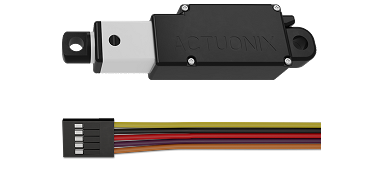
An actuator is a device that converts electrical energy into mechanical motion, enabling the control of a system or mechanism. Actuators are essential components in a wide range of applications, from industrial automation to robotics and consumer electronics. They are used to perform tasks such as opening valves, moving robotic arms, or adjusting the position of mechanical components.
Explore Projects Built with accutaor
 Open Project in Cirkit Designer
 Open Project in Cirkit Designer
 Open Project in Cirkit Designer
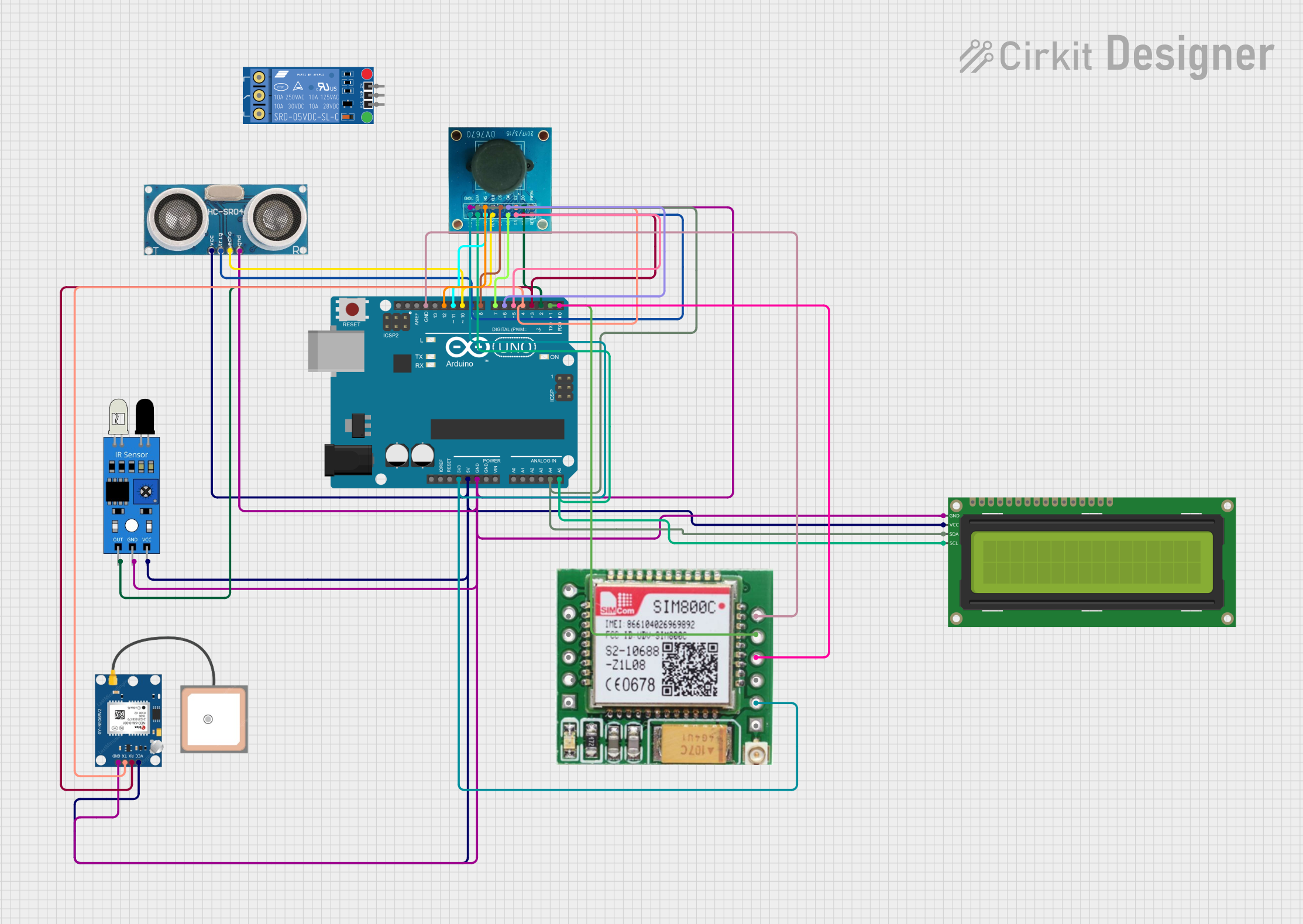 Open Project in Cirkit Designer
Explore Projects Built with accutaor
Open Project in Cirkit DesignerOpen Project in Cirkit DesignerOpen Project in Cirkit DesignerOpen Project in Cirkit DesignerCommon Applications and Use Cases
- Industrial Automation: Controlling machinery, conveyor belts, and robotic arms.
- Robotics: Enabling movement in robotic joints and grippers.
- Automotive Systems: Powering components like electric windows, seats, and throttle control.
- Home Automation: Operating smart locks, motorized blinds, and HVAC systems.
- Medical Devices: Adjusting surgical instruments or prosthetics.
Technical Specifications
Actuators come in various types, such as electric, hydraulic, and pneumatic. Below are the general technical specifications for an electric actuator:
General Specifications
| Parameter | Value/Range |
|---|---|
| Operating Voltage | 5V to 24V DC (varies by model) |
| Current Consumption | 100mA to 5A (depending on load) |
| Torque Output | 0.1 Nm to 50 Nm |
| Stroke Length | 10mm to 300mm |
| Speed | 5mm/s to 100mm/s |
| Operating Temperature | -20°C to 60°C |
| Control Signal | PWM, Analog, or Digital Input |
Pin Configuration and Descriptions
The pin configuration for a typical 2-wire or 3-wire electric actuator is as follows:
2-Wire Actuator
| Pin Name | Description |
|---|---|
| V+ | Positive voltage input (power supply) |
| GND | Ground connection |
3-Wire Actuator
| Pin Name | Description |
|---|---|
| V+ | Positive voltage input (power supply) |
| GND | Ground connection |
| Signal | Control signal input (PWM or analog) |
Usage Instructions
How to Use the Component in a Circuit
- Power Supply: Connect the actuator's V+ pin to a suitable DC power source and the GND pin to ground.
- Control Signal: For actuators with a signal pin, connect it to a microcontroller (e.g., Arduino UNO) or a control circuit capable of generating the required PWM or analog signal.
- Load Considerations: Ensure the actuator's torque and speed ratings match the requirements of your application.
- Protection: Use a flyback diode across the actuator terminals to protect against voltage spikes caused by inductive loads.
Example: Connecting an Actuator to an Arduino UNO
Below is an example of controlling a 3-wire actuator using an Arduino UNO and a PWM signal:
// Define the pin connected to the actuator's signal input
const int actuatorPin = 9;

void setup() {
  // Set the actuator pin as an output
  pinMode(actuatorPin, OUTPUT);
}

void loop() {
  // Extend the actuator by sending a PWM signal
  analogWrite(actuatorPin, 255); // Full speed forward
  delay(2000); // Wait for 2 seconds

  // Stop the actuator
  analogWrite(actuatorPin, 0); // No movement
  delay(1000); // Wait for 1 second

  // Retract the actuator by sending a lower PWM signal
  analogWrite(actuatorPin, 128); // Half speed reverse
  delay(2000); // Wait for 2 seconds

  // Stop the actuator
  analogWrite(actuatorPin, 0); // No movement
  delay(1000); // Wait for 1 second
}
Important Considerations and Best Practices
- Power Supply: Ensure the power supply can provide sufficient current for the actuator under load.
- Signal Compatibility: Verify that the control signal (PWM or analog) matches the actuator's requirements.
- Mechanical Limits: Avoid exceeding the actuator's stroke length or torque limits to prevent damage.
- Heat Dissipation: Allow adequate ventilation to prevent overheating during prolonged operation.
Troubleshooting and FAQs
Common Issues and Solutions
Actuator Does Not Move
- Cause: Insufficient power supply or incorrect wiring.
- Solution: Check the power supply voltage and current ratings. Verify all connections.
Erratic or Unstable Movement
- Cause: Noise in the control signal or insufficient grounding.
- Solution: Use shielded cables for the signal line and ensure a solid ground connection.
Overheating
- Cause: Prolonged operation under heavy load or inadequate ventilation.
- Solution: Reduce the load or provide better cooling.
Actuator Stuck at Full Extension/Retraction
- Cause: Mechanical obstruction or exceeded stroke limit.
- Solution: Inspect for obstructions and ensure the actuator is within its rated stroke length.
FAQs
Q: Can I use an actuator with an AC power supply?
A: Most actuators are designed for DC power. If you need to use AC, ensure the actuator is compatible or use a DC power adapter.
Q: How do I control the speed of an actuator?
A: The speed can be controlled by varying the PWM duty cycle or using a motor driver circuit.
Q: Can I connect multiple actuators to a single microcontroller?
A: Yes, but ensure the microcontroller has enough PWM pins and the power supply can handle the combined current draw.
Q: What happens if I exceed the actuator's torque rating?
A: Exceeding the torque rating can damage the actuator's internal components or cause it to stall.
This documentation provides a comprehensive guide to understanding and using actuators effectively in various applications.