
How to Use ESP32C3: Examples, Pinouts, and Specs
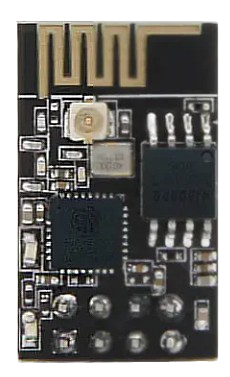
 Design with ESP32C3 in Cirkit Designer
Introduction
The ESP32C3 is a low-power system on a chip (SoC) with integrated Wi-Fi and Bluetooth capabilities, designed specifically for Internet of Things (IoT) applications. It is built on a RISC-V architecture, offering high performance and efficiency. The ESP32C3 features multiple GPIO pins, supports various communication protocols, and is well-suited for smart devices, sensor networks, and other connected applications.
Explore Projects Built with ESP32C3
 Open Project in Cirkit Designer
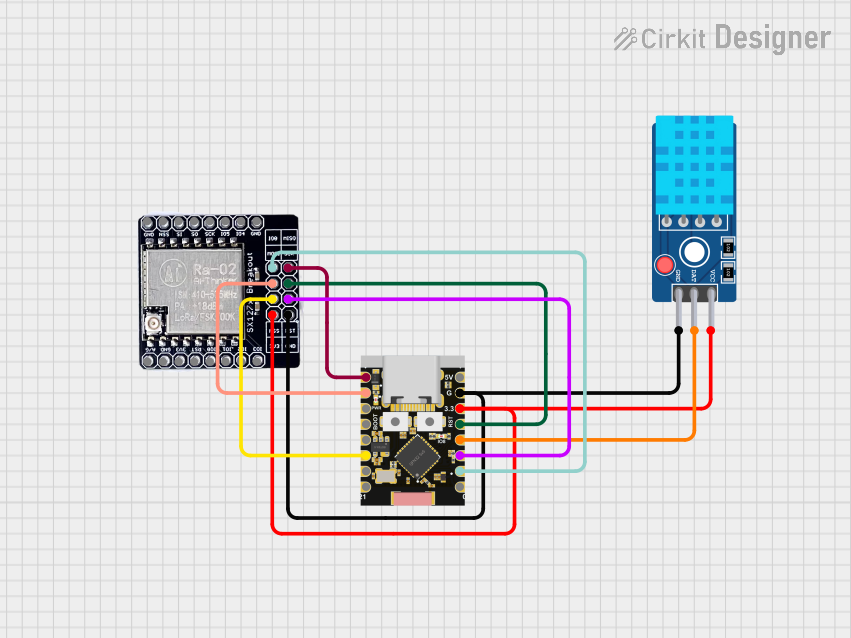 Open Project in Cirkit Designer
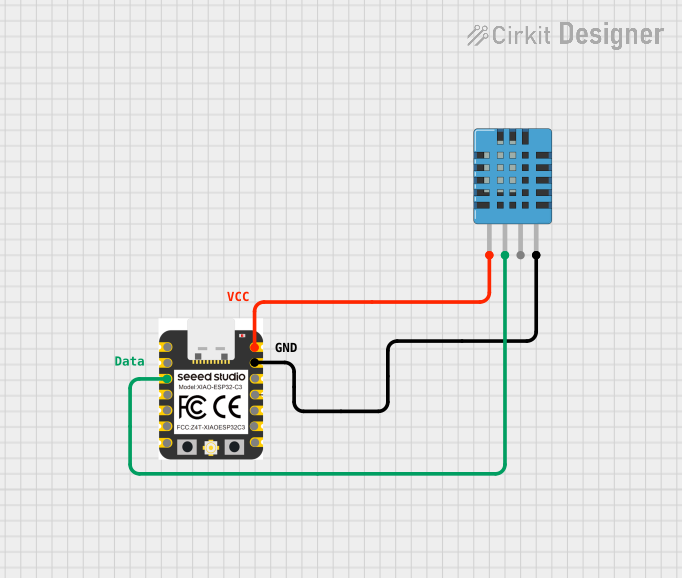 Open Project in Cirkit Designer
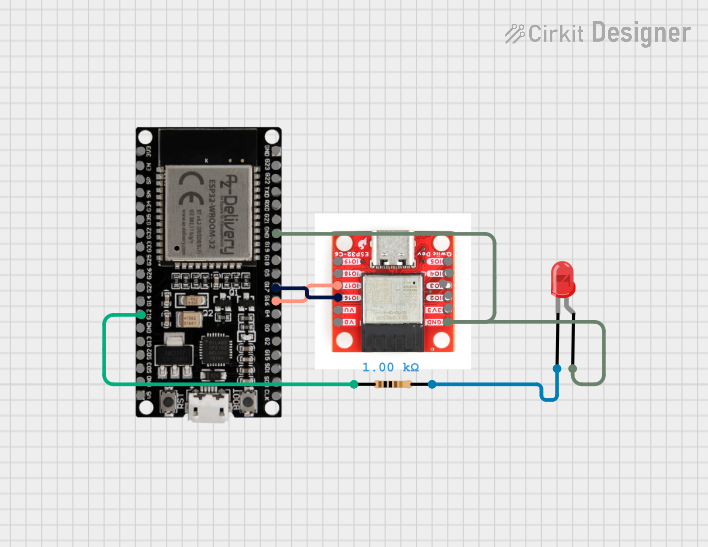 Open Project in Cirkit Designer
Explore Projects Built with ESP32C3
Open Project in Cirkit DesignerOpen Project in Cirkit DesignerOpen Project in Cirkit DesignerOpen Project in Cirkit DesignerCommon Applications and Use Cases
- Smart home devices (e.g., smart lights, thermostats)
- Wearable technology
- Industrial IoT systems
- Wireless sensor networks
- Remote monitoring and control systems
- Low-power Bluetooth and Wi-Fi applications
Technical Specifications
Key Technical Details
| Parameter | Value |
|---|---|
| Architecture | RISC-V (32-bit) |
| Clock Speed | Up to 160 MHz |
| Flash Memory | 4 MB (varies by module) |
| SRAM | 400 KB |
| Wi-Fi | IEEE 802.11 b/g/n (2.4 GHz) |
| Bluetooth | Bluetooth 5.0 LE |
| GPIO Pins | 22 (multipurpose) |
| Operating Voltage | 3.0V to 3.6V |
| Power Consumption | Ultra-low power in deep sleep mode |
| Communication Protocols | UART, SPI, I2C, I2S, PWM, ADC, DAC |
| Operating Temperature | -40°C to 85°C |
Pin Configuration and Descriptions
The ESP32C3 has a total of 22 GPIO pins, which can be configured for various functions. Below is a table of the most commonly used pins and their descriptions:
| Pin Number | Pin Name | Functionality |
|---|---|---|
| 1 | GPIO0 | General-purpose I/O, boot mode selection |
| 2 | GPIO1 | General-purpose I/O, UART TX |
| 3 | GPIO2 | General-purpose I/O, ADC, PWM |
| 4 | GPIO3 | General-purpose I/O, UART RX |
| 5 | GPIO4 | General-purpose I/O, ADC, PWM |
| 6 | GPIO5 | General-purpose I/O, SPI |
| 7 | GPIO6 | General-purpose I/O, I2C SDA |
| 8 | GPIO7 | General-purpose I/O, I2C SCL |
| 9 | GPIO8 | General-purpose I/O, ADC, PWM |
| 10 | GPIO9 | General-purpose I/O, ADC, PWM |
| 11 | GPIO10 | General-purpose I/O, SPI |
| 12 | GPIO11 | General-purpose I/O, SPI |
| 13 | GPIO12 | General-purpose I/O, ADC, PWM |
| 14 | GPIO13 | General-purpose I/O, ADC, PWM |
| 15 | GPIO14 | General-purpose I/O, UART TX |
| 16 | GPIO15 | General-purpose I/O, UART RX |
| 17 | GPIO16 | General-purpose I/O, ADC, PWM |
| 18 | GPIO17 | General-purpose I/O, ADC, PWM |
| 19 | GPIO18 | General-purpose I/O, SPI |
| 20 | GPIO19 | General-purpose I/O, SPI |
| 21 | GPIO20 | General-purpose I/O, ADC, PWM |
| 22 | GPIO21 | General-purpose I/O, ADC, PWM |
Usage Instructions
How to Use the ESP32C3 in a Circuit
- Power Supply: Ensure the ESP32C3 is powered with a stable voltage between 3.0V and 3.6V. Use a voltage regulator if necessary.
- GPIO Configuration: Configure the GPIO pins for the desired functionality (e.g., input, output, ADC, PWM).
- Communication Protocols: Use the appropriate communication protocol (e.g., UART, SPI, I2C) for interfacing with other devices.
- Programming: The ESP32C3 can be programmed using the Arduino IDE, ESP-IDF, or other compatible development environments.
Important Considerations and Best Practices
- Boot Mode: GPIO0 is used for boot mode selection. Ensure it is properly configured during programming.
- Deep Sleep Mode: Utilize the deep sleep mode for ultra-low power consumption in battery-powered applications.
- Pull-up/Pull-down Resistors: Use external pull-up or pull-down resistors for GPIO pins as needed.
- Antenna Placement: Ensure proper placement of the onboard antenna for optimal Wi-Fi and Bluetooth performance.
Example Code for Arduino UNO
Below is an example of how to use the ESP32C3 with the Arduino IDE to blink an LED connected to GPIO2:
// Define the GPIO pin for the LED
#define LED_PIN 2

void setup() {
  // Initialize the GPIO pin as an output
  pinMode(LED_PIN, OUTPUT);
}

void loop() {
  // Turn the LED on
  digitalWrite(LED_PIN, HIGH);
  delay(1000); // Wait for 1 second

  // Turn the LED off
  digitalWrite(LED_PIN, LOW);
  delay(1000); // Wait for 1 second
}
Troubleshooting and FAQs
Common Issues and Solutions
ESP32C3 Not Connecting to Wi-Fi:
- Ensure the correct SSID and password are used in the code.
- Check the signal strength of the Wi-Fi network.
- Verify that the ESP32C3 is within range of the Wi-Fi router.
GPIO Pins Not Responding:
- Confirm that the pins are properly configured in the code (e.g., input, output).
- Check for loose connections or faulty wiring.
- Ensure that the GPIO pin is not being used for another function.
Programming Errors:
- Verify that the correct board and port are selected in the Arduino IDE.
- Ensure that the ESP32C3 is in boot mode during programming (hold GPIO0 low).
High Power Consumption:
- Use deep sleep mode to reduce power consumption.
- Disable unused peripherals in the code.
FAQs
Q: Can the ESP32C3 be powered by a 5V source?
A: No, the ESP32C3 operates at 3.0V to 3.6V. Use a voltage regulator to step down a 5V source.
Q: Does the ESP32C3 support both Wi-Fi and Bluetooth simultaneously?
A: Yes, the ESP32C3 can use both Wi-Fi and Bluetooth simultaneously, but performance may vary depending on the application.
Q: How do I reset the ESP32C3?
A: Press the reset button on the development board or toggle the EN (enable) pin.
Q: Can I use the ESP32C3 with batteries?
A: Yes, the ESP32C3 is designed for low-power applications and can be powered by batteries. Use deep sleep mode to extend battery life.