
How to Use Soil Moisture: Examples, Pinouts, and Specs
 Design with Soil Moisture in Cirkit Designer
Introduction
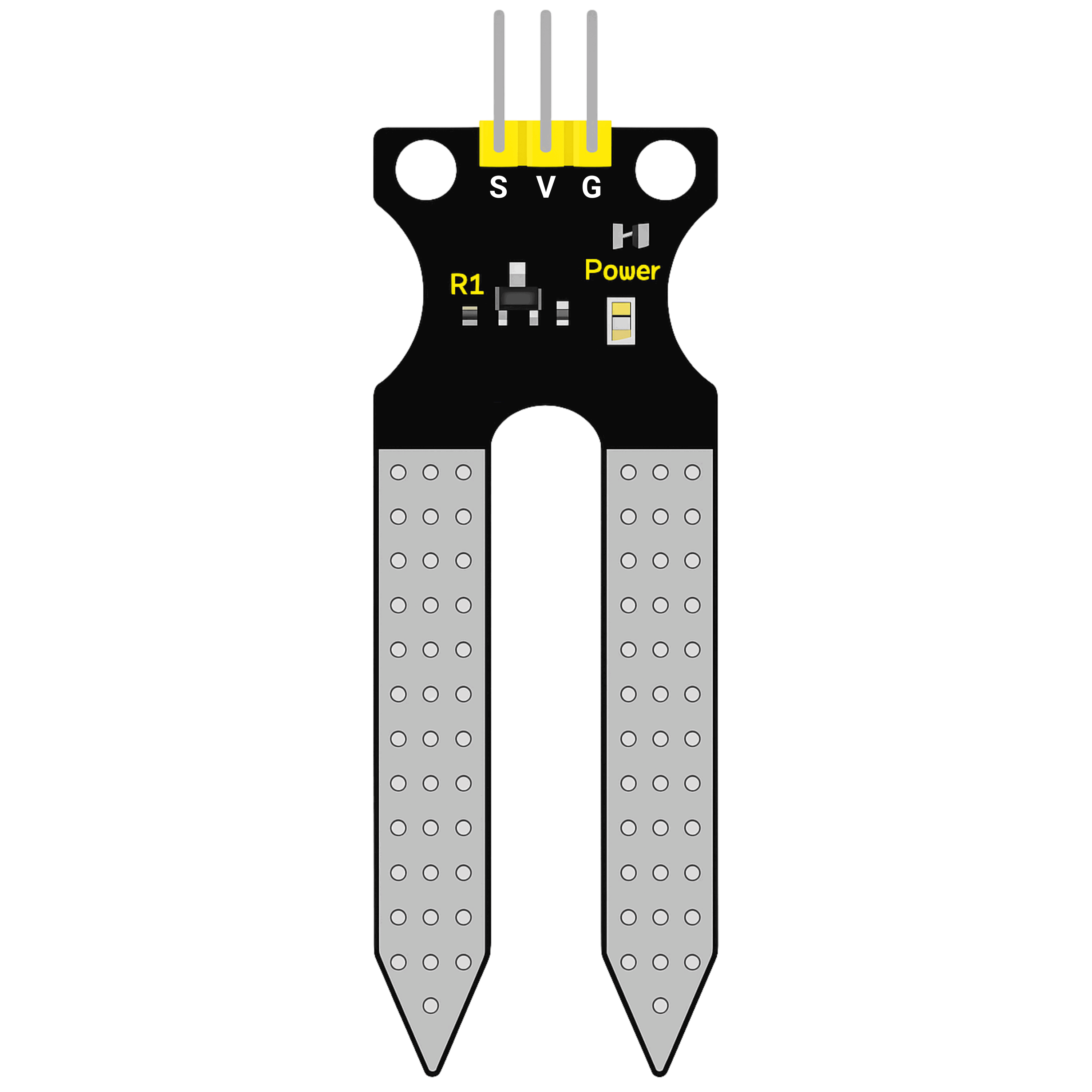
The Soil Moisture Sensor is an electronic component designed to measure the volumetric water content in soil. It provides an analog or digital output that corresponds to the moisture level, making it an essential tool for applications such as irrigation management, automated gardening systems, and monitoring plant health. By integrating this sensor into a system, users can optimize water usage and ensure plants receive the appropriate amount of hydration.
Explore Projects Built with Soil Moisture
 Open Project in Cirkit Designer
 Open Project in Cirkit Designer
 Open Project in Cirkit Designer
 Open Project in Cirkit Designer
Explore Projects Built with Soil Moisture
Open Project in Cirkit DesignerOpen Project in Cirkit DesignerOpen Project in Cirkit DesignerOpen Project in Cirkit DesignerCommon Applications and Use Cases
- Automated irrigation systems
- Smart gardening and agriculture
- Environmental monitoring
- Plant health tracking
- Soil research and analysis
Technical Specifications
The Soil Moisture Sensor typically consists of two probes that measure the resistance of the soil, which varies with moisture content. Below are the key technical details:
| Parameter | Value |
|---|---|
| Operating Voltage | 3.3V - 5V |
| Output Type | Analog (0-1023) and Digital (0/1) |
| Current Consumption | < 20mA |
| Operating Temperature | -10°C to 60°C |
| Dimensions | ~60mm x 20mm x 5mm |
| Sensor Type | Resistive |
Pin Configuration and Descriptions
| Pin Name | Description |
|---|---|
| VCC | Power supply pin (3.3V - 5V) |
| GND | Ground pin |
| A0 | Analog output pin, provides a voltage proportional to soil moisture level |
| D0 | Digital output pin, provides a HIGH or LOW signal based on a threshold setting |
| Threshold Potentiometer | Adjustable knob to set the moisture level threshold for the digital output |
Usage Instructions
How to Use the Component in a Circuit
Wiring the Sensor:
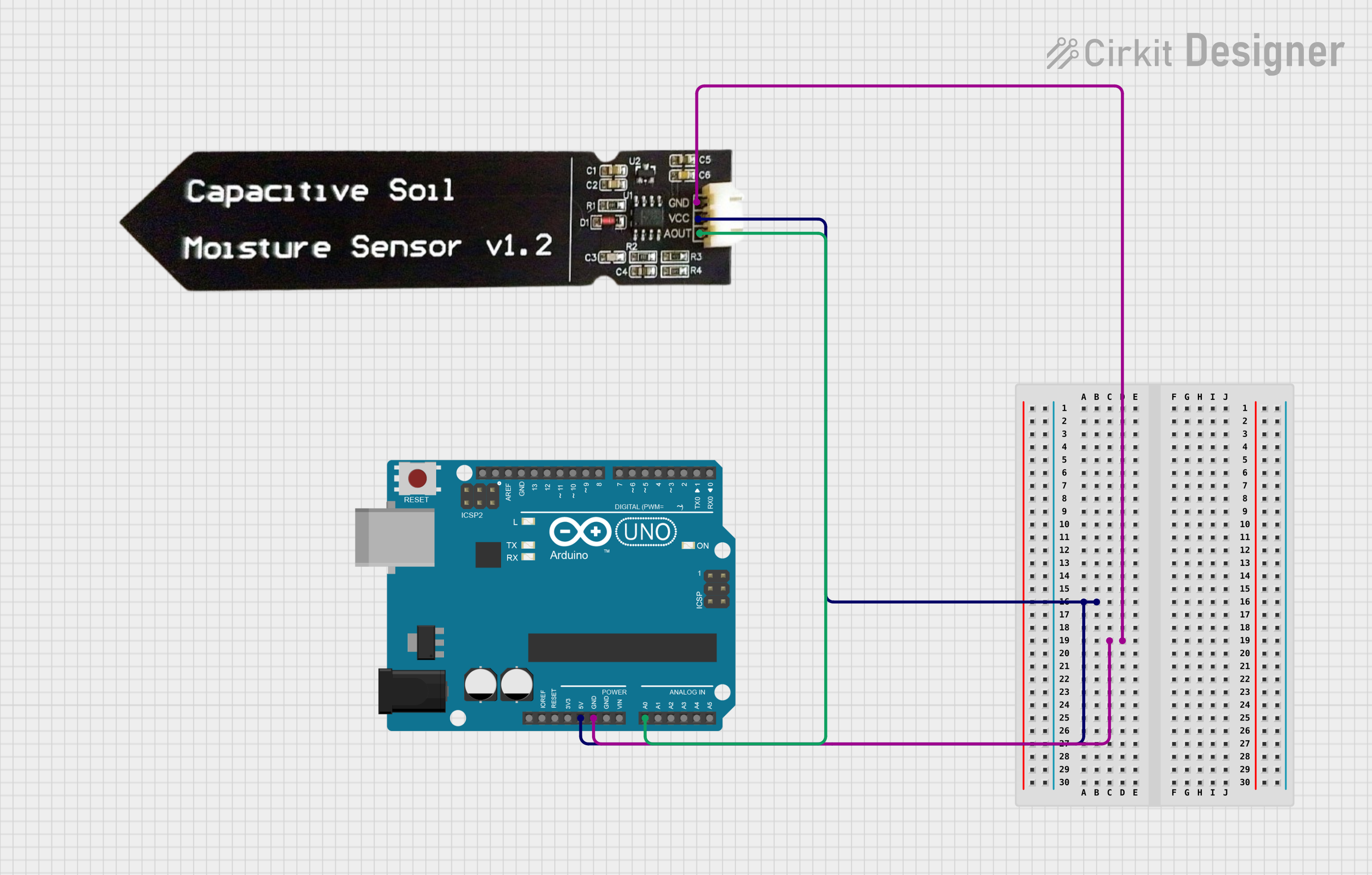
- Connect the
VCCpin to the 5V pin of your microcontroller (e.g., Arduino UNO). - Connect the
GNDpin to the ground (GND) of your microcontroller. - Connect the
A0pin to an analog input pin (e.g., A0) on the microcontroller. - Optionally, connect the
D0pin to a digital input pin if you want to use the threshold-based digital output.
- Connect the
Placement:
- Insert the sensor probes into the soil at the desired depth. Ensure the probes are fully in contact with the soil for accurate readings.
Reading the Output:
- Use the analog output (
A0) for precise moisture level readings. - Use the digital output (
D0) for a simple HIGH/LOW signal based on the threshold.
- Use the analog output (
Important Considerations and Best Practices
- Avoid prolonged exposure of the sensor to water, as it may cause corrosion or damage.
- Calibrate the sensor for your specific soil type to improve accuracy.
- Use a protective coating or sealant on the probes if the sensor will be used in wet conditions for extended periods.
- Avoid using the sensor in highly saline or acidic soils, as this may affect its performance.
Example Code for Arduino UNO
Below is an example of how to use the Soil Moisture Sensor with an Arduino UNO:
// Define the analog and digital pins connected to the sensor
const int analogPin = A0;  // Analog output pin of the sensor
const int digitalPin = 7;  // Digital output pin of the sensor

void setup() {
  Serial.begin(9600);       // Initialize serial communication
  pinMode(digitalPin, INPUT); // Set digital pin as input
}

void loop() {
  // Read the analog value from the sensor
  int moistureLevel = analogRead(analogPin);

  // Read the digital value from the sensor
  int digitalState = digitalRead(digitalPin);

  // Print the analog moisture level to the Serial Monitor
  Serial.print("Moisture Level (Analog): ");
  Serial.println(moistureLevel);

  // Print the digital state to the Serial Monitor
  Serial.print("Digital State: ");
  if (digitalState == HIGH) {
    Serial.println("Dry");
  } else {
    Serial.println("Wet");
  }

  delay(1000); // Wait for 1 second before the next reading
}
Troubleshooting and FAQs
Common Issues and Solutions
No Output or Incorrect Readings:
- Ensure the sensor is properly connected to the microcontroller.
- Verify that the power supply voltage is within the specified range (3.3V - 5V).
- Check for loose or corroded connections.
Inconsistent Readings:
- Ensure the sensor probes are fully inserted into the soil.
- Calibrate the sensor for the specific soil type being used.
- Avoid using the sensor in extremely dry or compacted soil, as this may affect accuracy.
Sensor Corrosion:
- Apply a protective coating to the probes if the sensor will be used in wet conditions for extended periods.
- Avoid leaving the sensor in waterlogged soil for long durations.
FAQs
Q: Can the sensor be used outdoors?
A: Yes, but it is recommended to protect the sensor from prolonged exposure to water and extreme weather conditions.
Q: How do I calibrate the sensor?
A: Measure the analog output in dry soil and saturated soil, then map the values to a percentage scale (0% for dry, 100% for wet).
Q: What is the lifespan of the sensor?
A: The lifespan depends on usage and environmental conditions. Regular maintenance and protection can extend its life.
Q: Can I use multiple sensors in one system?
A: Yes, connect each sensor to a separate analog or digital pin on the microcontroller. Ensure the power supply can handle the total current draw.