
How to Use RelayModuleI2C: Examples, Pinouts, and Specs
 Design with RelayModuleI2C in Cirkit Designer
Introduction
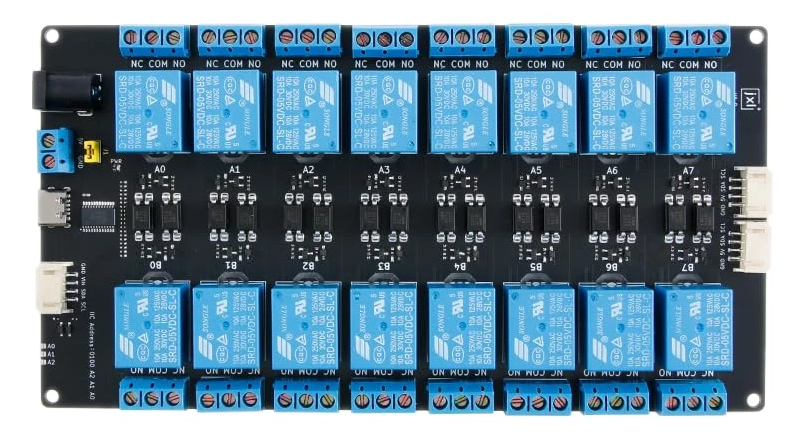
The RelayModuleI2C is a versatile electronic component designed to control high-voltage devices using low-voltage signals. It features an I2C interface, enabling seamless communication with microcontrollers such as Arduino, Raspberry Pi, and other platforms. This module typically includes multiple relays, each of which can be activated individually, making it ideal for applications requiring the switching of electrical loads.
Explore Projects Built with RelayModuleI2C
 Open Project in Cirkit Designer
 Open Project in Cirkit Designer
 Open Project in Cirkit Designer
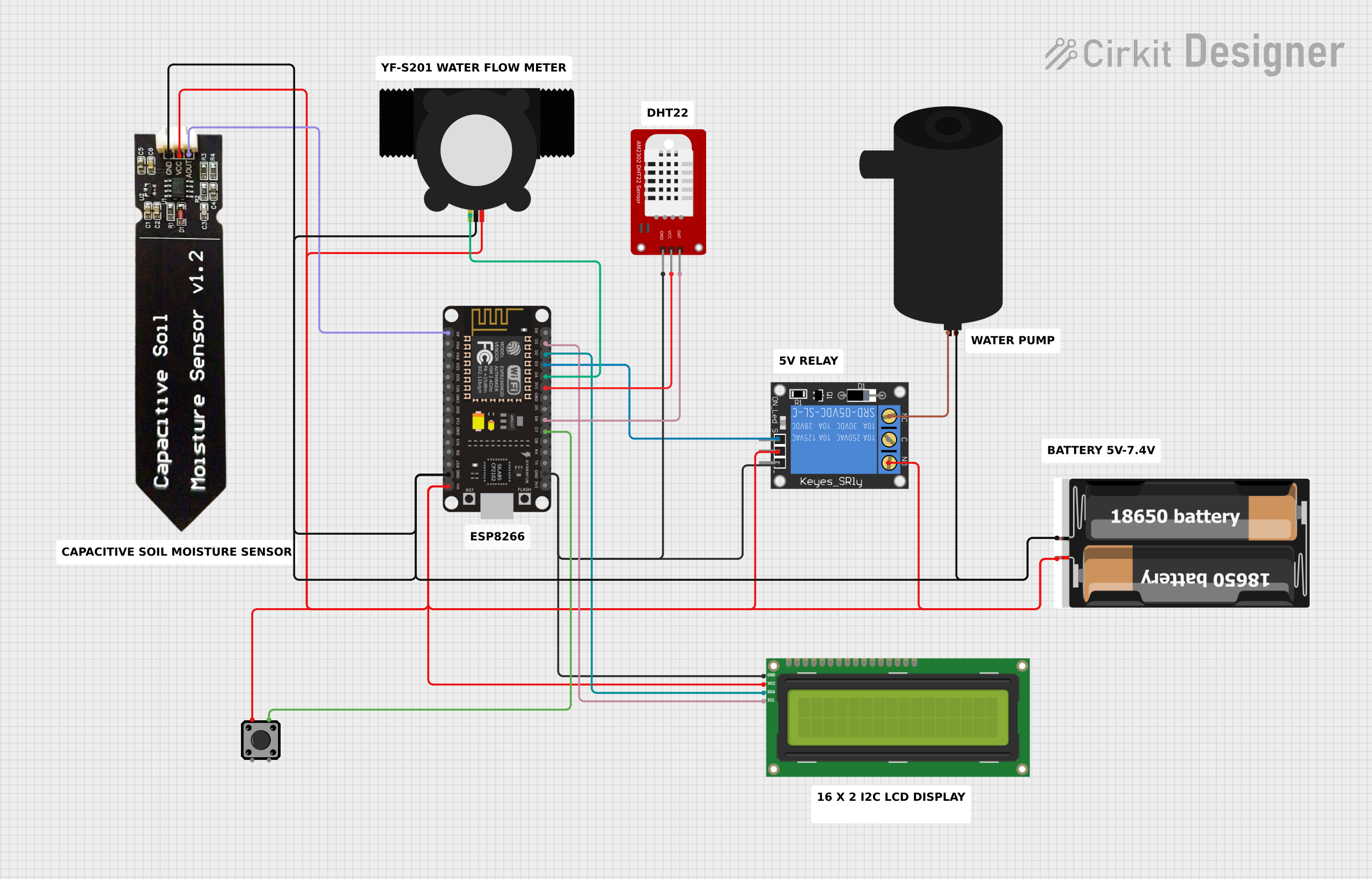 Open Project in Cirkit Designer
Explore Projects Built with RelayModuleI2C
Open Project in Cirkit DesignerOpen Project in Cirkit DesignerOpen Project in Cirkit DesignerOpen Project in Cirkit DesignerCommon Applications
- Home automation systems (e.g., controlling lights, fans, or appliances)
- Industrial automation (e.g., motor control, solenoid activation)
- Robotics (e.g., controlling actuators or high-power components)
- IoT projects requiring remote control of electrical devices
Technical Specifications
Below are the key technical details of the RelayModuleI2C:
| Parameter | Value |
|---|---|
| Operating Voltage | 5V DC |
| Communication Protocol | I2C |
| I2C Address Range | 0x20 to 0x27 (configurable via jumpers) |
| Number of Relays | 4 (can vary depending on the module) |
| Relay Voltage Rating | 250V AC / 30V DC |
| Relay Current Rating | 10A |
| Power Consumption | ~70mA per active relay |
| Dimensions | 50mm x 70mm x 20mm |
| Operating Temperature | -40°C to 85°C |
Pin Configuration
The RelayModuleI2C typically has the following pinout:
| Pin Name | Description |
|---|---|
| VCC | Power supply input (5V DC) |
| GND | Ground connection |
| SDA | I2C data line |
| SCL | I2C clock line |
| RELAY1 | Normally Open (NO), Common (COM), Normally Closed (NC) for Relay 1 |
| RELAY2 | Normally Open (NO), Common (COM), Normally Closed (NC) for Relay 2 |
| RELAY3 | Normally Open (NO), Common (COM), Normally Closed (NC) for Relay 3 |
| RELAY4 | Normally Open (NO), Common (COM), Normally Closed (NC) for Relay 4 |
Usage Instructions
Connecting the RelayModuleI2C
- Power the Module: Connect the
VCCpin to a 5V power source and theGNDpin to ground. - I2C Communication: Connect the
SDAandSCLpins to the corresponding I2C pins on your microcontroller:- For Arduino UNO:
SDA→ A4,SCL→ A5 - For other boards, refer to their I2C pinout.
- For Arduino UNO:
- Load Connections: Connect the electrical load to the relay terminals (
NO,COM,NC) as per your requirements:- Normally Open (NO): The circuit is open when the relay is inactive.
- Normally Closed (NC): The circuit is closed when the relay is inactive.
- Common (COM): The shared terminal for NO and NC.
Example Code for Arduino UNO
Below is an example code to control the RelayModuleI2C using an Arduino UNO:
#include <Wire.h> // Include the Wire library for I2C communication

#define RELAY_MODULE_ADDRESS 0x20 // Default I2C address of the module

void setup() {
  Wire.begin(); // Initialize I2C communication
  Serial.begin(9600); // Start serial communication for debugging

  // Set all relays to OFF initially
  Wire.beginTransmission(RELAY_MODULE_ADDRESS);
  Wire.write(0x00); // Send command to turn off all relays
  Wire.endTransmission();
  Serial.println("Relay Module Initialized");
}

void loop() {
  // Example: Turn on Relay 1
  Wire.beginTransmission(RELAY_MODULE_ADDRESS);
  Wire.write(0x01); // Command to activate Relay 1
  Wire.endTransmission();
  delay(1000); // Keep Relay 1 ON for 1 second

  // Example: Turn off Relay 1
  Wire.beginTransmission(RELAY_MODULE_ADDRESS);
  Wire.write(0x00); // Command to deactivate all relays
  Wire.endTransmission();
  delay(1000); // Wait for 1 second before repeating
}
Important Considerations
- Power Supply: Ensure the module is powered with a stable 5V DC supply.
- Load Ratings: Do not exceed the relay's voltage and current ratings (250V AC / 30V DC, 10A).
- I2C Address: If using multiple RelayModuleI2C units, configure unique I2C addresses using the onboard jumpers.
- Isolation: For safety, ensure proper isolation between the high-voltage and low-voltage sides of the circuit.
Troubleshooting and FAQs
Common Issues
Relays Not Activating
- Cause: Incorrect I2C address or wiring.
- Solution: Verify the I2C address and ensure proper connections for
SDAandSCL.
Module Overheating
- Cause: Exceeding the relay's current rating.
- Solution: Ensure the connected load does not exceed 10A.
No Response from Module
- Cause: Faulty power supply or incorrect I2C configuration.
- Solution: Check the power supply voltage and confirm the I2C address.
FAQs
Can I use this module with a 3.3V microcontroller?
- Yes, but you may need a level shifter for the I2C lines to ensure proper communication.
How do I change the I2C address?
- Use the onboard jumpers to set a new address within the range 0x20 to 0x27.
Can I control multiple relays simultaneously?
- Yes, send the appropriate command to activate multiple relays at once.
Is the module safe for high-voltage applications?
- Yes, but ensure proper insulation and follow safety guidelines when working with high voltages.
By following this documentation, you can effectively integrate the RelayModuleI2C into your projects and control high-voltage devices with ease.