
How to Use CD42 BMS: Examples, Pinouts, and Specs

 Design with CD42 BMS in Cirkit Designer
Introduction
The CD42 BMS (Battery Management System) is an electronic component designed to monitor and manage the charging and discharging processes of a battery pack. It ensures optimal performance, longevity, and safety of the battery cells within the pack. This system is commonly used in applications such as electric vehicles, energy storage systems, and portable electronic devices where battery health is crucial.
Explore Projects Built with CD42 BMS
 Open Project in Cirkit Designer
 Open Project in Cirkit Designer
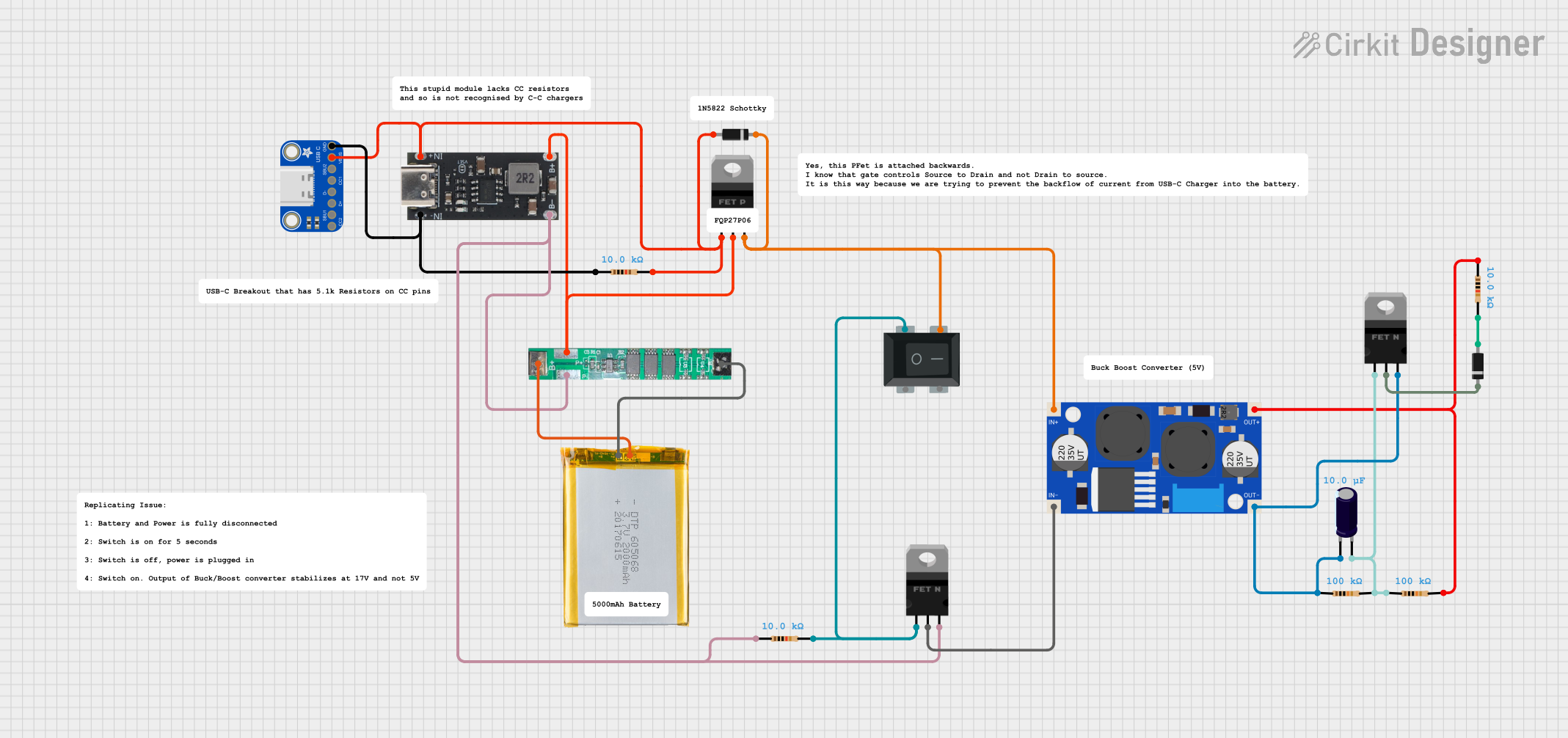 Open Project in Cirkit Designer
 Open Project in Cirkit Designer
Explore Projects Built with CD42 BMS
Open Project in Cirkit DesignerOpen Project in Cirkit DesignerOpen Project in Cirkit DesignerOpen Project in Cirkit DesignerCommon Applications and Use Cases
- Electric Vehicles (EVs)
- Energy Storage Systems (ESS)
- Uninterruptible Power Supplies (UPS)
- Portable Electronic Devices
- Solar Power Systems
Technical Specifications
The CD42 BMS is designed to cater to a wide range of battery types and configurations. Below are the key technical details and pin configurations for the CD42 BMS.
Key Technical Details
| Specification | Detail |
|---|---|
| Operating Voltage | XX V to XX V |
| Max Charging Current | XX A |
| Max Discharging Current | XX A |
| Number of Cells Managed | Up to XX cells |
| Communication Interface | CAN, UART, I2C, etc. |
| Balancing Current | XX mA |
| Temperature Range | -XX°C to XX°C |
| Protection Features | Overcharge, Overdischarge, Short Circuit, Overcurrent, etc. |
Pin Configuration and Descriptions
| Pin Number | Name | Description |
|---|---|---|
| 1 | V+ | Positive voltage input from the battery pack |
| 2 | V- | Negative voltage input from the battery pack |
| 3 | TEMP | Temperature sensor input |
| 4 | BAL | Cell balancing pin |
| 5 | CANH | CAN bus high |
| 6 | CANL | CAN bus low |
| ... | ... | ... |
Note: The above table is an example. Replace the placeholders (XX, ...) with the actual specifications of the CD42 BMS.
Usage Instructions
Integrating CD42 BMS into a Circuit
- Connection to Battery Pack: Connect the positive and negative terminals of the battery pack to the V+ and V- pins, respectively.
- Temperature Monitoring: Attach the temperature sensors to the TEMP pin to monitor the temperature of the battery cells.
- Communication Setup: Configure the communication interface (CAN, UART, I2C, etc.) to enable data exchange between the BMS and the host controller.
- Balancing Setup: Connect the BAL pin to the balancing circuitry if applicable.
Important Considerations and Best Practices
- Ensure that the battery pack's voltage and current do not exceed the BMS's maximum ratings.
- Use appropriate gauge wires for connections to handle the expected current.
- Always follow the manufacturer's guidelines for temperature sensor placement.
- Implement proper isolation and safety measures when dealing with high voltage and current.
- Regularly inspect and maintain the BMS to prevent any potential issues.
Troubleshooting and FAQs
Common Issues
- BMS Not Balancing Cells: Check the connections to the BAL pin and ensure that the balancing circuitry is functioning correctly.
- Communication Errors: Verify the integrity of the communication lines and ensure proper configuration of the communication protocol.
- Overcurrent/Overvoltage Protection Tripping: Ensure that the battery pack's operating conditions are within the BMS's specified limits.
Solutions and Tips for Troubleshooting
- Double-check all wiring and connections for correctness and integrity.
- Use a multimeter to measure voltages and currents at various points in the circuit to isolate the issue.
- Consult the BMS's datasheet and manufacturer's documentation for detailed troubleshooting steps.
FAQs
Q: Can the CD42 BMS be used with any type of battery? A: The CD42 BMS is designed to be compatible with various battery chemistries. However, ensure that the specifications of the battery match the BMS's capabilities.
Q: How do I update the firmware on the CD42 BMS? A: Firmware updates are typically done through the communication interface. Follow the manufacturer's instructions for the update process.
Q: What should I do if the BMS is consistently triggering protection features? A: Investigate the cause of the protection triggers. It could be due to improper settings, faulty battery cells, or external factors affecting the battery pack.
Note: The above FAQs are examples. Adjust the questions and answers based on the actual features and capabilities of the CD42 BMS.
Example Arduino Code for CD42 BMS Communication
#include <Wire.h>

// CD42 BMS I2C address (example address, replace with actual)
#define BMS_I2C_ADDRESS 0xXX

void setup() {
  Wire.begin(); // Initialize I2C communication
  Serial.begin(9600); // Start serial communication for debugging
}

void loop() {
  // Request data from CD42 BMS
  Wire.beginTransmission(BMS_I2C_ADDRESS);
  // Add code to request specific data from BMS
  Wire.endTransmission();

  // Read data from BMS
  Wire.requestFrom(BMS_I2C_ADDRESS, 6); // Request 6 bytes of data
  while (Wire.available()) {
    char c = Wire.read(); // Receive a byte as character
    Serial.print(c); // Print the character to the serial monitor
  }

  delay(1000); // Wait for a second before next request
}
Note: The above code is a simple example of how to communicate with the CD42 BMS using the I2C protocol. Replace the placeholder (0xXX) with the actual I2C address of the CD42 BMS and modify the code to match the specific communication protocol and data format of the BMS.