
How to Use SDS011: Examples, Pinouts, and Specs
 Design with SDS011 in Cirkit Designer
Introduction
The SDS011 is a laser-based particulate matter (PM) sensor manufactured by Nova Fitness Co., Ltd. It is designed to measure the concentration of PM2.5 and PM10 particles in the air with high precision and reliability. The sensor uses laser scattering technology to detect and count particles, providing real-time digital output via UART. Its compact design and ease of use make it a popular choice for air quality monitoring systems, environmental research, and IoT applications.
Explore Projects Built with SDS011
 Open Project in Cirkit Designer
 Open Project in Cirkit Designer
 Open Project in Cirkit Designer
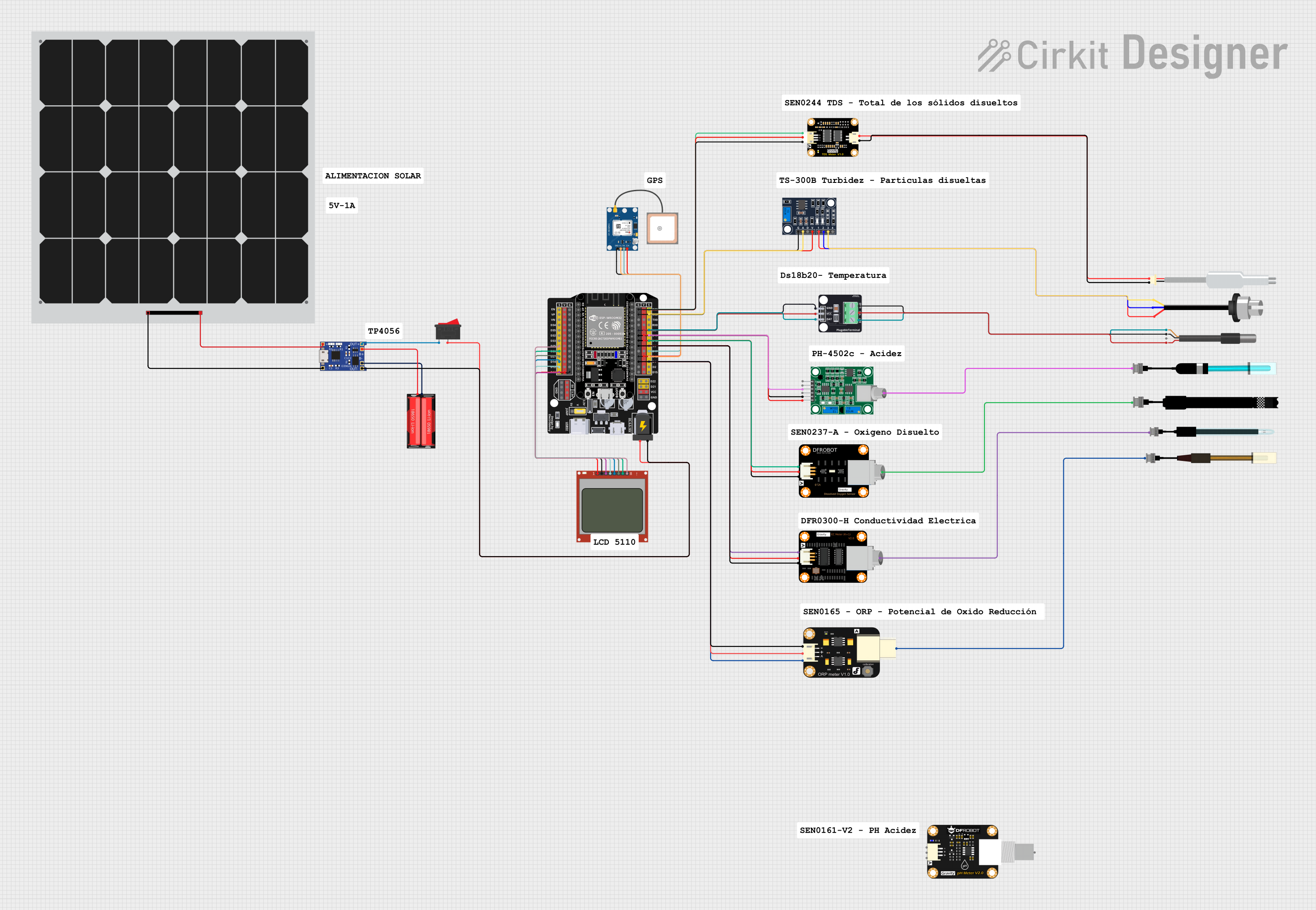 Open Project in Cirkit Designer
Explore Projects Built with SDS011
Open Project in Cirkit DesignerOpen Project in Cirkit DesignerOpen Project in Cirkit DesignerOpen Project in Cirkit DesignerCommon Applications
- Indoor and outdoor air quality monitoring
- Smart home and IoT devices
- Environmental research and data collection
- HVAC systems for air quality control
- Industrial pollution monitoring
Technical Specifications
The SDS011 sensor is designed for accurate and reliable particulate matter detection. Below are its key technical specifications:
| Parameter | Value |
|---|---|
| Measurement Range | 0.0 – 999.9 µg/m³ |
| Particle Size Detection | PM2.5 and PM10 |
| Accuracy | ±10% |
| Resolution | 0.3 µg/m³ |
| Output Interface | UART (3.3V TTL) and PWM |
| Operating Voltage | 4.7V – 5.3V |
| Operating Current | ≤ 70 mA |
| Response Time | ≤ 10 seconds |
| Operating Temperature | -10°C to +50°C |
| Operating Humidity | 0 – 70% RH |
| Lifetime | 8,000 hours |
| Dimensions | 71 mm × 70 mm × 23 mm |
| Weight | ~150 g |
Pin Configuration
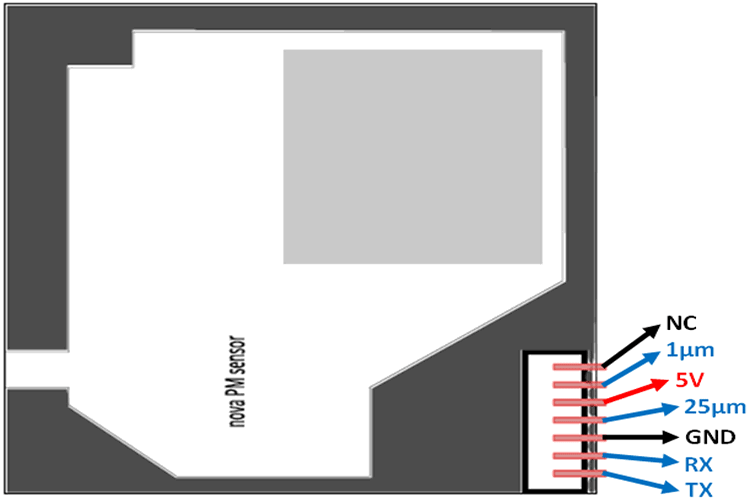
The SDS011 sensor has a 7-pin connector for power and data communication. The pin configuration is as follows:
| Pin Number | Pin Name | Description |
|---|---|---|
| 1 | VCC | Power supply (4.7V – 5.3V) |
| 2 | GND | Ground |
| 3 | RX | UART Receive (3.3V TTL) |
| 4 | TX | UART Transmit (3.3V TTL) |
| 5 | SET | Sleep/Wake control (optional, active low) |
| 6 | NC | Not connected |
| 7 | NC | Not connected |
Usage Instructions
Connecting the SDS011 to a Circuit
- Power Supply: Connect the VCC pin to a 5V power source and the GND pin to ground.
- Data Communication: Use the TX and RX pins for UART communication. Ensure the microcontroller or device you are using supports 3.3V TTL UART levels.
- Optional Control: The SET pin can be used to put the sensor into sleep mode to conserve power. Leave it unconnected if not used.
Important Considerations
- Airflow: Ensure the sensor's air inlet and outlet are unobstructed for accurate readings.
- Orientation: Install the sensor in a horizontal position for optimal performance.
- Warm-Up Time: Allow the sensor to warm up for 30 seconds after powering on for stable readings.
- Lifetime: The sensor has a limited operational lifetime of 8,000 hours. Plan for periodic replacement in long-term applications.
Example: Connecting SDS011 to Arduino UNO
Below is an example of how to connect and use the SDS011 sensor with an Arduino UNO:
Wiring Diagram
| SDS011 Pin | Arduino UNO Pin |
|---|---|
| VCC | 5V |
| GND | GND |
| TX | D2 (via voltage divider for 5V to 3.3V conversion) |
| RX | D3 |
Arduino Code
#include <SoftwareSerial.h>

// Define RX and TX pins for SoftwareSerial
SoftwareSerial sdsSerial(3, 2); // RX = Pin 3, TX = Pin 2

void setup() {
  Serial.begin(9600); // Initialize Serial Monitor
  sdsSerial.begin(9600); // Initialize SDS011 UART communication

  Serial.println("SDS011 Sensor Initialized");
}

void loop() {
  if (sdsSerial.available() > 0) {
    // Read data from SDS011
    byte data[10];
    int index = 0;

    while (sdsSerial.available() > 0 && index < 10) {
      data[index++] = sdsSerial.read();
    }

    // Validate data packet
    if (index == 10 && data[0] == 0xAA && data[1] == 0xC0 && data[9] == 0xAB) {
      int pm25 = (data[2] + (data[3] << 8)) / 10; // PM2.5 in µg/m³
      int pm10 = (data[4] + (data[5] << 8)) / 10; // PM10 in µg/m³

      Serial.print("PM2.5: ");
      Serial.print(pm25);
      Serial.print(" µg/m³, PM10: ");
      Serial.print(pm10);
      Serial.println(" µg/m³");
    }
  }

  delay(1000); // Wait 1 second before next reading
}
Best Practices
- Use a voltage divider or level shifter to safely connect the sensor's TX pin to a 5V microcontroller.
- Avoid exposing the sensor to high humidity or corrosive gases, as this may damage the internal components.
- Periodically clean the sensor's air inlet and outlet to prevent dust buildup.
Troubleshooting and FAQs
Common Issues and Solutions
No Data Output
- Ensure the sensor is powered correctly (4.7V – 5.3V).
- Verify the UART connection and baud rate (9600 bps).
- Check for loose or incorrect wiring.
Inaccurate Readings
- Allow the sensor to warm up for at least 30 seconds after powering on.
- Ensure the sensor is installed in a horizontal position with unobstructed airflow.
- Clean the air inlet and outlet if dust buildup is suspected.
Sensor Stops Working
- Check the sensor's operational lifetime (8,000 hours). Replace the sensor if it has exceeded its lifetime.
- Verify that the operating temperature and humidity are within the specified range.
FAQs
Q: Can the SDS011 measure other particle sizes besides PM2.5 and PM10?
A: No, the SDS011 is specifically designed to measure PM2.5 and PM10 particle concentrations.
Q: How do I put the sensor into sleep mode?
A: Pull the SET pin low to put the sensor into sleep mode. Leave it unconnected or pull it high to wake the sensor.
Q: Can I use the SDS011 with a 3.3V microcontroller?
A: Yes, but ensure the VCC pin is supplied with 5V. The UART pins (TX and RX) are 3.3V TTL compatible.
Q: How often should I clean the sensor?
A: Cleaning frequency depends on the environment. In dusty conditions, clean the air inlet and outlet every few months.
Q: What is the sensor's response time?
A: The SDS011 has a response time of ≤ 10 seconds, providing near real-time measurements.