
How to Use nabız: Examples, Pinouts, and Specs
 Design with nabız in Cirkit Designer
Introduction
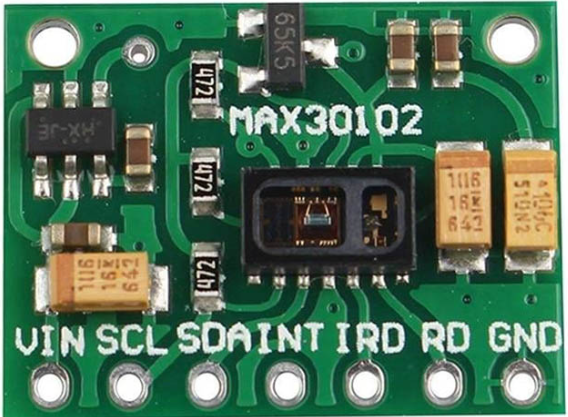
Nabız, a component designed by Nabız, is a versatile electronic device primarily used for generating or measuring pulse signals. In biomedical applications, it is commonly employed as a heart rate or pulse rate sensor. This component is ideal for projects involving health monitoring, fitness tracking, and biofeedback systems. Its compact design and ease of integration make it suitable for both hobbyist and professional applications.
Explore Projects Built with nabız
 Open Project in Cirkit Designer
 Open Project in Cirkit Designer
 Open Project in Cirkit Designer
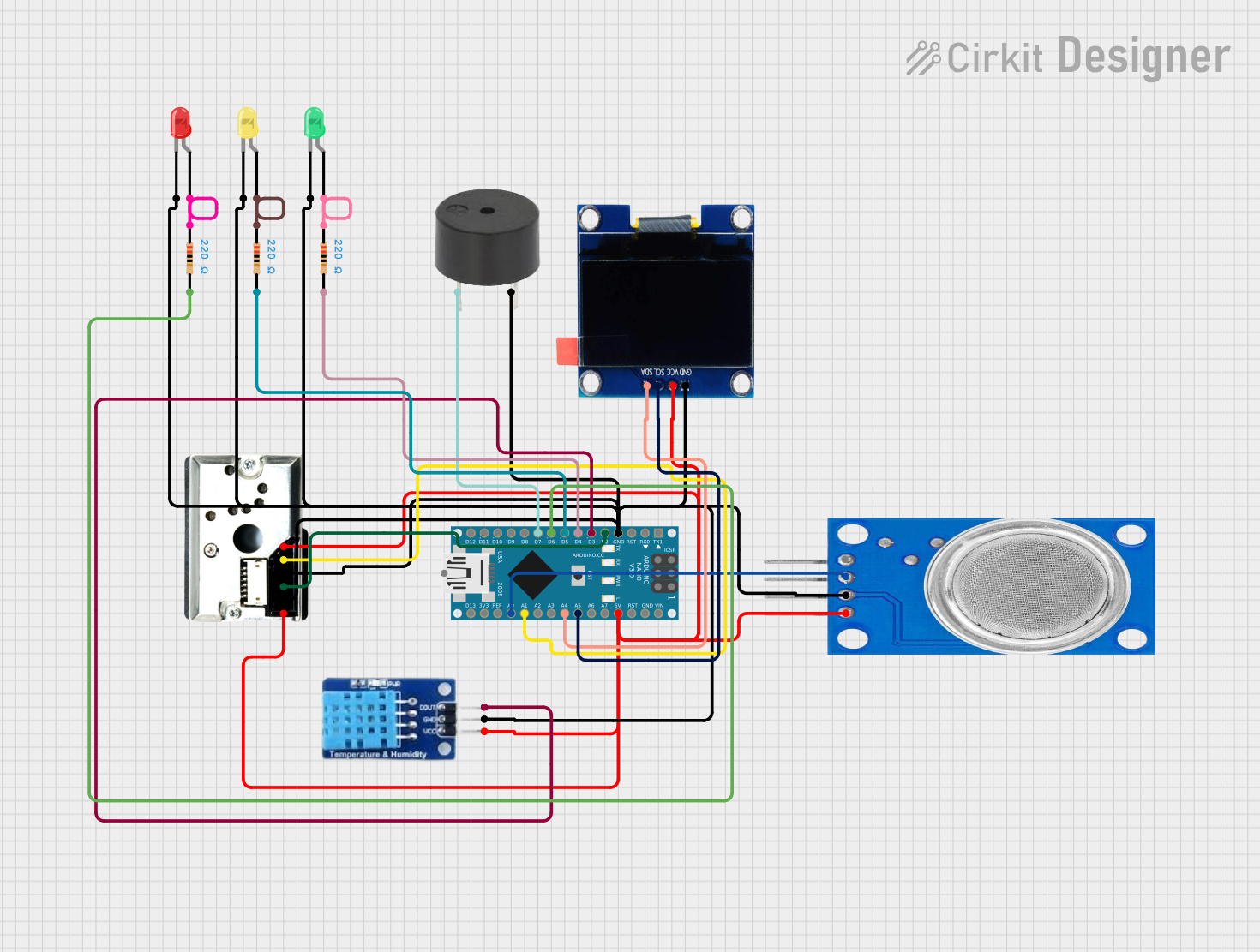 Open Project in Cirkit Designer
Explore Projects Built with nabız
Open Project in Cirkit DesignerOpen Project in Cirkit DesignerOpen Project in Cirkit DesignerOpen Project in Cirkit DesignerCommon Applications and Use Cases
- Heart rate monitoring in wearable devices
- Fitness trackers and health monitoring systems
- Biofeedback and medical research projects
- Educational projects for learning about pulse signals
- Integration with microcontrollers like Arduino for IoT applications
Technical Specifications
The Nabız component is designed to operate efficiently in a variety of environments. Below are its key technical details:
General Specifications
| Parameter | Value |
|---|---|
| Manufacturer | Nabız |
| Part ID | Nabız |
| Operating Voltage | 3.3V to 5V |
| Operating Current | < 10mA |
| Output Signal Type | Digital or Analog (depending on model) |
| Pulse Detection Range | 30 to 240 beats per minute (BPM) |
| Dimensions | 25mm x 15mm x 5mm |
| Interface | 3-pin header (VCC, GND, OUT) |
Pin Configuration and Descriptions
| Pin Name | Pin Number | Description |
|---|---|---|
| VCC | 1 | Power supply input (3.3V to 5V) |
| GND | 2 | Ground connection |
| OUT | 3 | Output signal (pulse signal in digital/analog) |
Usage Instructions
The Nabız component is straightforward to use and can be integrated into a variety of circuits. Below are the steps and best practices for using the component:
How to Use the Component in a Circuit
- Power the Component: Connect the VCC pin to a 3.3V or 5V power source and the GND pin to the ground of your circuit.
- Connect the Output: Attach the OUT pin to the input pin of your microcontroller or signal processing circuit.
- Read the Signal: Depending on the model, the output signal can be digital (high/low) or analog (voltage proportional to pulse rate). Use an ADC (Analog-to-Digital Converter) if the output is analog and your microcontroller only supports digital inputs.
- Filter Noise: For accurate readings, ensure the circuit is free from electrical noise. Use decoupling capacitors if necessary.
Important Considerations and Best Practices
- Placement: For heart rate monitoring, ensure the sensor is placed on a body part with good blood flow, such as a fingertip or earlobe.
- Ambient Light: If the component uses optical sensing, avoid direct exposure to bright light, as it may interfere with readings.
- Power Supply: Use a stable power source to prevent fluctuations in the output signal.
- Calibration: For precise measurements, calibrate the sensor according to the specific application.
Example: Connecting Nabız to an Arduino UNO
Below is an example of how to connect and use the Nabız component with an Arduino UNO to measure pulse rate:
Circuit Diagram
- Connect the VCC pin of Nabız to the 5V pin on the Arduino.
- Connect the GND pin of Nabız to the GND pin on the Arduino.
- Connect the OUT pin of Nabız to digital pin 2 on the Arduino.
Arduino Code
// Nabız Pulse Sensor Example Code
// This code reads the pulse signal from the Nabız component and prints the
// pulse rate to the Serial Monitor.

const int pulsePin = 2; // Pin connected to the OUT pin of Nabız
int pulseState = 0;     // Variable to store the pulse signal state

void setup() {
  pinMode(pulsePin, INPUT); // Set the pulse pin as input
  Serial.begin(9600);       // Initialize serial communication at 9600 baud
}

void loop() {
  pulseState = digitalRead(pulsePin); // Read the pulse signal

  if (pulseState == HIGH) {
    // If a pulse is detected, print a message
    Serial.println("Pulse detected!");
  } else {
    // If no pulse is detected, print a different message
    Serial.println("No pulse detected.");
  }

  delay(100); // Delay to avoid flooding the Serial Monitor
}
Troubleshooting and FAQs
Common Issues and Solutions
No Output Signal
- Cause: Incorrect wiring or loose connections.
- Solution: Double-check all connections, ensuring VCC, GND, and OUT are properly connected.
Inconsistent Readings
- Cause: Electrical noise or unstable power supply.
- Solution: Use decoupling capacitors and ensure a stable power source.
Low Sensitivity
- Cause: Poor placement of the sensor.
- Solution: Place the sensor on a body part with good blood flow, such as a fingertip.
Interference from Ambient Light
- Cause: Bright light affecting the sensor.
- Solution: Shield the sensor from direct light or use it in a controlled environment.
FAQs
Q: Can the Nabız component be used with a 3.3V microcontroller?
A: Yes, the Nabız component supports an operating voltage range of 3.3V to 5V, making it compatible with 3.3V microcontrollers like the ESP32.
Q: How do I know if the sensor is working?
A: You can monitor the output signal using an oscilloscope or connect it to a microcontroller to read the pulse signal.
Q: Is the Nabız component waterproof?
A: No, the Nabız component is not waterproof. Avoid exposing it to moisture or liquids.
Q: Can I use the Nabız component for continuous monitoring?
A: Yes, the Nabız component is designed for continuous monitoring, but ensure proper placement and stable power for accurate readings.